
Launch
We're launching DuckyHelper.
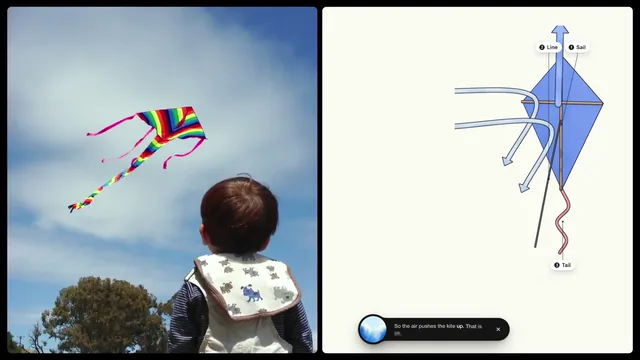
An AI on your computer that sees your screen and draws on it. Press fn, ask out loud, and it shows you how. Then it asks you back.
Inside the film
What it shows
The launch film. A kid flies a kite, and the same picture becomes a drawing on screen: DuckyHelper sees what is there and draws it out, explaining as it goes. It is the whole idea in under a minute: press fn, ask out loud, and it shows you how. Then it asks you back, so you are the one who works it out.
The DuckyHelper part
In this film, it sees what is on the screen and draws on it, you ask out loud instead of typing and it asks a question back, so you do the thinking. That is DuckyHelper on any screen: press one key in any app and ask.
- Press fn on a Mac, or Ctrl+Shift+Space on Windows and Linux, in any app.
- Ask your question out loud, the way you would ask a person next to you.
- Watch it explain on your screen or on the blackboard, then answer its question back.



