
DuckyHelper for Students
For homework and big tests.
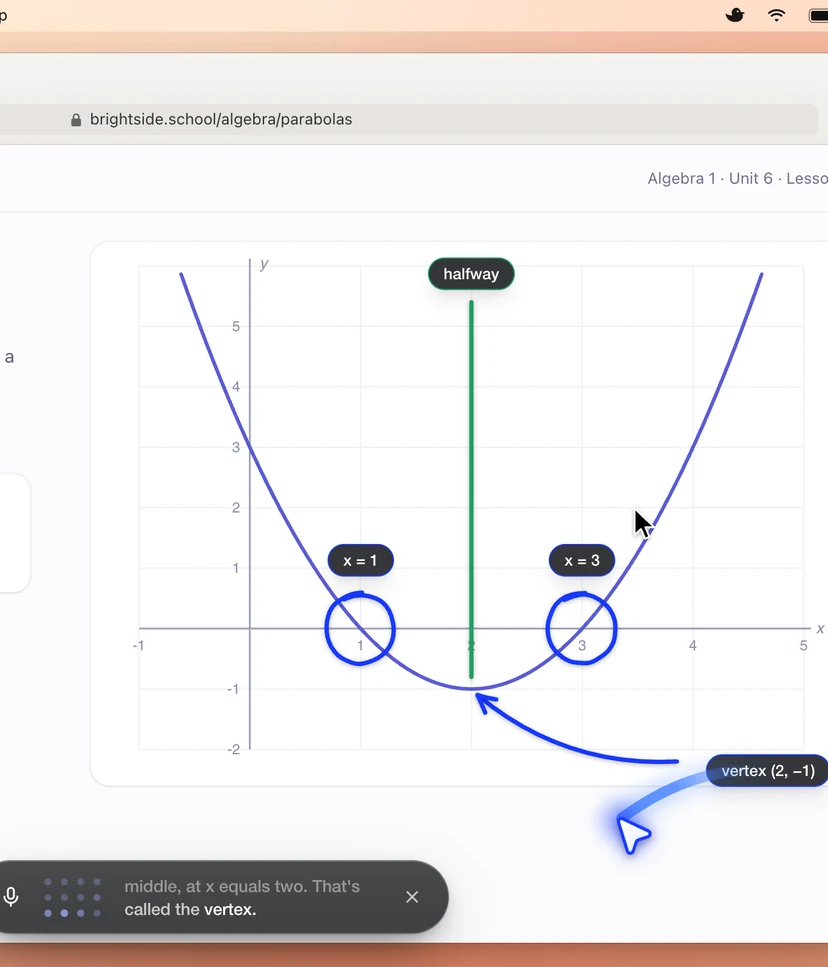
Meet Ducky, a voice tutor for your Mac. Press fn and ask out loud. Ducky talks you through it and shows you, right on your screen.

Get through finals like the genius you are.
Ducky sees your screen, so it helps in any app or website you study in. No new software to learn.
Get early access






























Shows you on screen
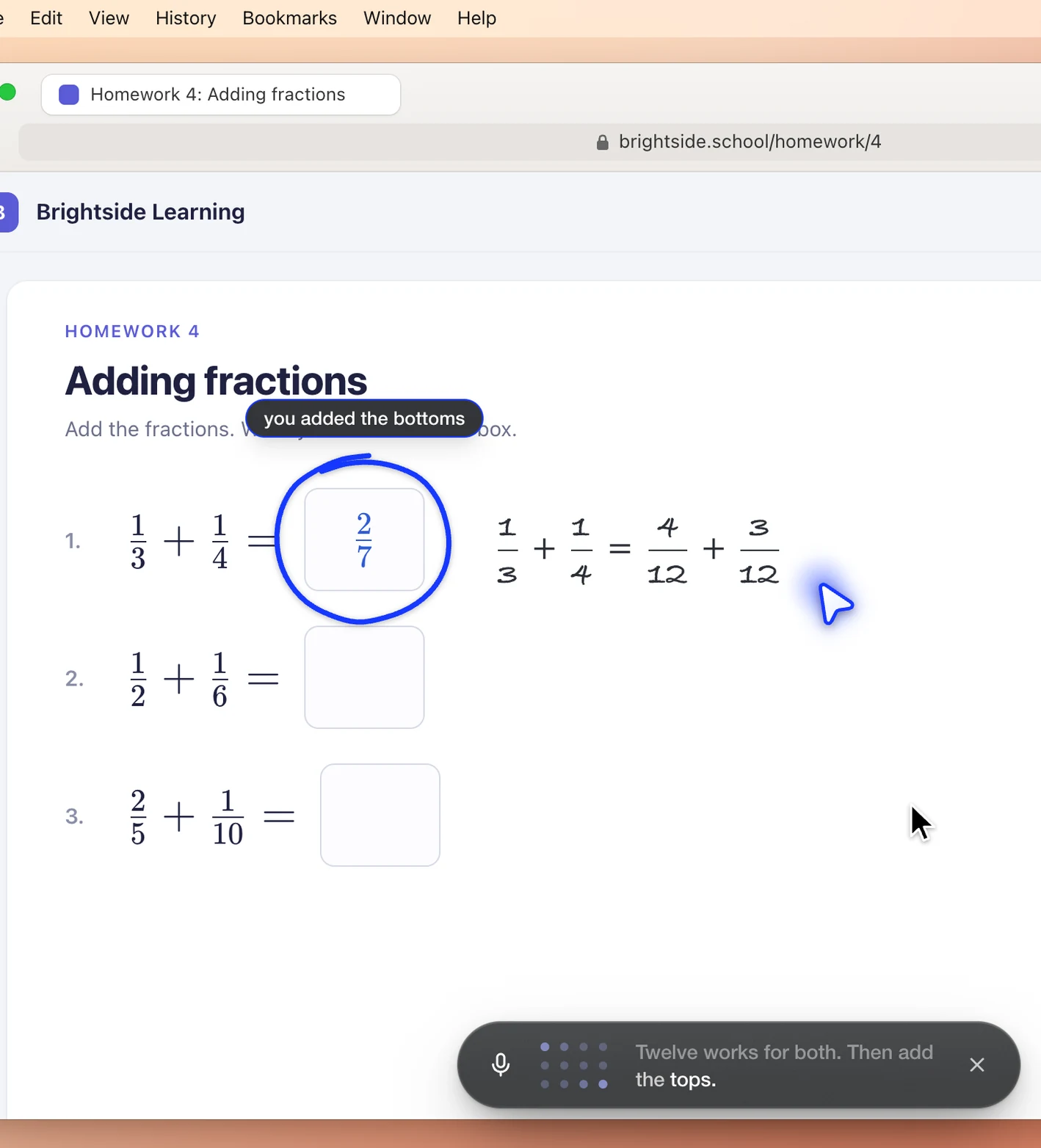
Ducky circles, points and labels right on your homework, one mark at a time.

A voice tutor, 24/7
Ask out loud, day or night. Ducky listens and answers out loud.

Quizzes and flashcards
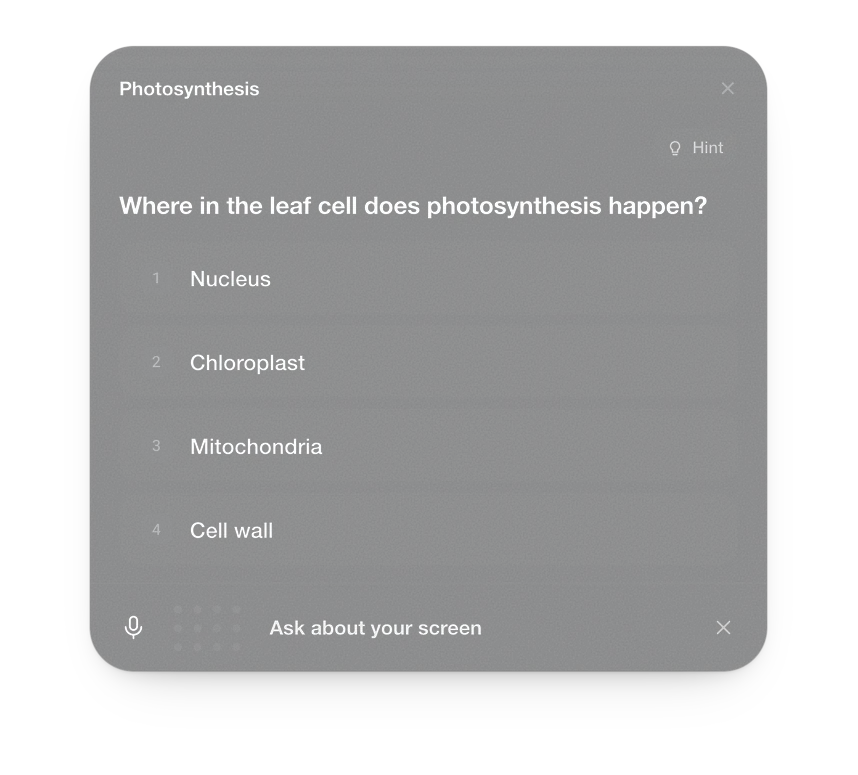
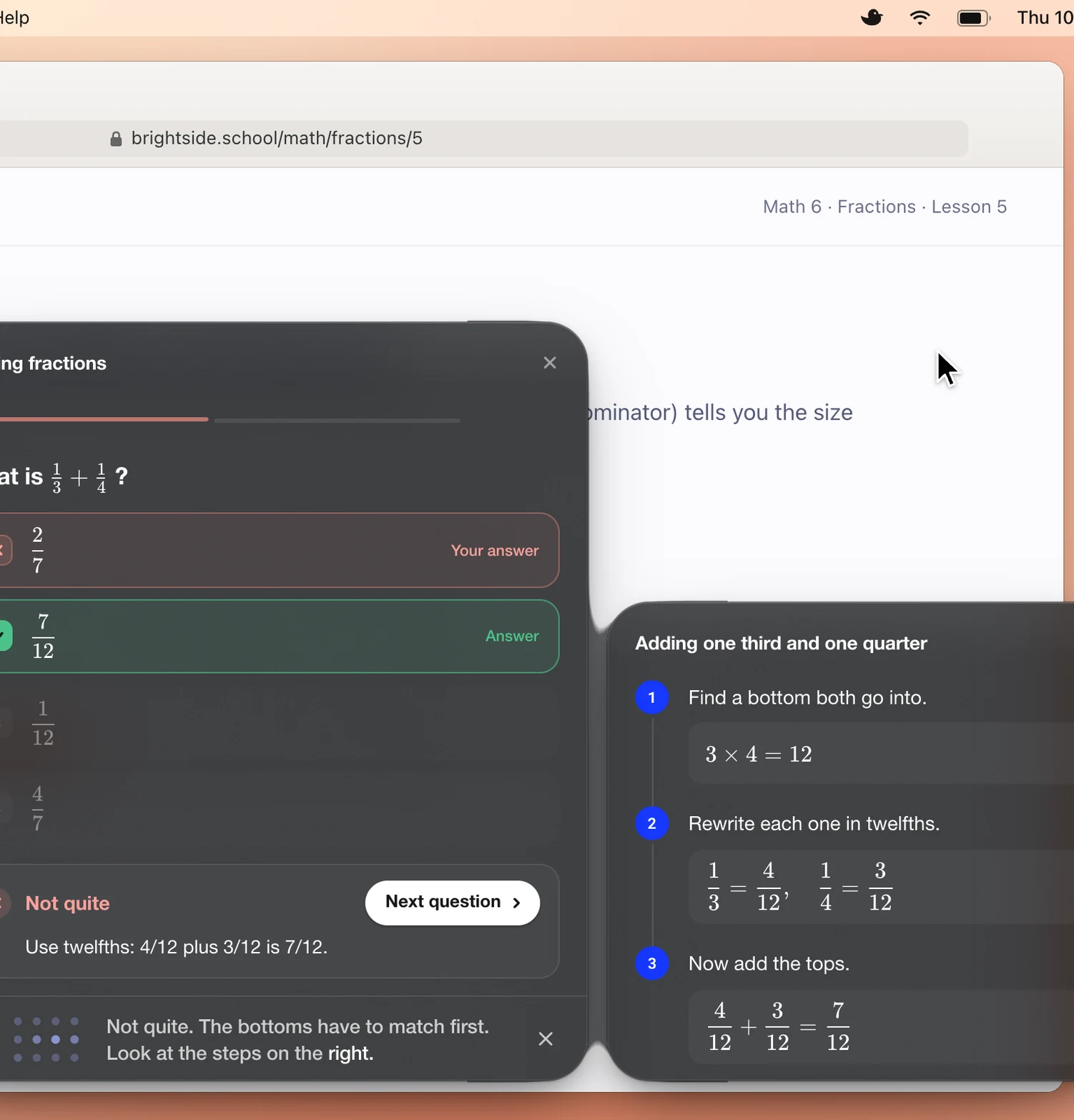
Practice right in the pill. Miss one, and Ducky shows the steps.

Typing coach
Grey ghost letters at your caret. A wrong letter turns red.
Be first to learn with Ducky
DuckyHelper is a Mac app. It is not out yet.
How early access works
Click “Get early access” and sign up. When your spot opens, install DuckyHelper on your Mac.
Then press fn and ask. Mac only for now.

Homework help that shows you
Stuck on a problem? Press fn and ask. Ducky sees your homework, then circles, points and writes on your real screen, one mark at a time. It finds the mistake with you, so you learn the step, not just the answer.
SAT, ACT and CLT prep
One real story, from the founder
Yiming Beckmann built DuckyHelper. He is 14 and, in his words, a grade school dropout. He studied for the SAT with DuckyHelper and went from 1120 to 1600 in two weeks. He also got 117 of 120 on the CLT.
That is his story, not a promise. Your prep will look different. Ducky can quiz you, walk through each miss step by step, and show you what to review next.
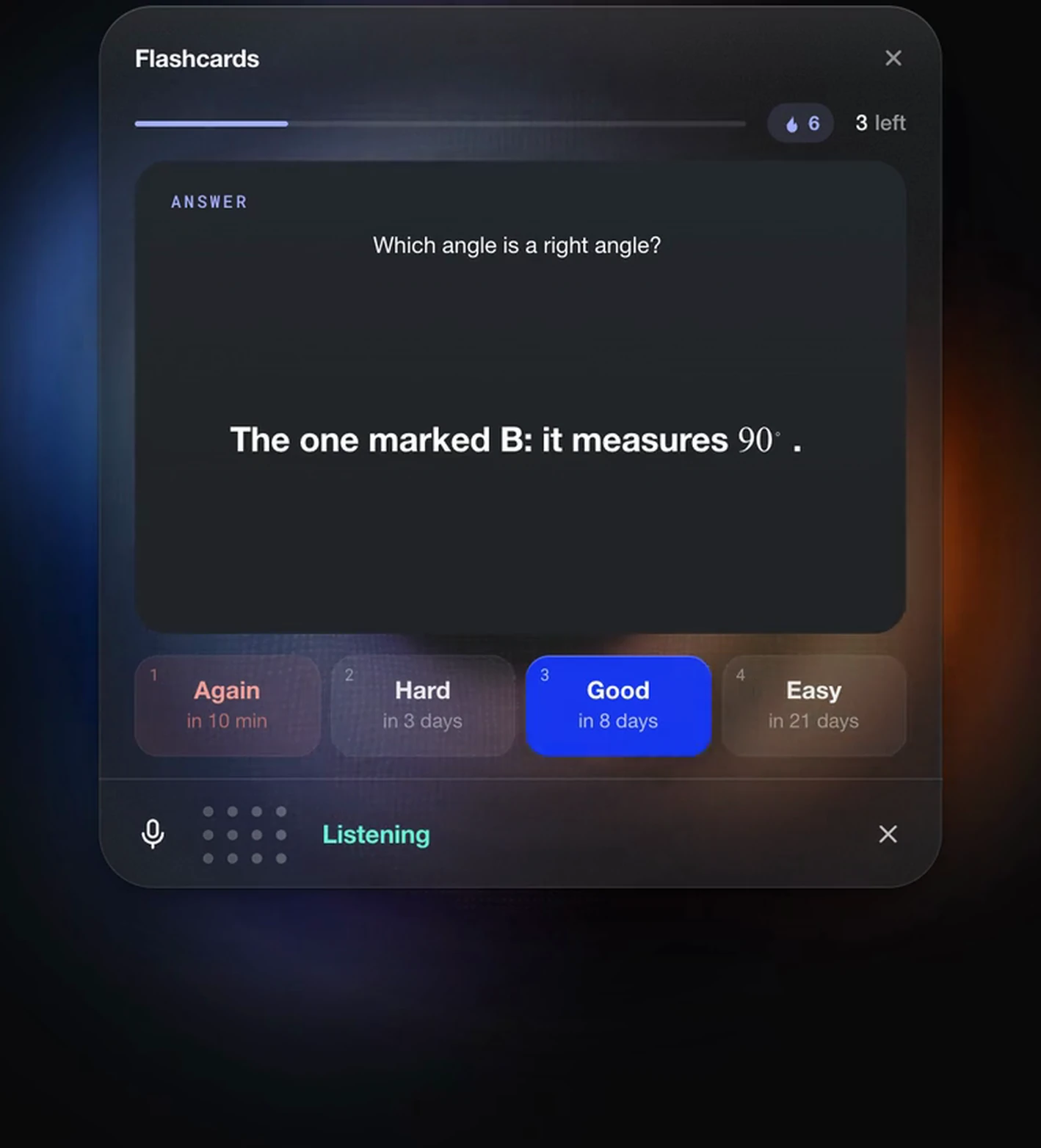
Quizzes and flashcards
Ask Ducky to quiz you, and the practice shows up right in the pill:
- Quizzes with choices or typed answers, checked as you go.
- Flashcards that come back right when you need to see them again.
- Worked steps when you miss, so you see where it went wrong.
A typing coach at your caret
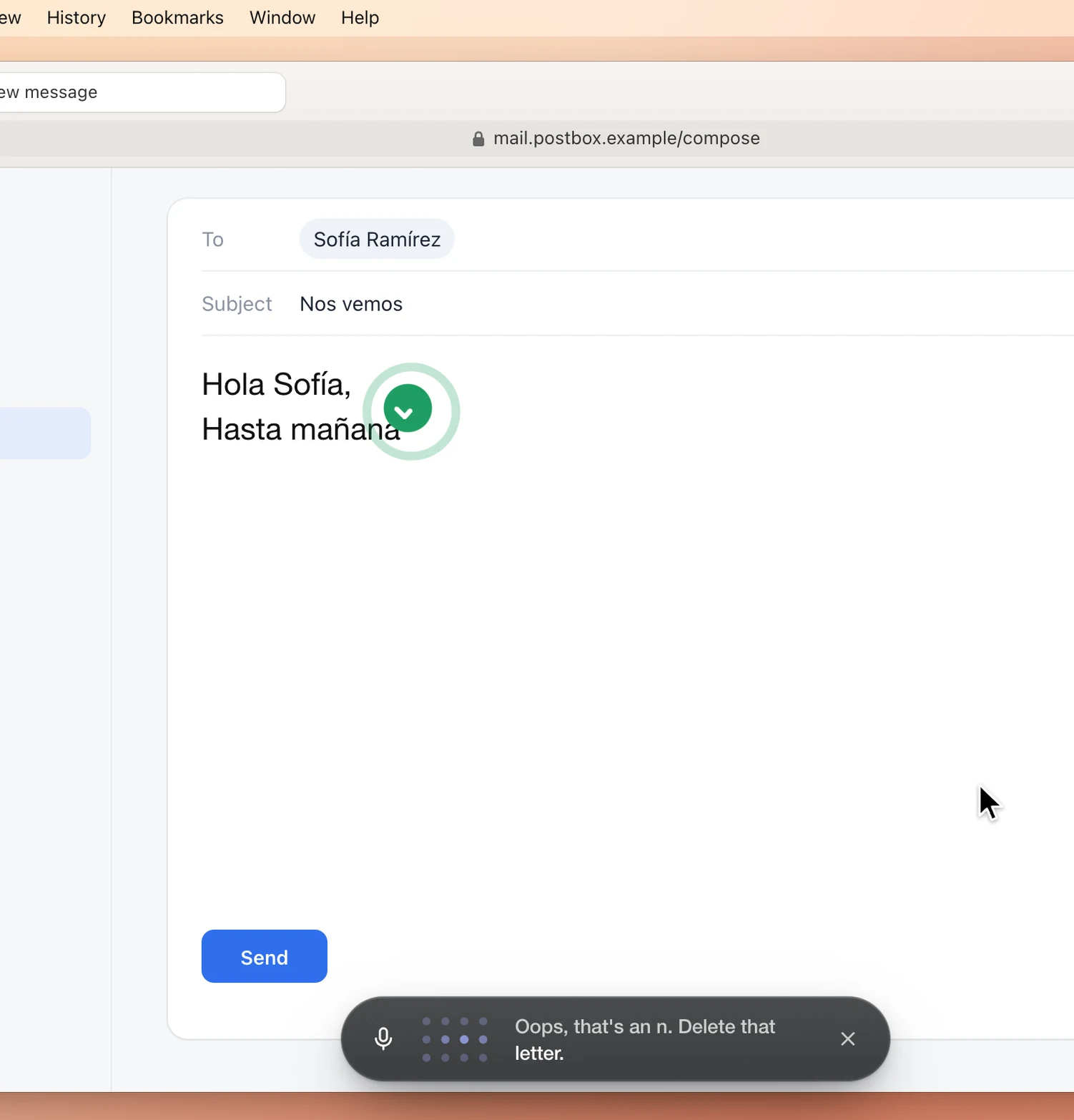
Learning to type, or writing in a new language? Ducky coaches you in the real text box, not a practice page.
Here is how it works:
- Grey ghost letters show what comes next, right at your caret;
- A wrong letter turns red, so you catch it right away; and
- Ducky talks you through it: “Oops, that’s an n. Delete that letter.”
Tutorials in
your own apps.
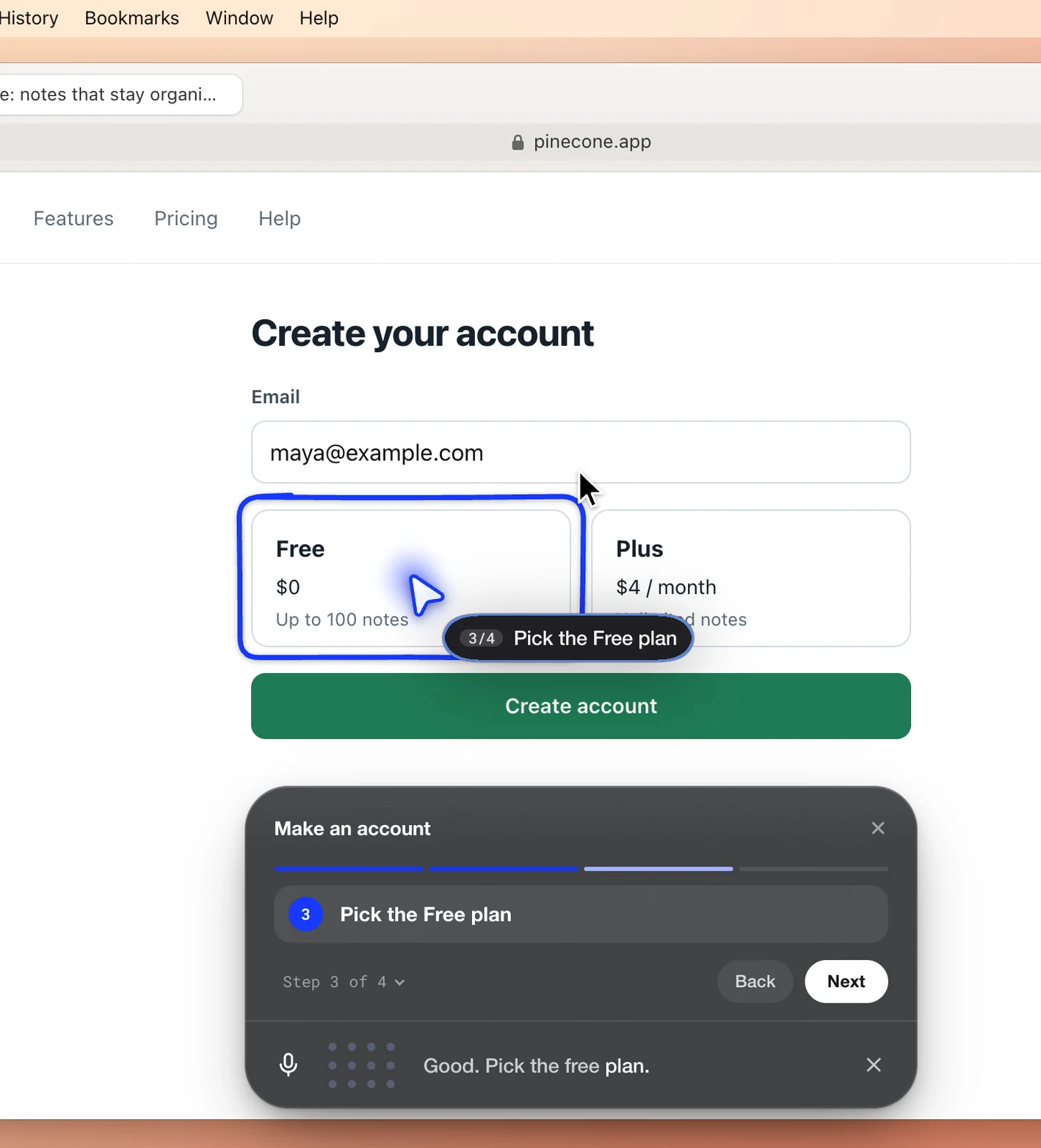
Ducky walks you through any app or website, step by step. It watches what you click and type, and moves on only when you really did the step.
Use it for:
- Setting up a new app for class
- Finding your way around a school website
- Learning a new tool one click at a time
- Or holding fn and cmd to point at anything and ask “what is this?”
Watch Duckyteach
In their
own words

Frequently asked questions
Is DuckyHelper out yet?
Not yet. DuckyHelper is in early access. Sign up to get on the list.
What can I run DuckyHelper on?
DuckyHelper is a Mac app, and it is Mac only for now. It needs macOS 14 or later.
What subjects can Ducky help with?
Any subject. Ducky sees what is on your screen, so it can help with math, science, languages, essays, or whatever you are working on.
How do I ask Ducky something?
Press fn. A small dark pill springs up at the bottom of your screen and listens. Talk to it like a person.
To point at something yourself, hold fn and cmd and move the mouse. A glowing blue trail follows. Then ask “what is this?”
Does Ducky just give me the answer?
Ducky shows you. It draws circles, arrows and labels on your screen, walks through worked steps, and quizzes you, so you see how to get there.
Can DuckyHelper help me prep for the SAT, ACT or CLT?
Yes. Ask Ducky to quiz you, and it walks through each miss step by step. Your dashboard shows what to review next.
Our founder went from 1120 to 1600 on the SAT in two weeks studying with DuckyHelper. That is his story, not a promise.
Where does my progress go?
Every lesson, quiz, drawing and note is saved to your dashboard: time learned, your streak, topics and mastery, tests, and a gallery of what Ducky made.
How fast does Ducky point at things?
The pointer lands on its target in about 1.3 to 1.8 seconds.
Who makes DuckyHelper?
DuckyHelper is made by MingLLM. MingLLM was founded by Yiming Beckmann, who is 14 and lives in the Bay Area. Read more about us.
Start learning
A voice tutor that shows you, right on your screen.

