
An AI art and art history tutor that shows how it works
DuckyHelper is an AI art tutor that shows you how a picture is built. Ask how perspective drawing works and Eddy draws a chair in two-point perspective with its vanishing lines; press Raise the horizon and watch the view change. Ask why Van Gogh painted the way he did and you look at the brushwork with labels. Then read the art history with real sources, in the DuckyHelper Mac app.
See how a picture is built
Two questions from our films. For perspective, one picture and one button teach the whole idea.
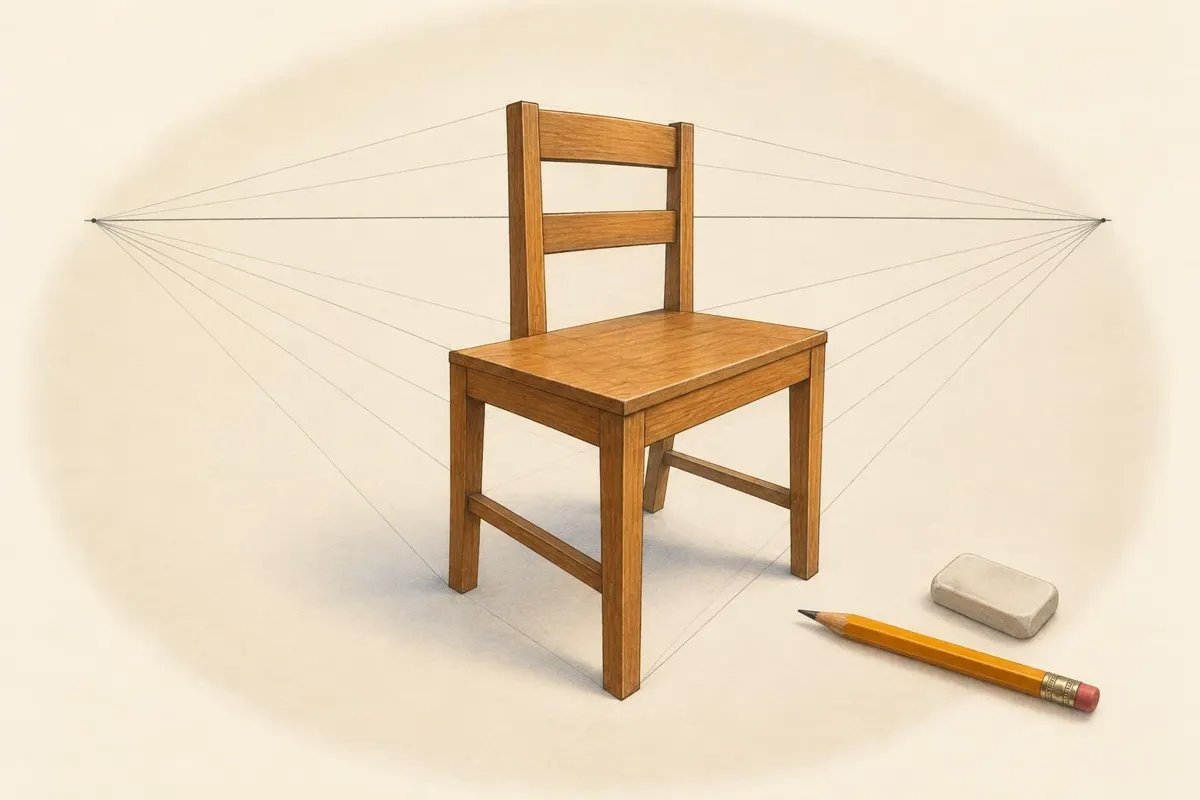
How does perspective drawing work?
Eddy draws a chair with its edges running to two vanishing points on the horizon line. Every edge going left meets at one point and every edge going right meets at the other. That is two-point perspective: find the horizon, place the two points, and every box-shaped thing in the room follows them.

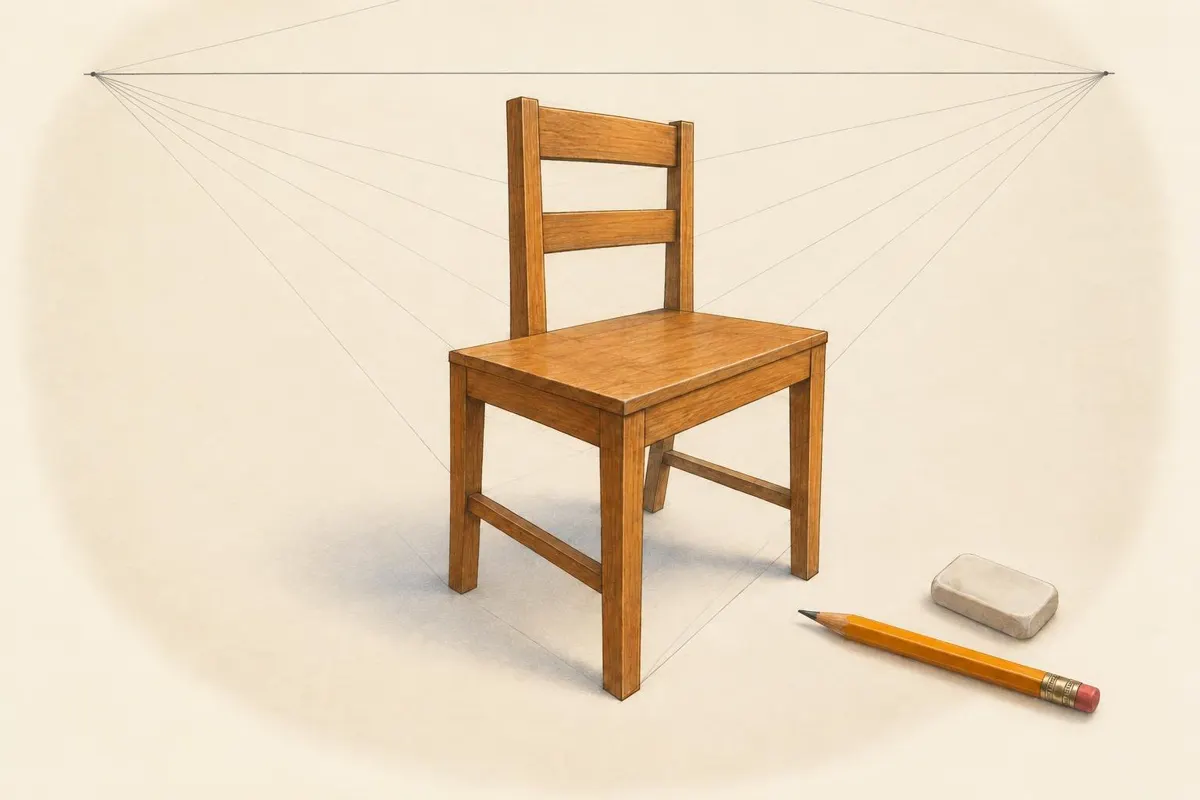
What happens if I raise the horizon?
One of the picture's round buttons is Raise the horizon. Press it and the same chair is redrawn from higher up: the horizon line and both vanishing points move up, and you now look down onto the seat. Eddy explains the change while it happens.
Why did Van Gogh paint like that?
Eddy answers with pictures made in the style it is explaining: the thick strokes of impasto you can almost touch, a swirling night sky like The Starry Night, bright colours set side by side. Each one is labelled as Eddy talks, so you know where to look. Ask to see the real painting and Eddy finds its photo.
Read the history, see the work
Press Research (Cmd + E) and read the Wikipedia article on a movement or an artist with Eddy. Select a sentence to ask about it, or press Listen and Eddy reads it aloud. A real photo of a painting from Wikipedia comes with its credit and works on any plan.
When Eddy researches a question, it quotes only paragraphs it actually read and builds a short brief with numbered citations.
Press Fill the desktop and a picture becomes a World: it fills Eddy's desk and keeps drawing while Eddy talks. Escape brings you back.

Your turn with the pencil

A quick whiteboard
In Eddy, press Whiteboard (Cmd + B) for a small board to sketch on, then ask Eddy about what you drew.

A shared whiteboard (Mac app)
Open the whiteboard from the menu bar: you and Ducky both draw on it with a pen, shapes, text and an eraser, and Ducky's lines appear stroke by stroke as it talks.

Your own canvas (Mac app)
Press fn over a drawing in any app and ask about it. Ducky sees it while the pill is open and points at the part it means.
Ask Eddy
Say one of these out loud. Eddy picks how to show it: words, a picture or the board.

How to use it
Frequently asked questions
Can an AI tutor teach drawing techniques like perspective?
It can explain them with a picture. Ask about perspective and Eddy draws an object with its horizon line and vanishing points, then lets you change the picture with a button such as Raise the horizon to see what moves. The drawing practice is yours.
Can it help with art history?
Yes. Ask about a movement, an artist or a painting and Eddy explains it and shows the work, with labels for what to look at. Read the Wikipedia article with Eddy for the dates and sources, and quiz yourself after.
Are Eddy's pictures real paintings?
A made picture is drawn by DuckyHelper to explain an idea, so it is not the original artwork. For the real painting, ask Eddy to look it up: a real photo from Wikipedia comes with its source credit.
Does it work in a browser?
Not right now: DuckyHelper is a Mac app (macOS 14 or later, Apple silicon), with no web version. In the app, made pictures and picture edits are part of Plus and up, and Ducky helps over your own canvas.
More subjects
Look closer at a picture
Get the Mac app, open the Eddy tab and ask your art question out loud.


