
An AI history tutor with maps and pictures
DuckyHelper is an AI history tutor that puts the past in front of you. Ask how the Wright brothers flew and Eddy draws the 1903 Flyer and labels the parts that mattered. Ask how the pyramids were built and you see the quarry, the ramp and the Nile in one picture. Maps, timelines and real sources, read with you and cited, fill in the rest. It is all in the DuckyHelper Mac app.
Ask about the past. See it.
History is easier to remember when you can picture it. Four questions our films ask, and what Eddy put on its desk.
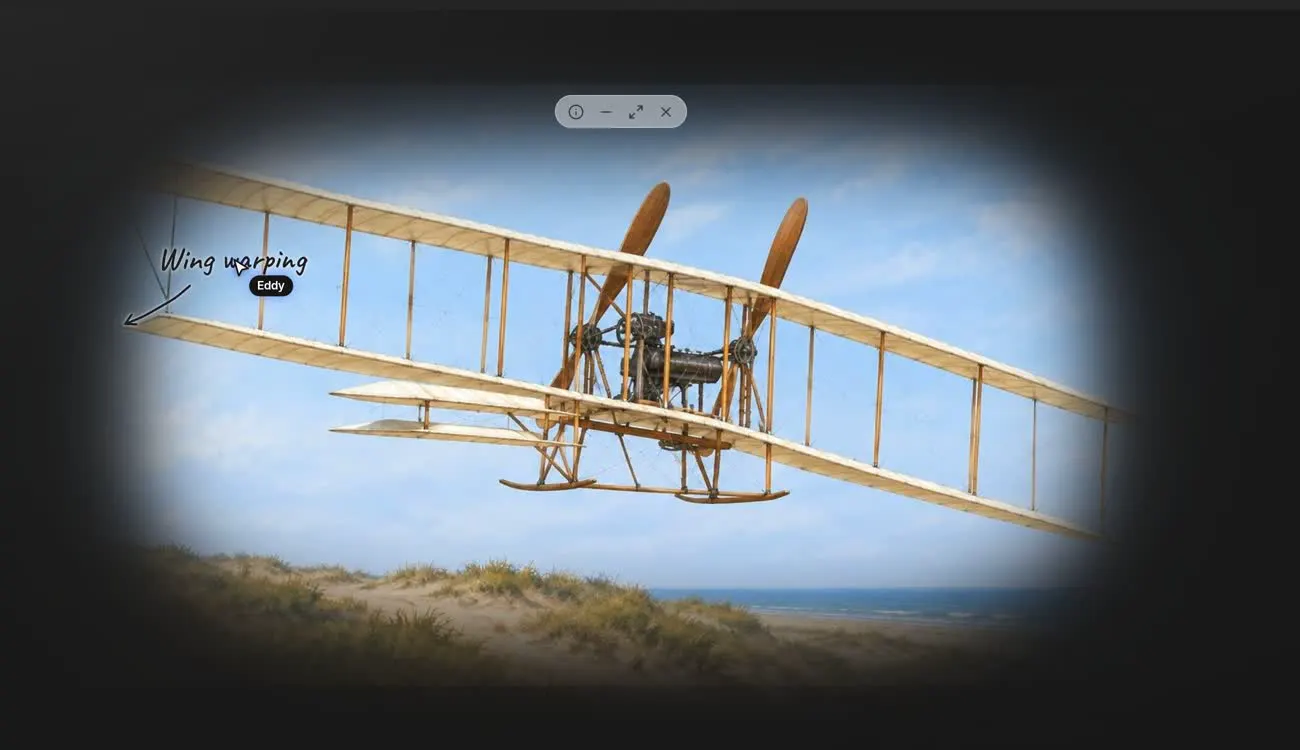
How did the Wright brothers fly?
Eddy draws the 1903 Flyer over the dunes and its pointer labels the part that solved the hardest problem: wing warping, twisting the wing tips to steer and balance. Click any part of the picture to ask about it, like the engine or the twin propellers.

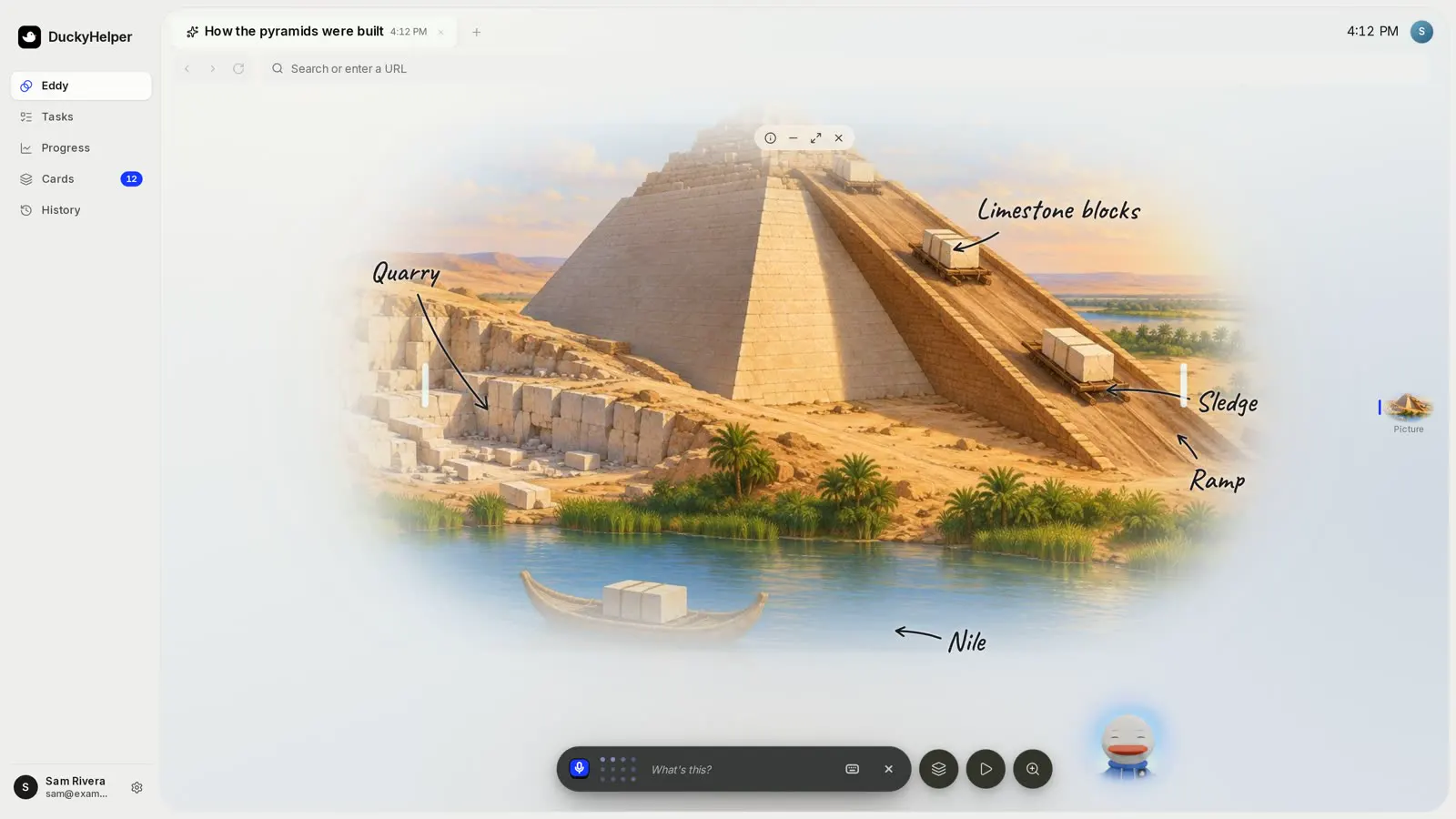
How did the pyramids get built?
One labelled picture holds the whole answer: the quarry where the blocks were cut, limestone blocks on sledges, the ramp they were hauled up, and the Nile that carried stone by boat. Each label is drawn as Eddy names it.
What was the Renaissance?
The real Eddy bar hears the question and Eddy starts with the short answer: a rebirth of art and learning in Europe. Then ask for more: a picture of a painting with its parts labelled, a map of the cities, or a timeline of who came when.
Why did the colonies declare independence?
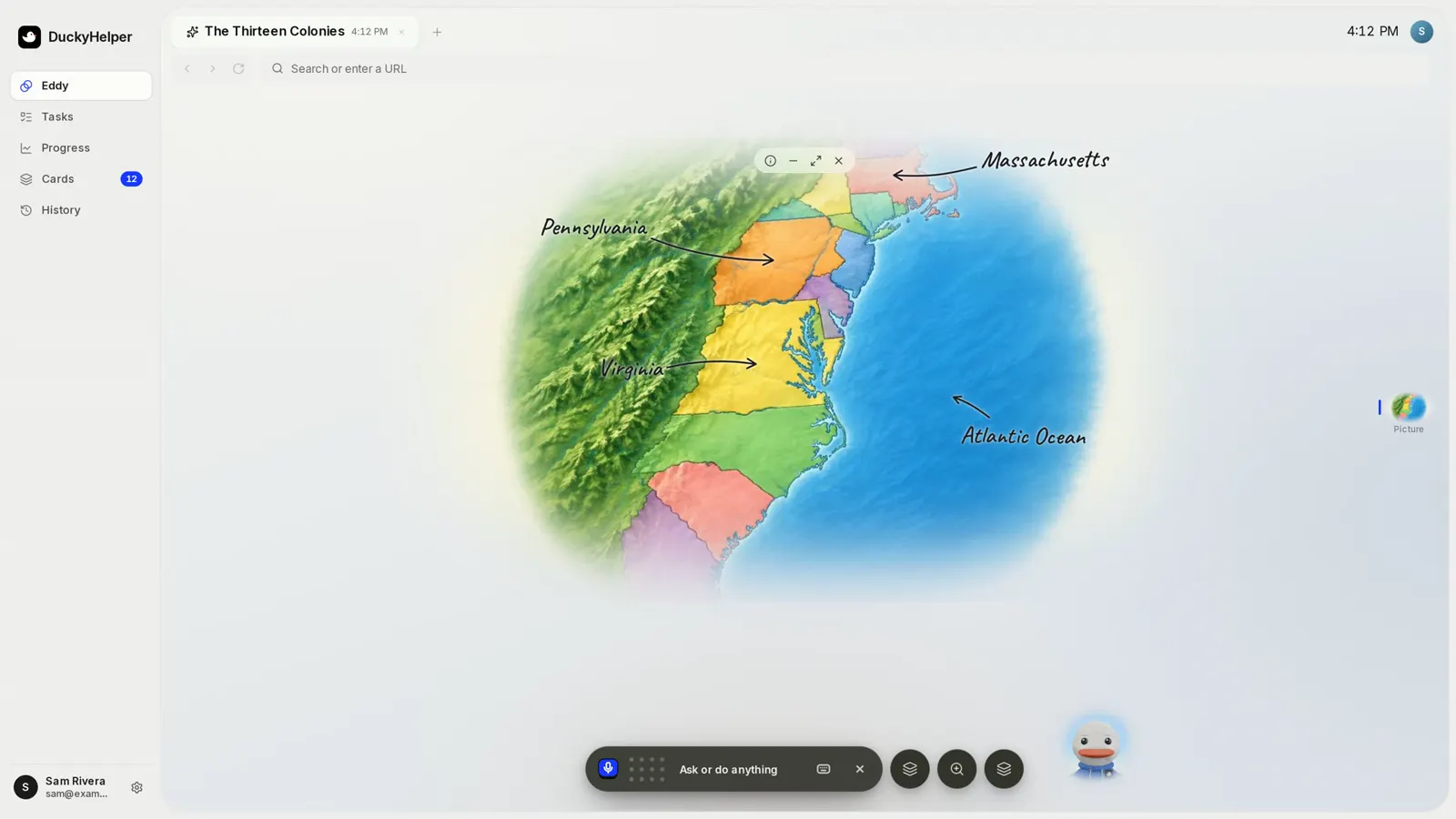
An archival film with a real Eddy moment: on an old screen, Eddy's picture of the Declaration, then its map of the Thirteen Colonies. Ask the question and Eddy walks through the causes in order, with a map and a timeline when they help.

Where it happened, and when
Ask when something happened and you get a timeline you can scroll, with its eras marked; tap an event to see its picture. Ask where, or for a route, and you get a world map you can pan, zoom and tap, with pins, highlighted countries and the route drawn on it. Both work in the Eddy tab and in the Mac pill.
Eddy can also make a labelled map picture, like this one of the Thirteen Colonies with Massachusetts, Pennsylvania and Virginia marked. Click a colony to ask about it.
Ask Eddy to quiz you and a question can ask you to put events in order or match people to what they did. A wrong answer says why.
Read the source, not a summary of one
Press Research (Cmd + E) and find an article or a book: Wikipedia, public-domain books from Project Gutenberg and Standard Ebooks, or your own class handouts. Eddy reads with you, quotes only paragraphs it actually read, and builds a short brief with numbered citations you can open.
Select a line in the reader and choose Ask Eddy, Explain or Save. Saved highlights stay with your account.
Press Listen and Eddy reads the text aloud while each word lights up. Tap a word to pause and ask about it.
Press fn and ask about the page you are reading in any app. Ducky sees it while the pill is open and points at the line it means.
Write about history
Ask Eddy
Say one of these out loud. Eddy picks how to show it: words, a picture or the board.

How to use it
Frequently asked questions
Can an AI tutor help me study history?
Yes. Ask a question out loud and Eddy explains it, then shows it: a labelled picture, a map with the route drawn on it, or a timeline you can scroll. It quizzes you afterwards so dates and causes stick.
Are the pictures historically accurate?
They are drawn to explain an idea, like how a ramp and sledges moved stone, not to replace a photo or a primary source. Check details that matter against a source: ask Eddy to look it up and it quotes and cites what it read.
Can it read primary sources with me?
Yes. Eddy's reader opens public-domain books from Project Gutenberg and Standard Ebooks, Wikipedia, and your own files. Select a passage to ask about it, or press Listen to hear it read aloud.
Will it write my history essay?
No. It helps you understand the history and plan your argument, and it asks you questions about your draft. The writing is yours. Follow your teacher's rules on using AI.
More subjects
Picture the past
Get the Mac app, open the Eddy tab and ask your history question out loud.


