

How to use DuckyHelper in Confluence
Confluence pages get long and out of date. Ask DuckyHelper about the page on your screen and it picks out what carries it and what a step really does. You can also hand it a new page or a missing step to add (Early access).
Get the gist of a long page
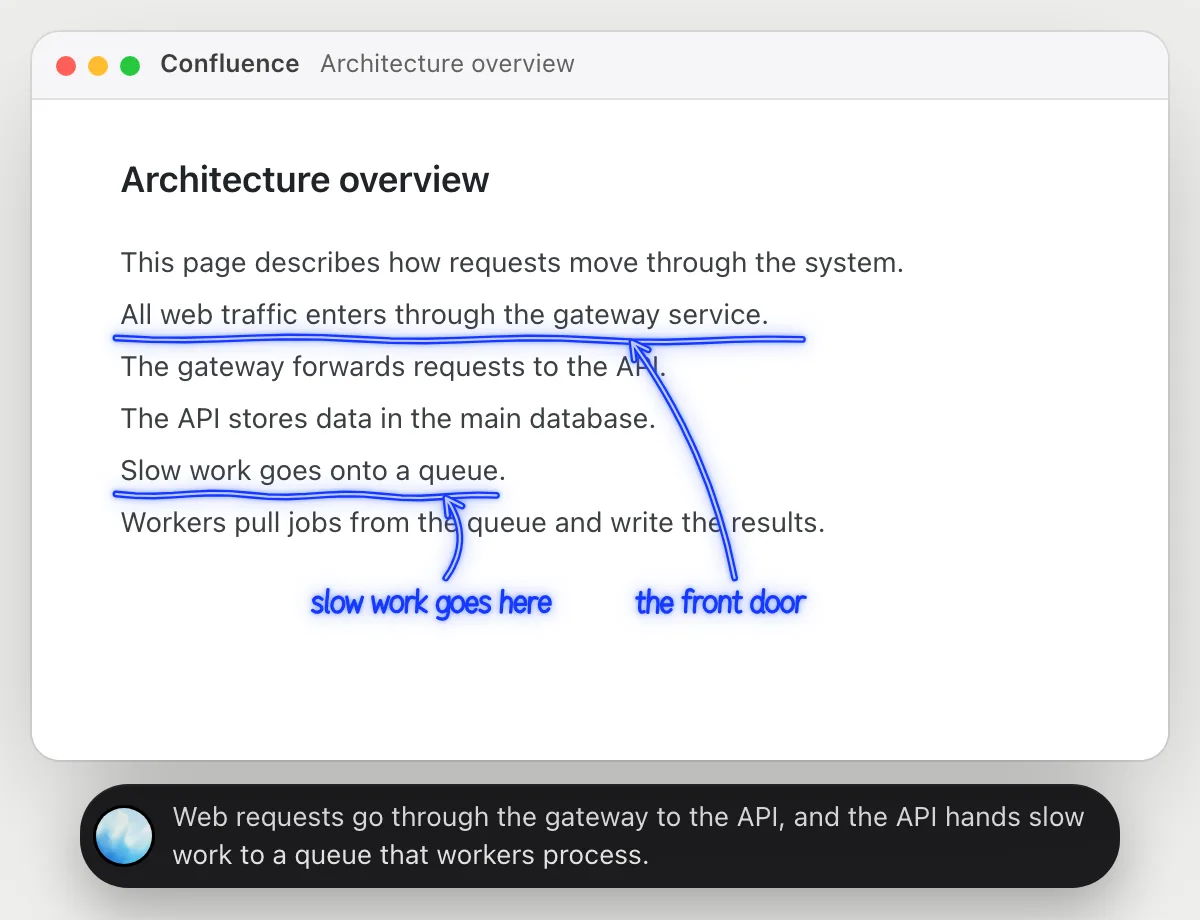
“Explain this architecture page in two sentences for a new teammate”
- 01Open the page so its main lines are on the screen.
- 02Ask out loud. DuckyHelper reads the page and picks the lines that matter.
- 03It underlines the two lines that carry the page.
- 04It says the two sentences out loud in plain words, for someone new.
You getTwo sentences a new teammate can use, taken from the lines that matter.
 Web requests go through the gateway to the API, and the API hands slow work to a queue that workers process.
Check a runbook step before you run it
“What does step 3 of this runbook actually do?”
- 01Open the runbook so the numbered commands are on the screen.
- 02Ask out loud. DuckyHelper reads the commands.
- 03It circles the command in step 3 and says what it changes.
- 04It tells you which steps only look and which ones change something.
You getYou know what step 3 will touch before you run it. It explains the command; you run it yourself.
Step 3 restarts the worker deployment, so running jobs may be cut off. Steps 1, 2 and 4 only look.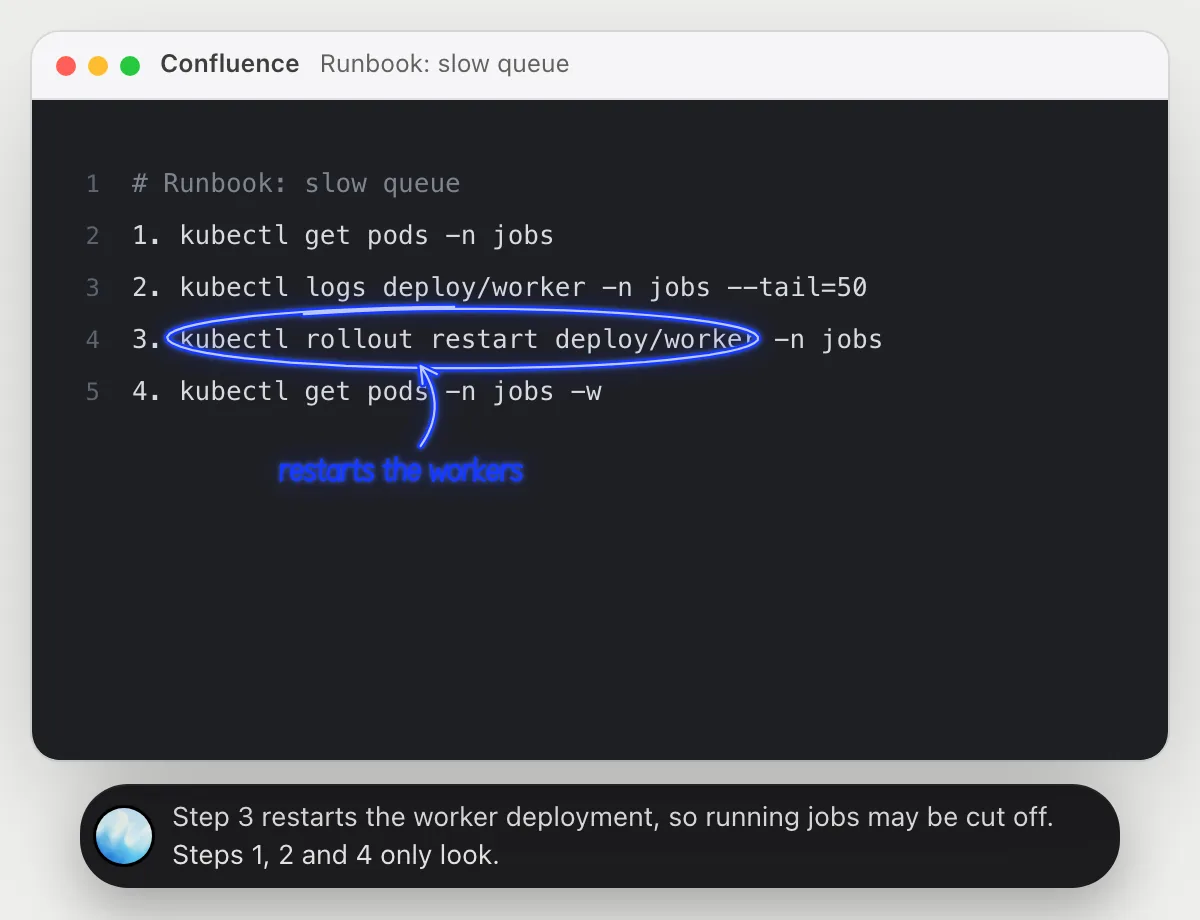
Turn meeting notes into a page
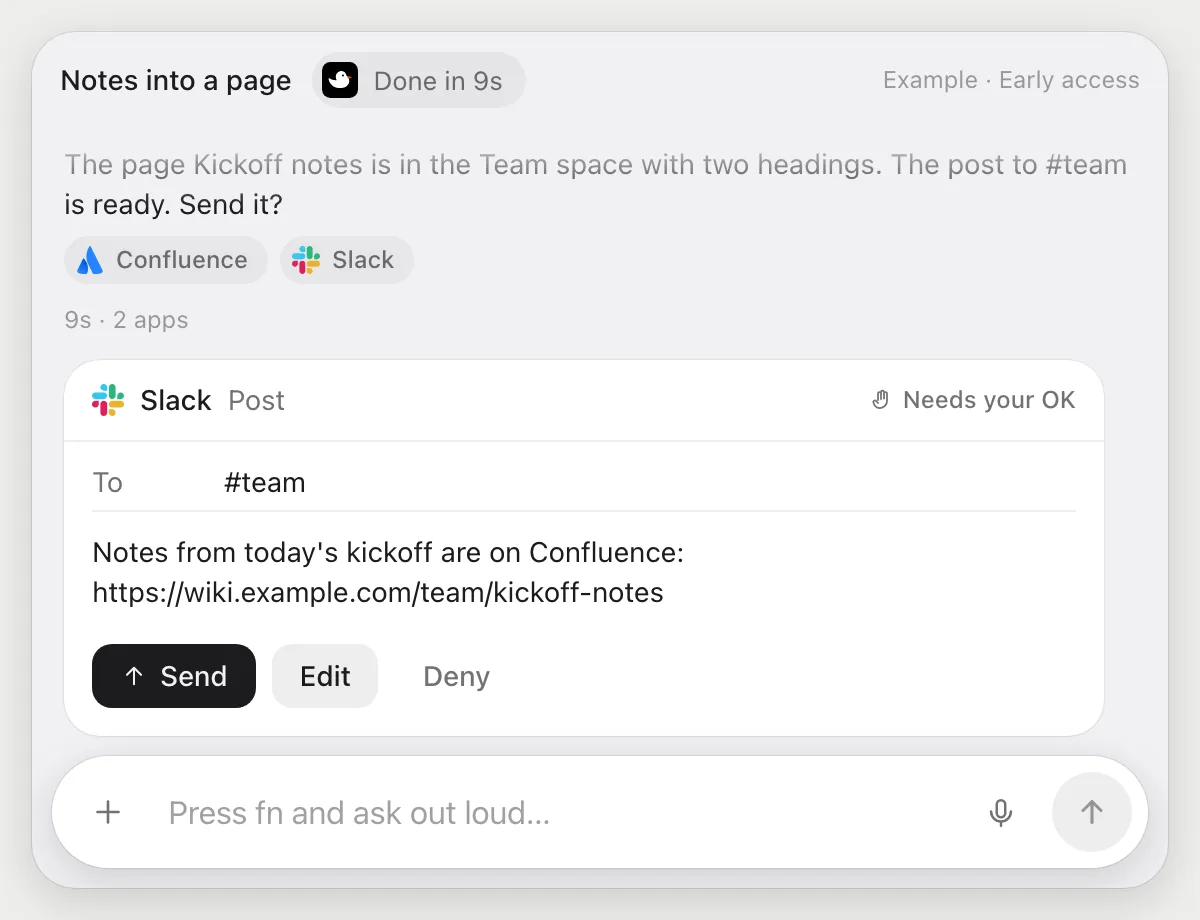
“Make a page from these notes under the Team space and post the link in #team”
- 01Open the notes and say which space the page belongs in.
- 02DuckyHelper creates the page with its own cursor while you keep working.
- 03It adds headings for the decisions and the action items, and copies the page link.
- 04It stops before posting and shows the message for #team with Send, Edit and Deny.
Built to ask firstThe link goes to #team only after you press Send. Creating the page needs no OK.
You getA clean page from your notes, and the team told, after you checked the message.
Add a missing step to a guide
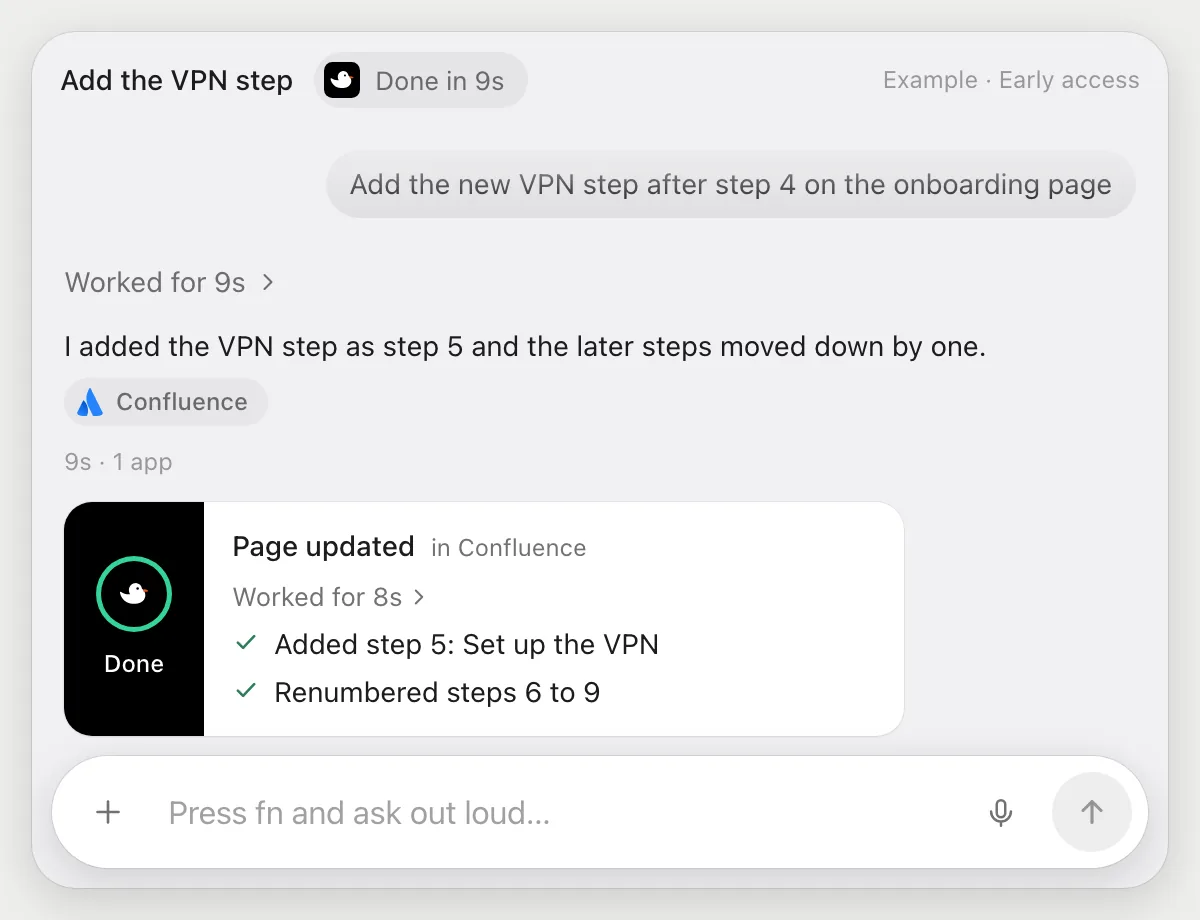
“Add the new VPN step after step 4 on the onboarding page”
- 01Open the onboarding page and say what the new step is.
- 02DuckyHelper edits the page with its own cursor and finds step 4.
- 03It adds the VPN step right after it and renumbers what follows.
- 04It finishes with a done card showing what changed on the page.
Built to ask firstEditing the page needs no OK, and nothing is sent. Check the page history if you want to compare.
You getThe onboarding guide has the VPN step in the right place.
Getting more out of it in Confluence.
- 01
Open the page itself, not a search result, before you ask. It reads the page on screen.
- 02
For a runbook, ask what each command changes, then run the commands yourself.
- 03
Ask for the two sentences you would say to a new teammate. Short answers are easy to check against the page.
- 04
Tracking work in Notion? See the Notion guide.
Questions about Confluence.
Do I need to connect my Confluence account?
No. There is nothing to connect. It sees what is on your screen while the pill is open, and for jobs (Early access) it uses Confluence in your browser with its own cursor, signed in as you. It's built not to type your passwords or card numbers.
Will it post in Slack without asking?
It's built to ask first: before it posts anywhere it shows the message with Send, Edit and Deny and waits for your yes. It may not recognize every send or payment, so keep an eye on tasks that involve messages or money. Creating and editing a page needs no OK.
Does it run my runbook commands?
No. It only explains them. You run commands yourself.
Does it see everything in your space?
No. When you ask a question it looks only at what is on your screen, and only while the pill is open. A job or automation you start (Early access) opens only the pages that job needs.



Do anything
Ask it a question or hand it a job, in any app.




Doing jobs for you is in early access on Mac. Asking works on Mac, Windows and Linux.