

How to use DuckyHelper in Jira
A sprint board hides the problems in plain sight: the blocked card, the points that will not fit. Ask DuckyHelper about the issues on screen and it tells you what is stuck and whether the sprint finishes. Hand it the estimating or a rule for new bugs and it does it in Jira (Early access).
Find what's blocking the sprint
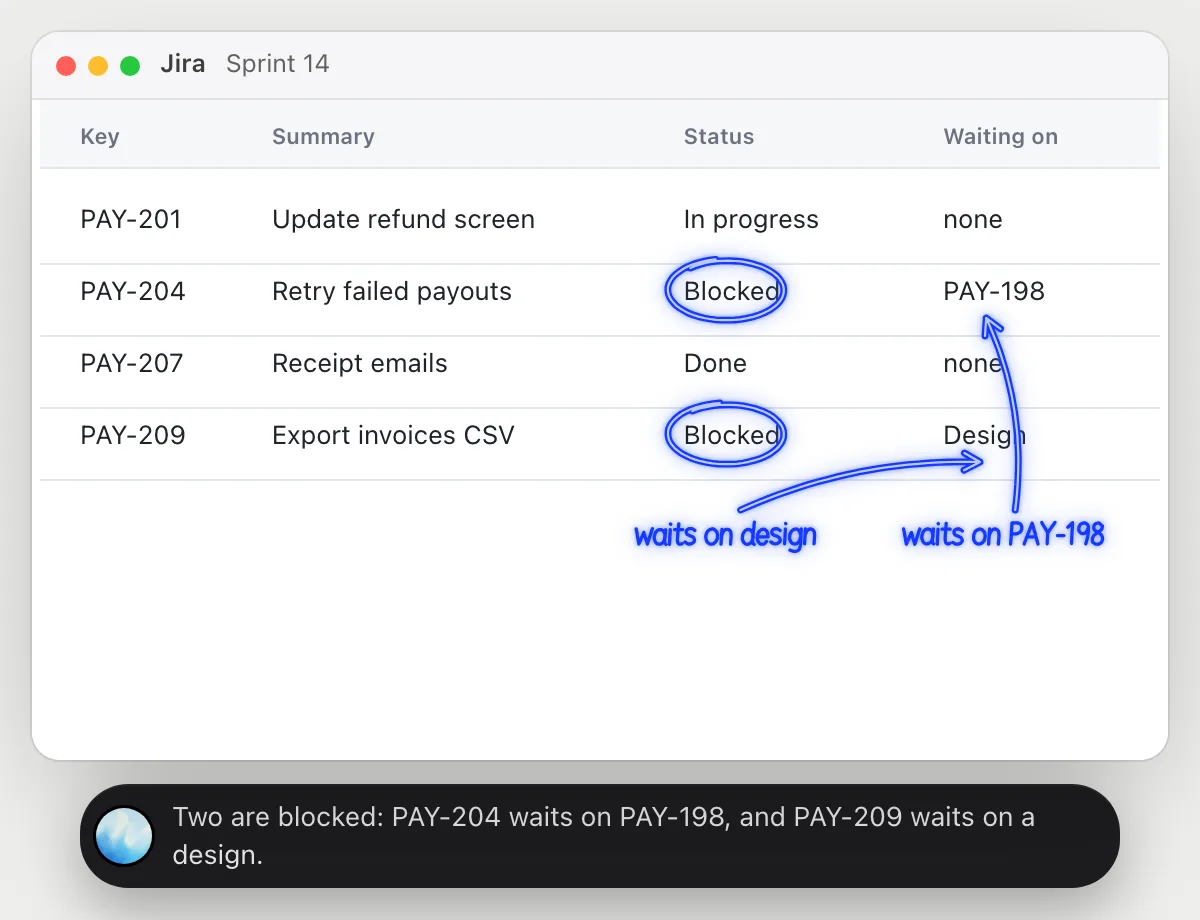
“Which issues in this sprint are blocked, and by what?”
- 01Open the sprint so the issues, their status and any blockers show, then ask out loud.
- 02DuckyHelper reads each issue's key, summary and status on the screen.
- 03It answers out loud with the blocked ones and what each waits on, and circles them in the list.
- 04Ask which one to unblock first and it explains who it would free up.
You getYou see what is stuck and who it is waiting on before the next standup.
 Two are blocked: PAY-204 waits on PAY-198, and PAY-209 waits on a design.
Check the sprint will finish
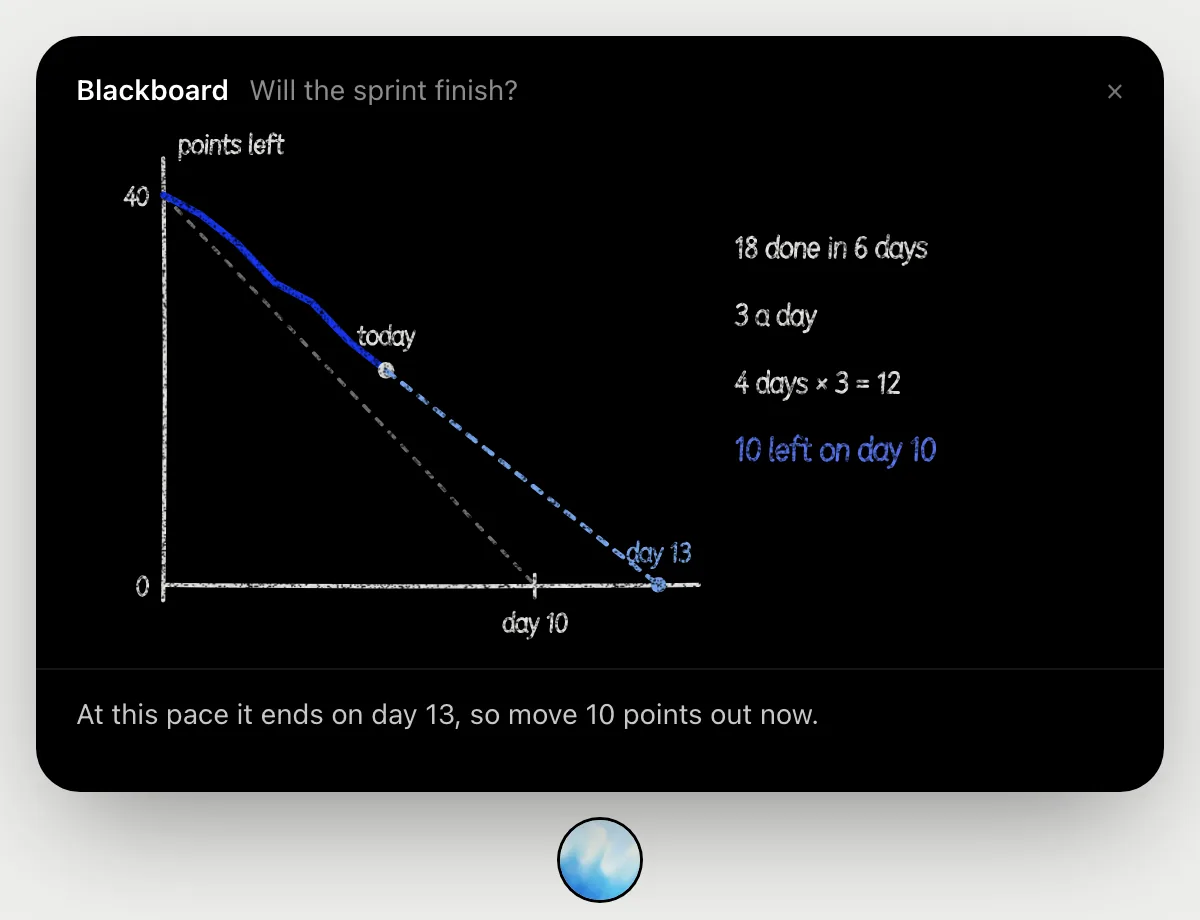
“Will this sprint finish at our current pace?”
- 01Open the sprint so the points and the day of the sprint are on screen, then ask out loud.
- 02It works it out on the blackboard: 40 points in a 10-day sprint, 22 left on day 6.
- 03It shows the pace so far, 3 points a day, and what four more days at that pace clear.
- 04It says what is left at the end, 10 points, and suggests moving that much out now.
You getA plain yes or no on day 6, and how many points to move to the next sprint.
Set story points from the planning notes
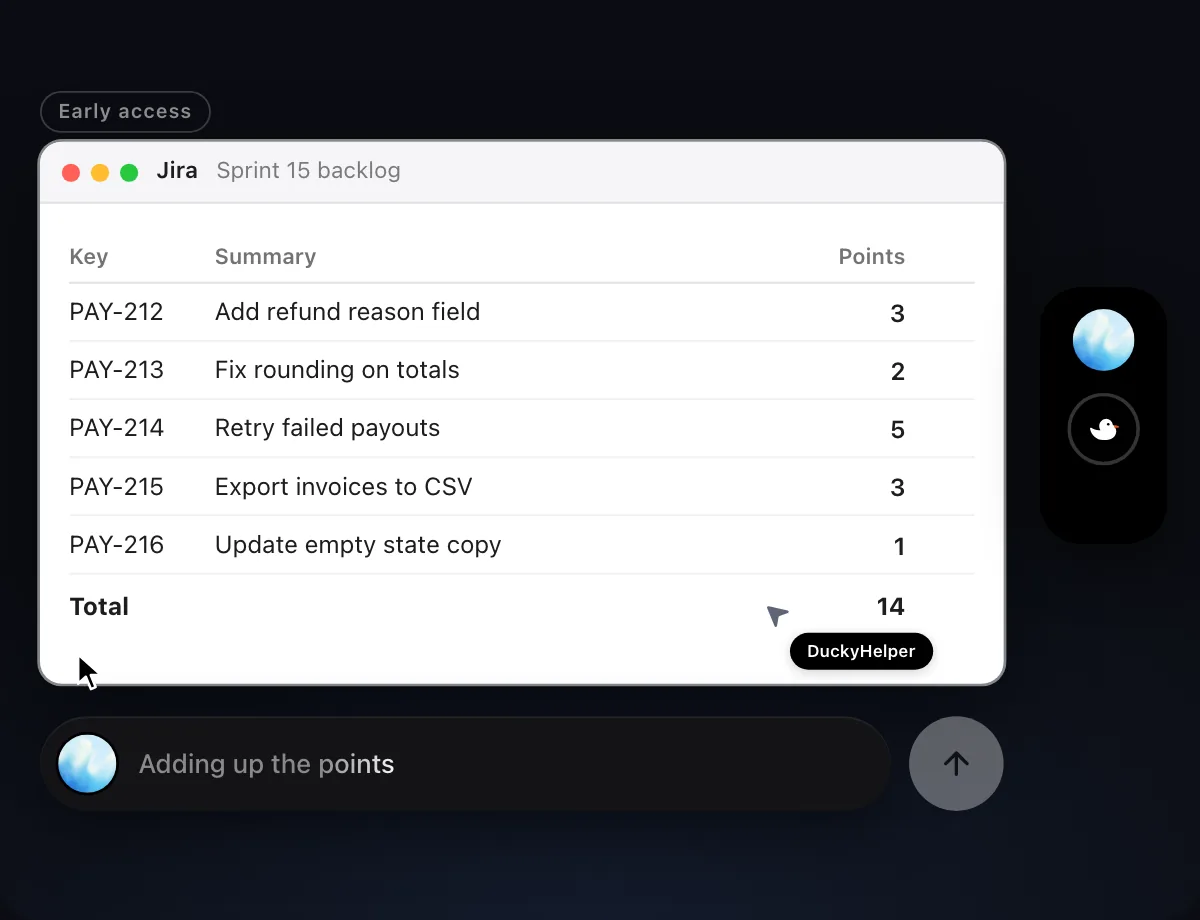
“Set story points for these five issues from the planning notes”
- 01Have the issue list open, with the planning notes in another tab or window.
- 02DuckyHelper reads the notes and matches each estimate to its issue.
- 03It fills the Points for each issue with its own cursor, one row at a time.
- 04It adds up the points and tells you the total, so you can compare it with the sprint's capacity.
Built to ask firstFilling in points needs no OK. It's built to show Send, Edit and Deny before it posts a comment or sends anything.
You getFive issues estimated from the notes, in a few seconds, with the total.

Ask for steps on new bugs
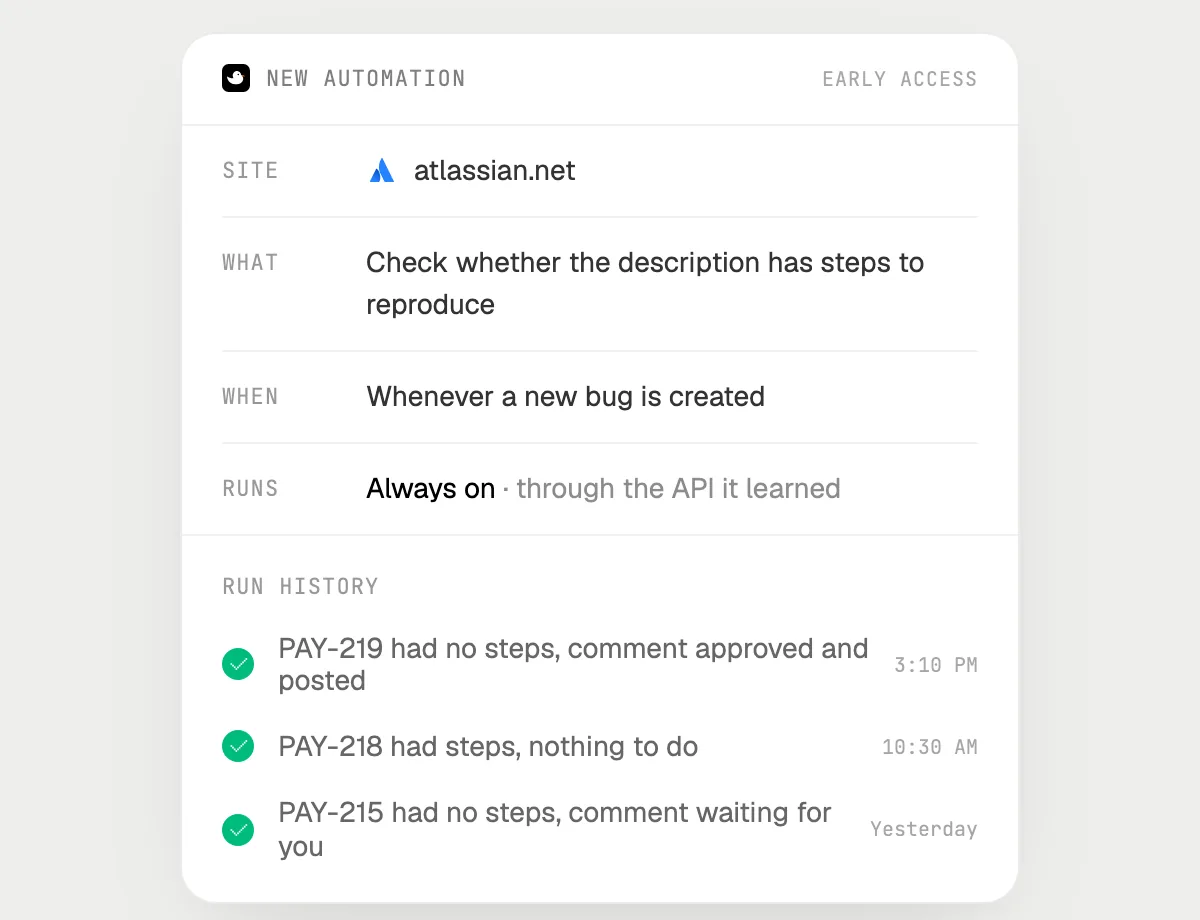
“When a bug is created without steps, comment asking for them, checking with me first”
- 01Say it once while Jira is open. It does the first run on the open bugs you can see.
- 02It learns Jira's own actions for reading issues and commenting the first time, so later runs are quick.
- 03Turn it on from the card it offers. From then on it runs when a new bug appears.
- 04Each run lands in the history. A comment waits for your OK.
Built to ask firstReading bugs needs no OK. Every comment it would post stops with Send, Edit and Deny first.
You getBugs without steps get a clear question, and you decide what is posted.
Getting more out of it in Jira.
- 01
Switch to the view that shows status and blockers before you ask. It reads the columns on the screen.
- 02
Paste or open the planning notes next to the backlog and say "from the notes". It matches each estimate to its issue.
- 03
Ask which issue is on the critical path. It answers from the links and statuses it can see.
- 04
It's built to wait for your Send before anything is posted as a comment. You keep the last word on what the team reads.
Questions about Jira.
Do I need to connect my Jira account?
No. There is nothing to connect. It sees what is on your screen while the pill is open, and for jobs (Early access) it uses Jira in your browser, signed in as you. It's built not to type your passwords or card numbers.
Will it comment on an issue without asking me?
It's built to ask first: before any comment is posted it shows it with Send, Edit and Deny and waits for your yes. It may not recognize every send or payment, so keep an eye on tasks that involve messages or money. Reading issues and filling in points don't need your OK.
Does it replace Jira's own rules?
No. DuckyHelper's automations are its own: it opens Jira like a person does. Jira's own rules stay Jira's.
Does it work in Jira on my phone?
No. DuckyHelper is an app for Mac, Windows and Linux, so it works with Jira in your computer's browser.



Do anything
Ask it a question or hand it a job, in any app.


Doing jobs for you is in early access on Mac. Asking works on Mac, Windows and Linux.