

How to use DuckyHelper in Notion
Notion pages and databases grow until nobody can see what is slipping. Ask DuckyHelper about the table or page on your screen and it marks the problem and says it out loud. You can also hand it the filling-in, or a request to sort as it arrives (Early access).
Find the tasks that are slipping
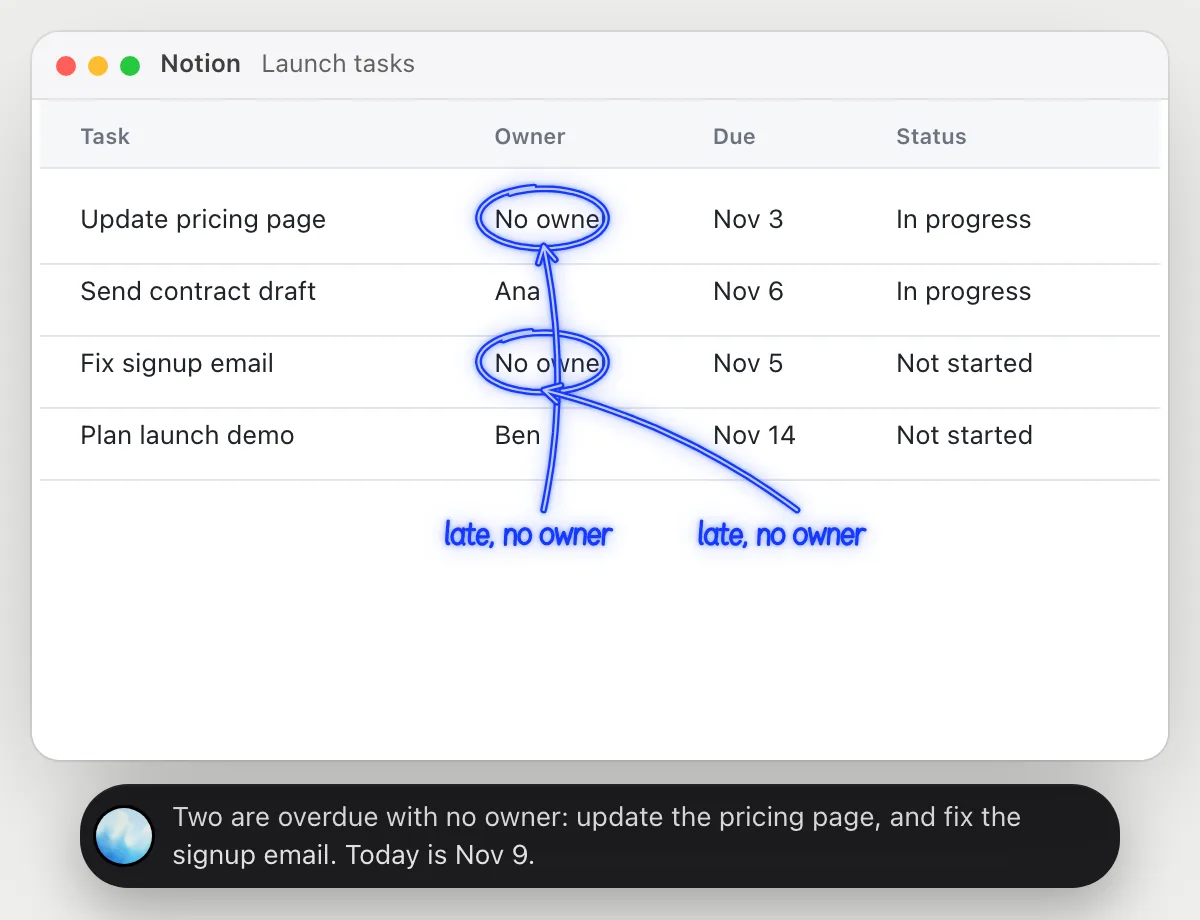
“Which of these tasks are overdue and have no owner?”
- 01Open the database in table view so the rows are on the screen.
- 02Ask out loud. DuckyHelper reads the task, owner and due date of each row.
- 03It circles the empty owner cells on the rows that are past due.
- 04It tells you which rows they are, so you can assign them.
You getThe two tasks that are late and unowned, ahead of the ones that already have someone on them.
 Two are overdue with no owner: update the pricing page, and fix the signup email. Today is Nov 9.
Get the one decision on a long page
“What is the one decision on this page, and is anything still open?”
- 01Open the project page and scroll to where the discussion is.
- 02Ask out loud. DuckyHelper reads the page from top to bottom.
- 03It underlines the line where the decision is stated and circles the open question.
- 04It says both in one sentence.
You getThe decision made and the question still open, without rereading the page.
The decision is a new homepage in December. Still open: who writes the pricing copy.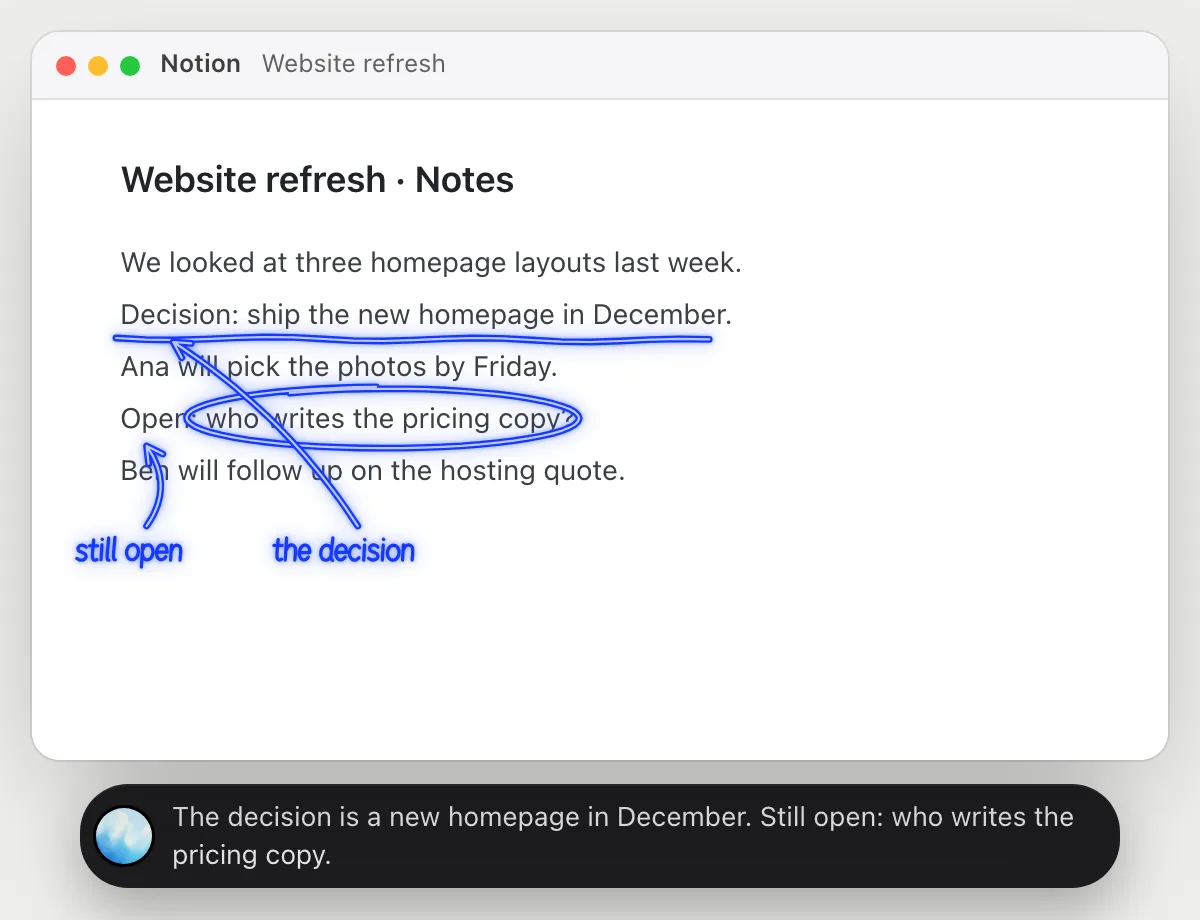
Update every task's status from the notes
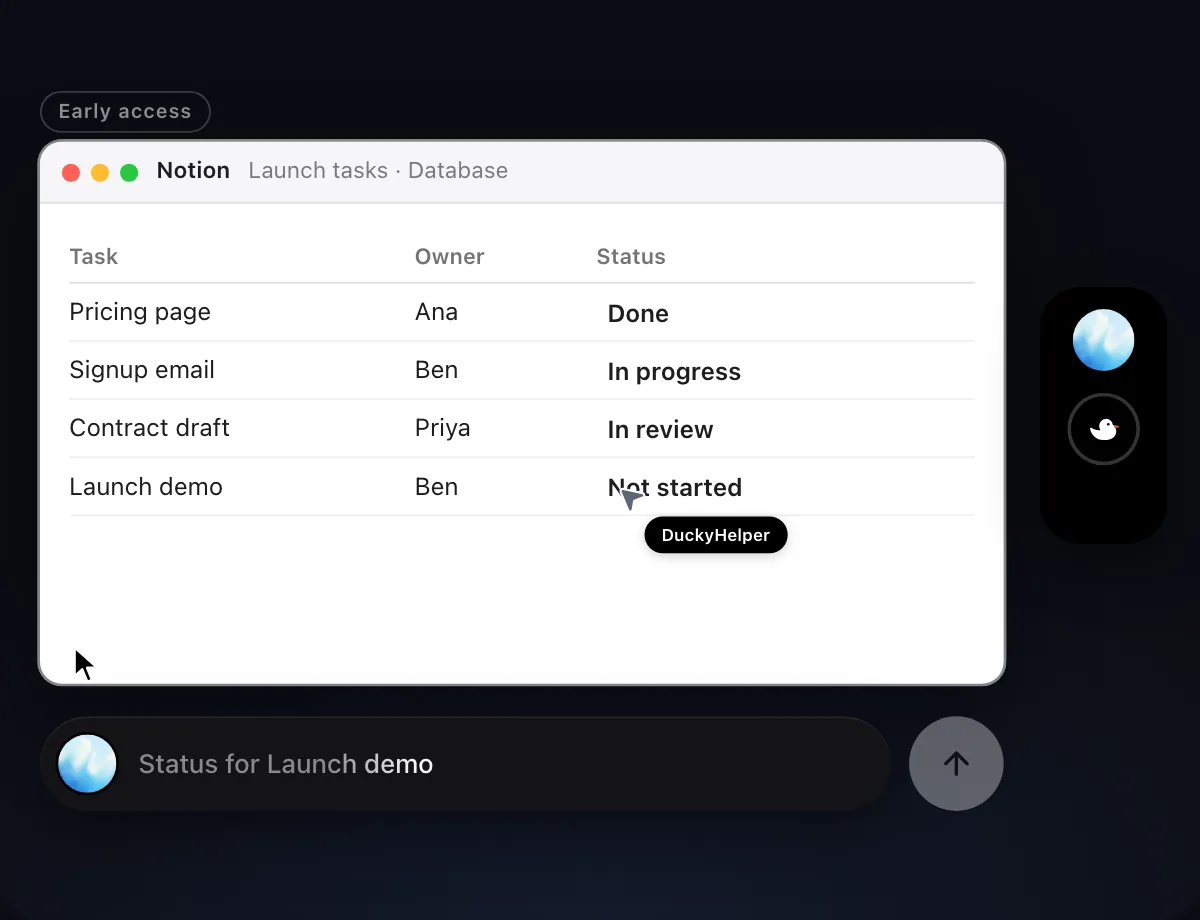
“Set the status of each task in this table from the meeting notes”
- 01Open the table next to the meeting notes and say where the status should come from.
- 02DuckyHelper reads the notes, then works in the table with its own cursor while you keep using yours.
- 03It sets the status on each row, one by one.
- 04It finishes with a done card that says what it changed.
Built to ask firstSetting a status needs no OK. Nothing is sent, so it does not stop to ask.
You getEvery row has a status that matches what the team said in the meeting.

Sort new requests as they come in
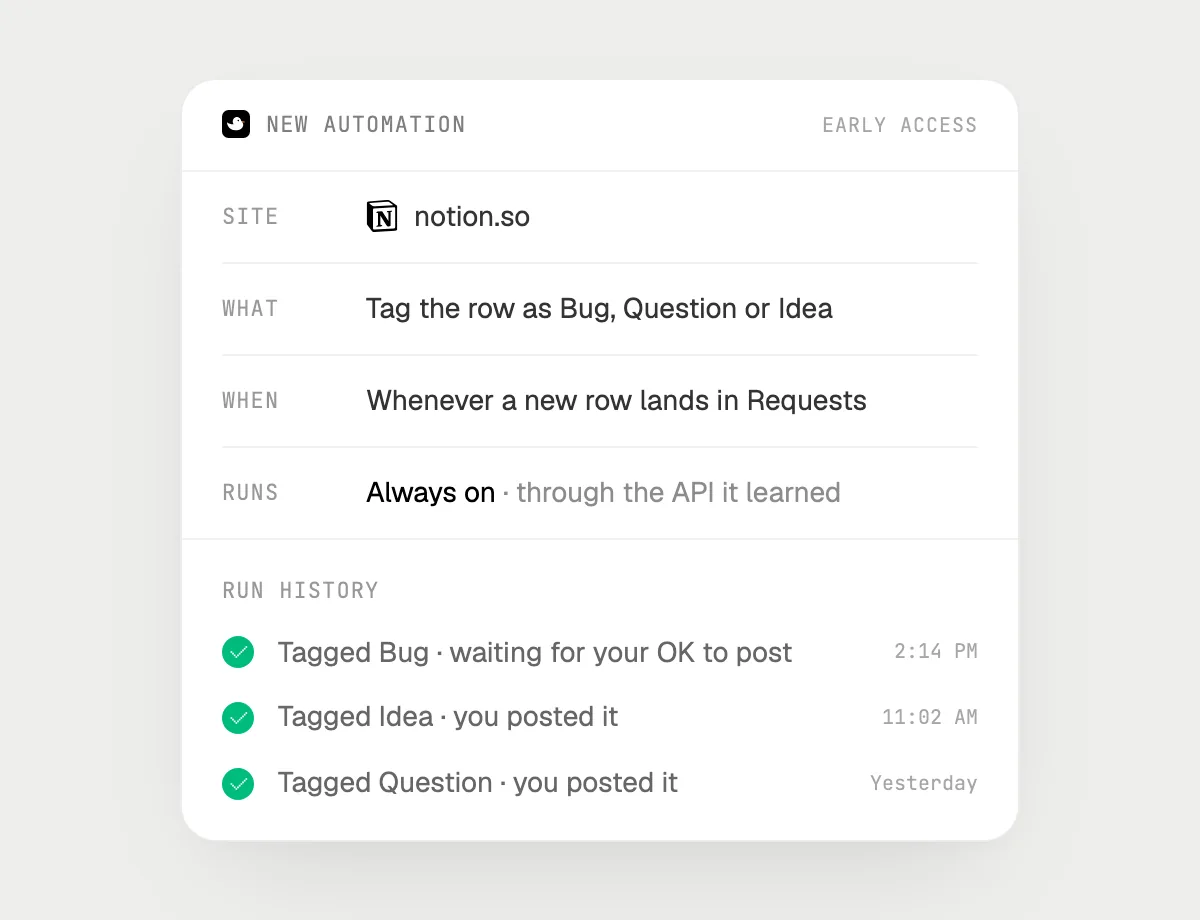
“When a new row lands in Requests, tag it by type and post it in #requests, asking me first”
- 01Say it once with the Requests database open. It handles the rows already there now.
- 02It learns the page's own actions for tagging the first time, so later runs are quick.
- 03Turn it on from the card it offers. It runs when a new row appears.
- 04Each run lands in the history, and the post waits for your OK.
Built to ask firstTagging rows needs no OK. Posting in #requests stops for your OK with Send, Edit and Deny.
You getNew requests are tagged by type, and the post is ready for you to approve.
Getting more out of it in Notion.
- 01
Switch to the table view before you ask about a database. It reads the rows on the screen.
- 02
For a long page, scroll to the part you mean first. Ask for the decision before the details.
- 03
Give it the source of the answer: "from the meeting notes" tells it where to read.
- 04
Writing in Confluence too? See the Confluence guide.
Questions about Notion.
Do I need to connect my Notion account?
No. There is nothing to connect. It sees what is on your screen while the pill is open, and for jobs (Early access) it uses Notion in the app or the browser with its own cursor, signed in as you. It's built not to type your passwords or card numbers.
Can it post or share without asking?
It's built to ask first: before it posts a message or shares something it shows it with Send, Edit and Deny and waits for your yes. It may not recognize every send or payment, so keep an eye on tasks that involve messages or money. Reading and filling in rows need no OK.
Does it use the Notion API?
No. It uses no API. It works in the page on your screen like a person does.
Does it see everything in your workspace?
No. When you ask a question it looks only at what is on your screen, and only while the pill is open. A job or automation you start (Early access) opens only the pages that job needs.



Do anything
Ask it a question or hand it a job, in any app.


Doing jobs for you is in early access on Mac. Asking works on Mac, Windows and Linux.