

How to use DuckyHelper in GitLab
A red pipeline or a long merge request eats the morning. Ask DuckyHelper about the job log or the diff on screen and it explains it and circles the line that matters. Hand it a retry or review comments and it does them in GitLab, and is built to ask before it posts (Early access). It never merges or pushes.
Read a failed pipeline job
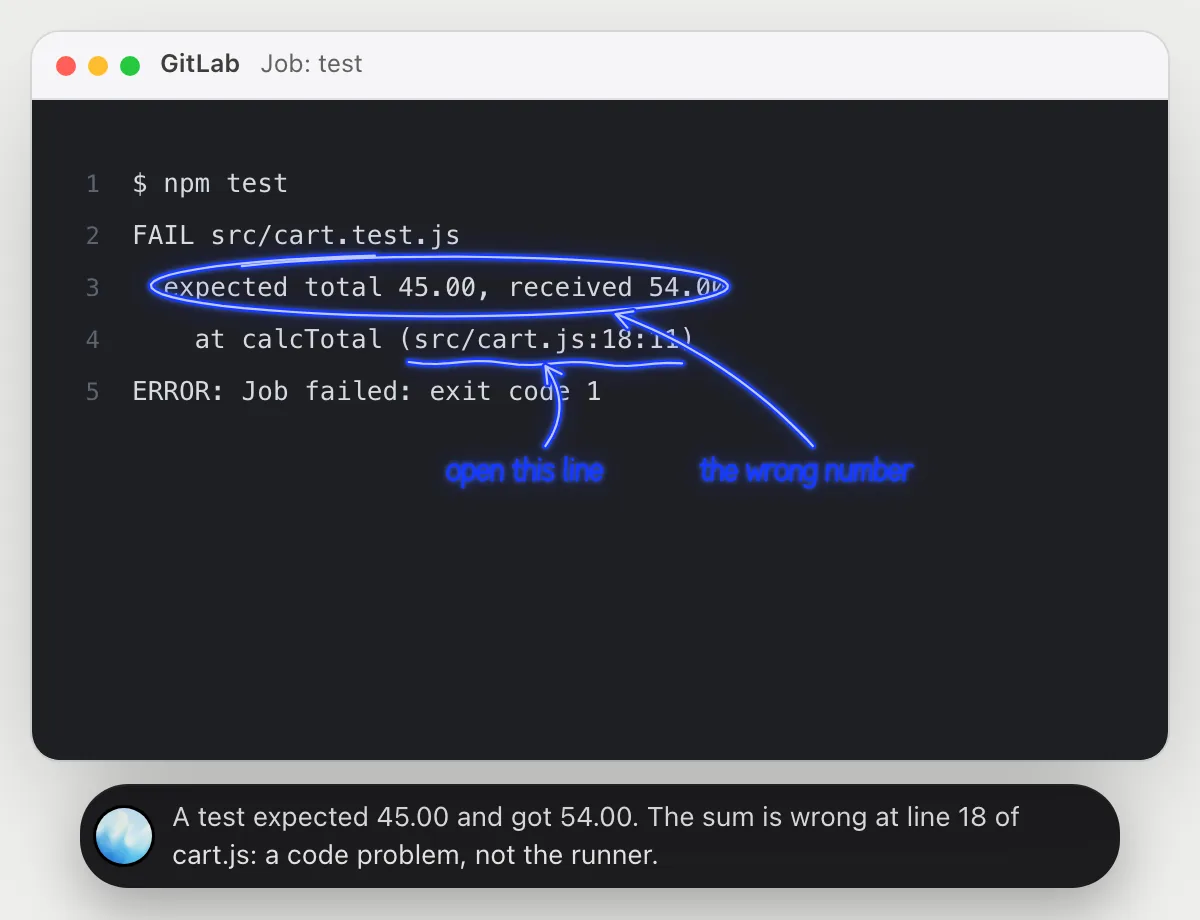
“Why did this pipeline job fail?”
- 01Open the failed job so its log is on the screen, then ask out loud.
- 02DuckyHelper reads from the command that ran down to the last line.
- 03It circles the error and underlines where it points to in the code, and says what failed.
- 04Ask whether it is the code or the runner and it tells you from the lines it sees.
You getYou know whether it is a real test failure, and the file and line to open.
 A test expected 45.00 and got 54.00. The sum is wrong at line 18 of cart.js: a code problem, not the runner.
Understand a merge request
“What does this merge request change?”
- 01Open the merge request on its Changes view so the diff is on screen, then ask out loud.
- 02DuckyHelper reads the removed and added lines.
- 03It explains the change in plain words and circles the line that could surprise someone.
- 04Ask whether a test would catch it and it answers from what the diff shows.
You getYou know what the change does and which line to question in review.
The discount now adds to the price instead of taking it off. The plus sign is likely a mistake.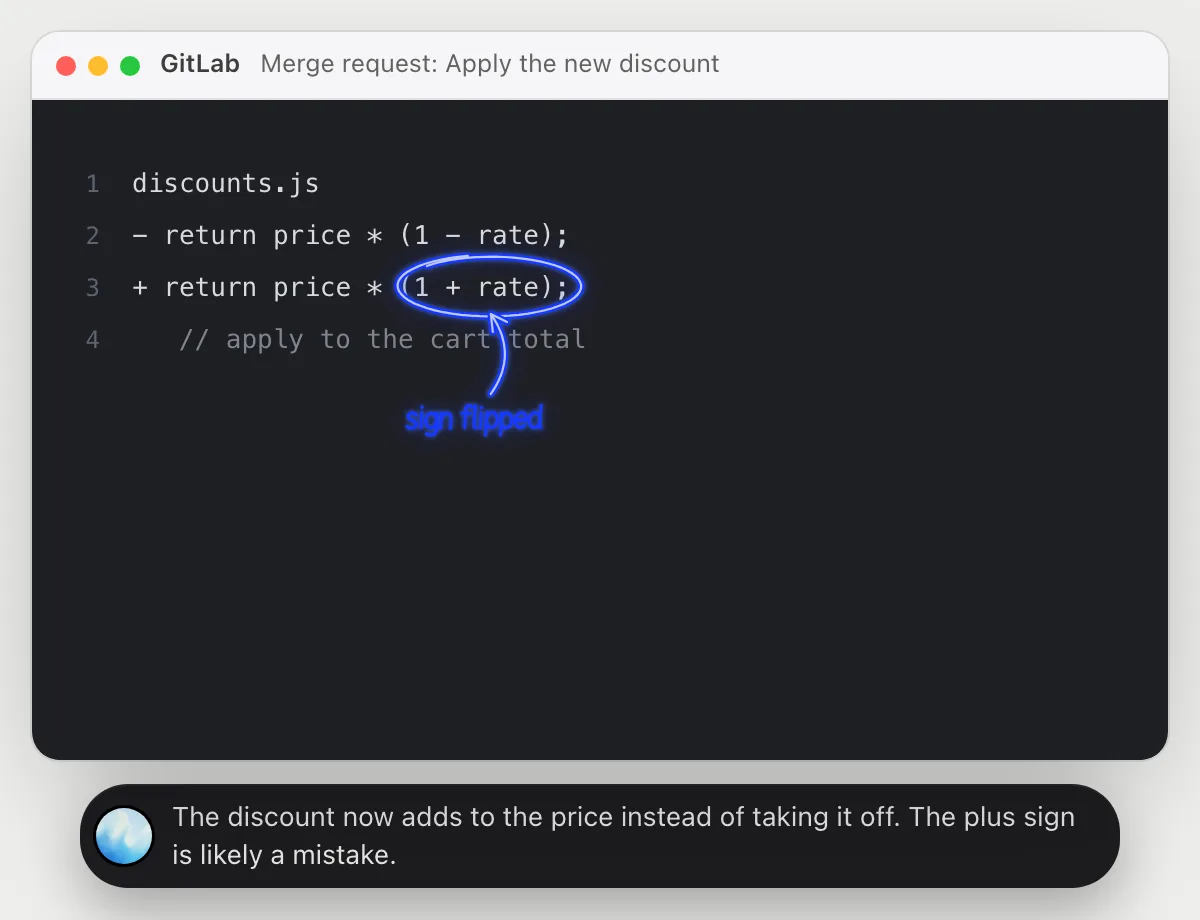
Retry a failed job and report back
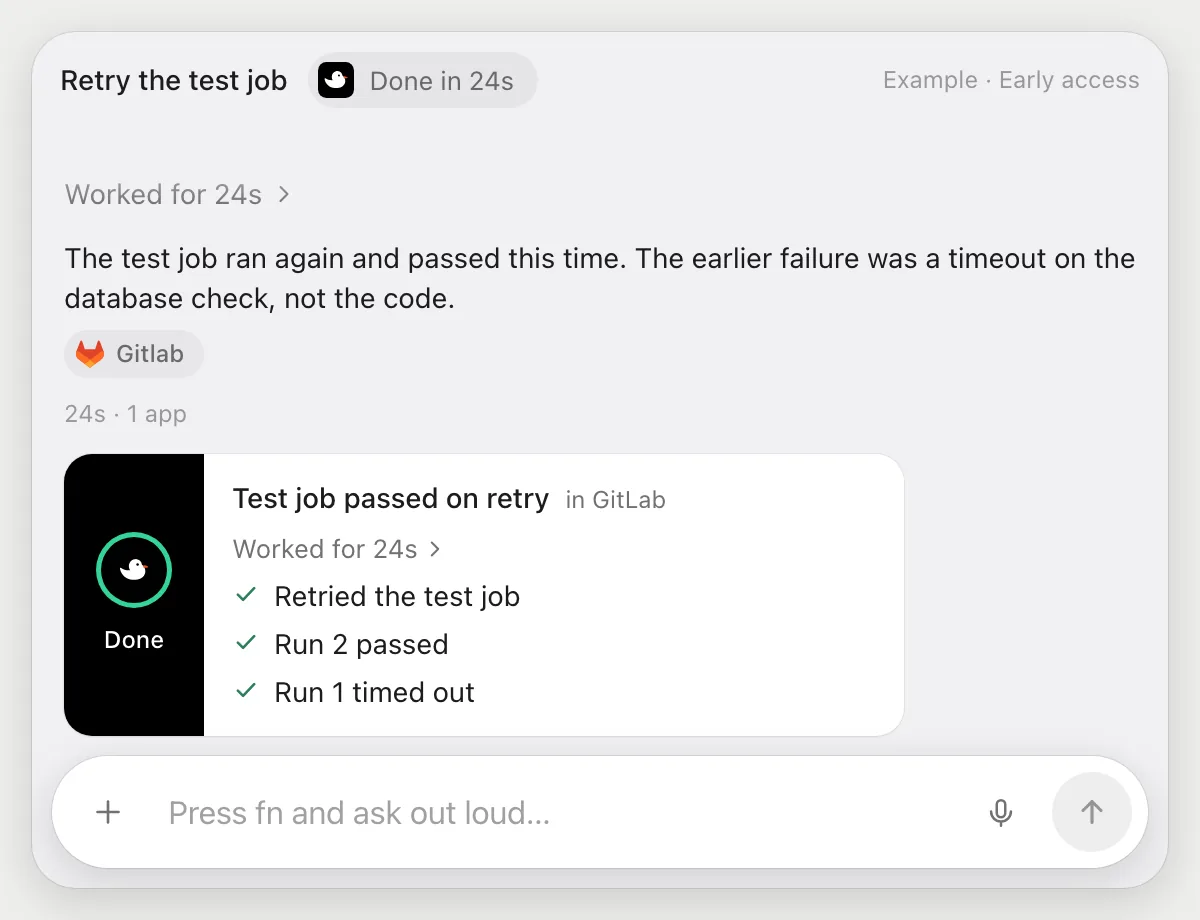
“Retry the failed test job and tell me if it passes”
- 01Open the pipeline, or say which one, and it finds the failed test job.
- 02It uses the job's Retry button with its own cursor while you keep working.
- 03It waits on the job page while the new run goes, and reads the result.
- 04It tells you out loud whether the run passed or failed, and shows the last lines of the log.
Built to ask firstRetrying a job needs no OK. It never merges or pushes, and if a step would post something, it's built to stop and ask first.
You getYou hear whether the retry passed without watching the pipeline.
Leave review comments
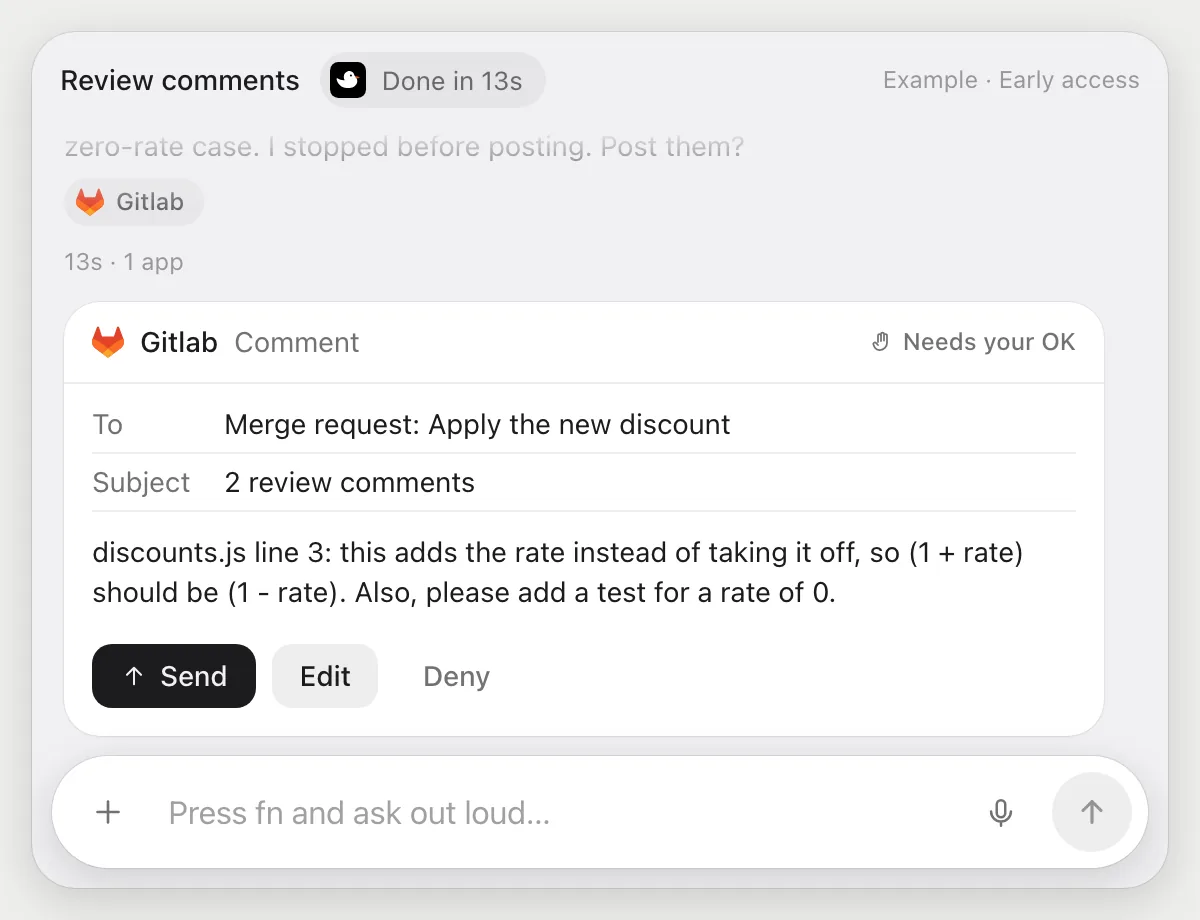
“Comment on this merge request with the two issues you found”
- 01Have the merge request open, or say its name.
- 02DuckyHelper reads the changes and finds the two problems it will mention.
- 03It writes each comment on the right line with its own cursor.
- 04It stops before posting and shows both comments. Press Send, Edit one, or Deny.
Built to ask firstBefore any comment is posted it shows the text with Send, Edit and Deny. Nothing is posted until you press Send.
You getTwo clear review comments, on the right lines, posted only after you read them.
Getting more out of it in GitLab.
- 01
Open the failing job first, not the pipeline overview. The error is in the job log, and that is what it reads.
- 02
Scroll the log to the first red line before you ask. Later lines are often only the fallout.
- 03
Ask it to say the fix in one sentence, then look at the file yourself before you push anything.
- 04
It never merges or pushes. Pressing Merge stays yours.
Questions about GitLab.
Do I need to connect my GitLab account?
No. There is nothing to connect. It sees what is on your screen while the pill is open, and for jobs (Early access) it uses GitLab in your browser, signed in as you. It's built not to type your passwords or card numbers.
Can it merge or push on its own?
No. It never merges or pushes. Comments and anything else that posts are built to stop with Send, Edit and Deny first.
Does it see my other projects?
Only what is on your screen while the pill is open. A job you start (Early access) opens the pages that job needs.
Does it work on a self-hosted GitLab?
It works with whatever GitLab page is open in your computer's browser, because it reads the screen like a person does. DuckyHelper is an app for Mac, Windows and Linux.



Do anything
Ask it a question or hand it a job, in any app.




Doing jobs for you is in early access on Mac. Asking works on Mac, Windows and Linux.