

How to use DuckyHelper in GitHub
On GitHub you read a lot of code and diffs you did not write. Ask DuckyHelper about the code on screen and it explains it and circles the line that matters. You can also hand it a bug report to write up as an issue, or a rule for new issues (Early access). It never pushes, merges or approves.
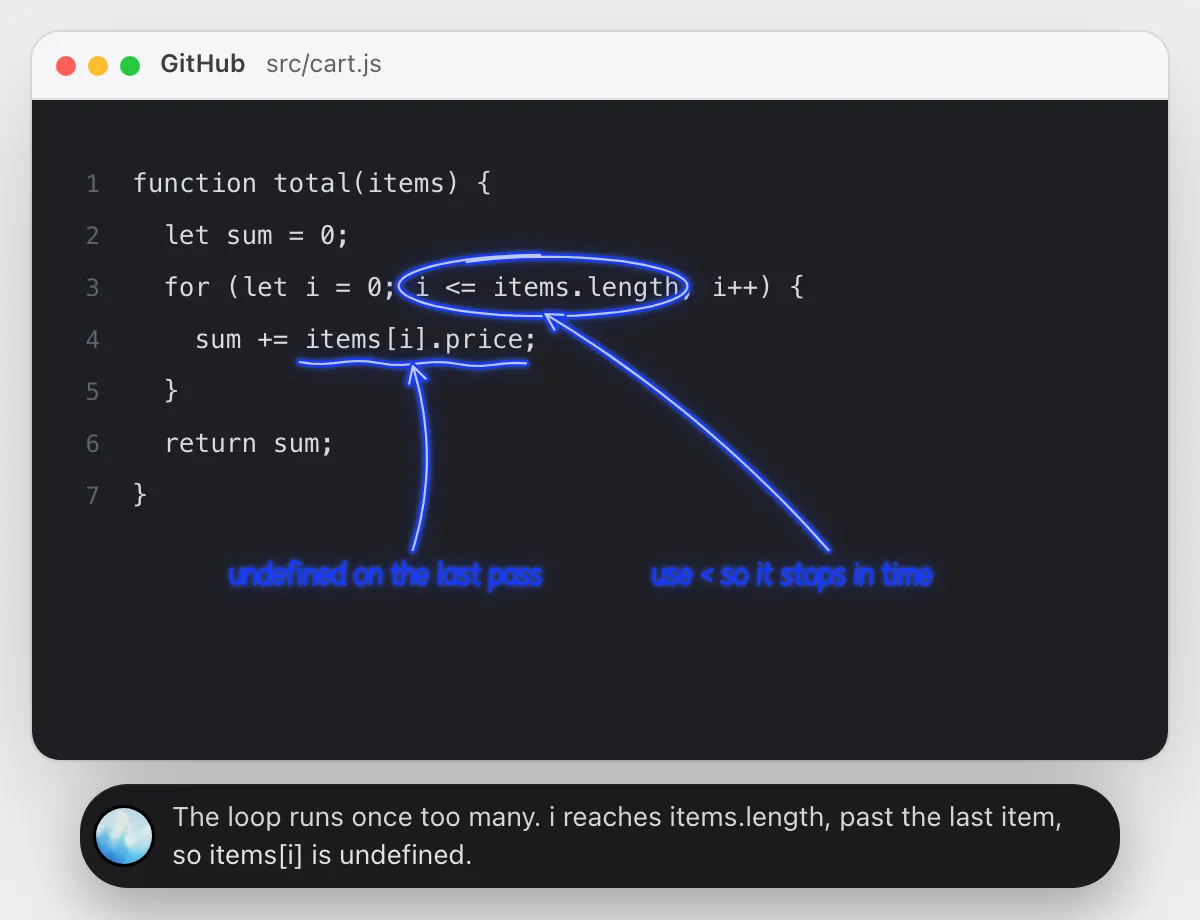
See why a loop goes one step too far
“Why does this function crash on the last item?”
- 01Open the file so the function is on the screen, then ask out loud.
- 02DuckyHelper reads the loop and what it does with each item.
- 03It circles the loop condition and underlines the line that crashes, and says why in a sentence or two.
- 04Ask for the fix and it writes it next to the code as a short note.
You getYou see the exact condition that runs one step too far, and the one-character fix.
 The loop runs once too many. i reaches items.length, past the last item, so items[i] is undefined.
Understand what a pull request changes
“What does this pull request change, and is anything risky?”
- 01Open the pull request on its Files changed view so the diff is on screen, then ask out loud.
- 02DuckyHelper reads the lines that were removed and added.
- 03It says in plain words what changed, circles the changed condition and underlines the riskiest line.
- 04Ask what a function does or why a line matters and it explains from the diff.
You getA plain summary of the change and the one line you should look at twice.
Adults aged 18 now qualify. The riskier line marks every new account verified without any check.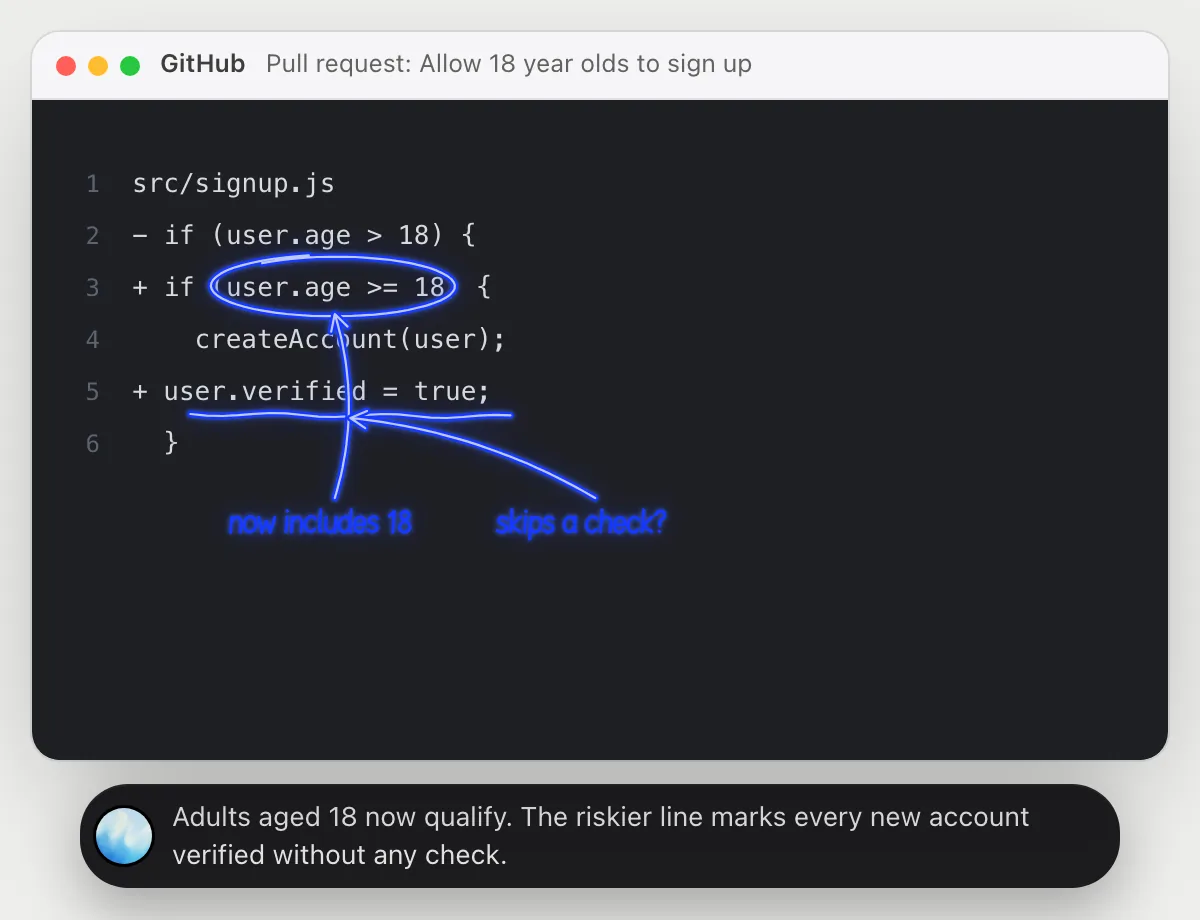
File an issue with steps to reproduce
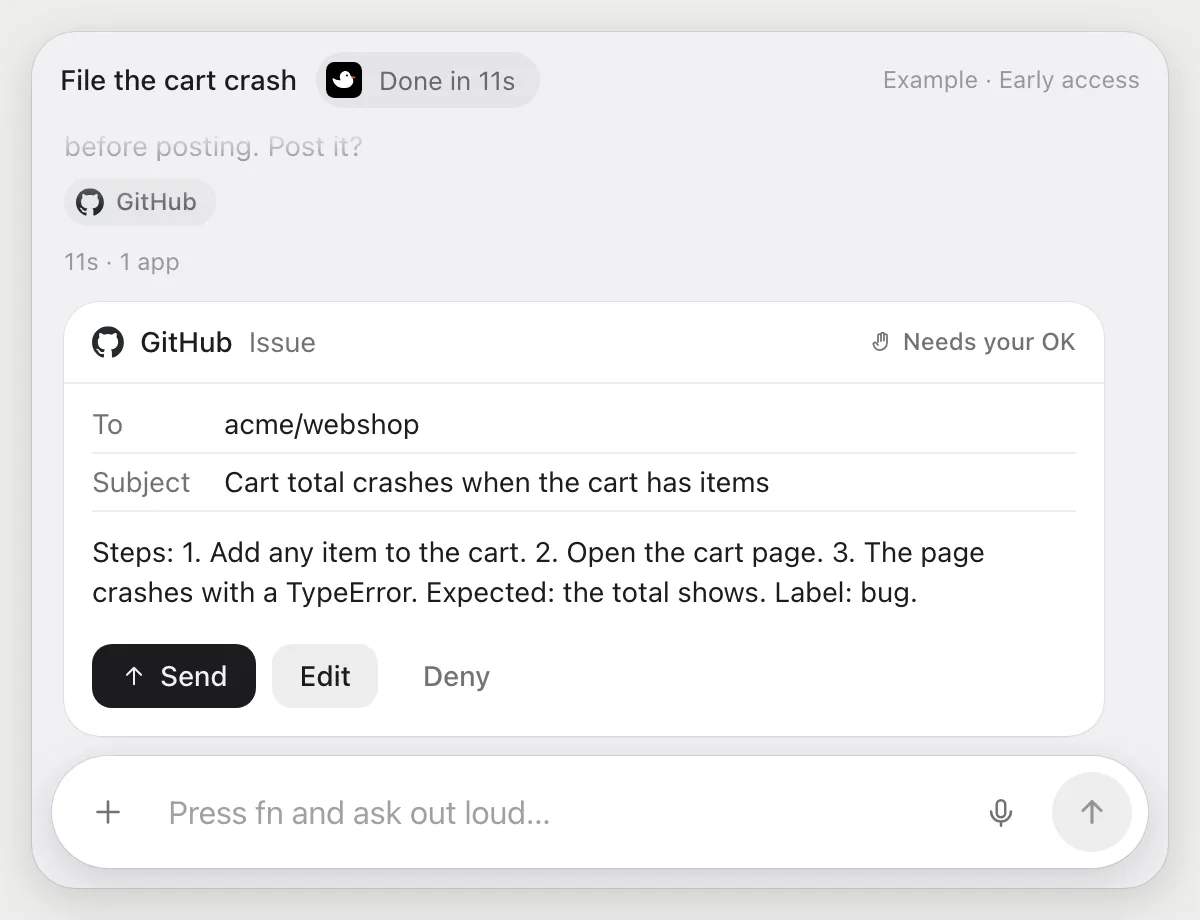
“File an issue for this bug with steps to reproduce and the bug label”
- 01Say what the bug is, or have the page with the bug on screen.
- 02DuckyHelper opens the repository's Issues tab and starts a new issue.
- 03It writes a title and the steps to reproduce with its own cursor, then adds the bug label.
- 04It stops before posting and shows the issue. Press Send to post, Edit it, or Deny.
Built to ask firstBefore the issue is posted it shows the title, the steps and the label with Send, Edit and Deny. Nothing is posted until you press Send.
You getA clear issue with steps anyone can follow, posted only after you read it.
Ask for missing steps on new bugs
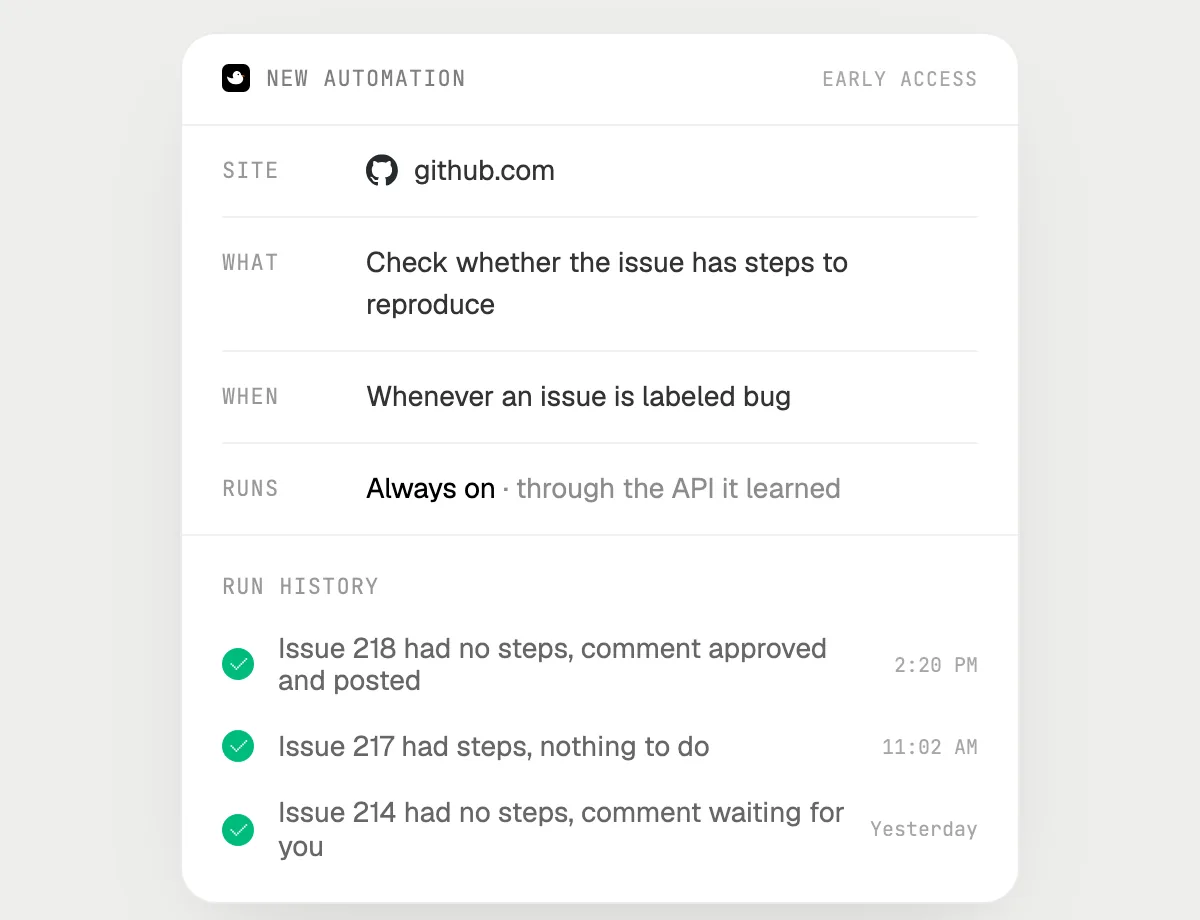
“When a new issue is labeled bug, ask the author for steps if they are missing, checking with me first”
- 01Say it once while your repository's issues are open. It does the first run on the open bugs you can see.
- 02It learns GitHub's own actions for reading and commenting the first time, so later runs are quick.
- 03Turn it on from the card it offers. From then on it runs when an issue gets the bug label.
- 04Each run lands in the history. A comment waits for your OK before it is posted.
Built to ask firstReading issues needs no OK. Every comment it would post stops with Send, Edit and Deny first.
You getBugs without steps get a polite question, and you decide what is posted.

fib(50) never finishes.
Code on a screen: DuckyHelper asks you back first, then draws on the code to show why a function is slow.
Code on the screen: it asks you back first, then draws the call tree on your code to show why it is slow.
Watch the film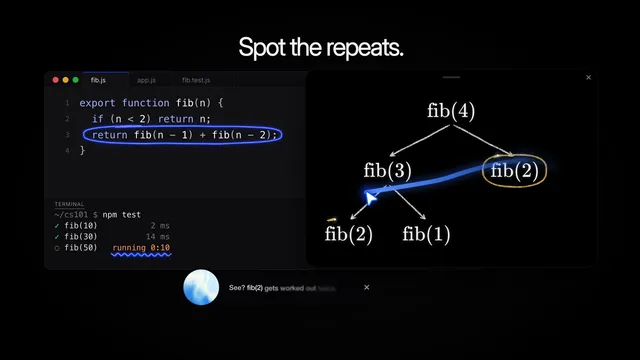
Getting more out of it in GitHub.
- 01
Scroll to the lines you mean before you ask. It explains the code on the screen, not the whole repository.
- 02
Ask it to explain a diff for a teammate who has not seen the code. The answer is short and plain.
- 03
On a pull request, ask what could break if this line is wrong. It points at the line and says why.
- 04
It never pushes, merges or approves. You press those buttons yourself.
Questions about GitHub.
Do I need to connect my GitHub account?
No. There is nothing to connect. It sees what is on your screen while the pill is open, and for jobs (Early access) it uses GitHub in your browser, signed in as you. It's built not to type your passwords or card numbers.
Can it post, push or merge without asking?
It never merges, pushes or approves on its own. It's built to ask first before it posts: an issue or a comment stops with Send, Edit and Deny first. It may not recognize every send or payment, so keep an eye on tasks that involve messages or money.
Does it read my private repositories?
Only what is on your screen while the pill is open. A job or automation you start (Early access) opens the pages that job needs, as you.
Does it work in the GitHub app on my phone?
No. DuckyHelper is an app for Mac, Windows and Linux, so it works with GitHub in your computer's browser.



Do anything
Ask it a question or hand it a job, in any app.


Doing jobs for you is in early access on Mac. Asking works on Mac, Windows and Linux.