

How to use DuckyHelper in Microsoft Entra ID
In the Entra admin center the answers are in long tables: sign-ins, users, groups. Ask DuckyHelper about the rows on screen and it points at the odd one. Hand it the group changes or a membership check and it does them as you, with your own admin rights (Early access).
Check a suspicious sign-in
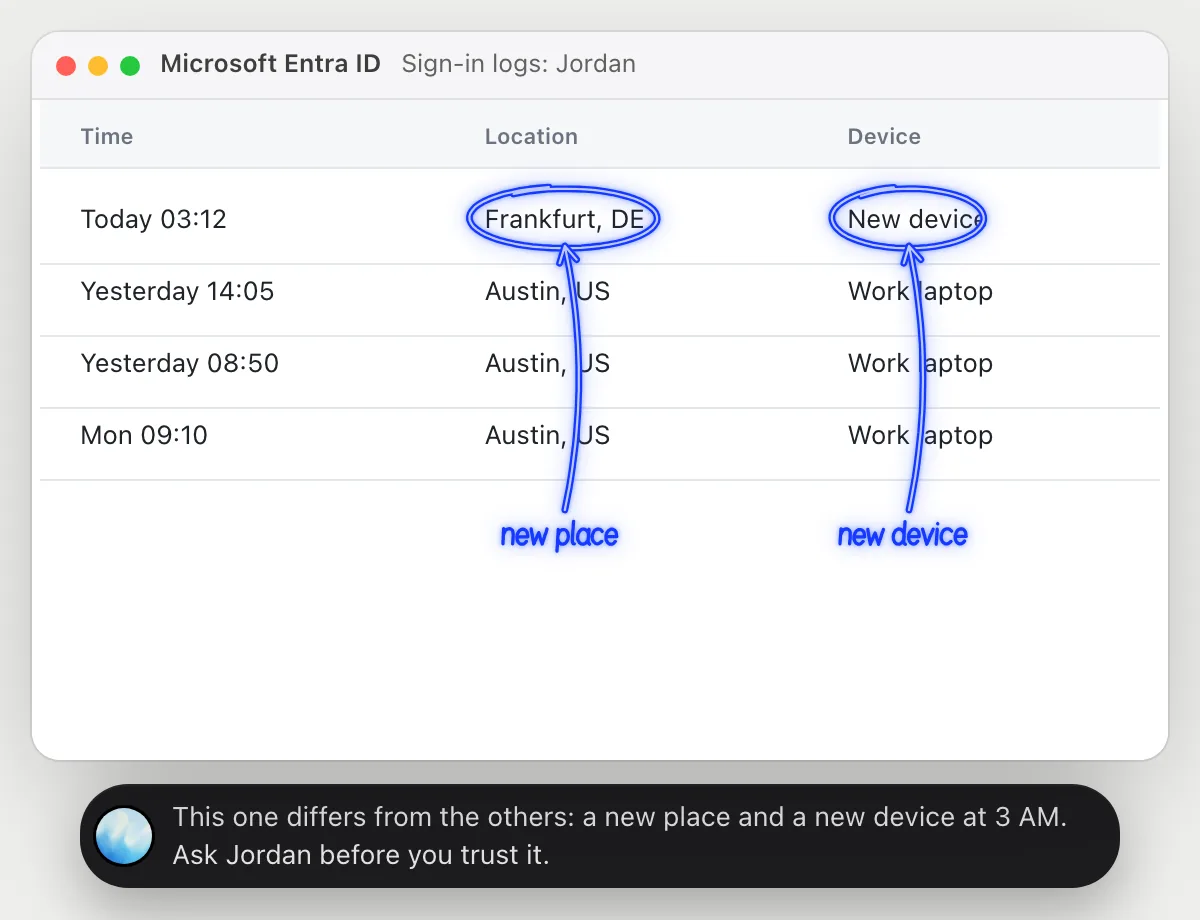
“Is this sign-in from Frankfurt likely to be real?”
- 01Open the sign-in log so the user's recent rows show, then ask out loud.
- 02DuckyHelper reads the time, place and device of each sign-in.
- 03It circles the location and the device that differ from the usual ones, and says why that stands out.
- 04It does not decide for you: it suggests asking the user, and tells you what else to look at on the page.
You getYou see why the sign-in stands out, and who to ask about it.
 This one differs from the others: a new place and a new device at 3 AM. Ask Jordan before you trust it.
Find accounts that never signed in
“Which of these accounts haven't signed in for 90 days?”
- 01Open the users list with the last sign-in column showing, then ask out loud.
- 02DuckyHelper reads each user's last sign-in date.
- 03It counts back 90 days from today and circles the dates older than that.
- 04Ask for the list in order and it reads the names back with their dates.
You getThe accounts that have been quiet for three months, named and circled.
Ben Cole last signed in on Jun 2 and Dev Shah on May 19. Both are more than 90 days ago.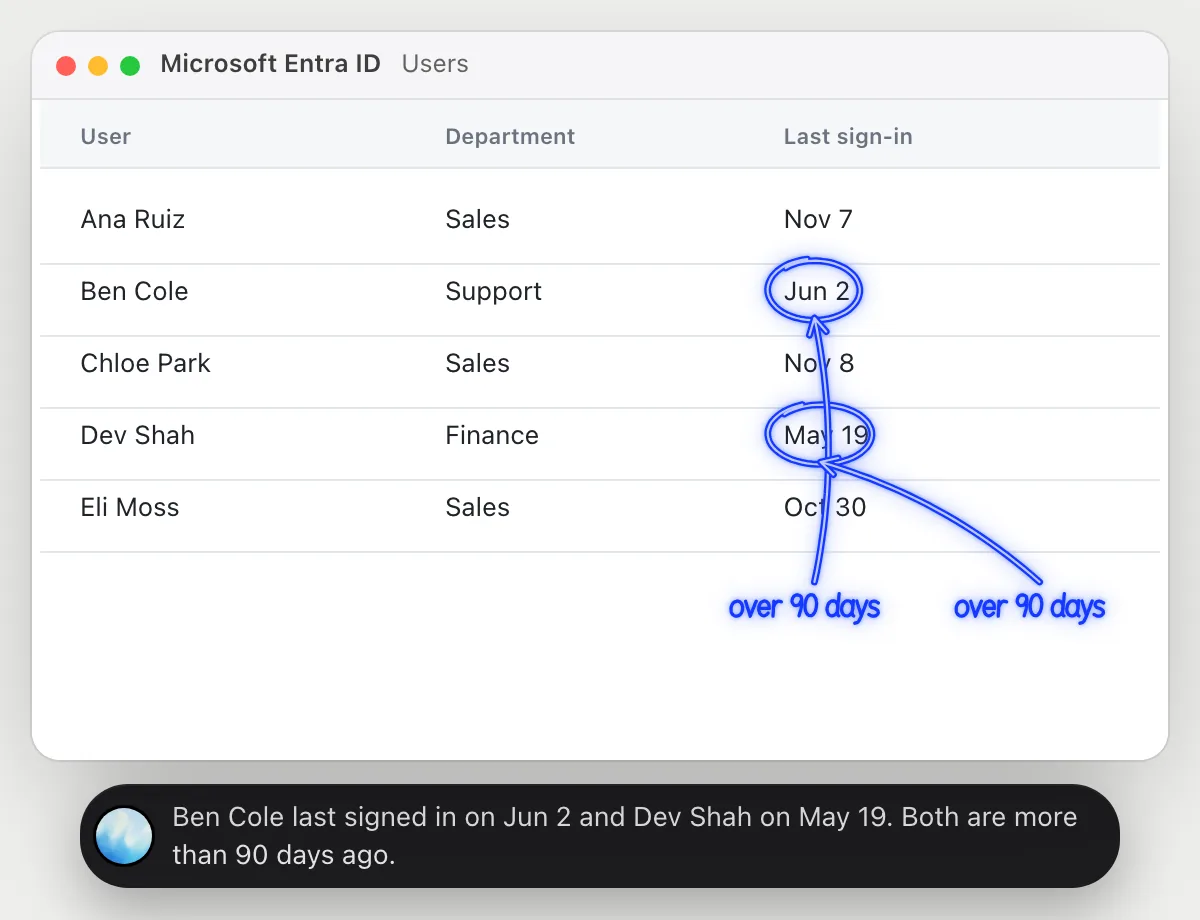
Add new hires to their groups
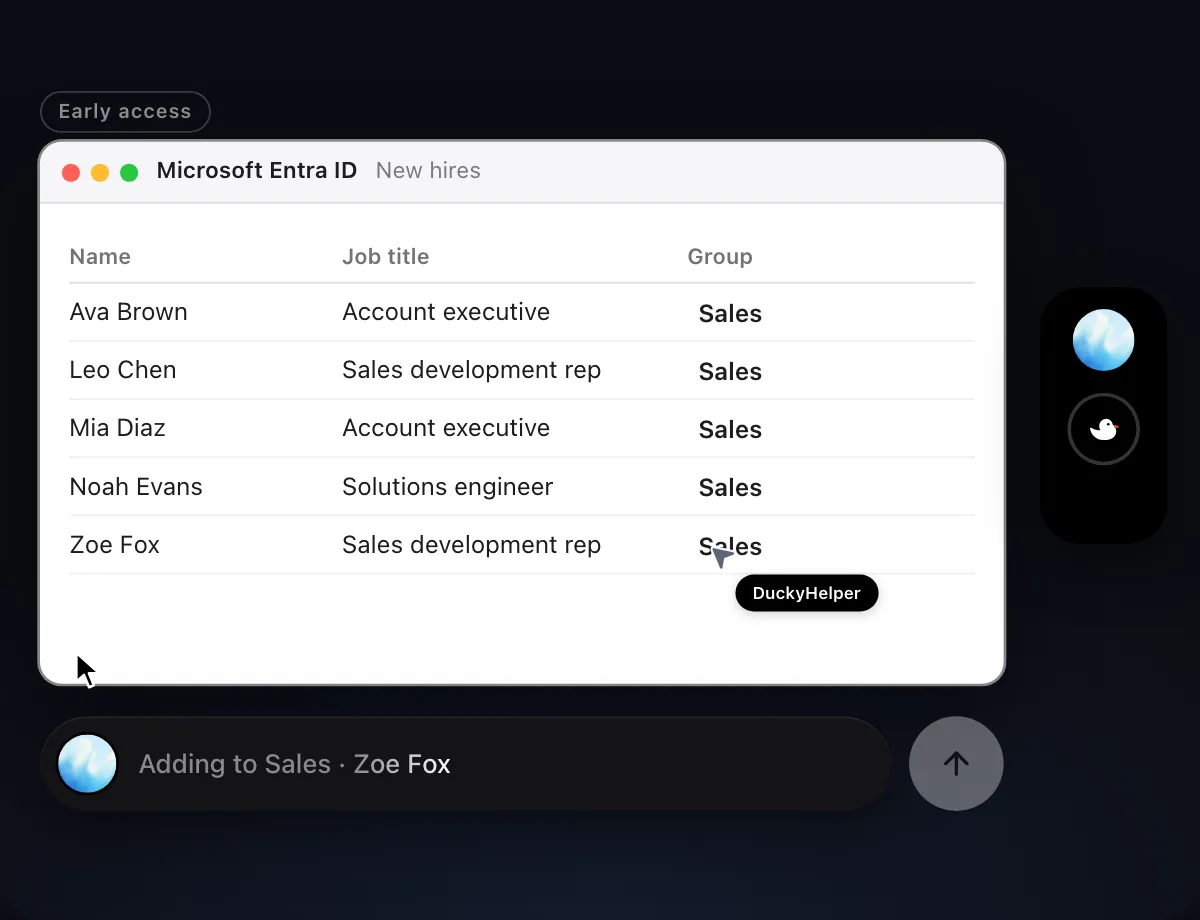
“Add these five new hires to the Sales group”
- 01Have the list of new hires on screen, or name where it is.
- 02DuckyHelper opens the Sales group and finds the way to add members.
- 03It adds each person with its own cursor, one row at a time.
- 04It reads the group's members again and tells you the five are in.
Built to ask firstAdding members needs no OK from it, and it acts only with your own admin rights. You see each name as it is added. It's built not to type passwords, and to stop before anything that sends or pays.
You getFive new hires in the right group, in one pass.

Check a user's group memberships
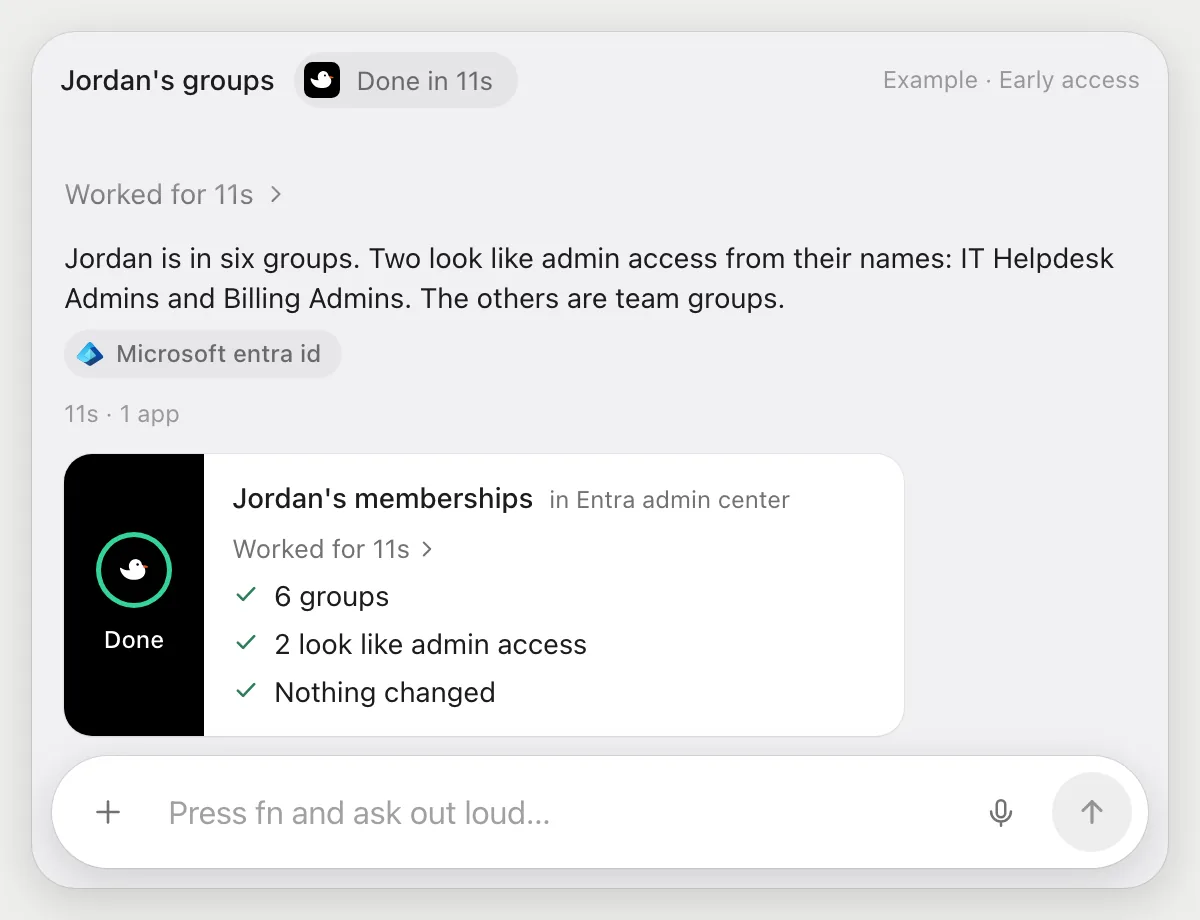
“List the groups Jordan belongs to and tell me which give admin access”
- 01Say Jordan's name, or open the user's page.
- 02DuckyHelper opens the groups the user belongs to and reads the list.
- 03It also reads the roles assigned to the user, where the page shows them.
- 04It tells you out loud which groups and roles look like admin access, from their names, and shows the list.
Built to ask firstReading needs no OK, and it changes nothing here. It acts only with your own admin rights and is built not to type passwords.
You getA clear list of Jordan's groups, with the admin-looking ones named.
Getting more out of it in Microsoft Entra ID.
- 01
Sort the table first. If you sort by last sign-in, the quiet accounts sit together on screen.
- 02
For a sign-in, ask it to compare with the user's usual rows. It tells you what differs, and leaves the decision to you.
- 03
Admin groups are judged from names and roles on screen. Confirm in the admin center before you rely on it.
- 04
It's built not to type passwords, and resetting them stays yours.
Questions about Microsoft Entra ID.
Do I need to connect my tenant to DuckyHelper?
No. There is nothing to connect. It sees what is on your screen while the pill is open, and for jobs (Early access) it uses the Entra admin center in your browser, signed in as you, with your own rights. It's built not to type your passwords or card numbers.
Can it do more than my account can?
No. It acts as you, with your own admin rights, so it can only do what you could do there yourself.
Will it change access without telling me?
It shows each change as it makes it, and the jobs here are the ones you ask for. Anything that sends or pays is built to stop for your OK first.
Does it work on my phone?
No. DuckyHelper is an app for Mac, Windows and Linux, so it works with the admin center in your computer's browser.



Do anything
Ask it a question or hand it a job, in any app.


Doing jobs for you is in early access on Mac. Asking works on Mac, Windows and Linux.