

How to use DuckyHelper in Airtable
Airtable bases grow records with blanks in the wrong places. Ask DuckyHelper about the grid on your screen and it marks what is missing and works out where a pipeline slows. You can also hand it a field to fill or duplicates to catch (Early access).
Find the records missing what you need
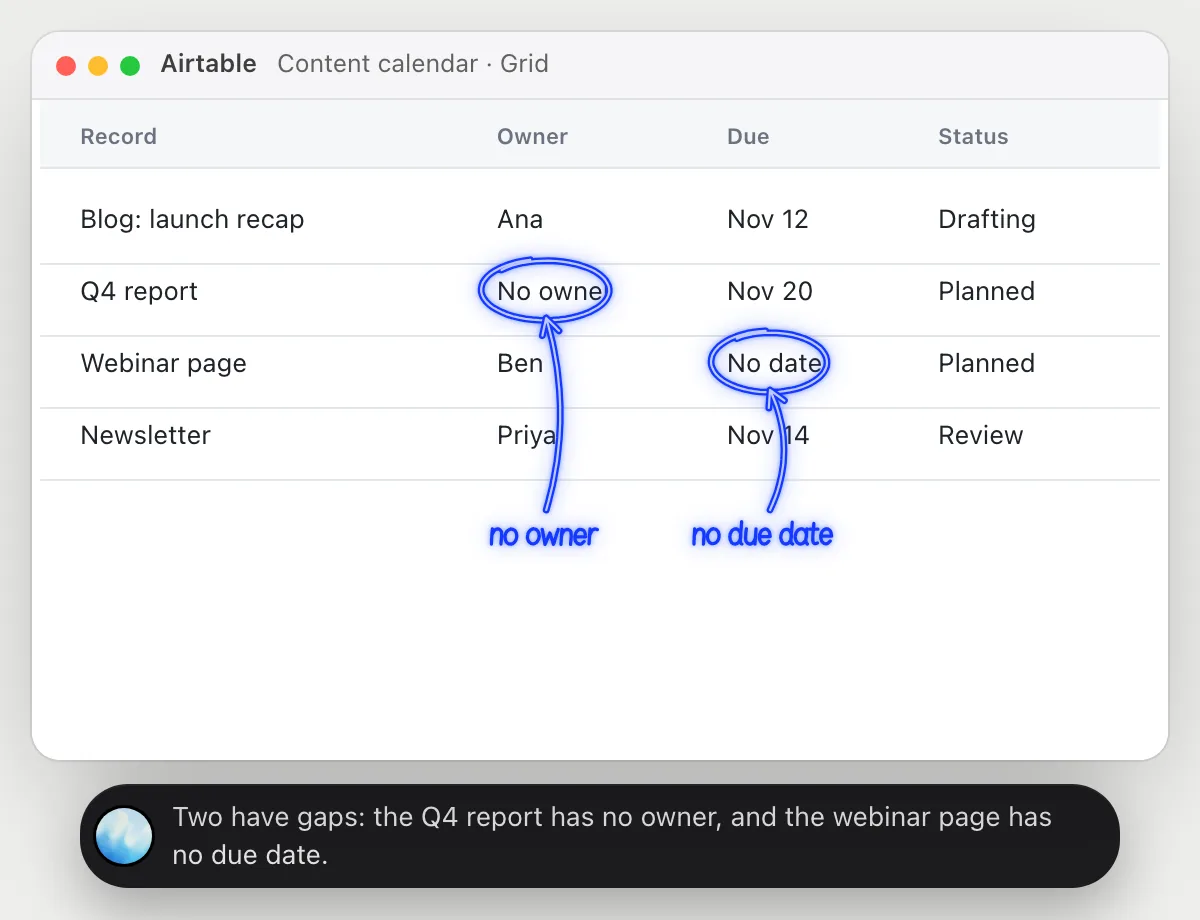
“Which of these records are missing a due date or an owner?”
- 01Open the grid view so the records are on the screen.
- 02Ask out loud. DuckyHelper reads each row.
- 03It circles the empty cells it finds in the Owner and Due columns.
- 04It names the records, so you can fill them in.
You getThe records with something missing, found without scanning every row.
 Two have gaps: the Q4 report has no owner, and the webinar page has no due date.
See where your pipeline slows down
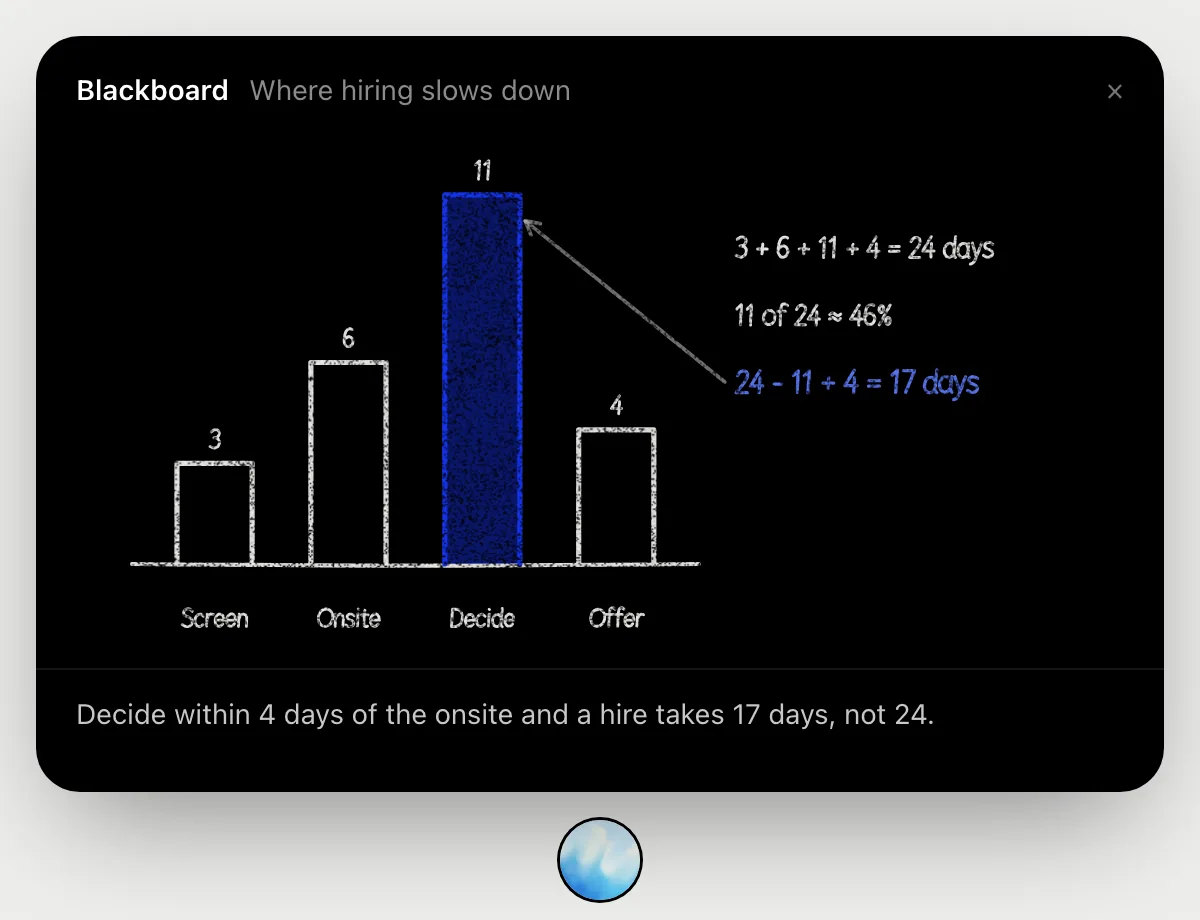
“Where do candidates wait longest between stages?”
- 01Have the hiring pipeline's days per stage on screen.
- 02Ask out loud. DuckyHelper opens the blackboard.
- 03It draws a bar for each stage and adds the days up.
- 04It marks the slowest stage, its share of the total and how many days a faster decision would save.
You getThe stage where candidates wait, and what deciding faster is worth.
Fill in a field across records
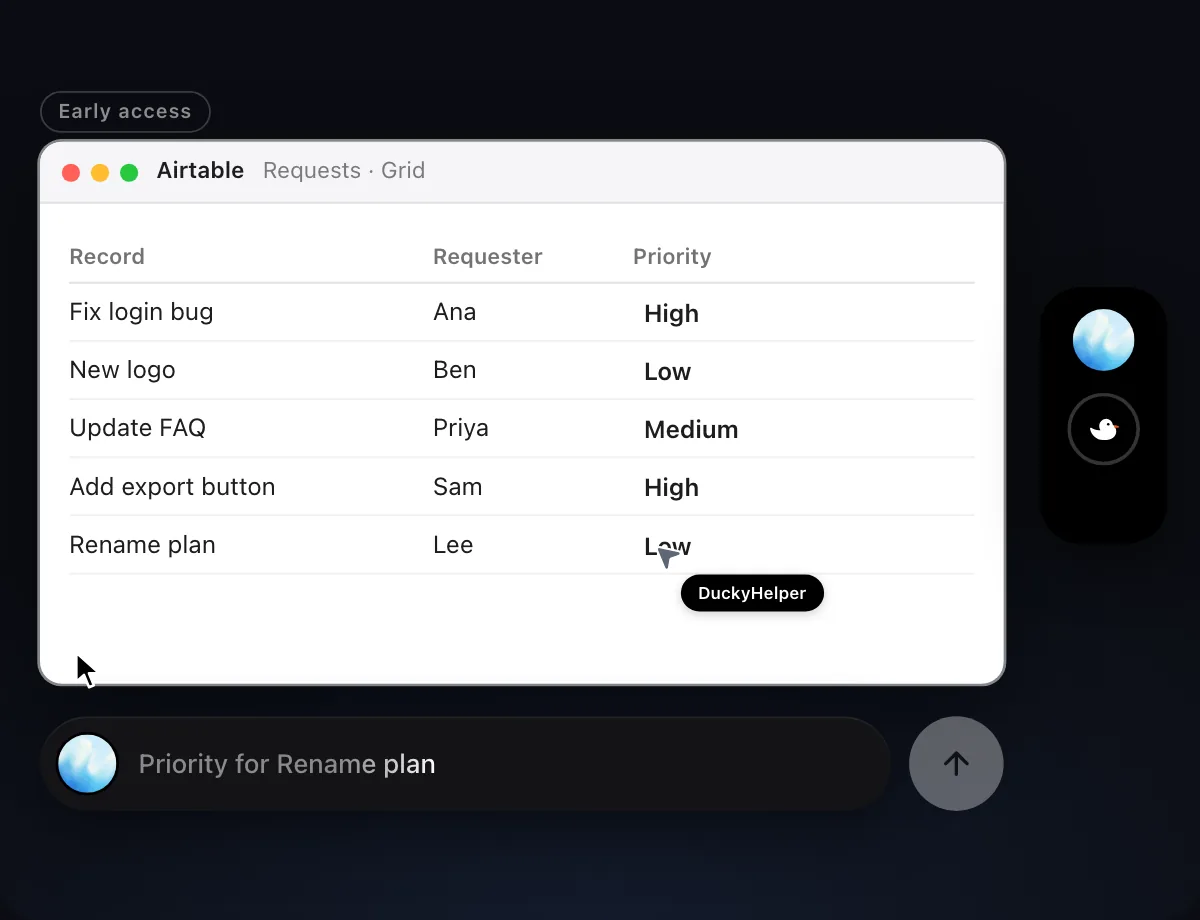
“Fill in the Priority field for these records from the request notes”
- 01Open the grid and say where the priorities should come from.
- 02DuckyHelper reads the request notes, then works in the grid with its own cursor while you keep using yours.
- 03It sets the Priority on each record, one by one.
- 04It finishes with a done card listing what it filled in.
Built to ask firstFilling in a field needs no OK. Nothing is sent, so it does not stop to ask.
You getEvery record has a Priority that matches the notes.

Catch duplicates as they arrive
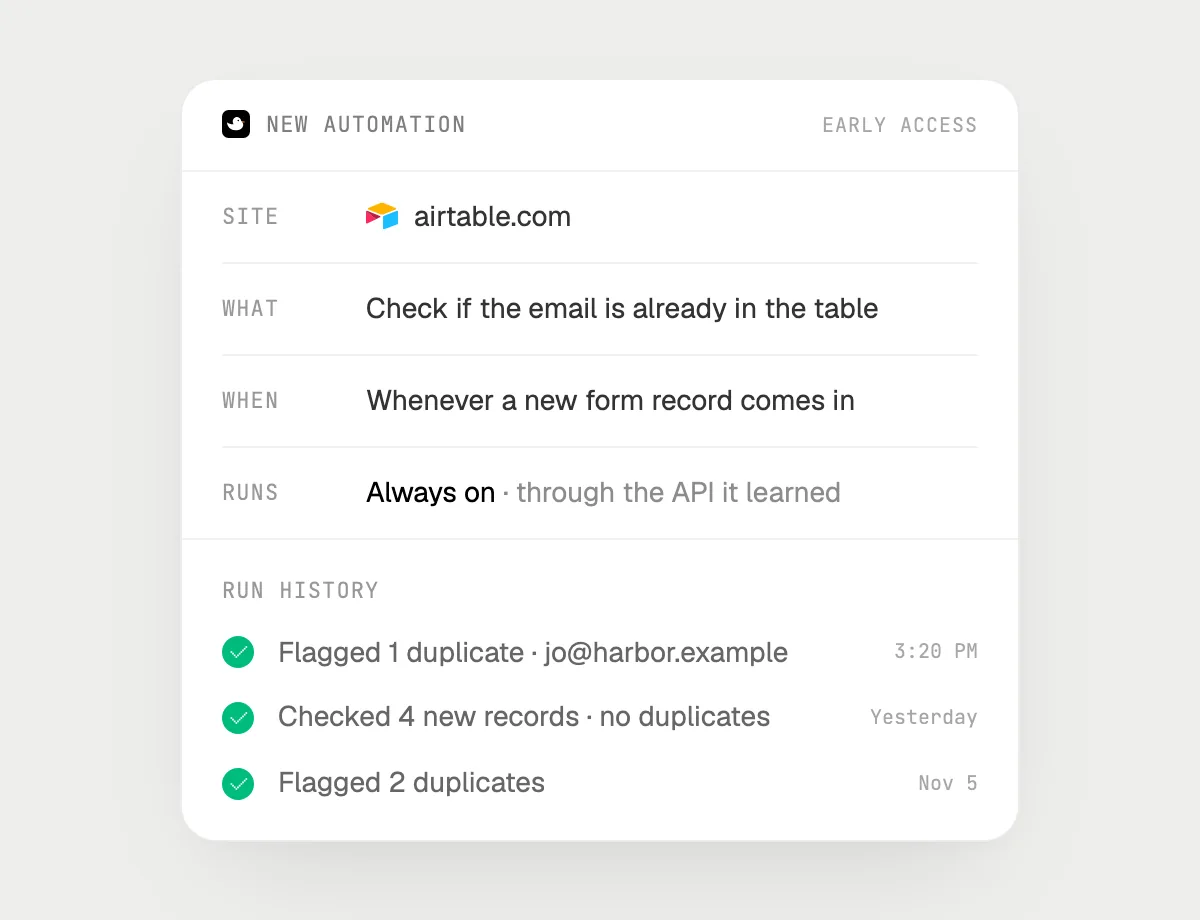
“When a new form record comes in, check if the email is already in the table and flag duplicates”
- 01Say it once with the table open. It checks the records already there right away.
- 02It learns the page's own actions the first time, so later runs are quick.
- 03Turn it on from the card it offers. It runs when a new record appears.
- 04Each run lands in the history with the records it flagged.
Built to ask firstChecking and flagging need no OK. If a run would ever email someone, it's built to stop and ask you first.
You getA duplicate sign-up is flagged the moment it arrives.
Getting more out of it in Airtable.
- 01
Filter or sort the grid first. It reads the rows on the screen, so show the ones you care about.
- 02
Say which fields matter. "Owner and due date" is clearer than "anything missing".
- 03
Check a few of the filled-in records yourself before you rely on the rest.
- 04
Comparing with a spreadsheet? See the Google Sheets guide.
Questions about Airtable.
Do I need to connect my Airtable account?
No. There is nothing to connect. It sees what is on your screen while the pill is open, and for jobs (Early access) it uses Airtable in your browser with its own cursor, signed in as you. It's built not to type your passwords or card numbers.
Is this Airtable's own automations?
No. Those are Airtable's. DuckyHelper works in the view on your screen like a person does.
Can it send email without asking?
It's built to ask first: before it sends anything it shows it with Send, Edit and Deny and waits for your yes. It may not recognize every send or payment, so keep an eye on tasks that involve messages or money. Filling in fields and flagging need no OK.
Does it see everything in your base?
No. When you ask a question it looks only at what is on your screen, and only while the pill is open. A job or automation you start (Early access) opens only the pages that job needs.



Do anything
Ask it a question or hand it a job, in any app.


Doing jobs for you is in early access on Mac. Asking works on Mac, Windows and Linux.