

How to use DuckyHelper in Google Sheets
In Google Sheets the hard part is usually one cell: a formula that breaks, a number that looks wrong, a column nobody filled in. Ask about the sheet on your screen and DuckyHelper explains it right on the cells, or works it out on the blackboard. You can also hand it the column to fill in, or a weekly update that keeps itself current (Early access).
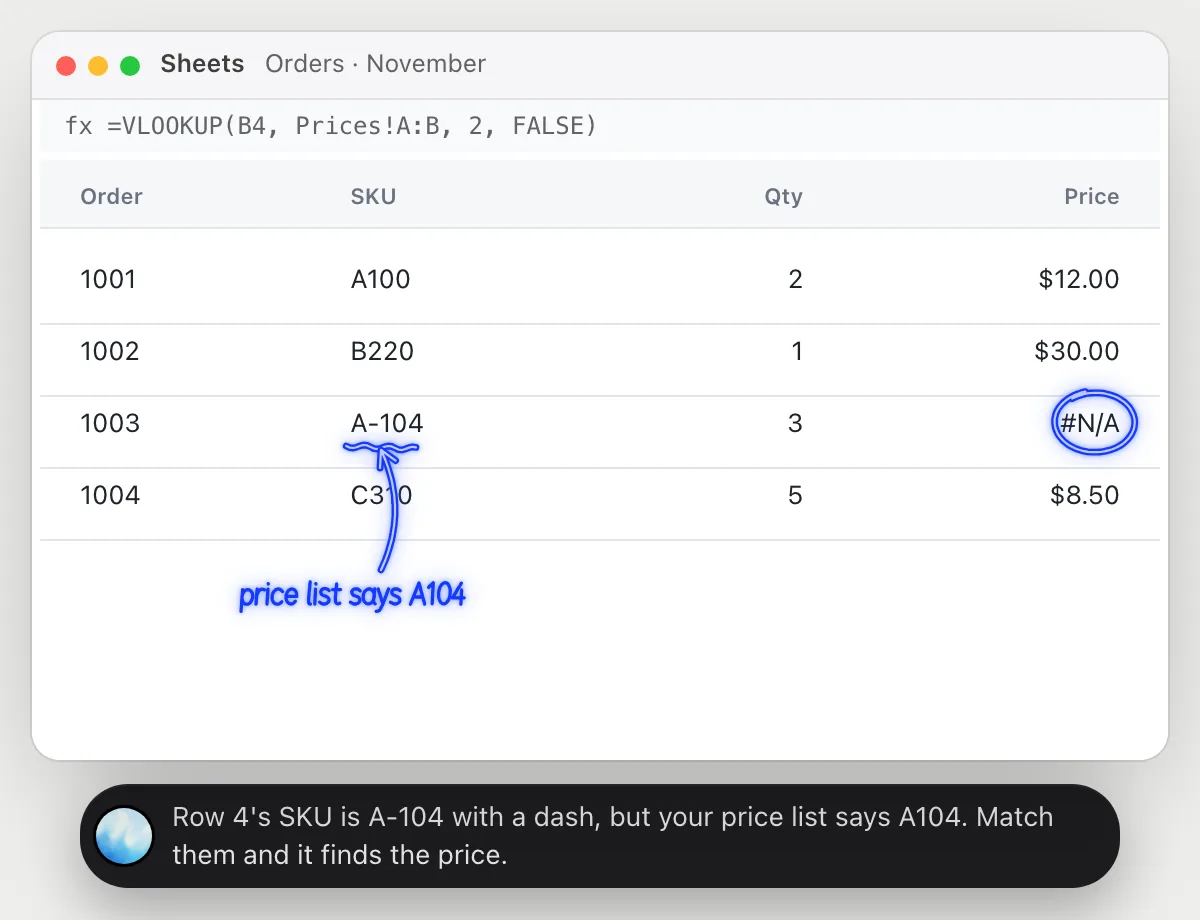
Find out why a cell says #N/A
“Why does this cell say #N/A when the SKU is right there?”
- 01Click the cell with the error so its formula shows in the formula bar.
- 02Ask out loud. DuckyHelper reads the formula and the values in that row on your screen.
- 03It circles the error, underlines the cell that causes it and says what doesn't match.
- 04Fix it yourself in a few seconds, or ask how to write the lookup so a stray dash doesn't break it.
You getThe error explained on the cell that causes it, and the one change that fixes it.
 Row 4's SKU is A-104 with a dash, but your price list says A104. Match them and it finds the price.
Work out where a funnel loses people
“Where are we losing people in this funnel, and what is fixing it worth?”
- 01Have the sheet with your funnel numbers on screen: visits, sign-ups and paid.
- 02Ask out loud. DuckyHelper reads the numbers and opens the blackboard.
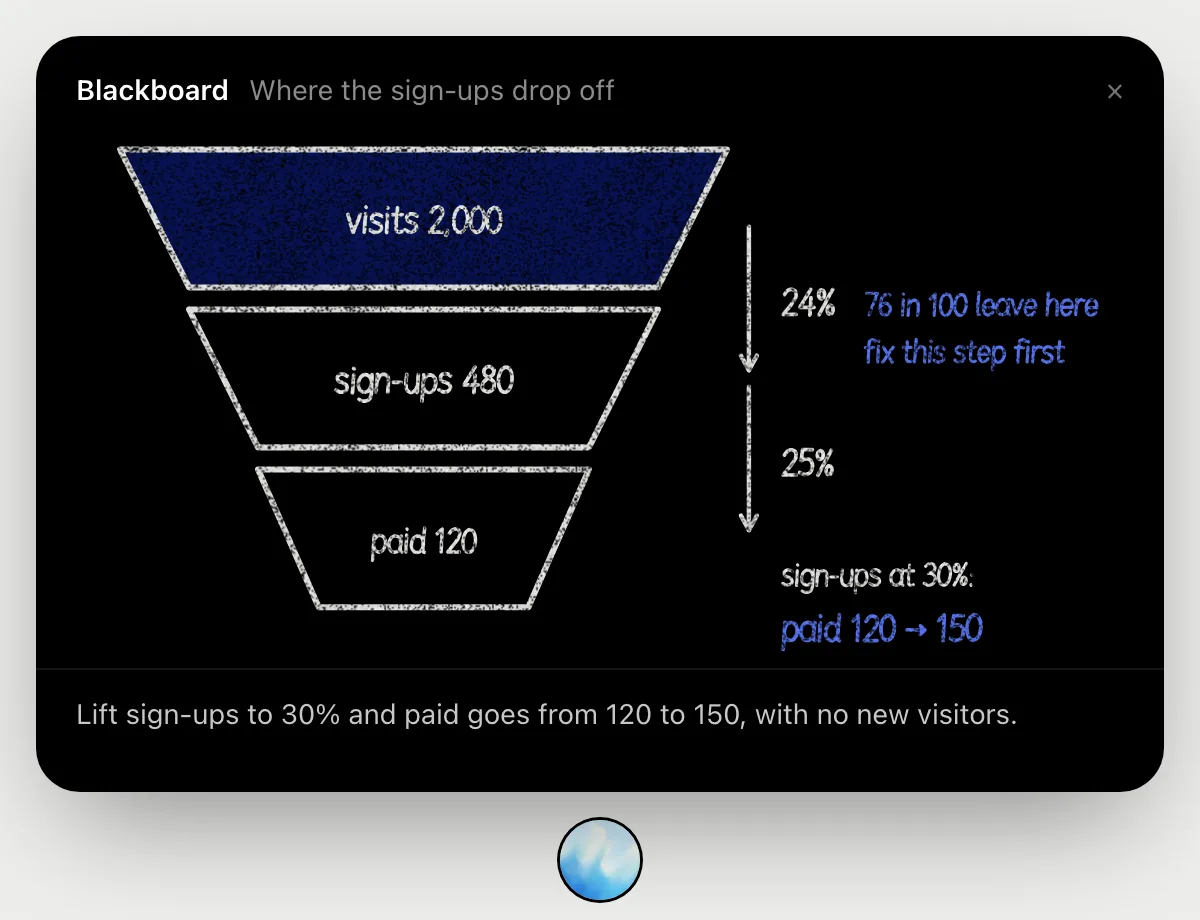
- 03It draws the funnel and works out the rate at each step as it talks, then marks the step losing the most people.
- 04It finishes with what a better rate at that step would mean, so you know what a fix is worth.
You getThe leakiest step and the payoff of fixing it, worked out where you can follow every number.
Fill in a column, then share the sheet
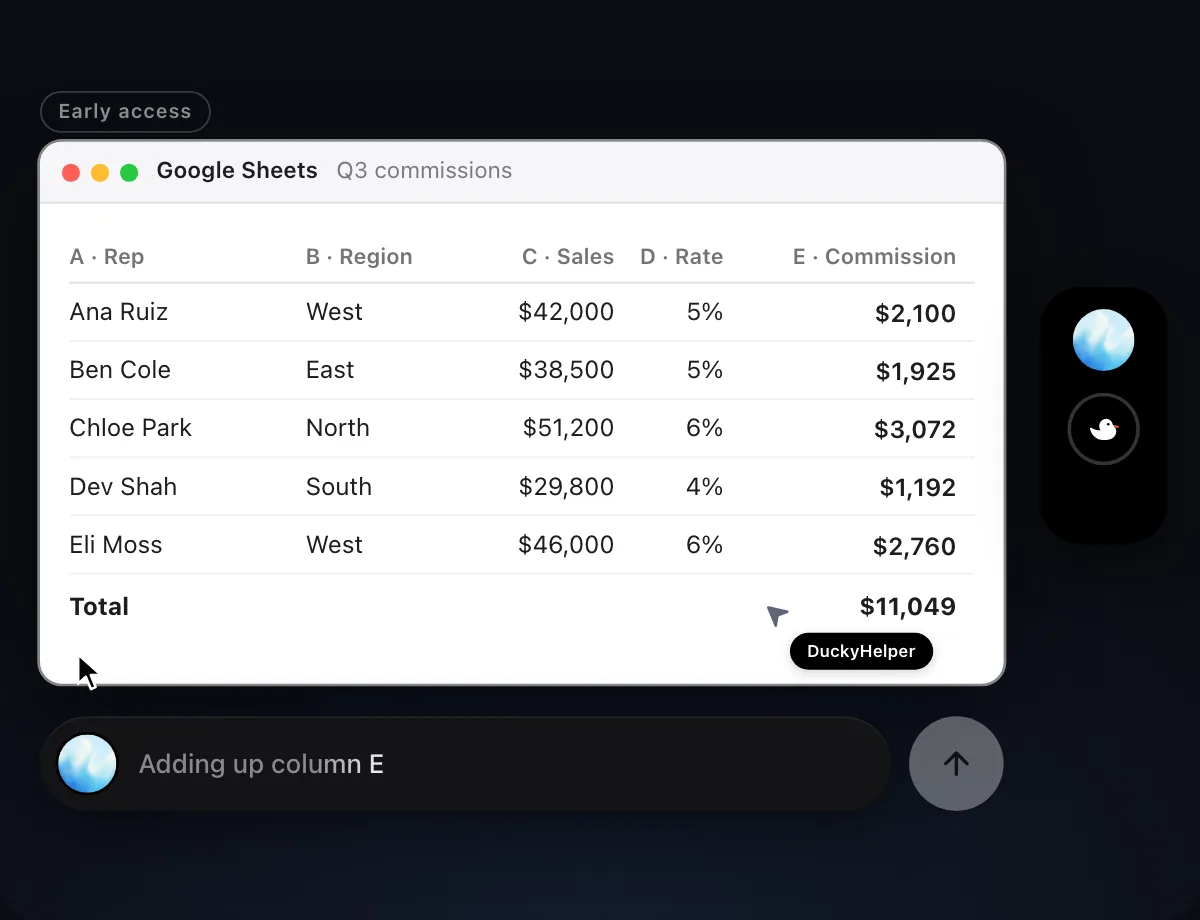
“Work out each rep's commission in column E, then share the sheet with Priya”
- 01Open the sheet and say what to fill in and the rule for it.
- 02DuckyHelper works in the sheet with its own cursor, cell by cell, while you keep using yours.
- 03It adds up the column at the end, so you can check the total at a glance.
- 04Before sharing, it shows who gets the sheet and with what access, and waits for your OK.
Built to ask firstBefore the sheet is shared it shows who gets it and what they can do: Share or Deny. Filling in cells needs no OK; sharing does.
You getColumn E filled in for every rep, a total to check, and the sheet shared only after you said so.


Keep a weekly summary tab up to date
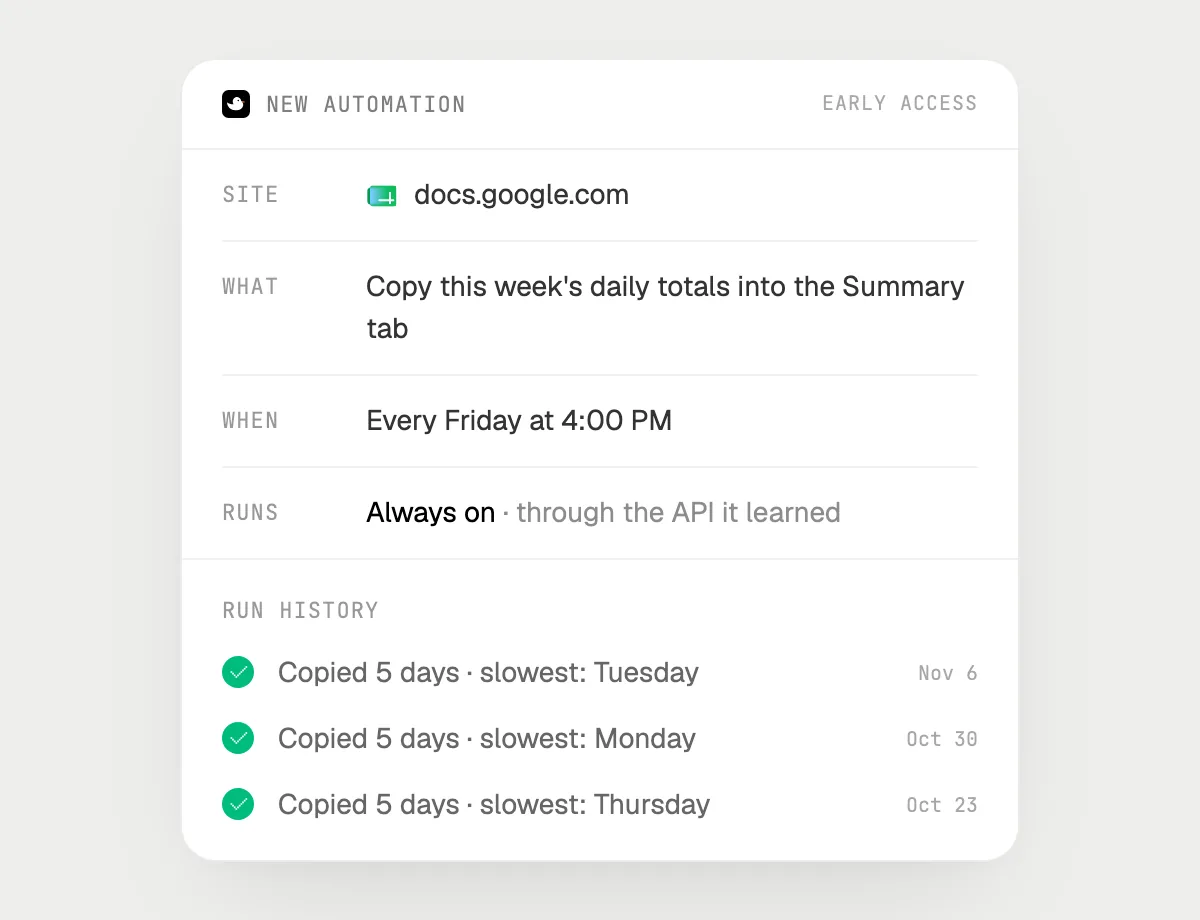
“Every Friday at 4, copy this week's daily totals into the Summary tab and highlight the slowest day”
- 01Say it once with the sheet open. It does this week's copy right away so you can check it.
- 02It learns the sheet's own actions the first time, so each Friday's run is quick.
- 03Turn it on from the card it offers. It runs every Friday at 4 PM from then on.
- 04Every run shows up in the history with what it copied.
Built to ask firstNothing in this run sends or pays, so it runs on its own. If you later ask it to email the summary, it's built to ask before each send.
You getA Summary tab that is current every Friday without you copying a single cell.
The done card and its ring
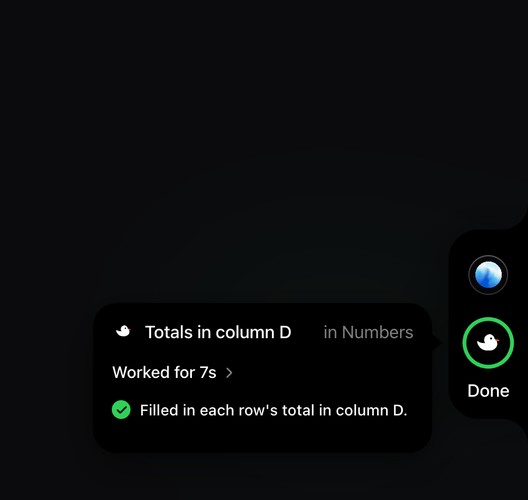
The done card from the app itself, after a spreadsheet job in Numbers: what it did, how long it worked, and the ring turning green.
The app's done card after a spreadsheet job ("Totals in column D · in Numbers · Worked for 7s") and the side rail's ring turning green. Early access on Mac.
Getting more out of it in Google Sheets.
- 01
Click the cell first. The formula bar is the best clue DuckyHelper has, and it reads only what is on the screen.
- 02
Say the rule, not the formula: "commission is sales times the rate" is enough for a job.
- 03
On a big sheet, freeze the header row so the column names stay in view while you ask about rows far down.
- 04
Ask it to check the work: "add up column E and compare it with the total at the bottom".
- 05
Moving numbers into a report? The Google Docs guide picks up from there.
Questions about Google Sheets.
Can it write formulas for me?
Ask and it explains the formula to use and why, on the cells it applies to. In Early access on Mac it can type it in with its own cursor, cell by cell, while you watch.
Do I need to connect my Google account?
No. It reads the sheet that is on your screen while the pill is open. Jobs (Early access) use Sheets in your browser, signed in as you, and it's built not to type your passwords or card numbers.
Will it share or email my sheet on its own?
It's built to ask first: sharing a sheet or sending anything stops for your OK first, with who gets it and what they can do. It may not recognize every send or payment, so keep an eye on tasks that involve messages or money. Filling in cells and copying between tabs need no OK.
Does it work with Excel files too?
Yes. It works in whatever is on your screen, so an Excel file in Excel or opened in Sheets is fine. The Excel guide has examples there.


Do anything
Ask it a question or hand it a job, in any app.

Doing jobs for you is in early access on Mac. Asking works on Mac, Windows and Linux.