

How to use DuckyHelper in monday.com
A monday.com board tells you a lot, but only if you read every row. Ask DuckyHelper about the board on your screen and it circles the stuck items and their owners, or works the backlog out on the blackboard. Hand it the status updates or a nudge for stuck items and it does them in monday.com (Early access).
Find stuck items and their owners
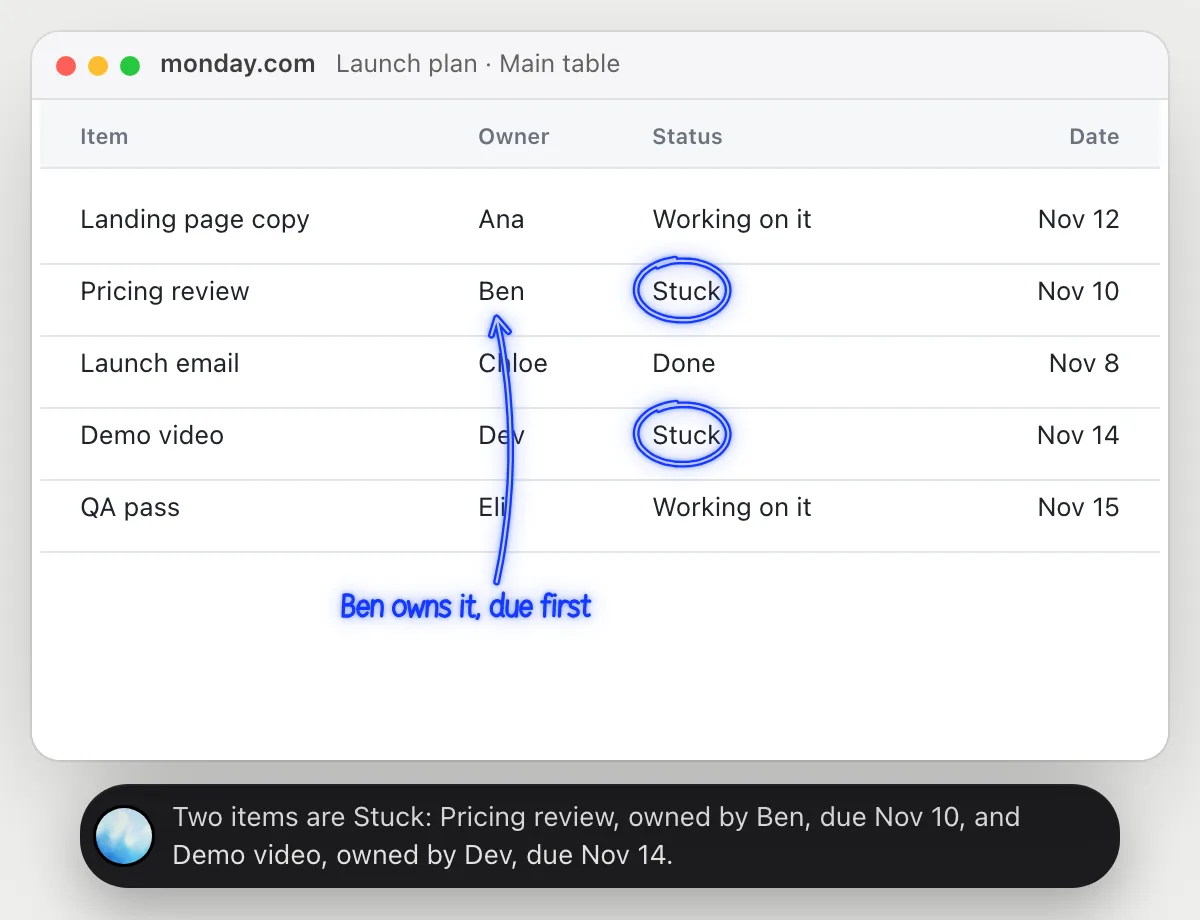
“Which items are stuck, and who owns them?”
- 01Open the board so the status and owner columns are on screen, then ask out loud.
- 02DuckyHelper reads each item with its owner, status and date.
- 03It circles the items whose status says Stuck and says who owns each one.
- 04Ask which is due soonest and it compares the dates it can see.
You getA short list of what is blocked and who to talk to, instead of scanning the whole board.
 Two items are Stuck: Pricing review, owned by Ben, due Nov 10, and Demo video, owned by Dev, due Nov 14.
Check a backlog will clear in time
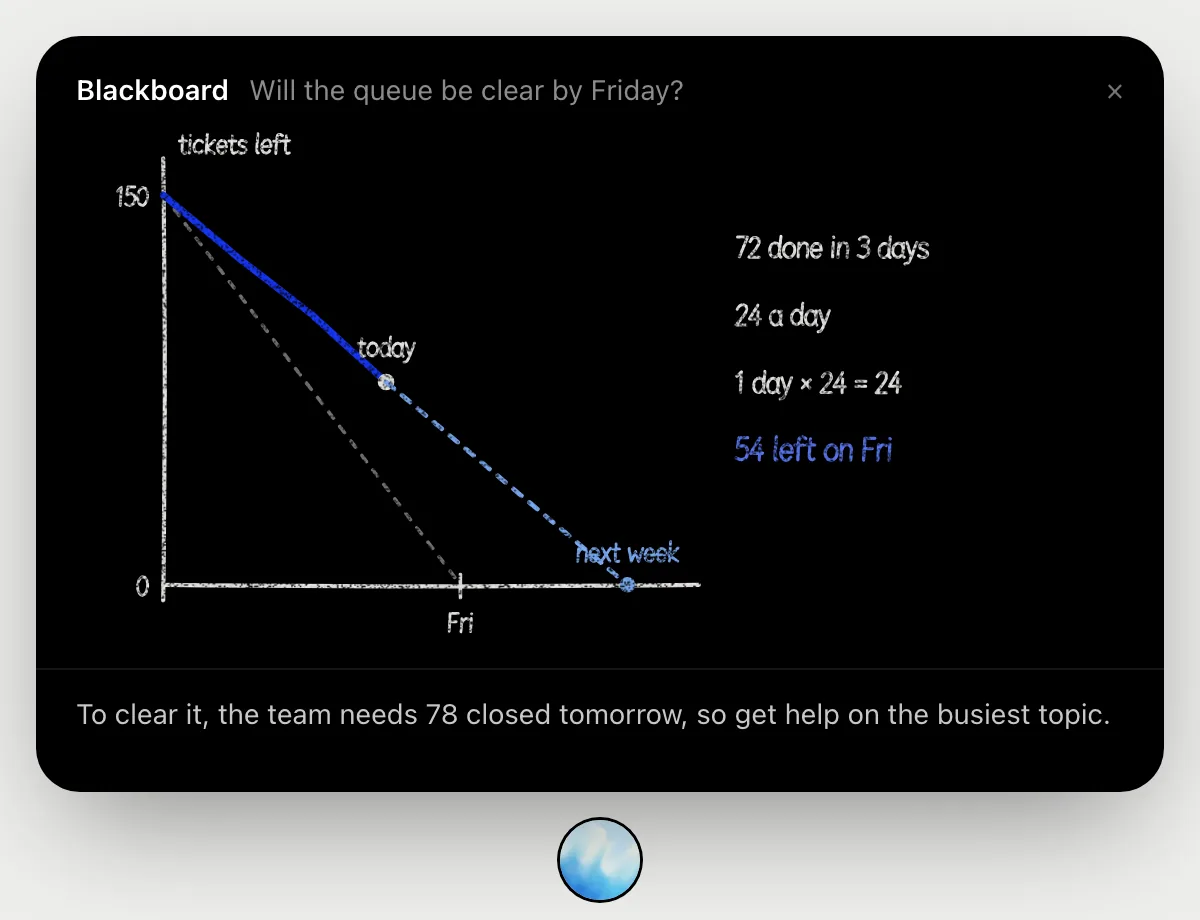
“Will we clear these open items by Friday at this pace?”
- 01Have the board with the open items showing and say how many were open on Monday.
- 02DuckyHelper opens the blackboard and draws the count falling from Monday to Friday.
- 03It marks how many a day you would need, then how many have actually closed per day.
- 04At that pace it works out how many are still open on Friday, in the example 54 of 150.
- 05It finishes with what to do: the count that must close tomorrow, or who to pull in.
You getA plain yes or no for Friday, with the pace worked out where you can follow it.
Update statuses from a stand-up
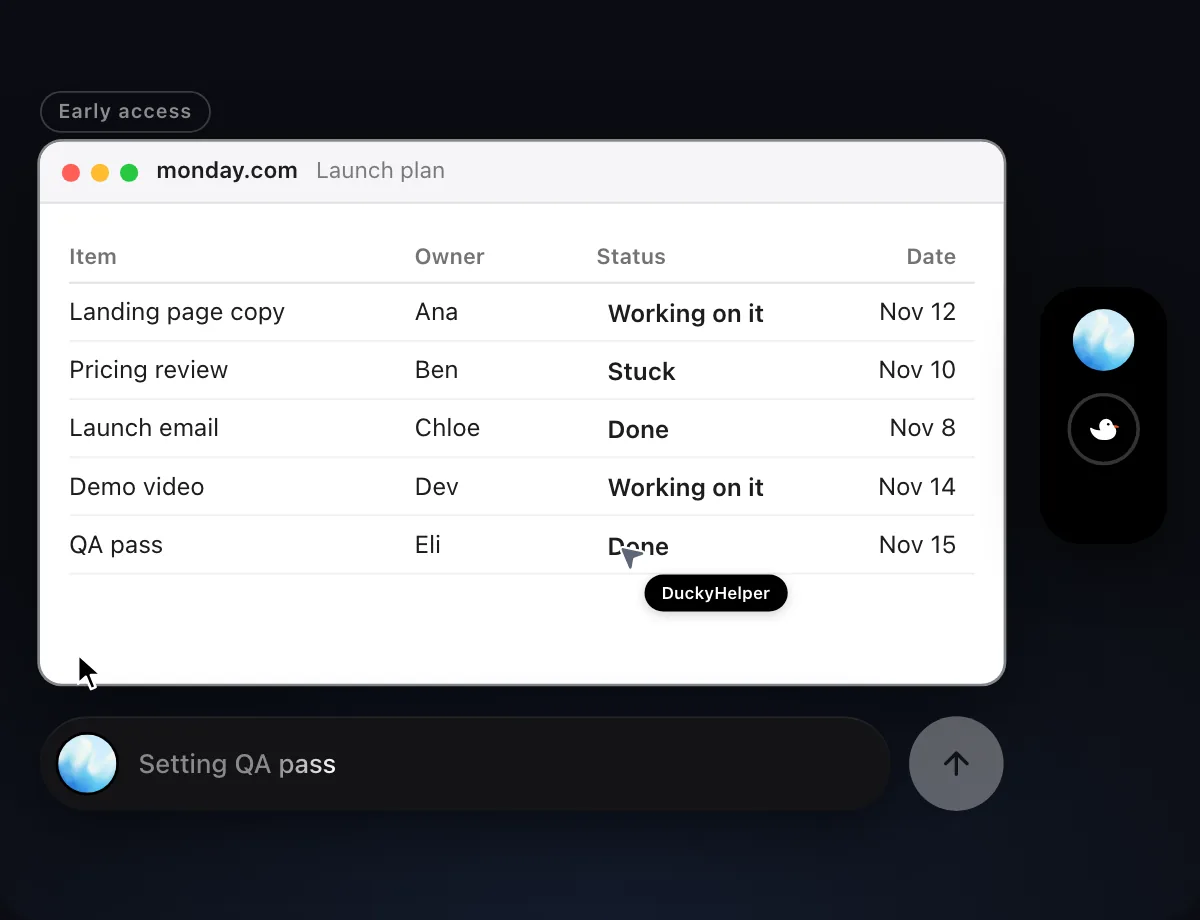
“Update each item's status from this morning's stand-up notes”
- 01Open the board and have the stand-up notes on screen or in the next window.
- 02DuckyHelper reads the notes and matches each line to the item it is about.
- 03It changes each item's status with its own cursor, row by row, while you keep working.
- 04It shows the finished board so you can check each change.
Built to ask firstChanging statuses stays inside your board, so it needs no OK. Anything that would email or notify someone else is built to stop and ask first.
You getThe board matches what the team said this morning, without you clicking through each status.

Nudge owners of stuck items
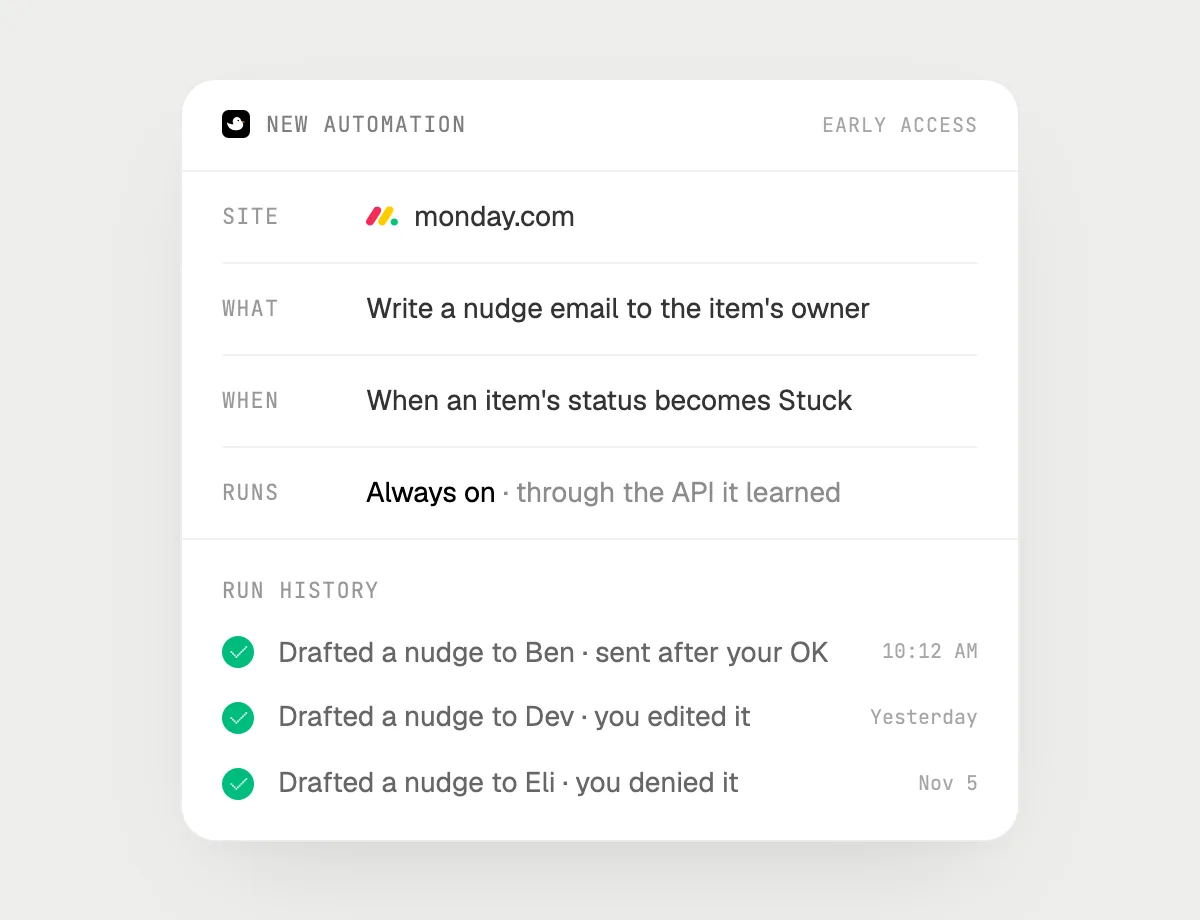
“When an item turns Stuck, email its owner a nudge, asking me before each send”
- 01Say it once with the board open. It checks the board now for items already Stuck.
- 02It learns monday.com's own actions the first time, so later runs are quick.
- 03Turn it on from the card it offers. It starts whenever an item's status becomes Stuck.
- 04For each one it writes a short nudge to the owner and stops with Send, Edit and Deny.
- 05Every run shows in the history, including nudges you denied.
Built to ask firstEach nudge email is shown with Send, Edit and Deny before it goes. It's built to wait for your OK before anything is sent.
You getStuck items get a nudge the same day, and you read each one before it goes.
Getting more out of it in monday.com.
- 01
Ask about the board view that is open. If the status column is off screen, scroll to it first.
- 02
Say the status words your board uses. "Stuck" and "Done" are easy for it to match on screen.
- 03
For the Friday check, say how many were open at the start. The blackboard needs the first number to count from.
- 04
Planning the week around the answers? The Asana guide and Trello guide cover similar boards.
Questions about monday.com.
Do I need to connect my monday.com account?
No. There is nothing to connect. It sees what is on your screen while the pill is open, and for jobs (Early access) it uses monday.com in your browser or window with its own cursor, signed in as you. It's built not to type your passwords or card numbers.
Will it send anything without asking me?
It's built to ask first before it sends a message or pays for anything, and to wait for your yes: it stops with Send, Edit and Deny (or a pay card for anything that costs money). That covers nudge emails. It may not recognize every send or payment, so keep an eye on tasks that involve messages or money. Reading, drafting and filling things in don't need your OK.
Does it use monday.com's own automations?
No. DuckyHelper works in monday.com the way a person at the screen does. Anything you set up in Early access runs from DuckyHelper, separate from the automations inside monday.com.
Does it read every board in my account?
No. It looks at the board on your screen while the pill is open. A job you start (Early access) works on the board you point it at.



Do anything
Ask it a question or hand it a job, in any app.


Doing jobs for you is in early access on Mac. Asking works on Mac, Windows and Linux.