

How to use DuckyHelper in Apollo
In Apollo you spend your time deciding who is worth a message. Ask DuckyHelper about the leads on your screen and it circles the ones that fit the customer you describe. Hand it the list building, a first email or a rule that flags replies and it works in Apollo for you (Early access).
Pick the leads that fit best
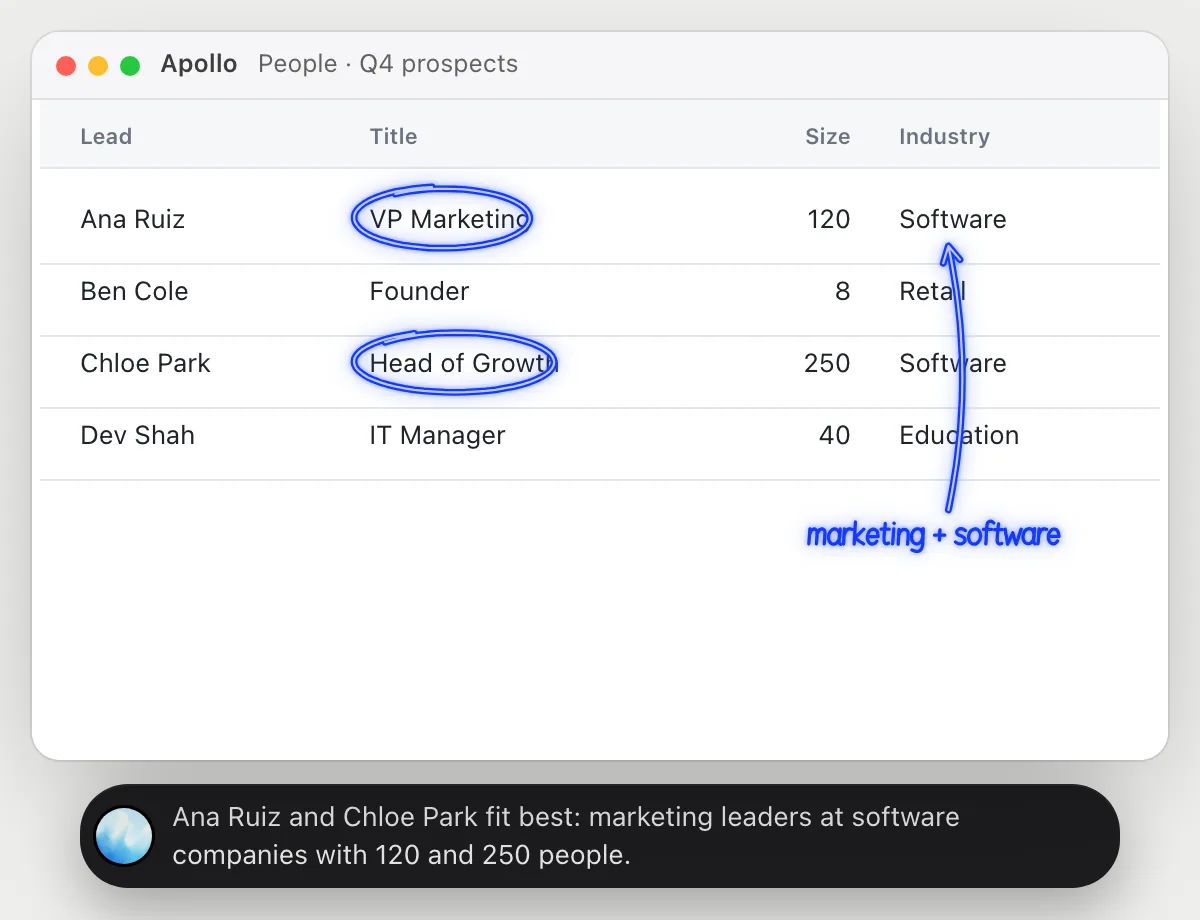
“Which of these leads fit our customer profile best?”
- 01Open the leads table with title, company size and industry showing.
- 02Say who you sell to, like marketing leaders at software companies with a few hundred people.
- 03DuckyHelper reads each lead against that description.
- 04It circles the best matches and says what makes each fit or miss, from what the row shows.
You getA short list of leads worth writing to first, judged against your own description.
 Ana Ruiz and Chloe Park fit best: marketing leaders at software companies with 120 and 250 people.
Add contacts to a list
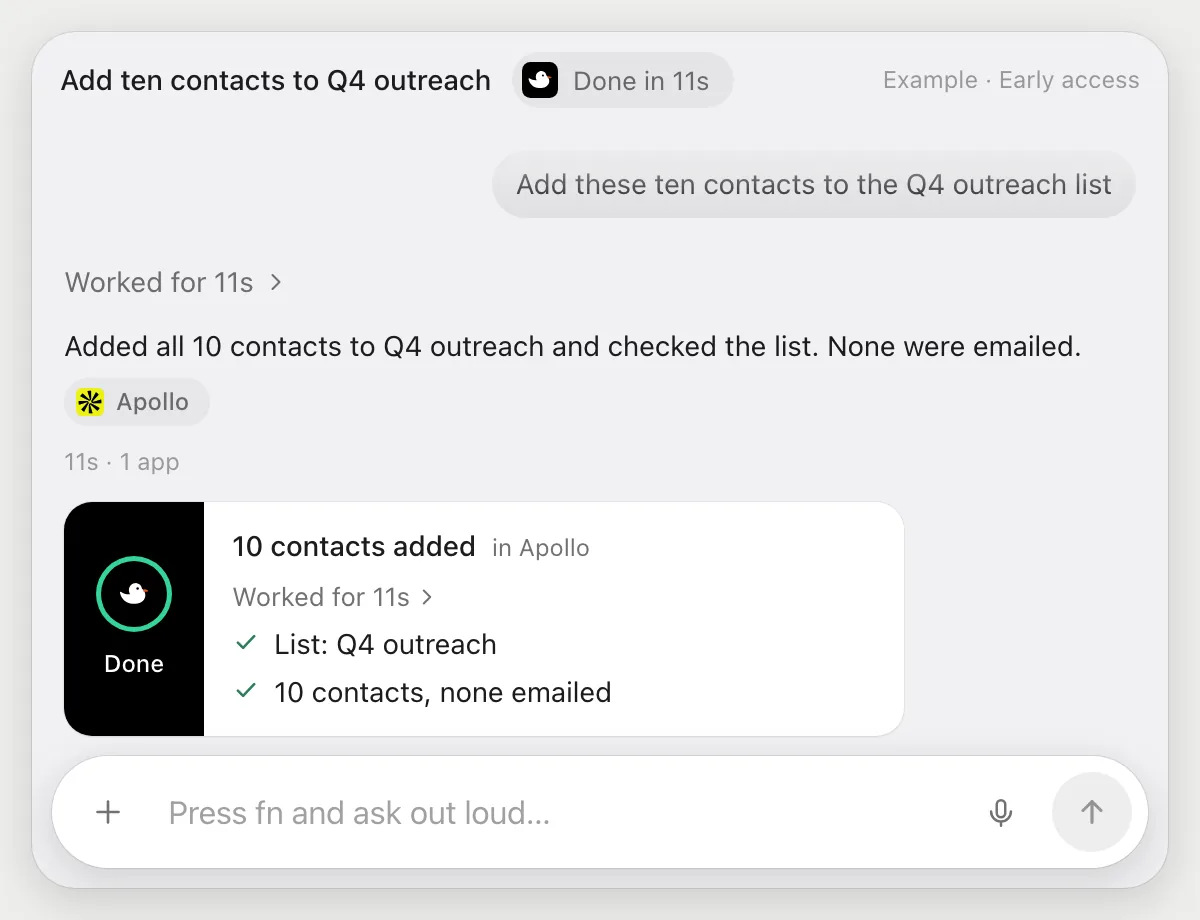
“Add these ten contacts to the Q4 outreach list”
- 01Open the people table with the ten contacts showing, or name where they are.
- 02DuckyHelper selects each contact with its own cursor.
- 03It adds them to the Q4 outreach list.
- 04It opens the list and checks that the ten are in it.
Built to ask firstAdding contacts to a list stays inside your Apollo, so it needs no OK. It doesn't email anyone. Anything sent to a contact is built to stop for your OK.
You getAll ten contacts are in the Q4 outreach list, checked on screen.
Write a first email from a profile
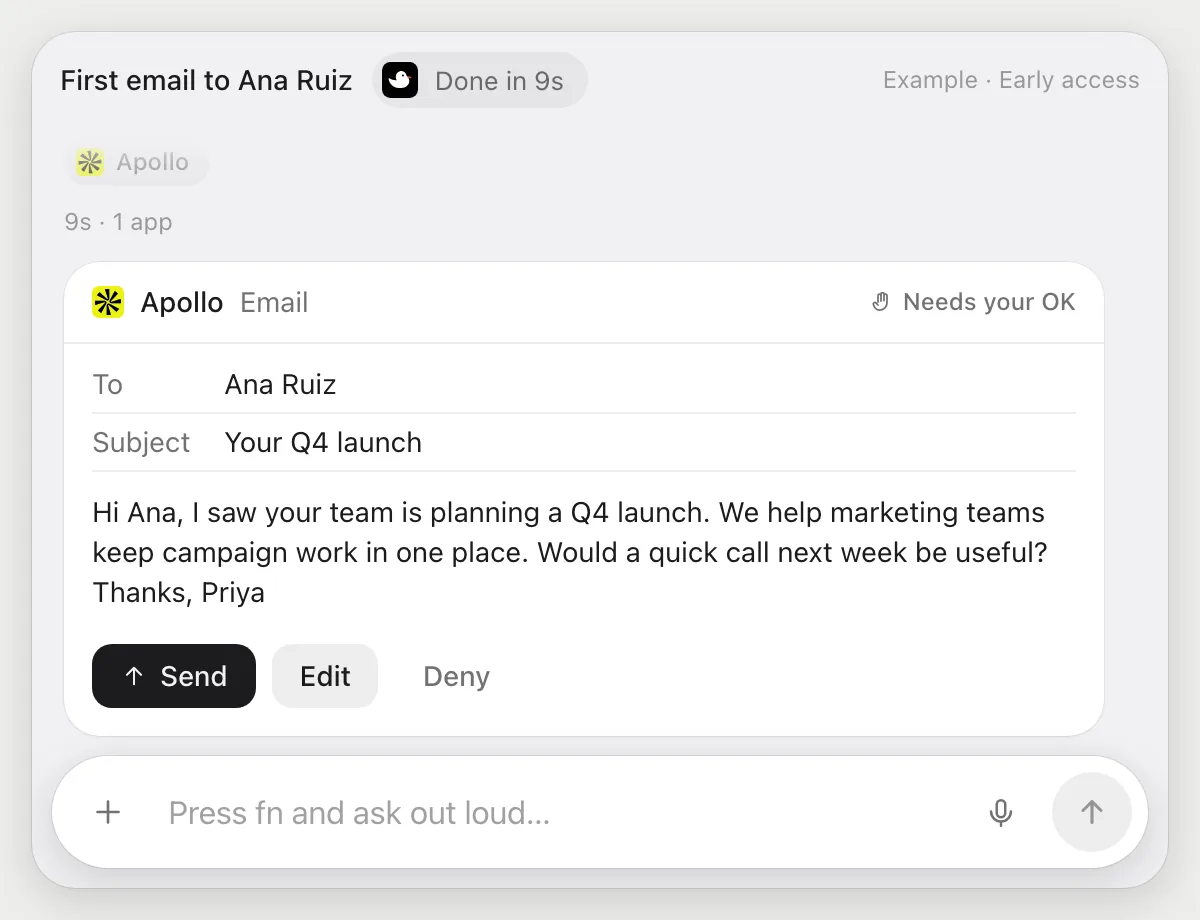
“Write a first email to this contact from their profile and wait for my OK”
- 01Open the contact's profile so their title, company and recent activity are on screen.
- 02DuckyHelper reads the profile and picks one real detail to mention.
- 03It writes a short first email, in the tone you ask for.
- 04The email goes to a person, so it shows it with Send, Edit and Deny and waits.
- 05Press Send, rewrite a line with Edit, or Deny and nothing goes out.
Built to ask firstThe email is shown with Send, Edit and Deny first. Nothing goes out until you press Send.
You getA first email that sounds like you wrote it for that person, sent only after you read it.
Flag replies to a sequence
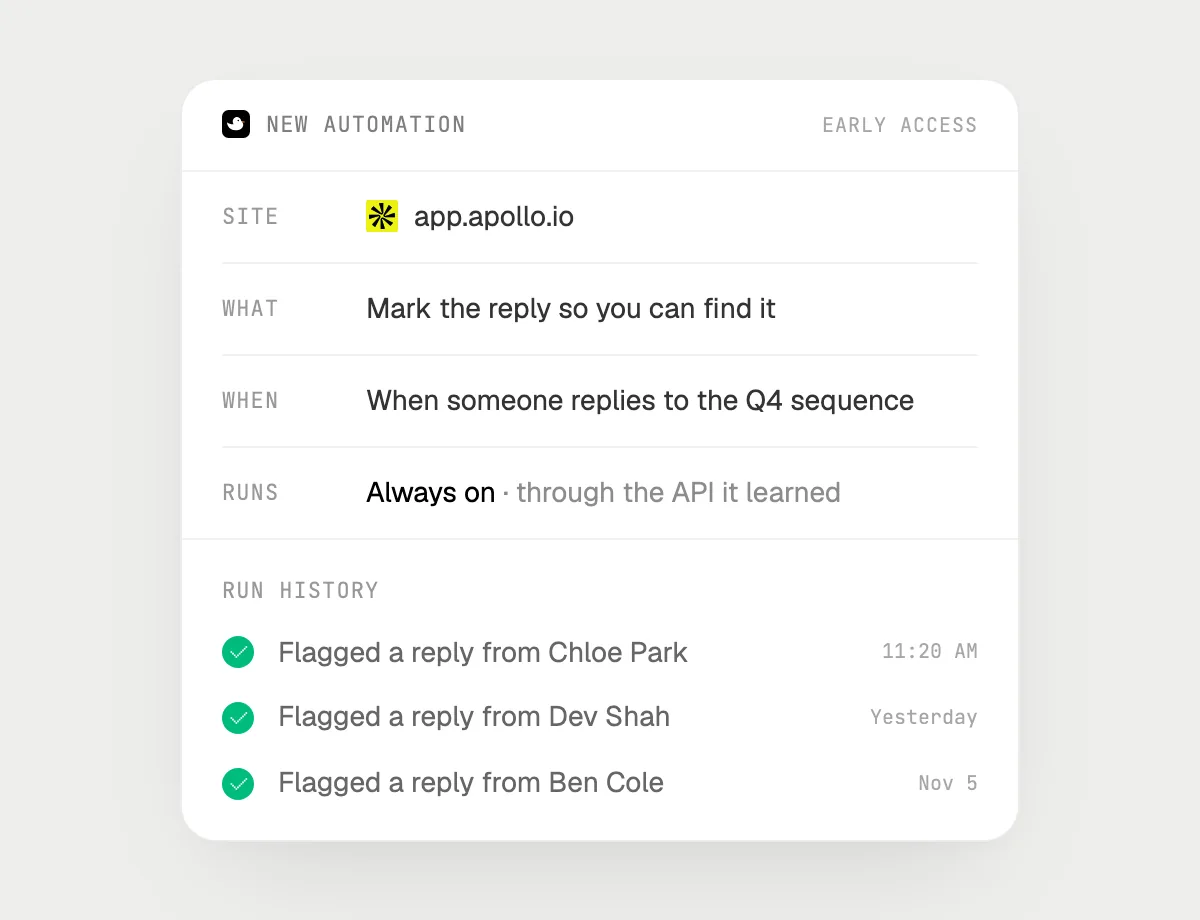
“When someone replies to the Q4 sequence, flag it and tell me”
- 01Say it once with the sequence open. It checks for replies already there as a first run.
- 02It learns Apollo's own actions the first time, so later runs are quick.
- 03Turn it on from the card it offers. It checks the sequence for new replies from then on.
- 04When one arrives, it marks the reply so you can find it and tells you who wrote.
- 05Each run lands in the history.
Built to ask firstFlagging a reply needs no OK. It doesn't answer anyone: any reply it writes for you is built to stop with Send, Edit and Deny first.
You getReplies don't get lost among the sends, and you hear about each one.

Getting more out of it in Apollo.
- 01
Say your customer profile out loud each time. It judges the leads against your words.
- 02
Show the columns that decide fit. It reads only what is on screen.
- 03
For the first email, name the tone and one thing to mention. The draft is better when you do.
- 04
Warm leads from LinkedIn? The LinkedIn guide covers profiles.
Questions about Apollo.
Do I need to connect my Apollo account?
No. There is nothing to connect. It sees what is on your screen while the pill is open, and for jobs (Early access) it uses Apollo in your browser or window with its own cursor, signed in as you. It's built not to type your passwords or card numbers.
Will it send anything without asking me?
It's built to ask first before it sends a message or pays for anything, and to wait for your yes: it stops with Send, Edit and Deny (or a pay card for anything that costs money). That covers emails to contacts. It may not recognize every send or payment, so keep an eye on tasks that involve messages or money. Reading, drafting and filling things in don't need your OK.
Can it get around Apollo's limits?
No. It uses Apollo the way a person would, within whatever your account allows. It doesn't try to work around limits.
Does it check Apollo's data is right?
No. It reads what Apollo shows, so a wrong title or size stays wrong. Check anything you will quote.



Do anything
Ask it a question or hand it a job, in any app.


Doing jobs for you is in early access on Mac. Asking works on Mac, Windows and Linux.