

How to use DuckyHelper in HubSpot
HubSpot has the contacts, but not the time to look at all of them. Ask DuckyHelper about the table on your screen and it circles who has gone quiet, or works the funnel out on the blackboard. Hand it the stage updates or a rule for new form submissions and it works in HubSpot for you (Early access).
See who has gone quiet
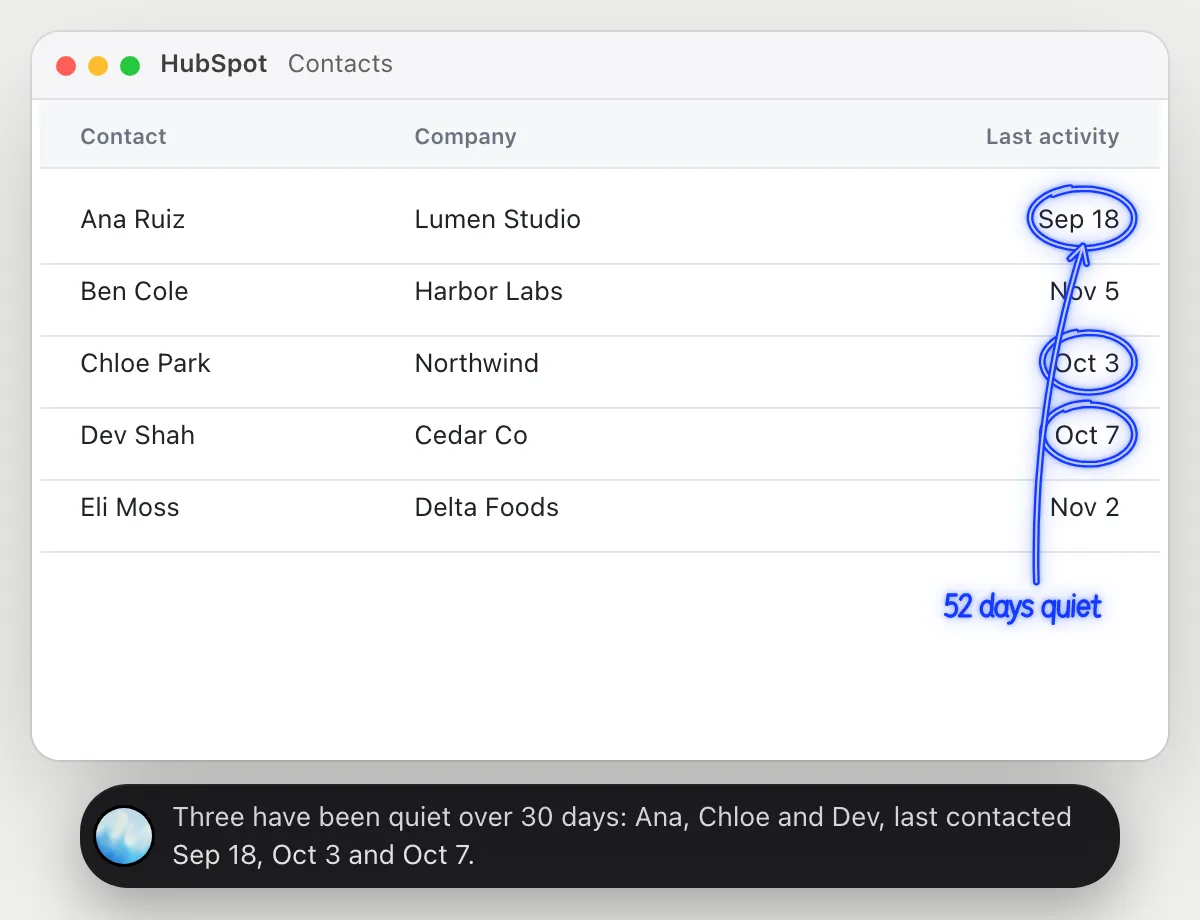
“Which of these contacts haven't heard from us in a month?”
- 01Open the contacts table with the last activity date showing, then ask out loud.
- 02DuckyHelper reads each contact and the date of the last activity.
- 03It circles the ones more than 30 days back and says how long it has been.
- 04Ask which to write to first and it suggests the one with the biggest company.
You getA list of contacts to follow up with, found without sorting by date.
 Three have been quiet over 30 days: Ana, Chloe and Dev, last contacted Sep 18, Oct 3 and Oct 7.
See where leads drop off
“Where do our leads drop off between visit and customer?”
- 01Open the report with your counts, or tell it the numbers: visits, sign-ups and customers.
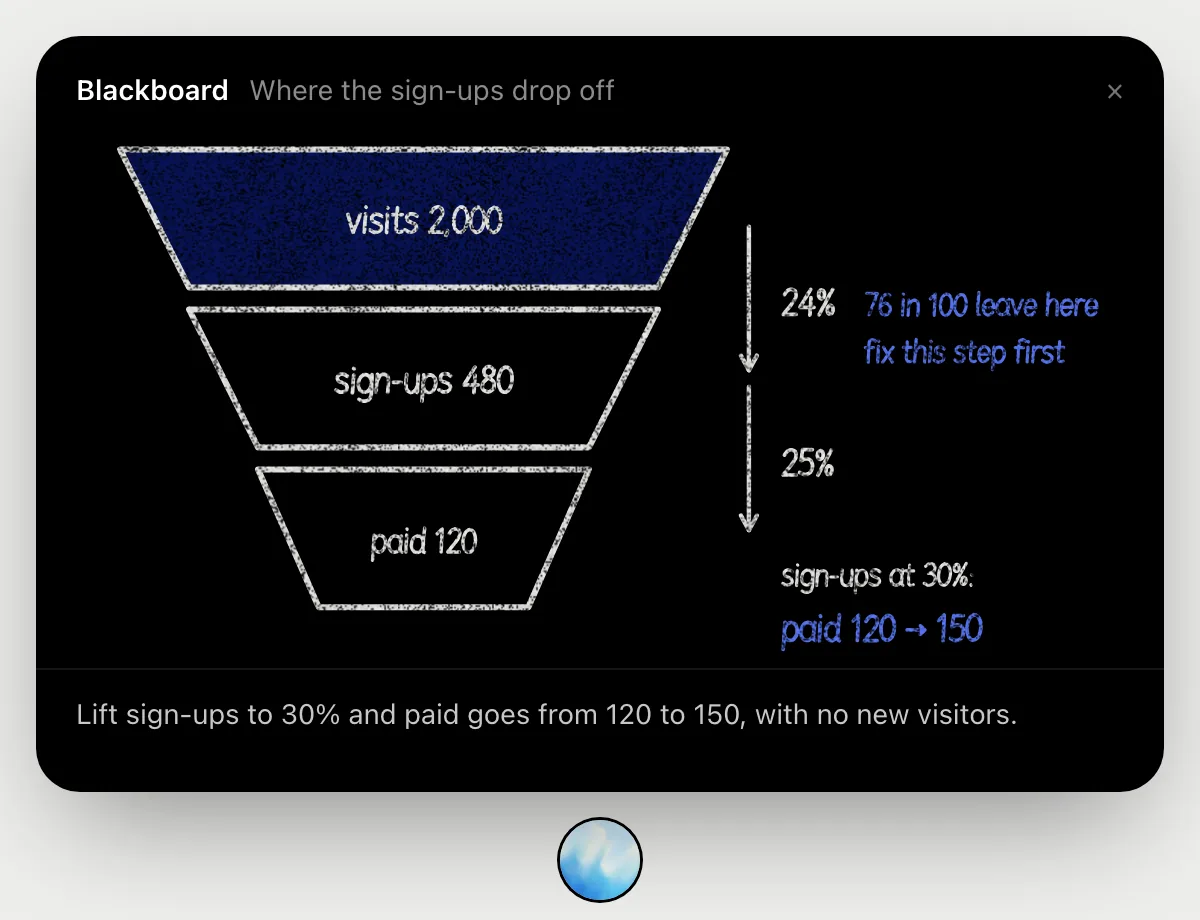
- 02DuckyHelper opens the blackboard and draws the funnel with a layer for each step.
- 03It works out the rate at each step as it talks, so you can follow every number.
- 04It marks the step losing the most people.
- 05It finishes with what a better rate there would be worth in customers.
You getThe step to fix first and what fixing it is worth, with every rate worked out in front of you.
Set lifecycle stages from recent emails
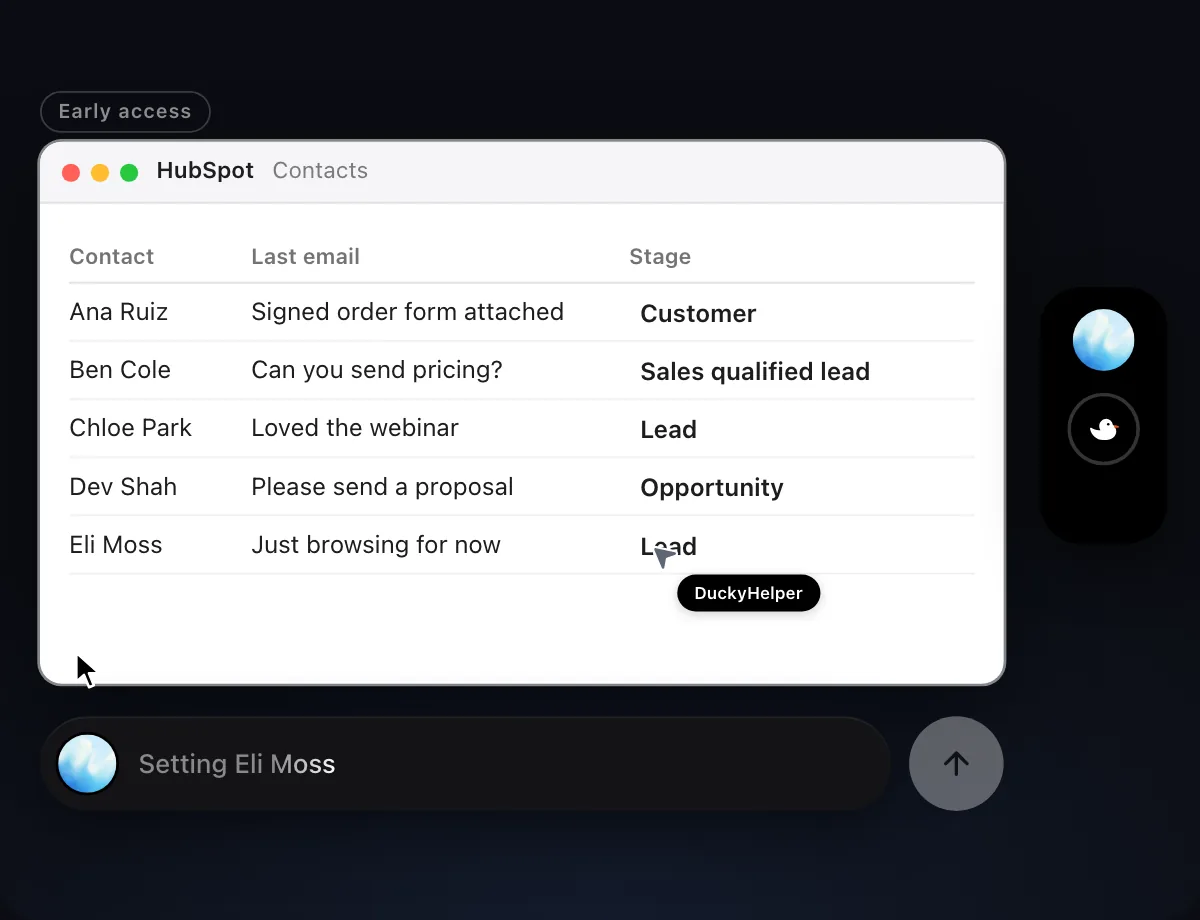
“Set the lifecycle stage for these five contacts from their last email”
- 01Open the contacts table with the five contacts showing.
- 02DuckyHelper opens each contact and reads their last email.
- 03It picks the lifecycle stage that fits what they said, like a request for a proposal.
- 04It sets the stage on each contact with its own cursor, row by row.
- 05It shows the table so you can change any stage you disagree with.
Built to ask firstSetting a stage stays inside your CRM, so it needs no OK. It doesn't email anyone. Anything that goes out to a contact is built to stop for your OK.
You getFive contacts with a lifecycle stage that matches their last email, ready to review.

Answer new form submissions
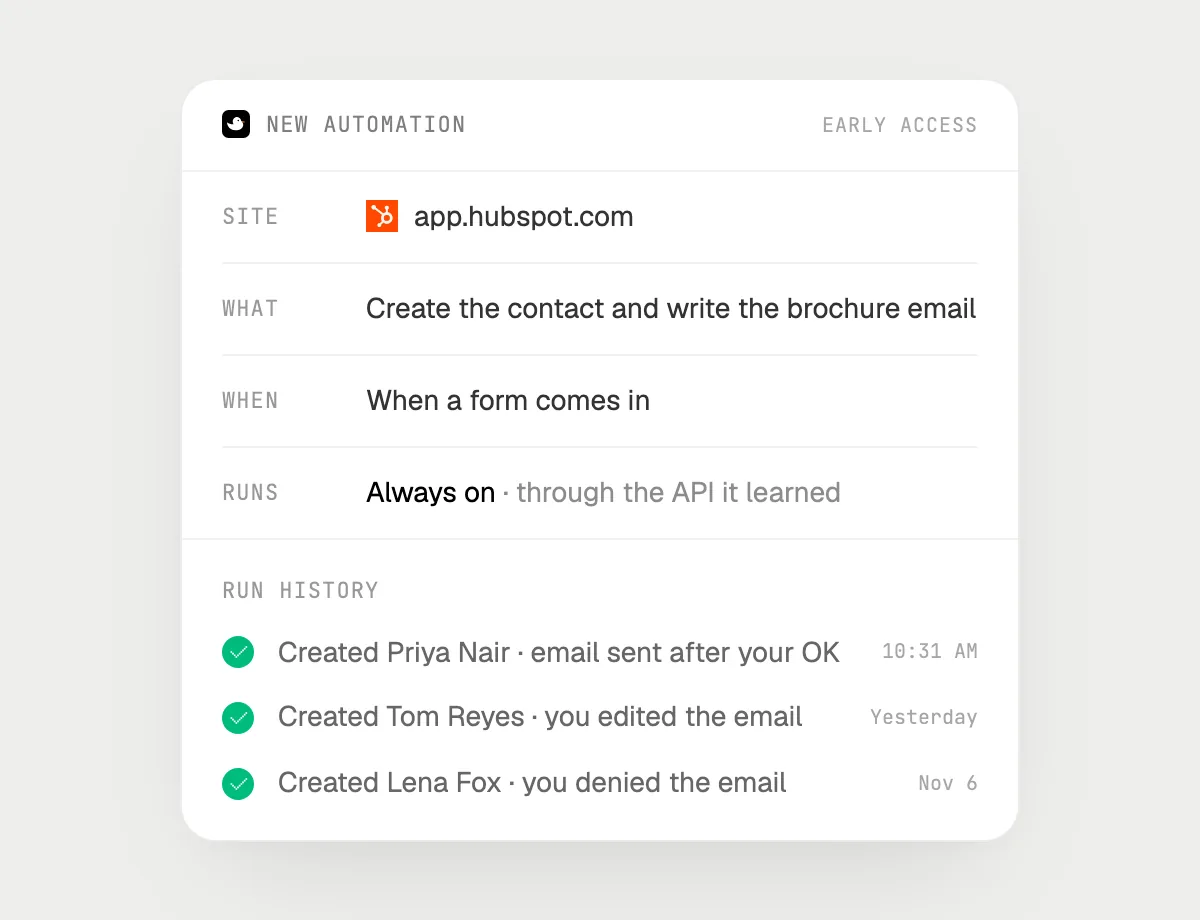
“When a form comes in, create the contact and draft the brochure email, asking me before each send”
- 01Say it once with HubSpot open. It handles the latest submission as a first run so you can check it.
- 02It learns HubSpot's own actions for contacts and email the first time, so later runs are quick.
- 03Turn it on from the card it offers. It starts whenever a new form submission arrives.
- 04It creates the contact, writes the brochure email and stops with Send, Edit and Deny.
- 05Each run lands in the history, including emails you denied.
Built to ask firstCreating the contact needs no OK. Every email is shown with Send, Edit and Deny first, and it's built to wait for your OK before anything goes out.
You getEach new lead is in HubSpot with a brochure email waiting for your OK.
Getting more out of it in HubSpot.
- 01
Add the columns you care about to the table first. It reads only the columns on screen.
- 02
Tell it your 30-day line in your own words: "quiet for over a month" or "two weeks".
- 03
For the funnel, say the counts out loud if the report is on another page.
- 04
Following up by email? The Gmail guide shows how replies are drafted for your OK.
Questions about HubSpot.
Do I need to connect my HubSpot account?
No. There is nothing to connect. It sees what is on your screen while the pill is open, and for jobs (Early access) it uses HubSpot in your browser or window with its own cursor, signed in as you. It's built not to type your passwords or card numbers.
Will it send anything without asking me?
It's built to ask first before it sends a message or pays for anything, and to wait for your yes: it stops with Send, Edit and Deny (or a pay card for anything that costs money). That covers emails to contacts. It may not recognize every send or payment, so keep an eye on tasks that involve messages or money. Reading, drafting and filling things in don't need your OK.
Does it use HubSpot's own automations or AI?
No. DuckyHelper works in HubSpot the way a person at the screen does. It doesn't plug into HubSpot and doesn't change your HubSpot settings.
Can it edit my whole contact list?
Only the contacts you point it at. Edits are visible in the history and each email is built to wait for your OK.



Do anything
Ask it a question or hand it a job, in any app.
Doing jobs for you is in early access on Mac. Asking works on Mac, Windows and Linux.