

How to use DuckyHelper in LinkedIn
LinkedIn fills up with messages that bury the details and posts you never find time to write. Ask about the message on your screen and DuckyHelper pulls out the role and the catch, and circles them. You can also hand it the post, a list of people to look at, or drafted replies (Early access), and it's built to ask before anything is sent or posted.
Read what a recruiter is offering
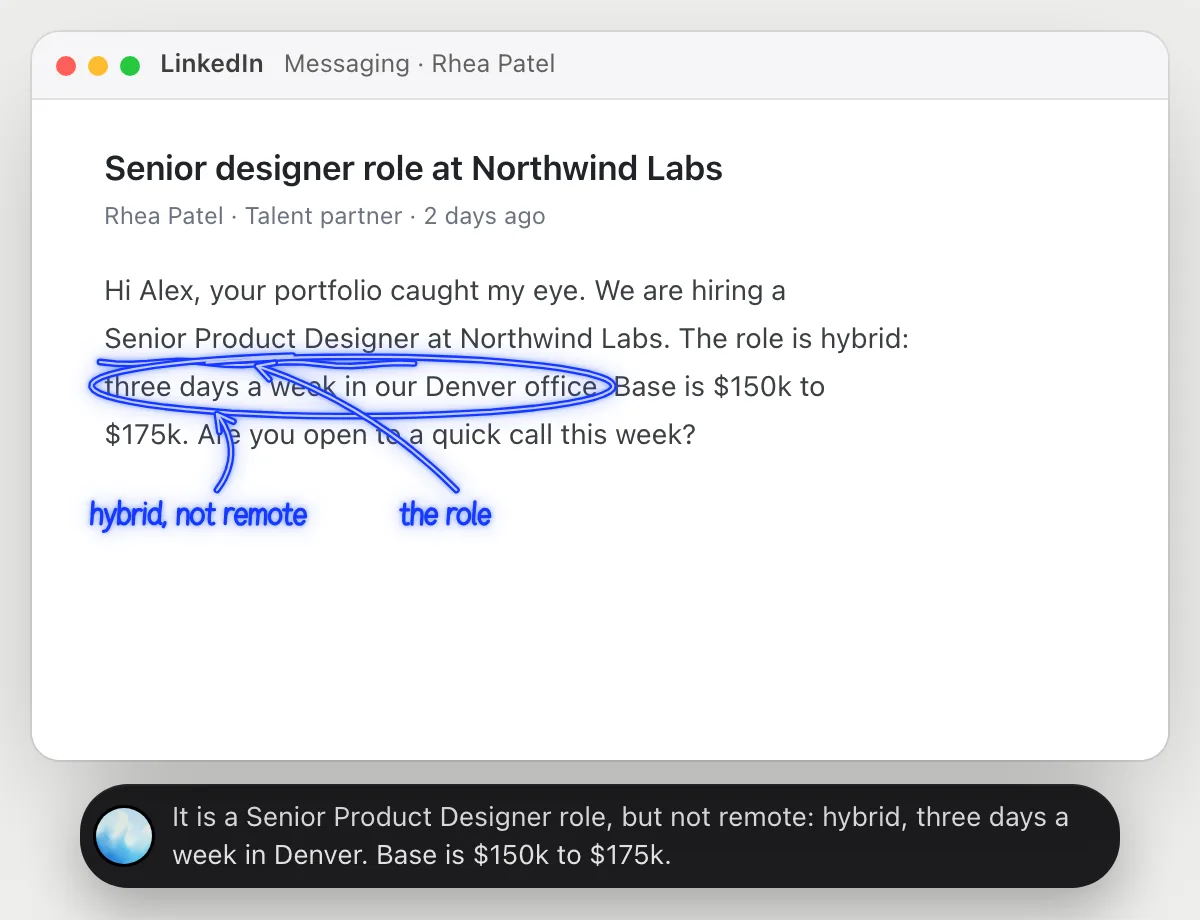
“What is this recruiter actually offering, and is it remote?”
- 01Open the recruiter's message so all of it is on the screen.
- 02Ask out loud. DuckyHelper reads the message, including any pay and place it mentions.
- 03It underlines the role and rings the line about where the work happens.
- 04It says it plainly, and tells you what the message leaves out, such as the team or the next step.
You getWhat the role is and where you would work, without reading between the lines.
 It is a Senior Product Designer role, but not remote: hybrid, three days a week in Denver. Base is $150k to $175k.
Write a post from your notes
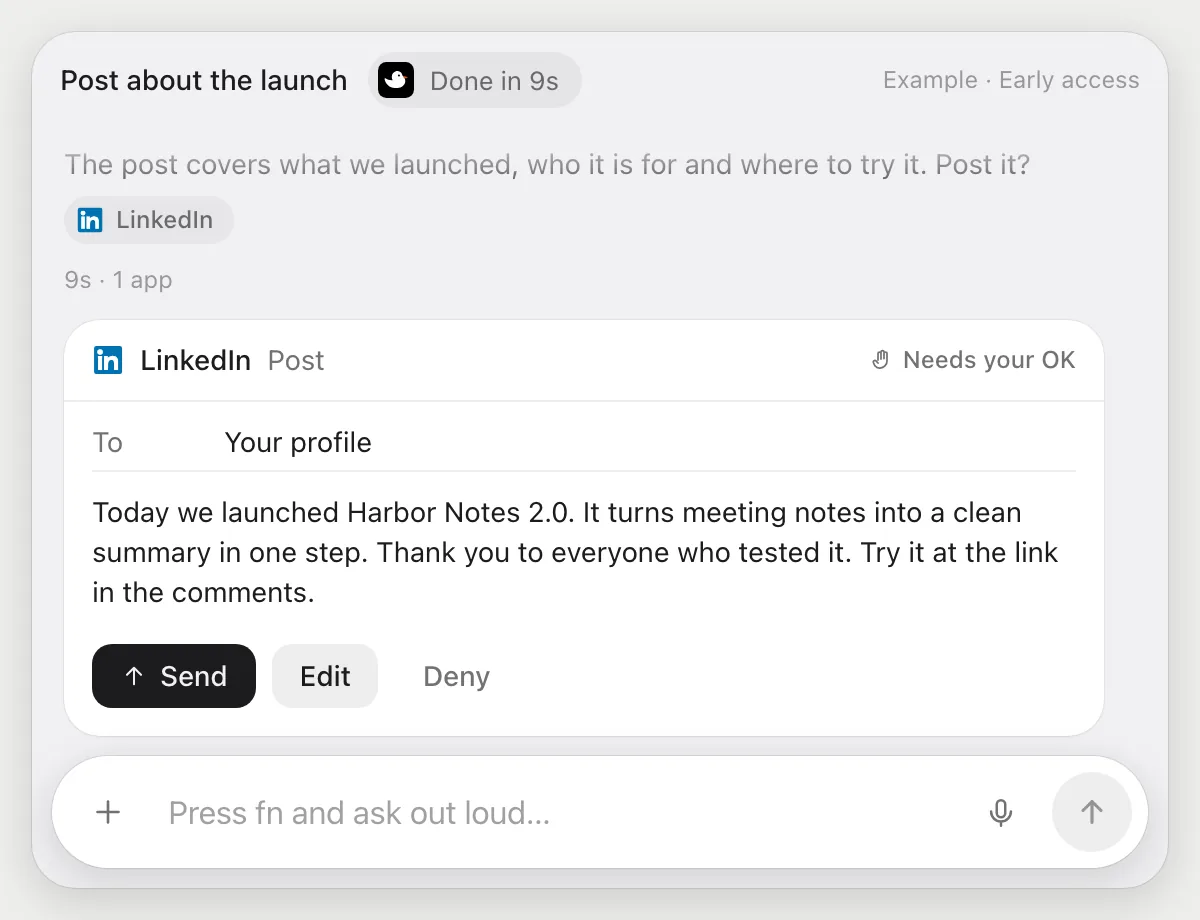
“Write a post about our launch from these notes and wait for my OK”
- 01Open your notes and say what the post is about.
- 02DuckyHelper reads the notes and writes a short post in your voice.
- 03It opens the post box on LinkedIn with its own cursor and puts the text in.
- 04It stops before posting and shows every word. You press Post, edit it, or Deny.
Built to ask firstA post is public, so it shows the text with Post, Edit and Deny and waits. Reading your notes and writing the draft need no OK.
You getA post that says what your notes said, public only after you read it.
Find people to reach out to
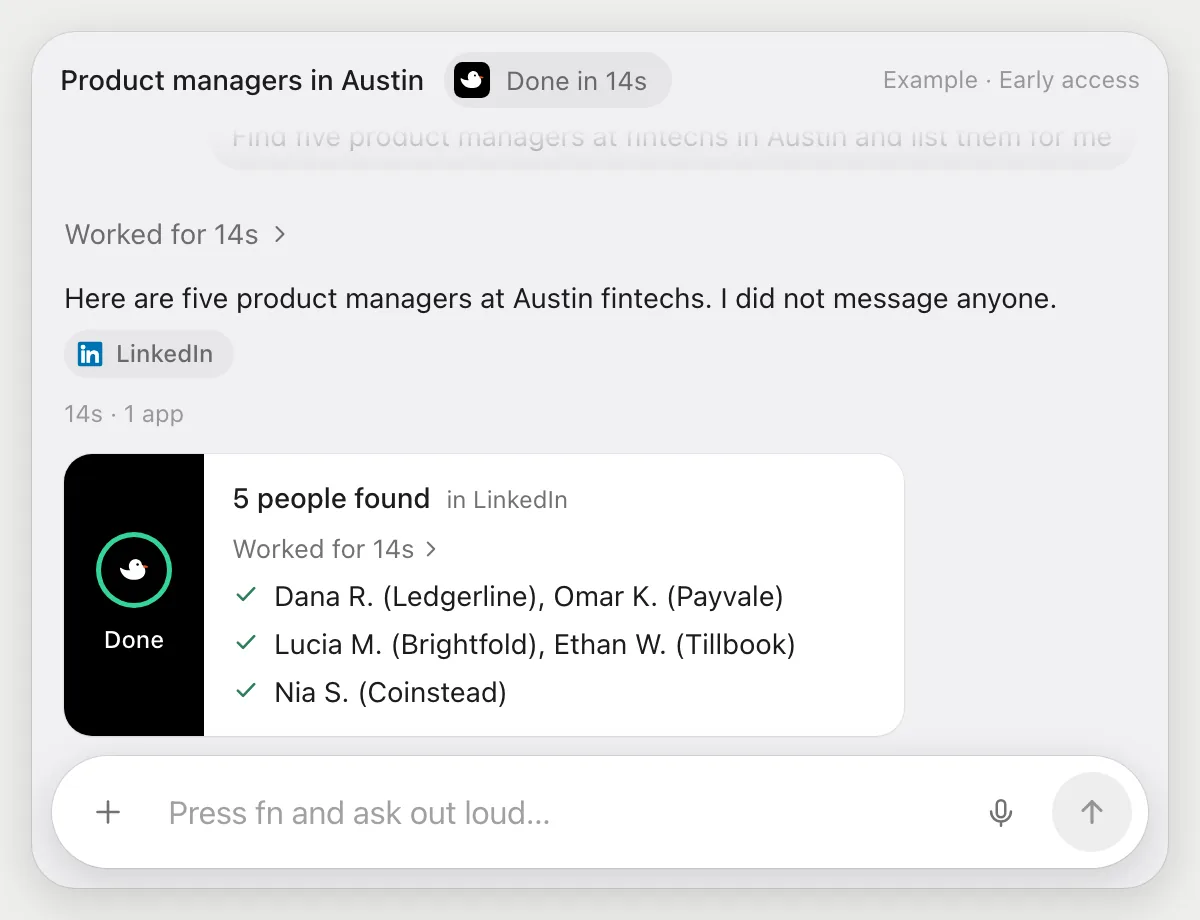
“Find five product managers at fintechs in Austin and list them for me”
- 01Say the job title, the kind of company and the city.
- 02DuckyHelper searches LinkedIn with its own cursor, the way you would, and looks through the results.
- 03It picks five that match and notes each name, title and company.
- 04It reports the list. It sends no messages and no connection requests.
Built to ask firstSearching and listing need no OK, and nothing is sent. If you later ask it to message someone, it's built to show each message with Send, Edit and Deny first.
You getFive people to look at, listed for you to review.
Draft replies to recruiters
“Draft a reply to new recruiter messages from my template, and wait for my OK”
- 01Say it once with your messages open and paste your template in.
- 02It learns LinkedIn's own actions the first time, so later runs are quick.
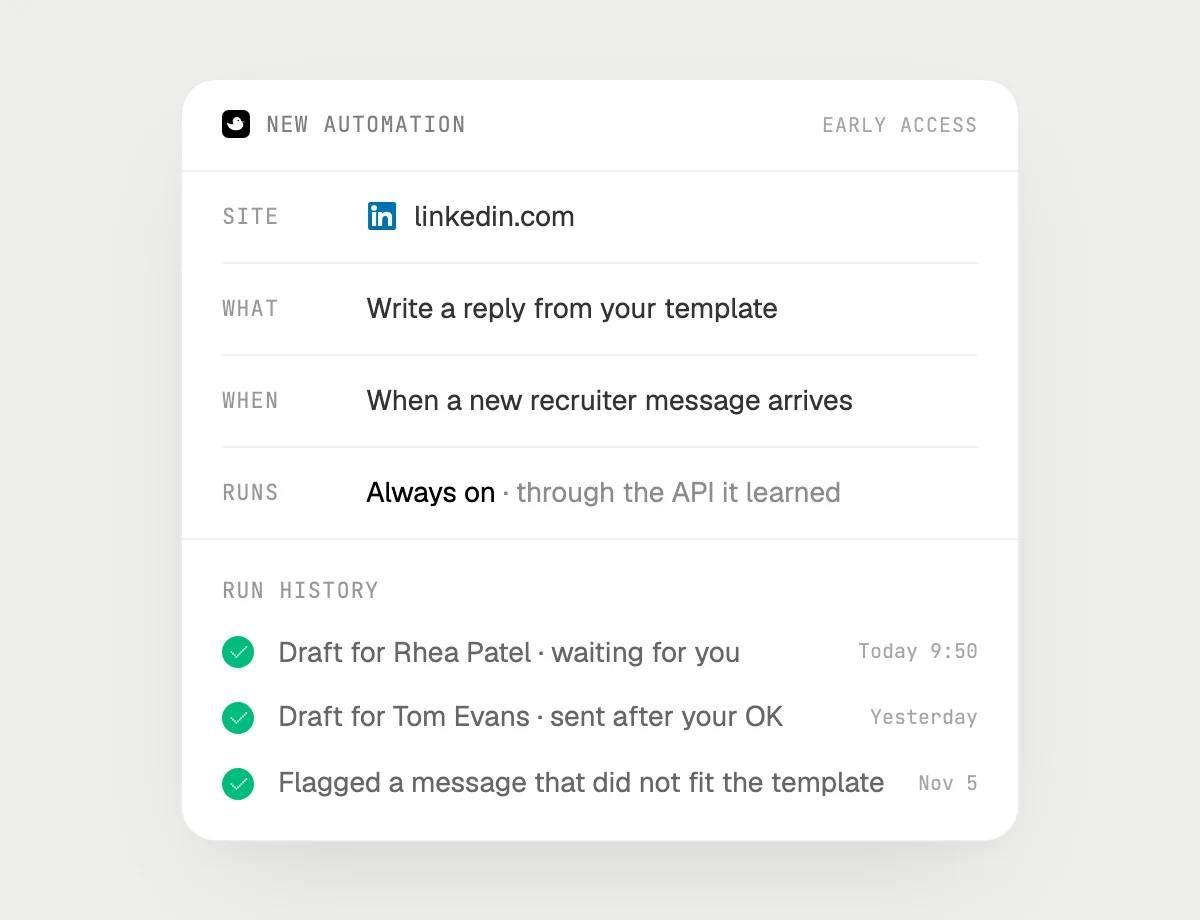
- 03Turn it on from the card it offers. It runs when a new recruiter message arrives.
- 04Each draft is in the history, fitted to the message and waiting for your Send, Edit or Deny.
Built to ask firstDrafting needs no OK. Every reply is a message to a person, so each waits for your Send. A message that does not fit your template is flagged for you instead.
You getA reply ready for each recruiter message, each one waiting for your Send.

Getting more out of it in LinkedIn.
- 01
Write your template once in your own words, with what you are open to. The drafts follow it.
- 02
Open the whole conversation before you ask about an offer, so the pay and place lines are visible.
- 03
It works through search results as you would, one page at a time, and it does not get around any limit LinkedIn sets.
- 04
Posting the same news on another network? The X guide covers it.
Questions about LinkedIn.
Do I need to connect my LinkedIn account?
No. There is nothing to connect. It reads what is on your screen while the pill is open. Jobs (Early access) use LinkedIn in your browser, signed in as you, and it's built not to type your passwords or card numbers.
Can it message people for me?
Yes, and it's built to ask first: every message and every post shows with Send or Post, Edit and Deny first. It may not recognize every send or payment, so keep an eye on tasks that involve messages or money.
Does it scrape LinkedIn or message people in bulk?
No. It does what you would do by hand, one search or page at a time, and respects the limits LinkedIn sets.
Does it work in the LinkedIn phone app?
No. DuckyHelper is an app for Mac, Windows and Linux, so it works with LinkedIn in a computer's browser.



Do anything
Ask it a question or hand it a job, in any app.



Doing jobs for you is in early access on Mac. Asking works on Mac, Windows and Linux.