

How to use DuckyHelper in Instantly
Instantly gives you campaign numbers, but not what to do about them. Ask DuckyHelper about the campaigns on your screen and it circles the best and the worst, or works the funnel out on the blackboard. Hand it the replies or a pause and it works in Instantly for you (Early access).
See which campaign is working and why
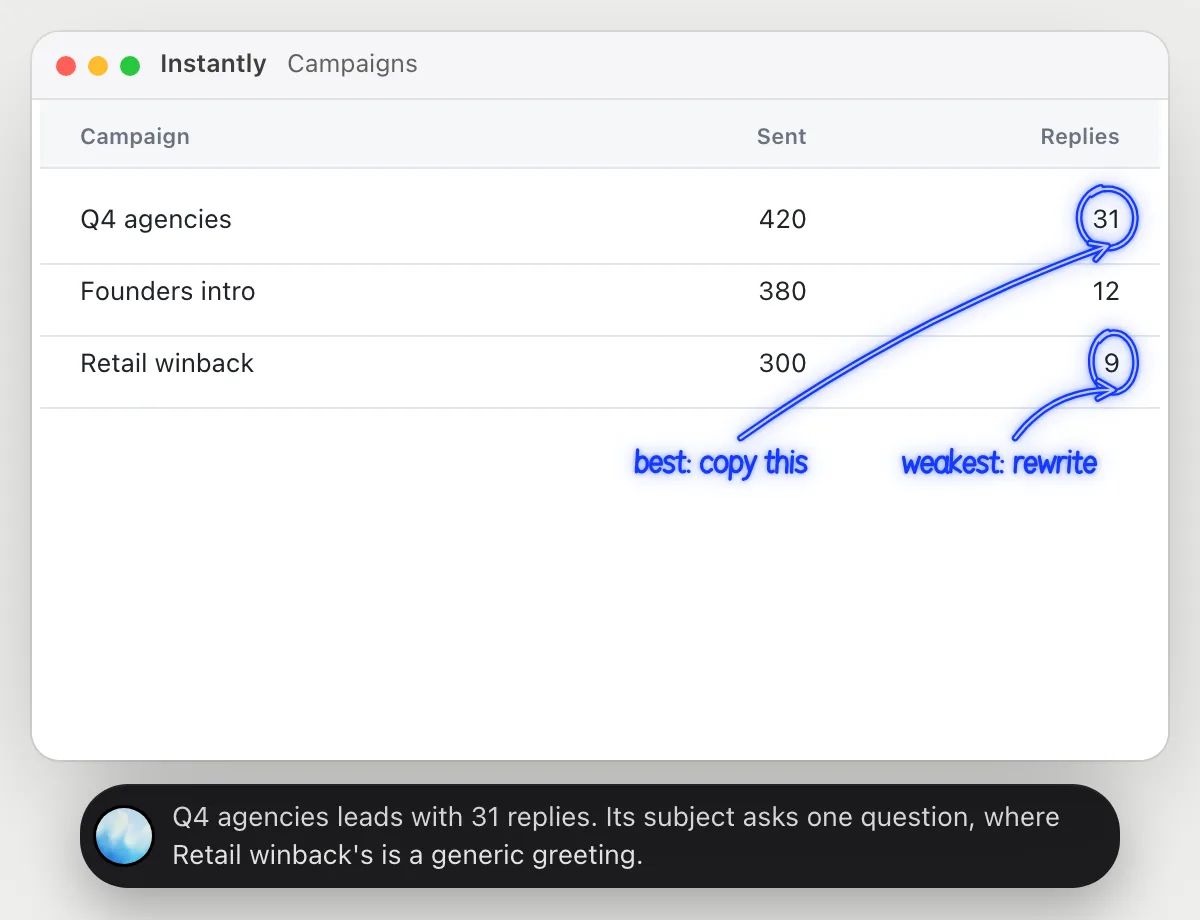
“Which campaign gets the most replies, and what is it doing differently?”
- 01Open the campaigns list with sent and replies showing, then ask out loud.
- 02DuckyHelper reads each campaign and compares replies with what was sent.
- 03It circles the best and the weakest, then opens each campaign's first email.
- 04It says what differs in the subject line and the ask, from the words on screen.
You getThe campaign to copy and the one to rewrite, with the difference pointed out in the words.
 Q4 agencies leads with 31 replies. Its subject asks one question, where Retail winback's is a generic greeting.
Find where emails lose people
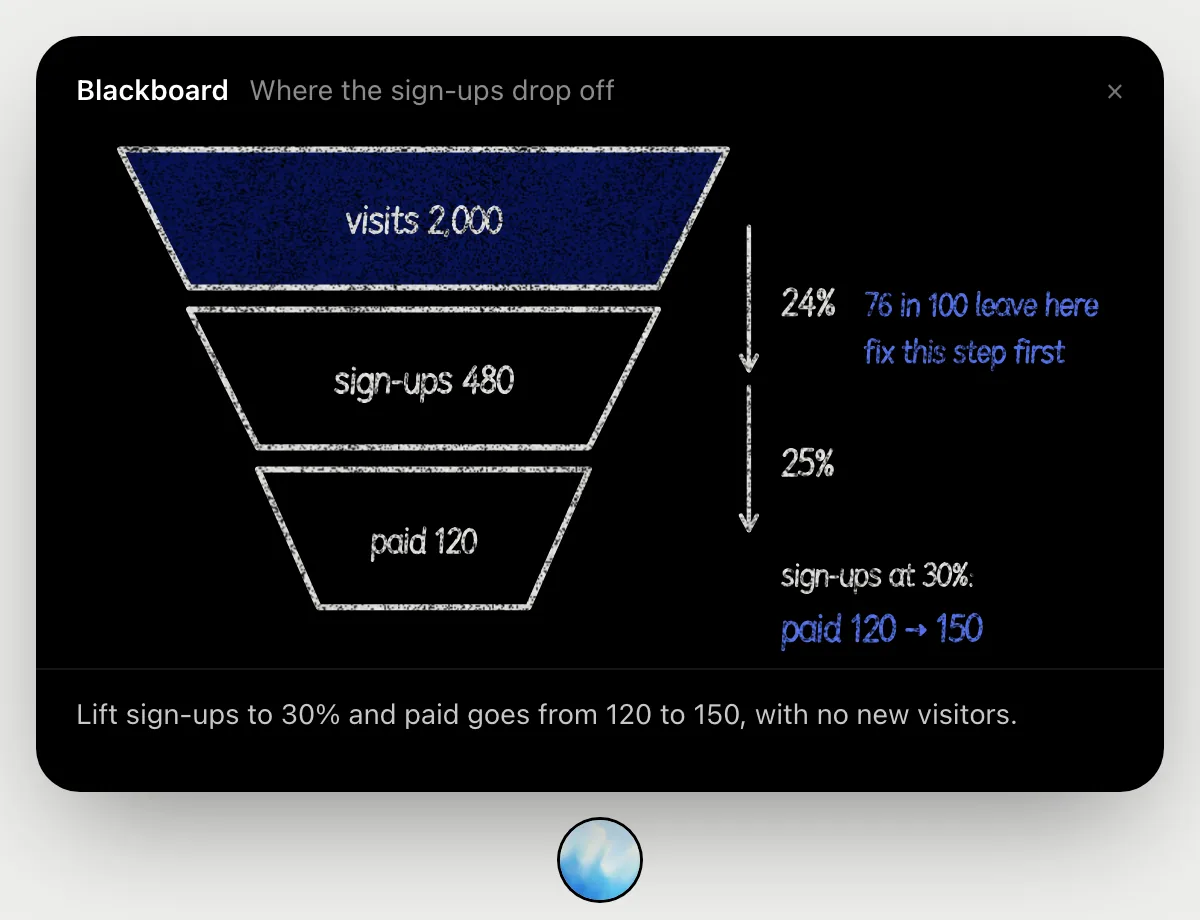
“Where do my emails lose people: opens, replies or meetings?”
- 01Open the campaign's numbers, or tell DuckyHelper the three counts.
- 02It opens the blackboard and draws a funnel with a layer for each step.
- 03It works out the rate at each step as it talks, so you can follow every number.
- 04It marks the step losing the most people.
- 05It finishes with what a better rate there would be worth.
You getThe step to fix first, with the rates worked out in front of you. The board's example uses visits, sign-ups and paid; yours uses your own three counts.
Answer interested leads
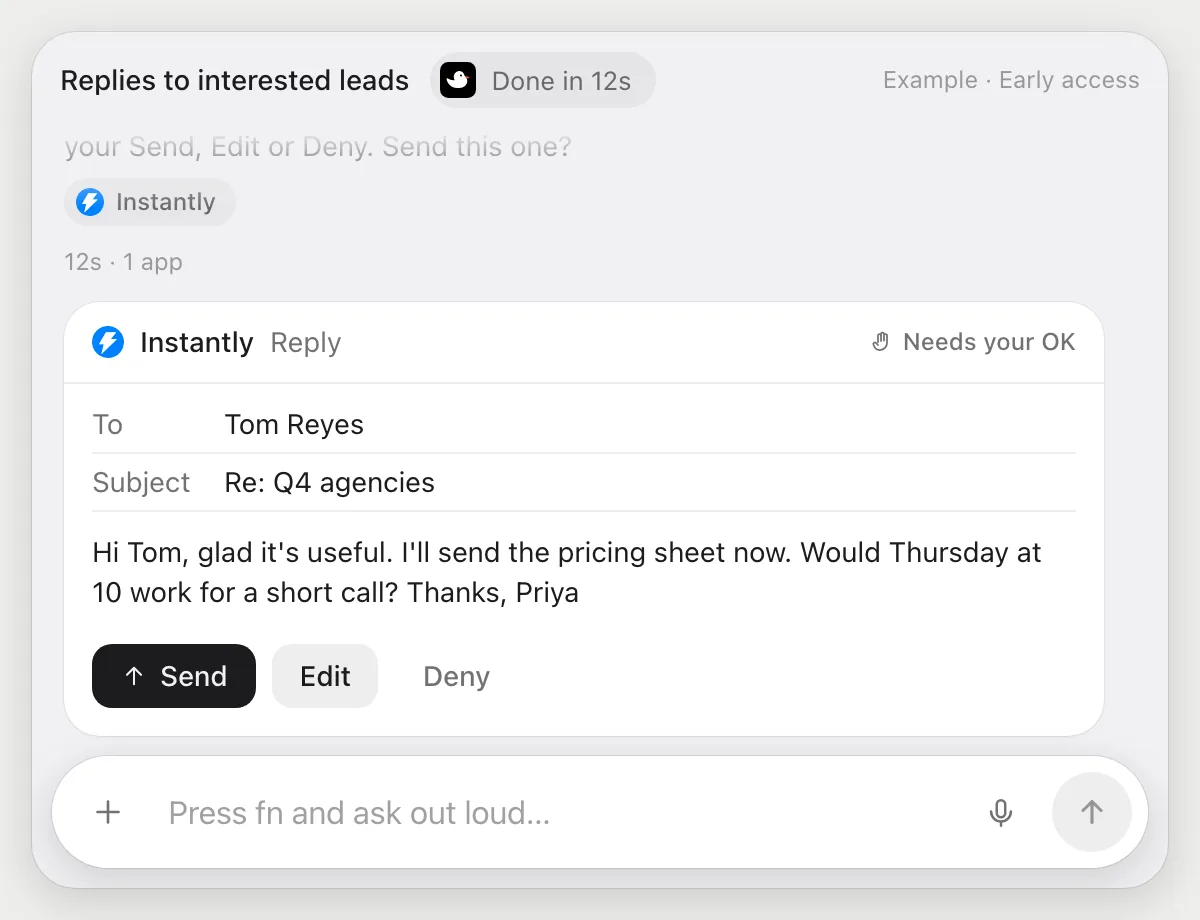
“Draft replies to the three interested leads and wait for my OK”
- 01Open the shared inbox with the replies showing.
- 02DuckyHelper reads the three replies marked interested.
- 03It writes a reply for each that answers what they asked and suggests a time.
- 04Replies go to people, so it shows each with Send, Edit and Deny and waits.
- 05Press Send on the good ones, edit the rest, or Deny and nothing goes out.
Built to ask firstEvery reply is shown with Send, Edit and Deny first. Nothing goes out until you press Send on that reply.
You getThree replies waiting for you, each answering what that lead asked.
Pause a campaign that is bouncing
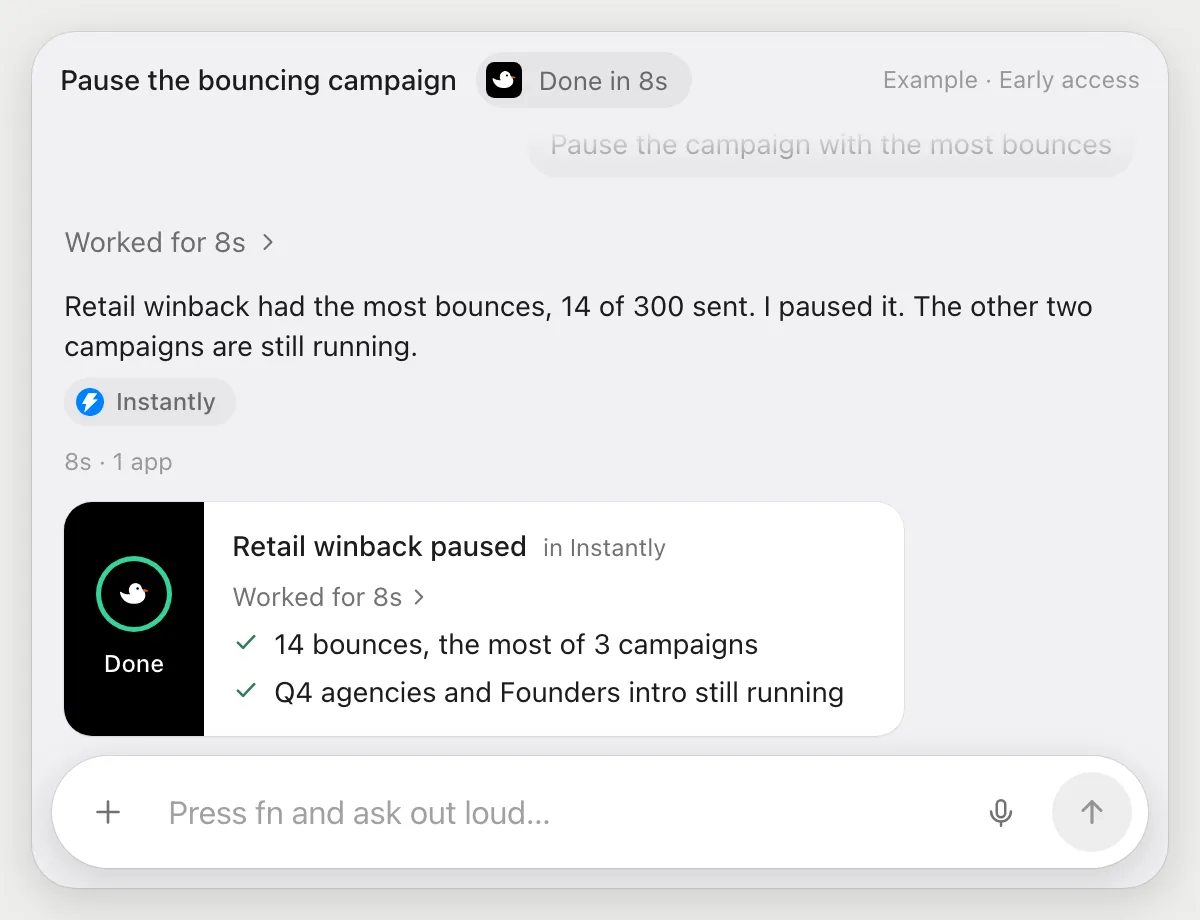
“Pause the campaign with the most bounces”
- 01Open the campaigns list with the bounces showing.
- 02DuckyHelper compares the bounces for each campaign.
- 03It finds the one with the most and tells you which it is.
- 04It pauses that campaign with its own cursor and checks it shows as paused.
Built to ask firstPausing stays inside your account and sends nothing, so it needs no OK. Starting it again, or any email, is yours to approve.
You getThe campaign with the most bounces stops sending while you look into it.
Getting more out of it in Instantly.
- 01
Keep the numbers you care about on screen. It compares what it can read.
- 02
For why a campaign works, open its first email so the subject and the ask are visible.
- 03
Tell it the tone you want for a reply. It will keep it across all three drafts.
- 04
Leads come from somewhere first. The Apollo guide covers picking them.
Questions about Instantly.
Do I need to connect my Instantly account?
No. There is nothing to connect. It sees what is on your screen while the pill is open, and for jobs (Early access) it uses Instantly in your browser or window with its own cursor, signed in as you. It's built not to type your passwords or card numbers.
Will it send anything without asking me?
It's built to ask first before it sends a message or pays for anything, and to wait for your yes: it stops with Send, Edit and Deny (or a pay card for anything that costs money). That covers replies to leads. It may not recognize every send or payment, so keep an eye on tasks that involve messages or money. Reading, drafting and filling things in don't need your OK.
Will it promise better reply rates?
No. It points out differences in the words on screen. It can't promise how emails will perform.
Does it change my sending accounts?
No. It doesn't touch account or sending settings. It reads the campaigns you point it at and, in Early access, drafts replies or pauses a campaign when you ask.



Do anything
Ask it a question or hand it a job, in any app.




Doing jobs for you is in early access on Mac. Asking works on Mac, Windows and Linux.