

How to use DuckyHelper in Calendly
Calendly works until a day shows no times or you need a new event type. Ask DuckyHelper about the availability on your screen and it spots the gap. You can also hand it a new event, buffers or a log of bookings (Early access).
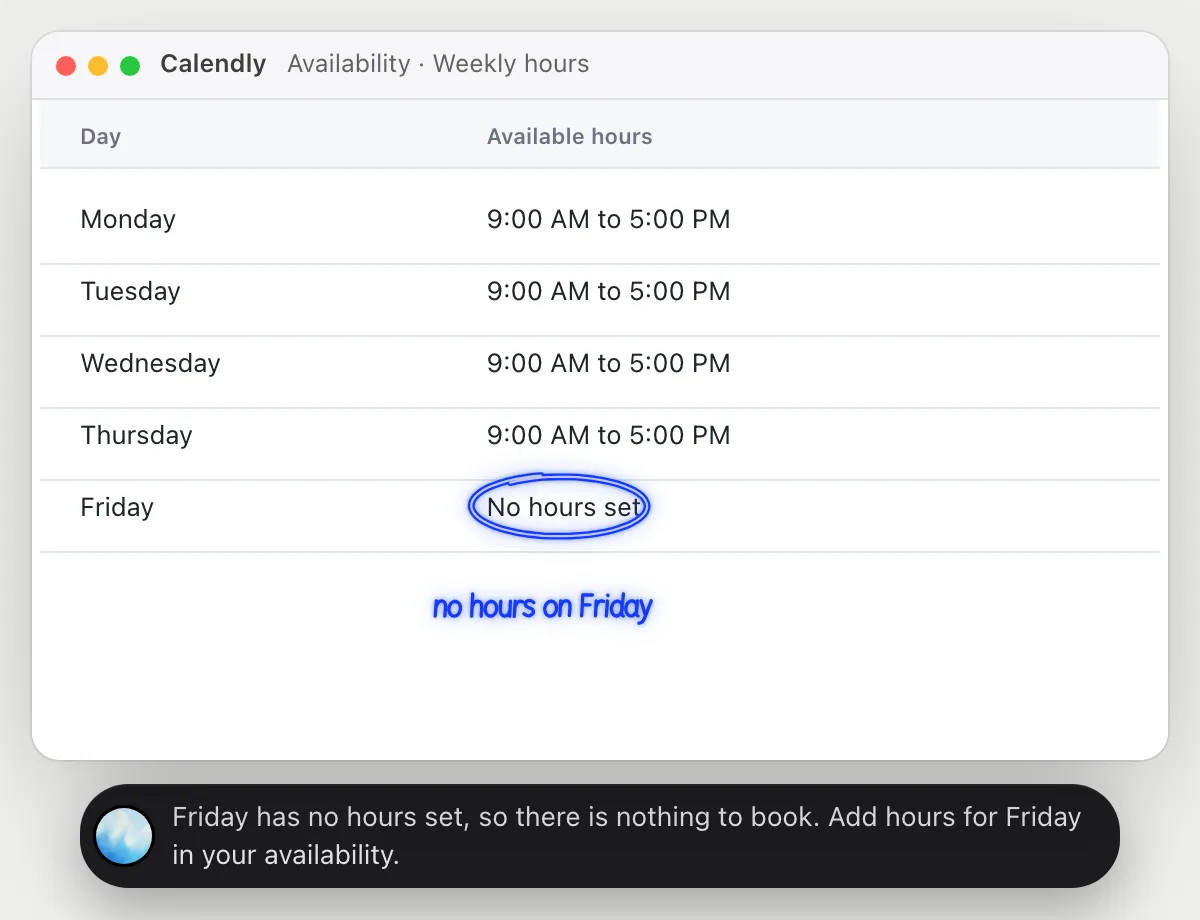
Find out why nobody can book Fridays
“Why can't people book me on Fridays?”
- 01Open your availability so the weekly hours are on the screen.
- 02Ask out loud. DuckyHelper reads the hours for each day.
- 03It circles Friday, where no hours are set.
- 04It tells you what to change: add hours for that day.
You getYou see the reason in seconds: nothing is set for Friday.
 Friday has no hours set, so there is nothing to book. Add hours for Friday in your availability.
Make an intro meeting type and send the link
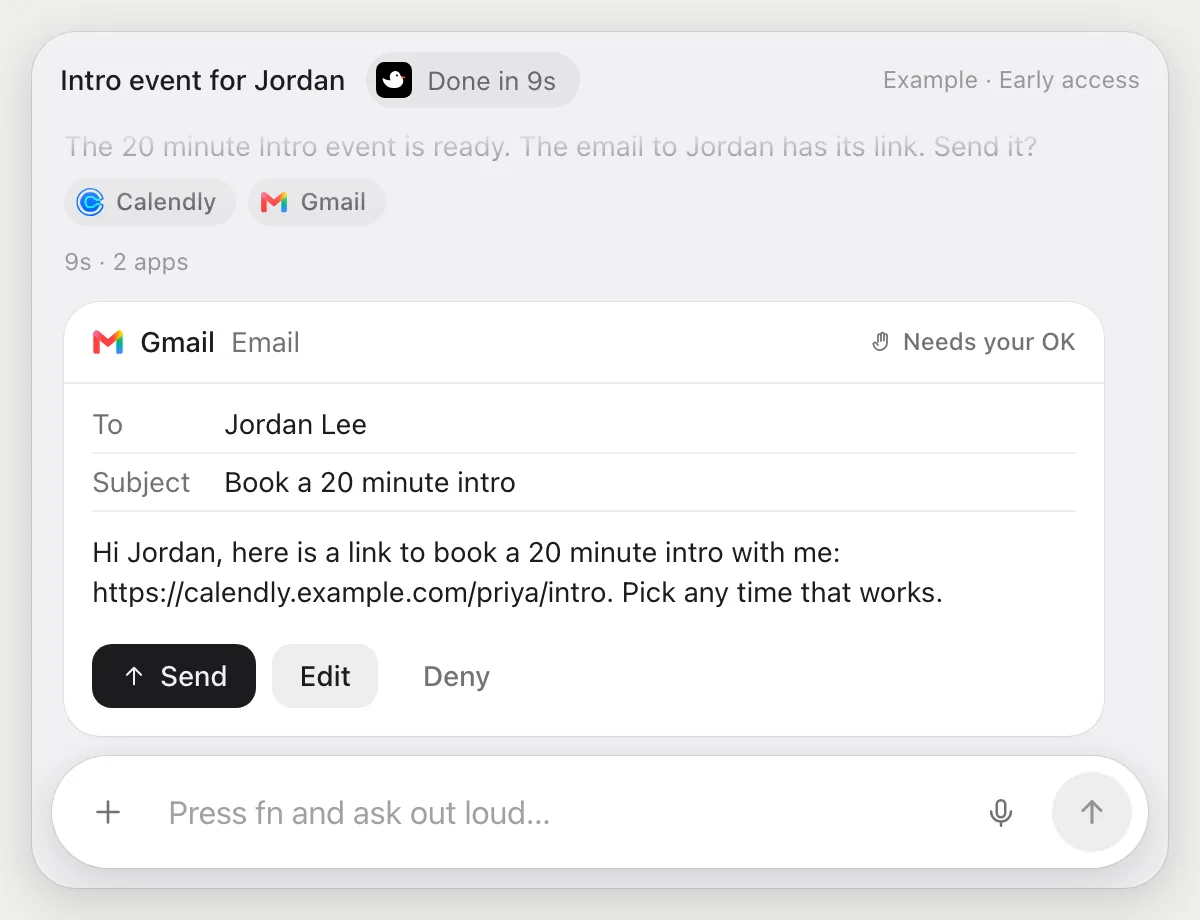
“Make a 20 minute intro event and send the link to Jordan”
- 01Say the length and who gets the link.
- 02DuckyHelper creates the new event with its own cursor while you keep working.
- 03It copies the booking link and writes an email to Jordan with it.
- 04It stops before sending and shows the email with Send, Edit and Deny.
Built to ask firstJordan gets the email only after you press Send. Creating the event needs no OK.
You getA 20 minute intro event, and Jordan has the link after you read the email.
Add buffer time between meetings
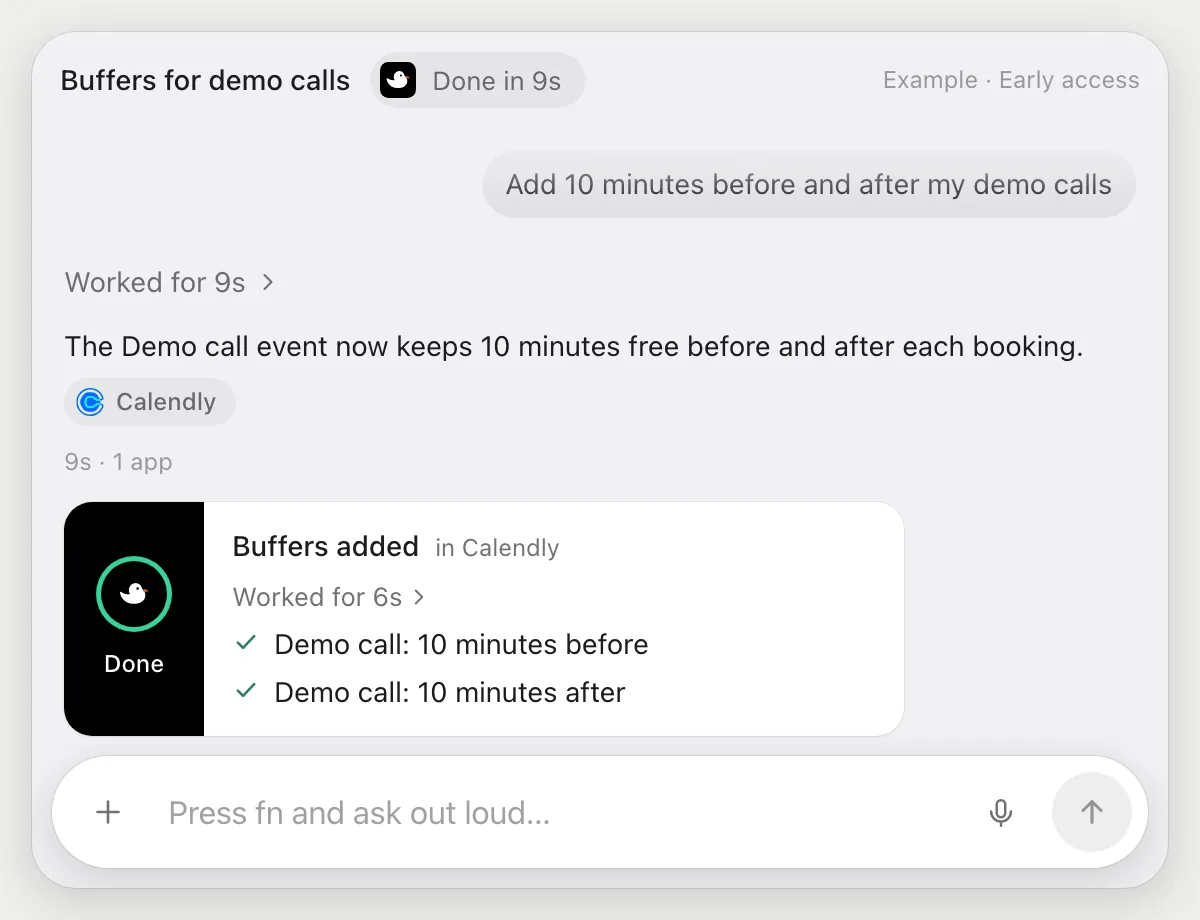
“Add 10 minutes before and after my demo calls”
- 01Say which event and how many minutes of buffer.
- 02DuckyHelper opens the demo event and finds its scheduling settings.
- 03It sets 10 minutes before and 10 minutes after.
- 04It finishes with a done card showing the change.
Built to ask firstChanging your own event settings needs no OK. Nothing is sent.
You getDemo calls leave room before and after, so back-to-back bookings stop.
Log every new booking in a sheet
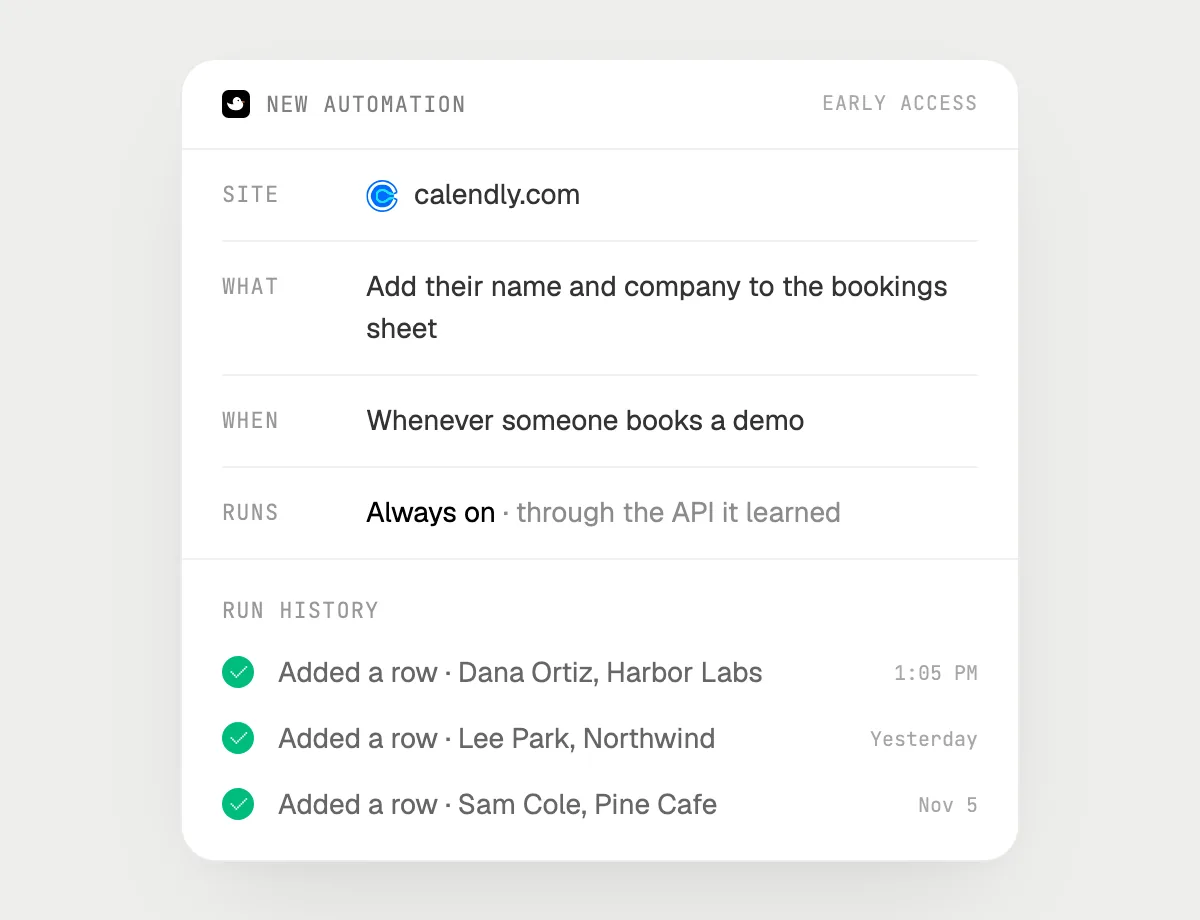
“When someone books a demo, add their name and company to my bookings sheet”
- 01Say it once with Calendly open. It logs the bookings already there so you can check the sheet.
- 02It learns the site's own actions the first time, so later runs are quick.
- 03Turn it on from the card it offers. It runs when a new booking comes in.
- 04Each run lands in the history with the row it added.
Built to ask firstAdding a row to your own sheet needs no OK. It sends nothing to the person who booked.
You getEvery demo booking has a row in your sheet, without copying.

Getting more out of it in Calendly.
- 01
Show the page you mean before you ask, whether availability or an event. It reads the screen.
- 02
Say the length and the name of an event the way it appears in your list.
- 03
Check the link on the card before you press Send. It is the one people will book.
- 04
Putting meetings on your calendar? See the Google Calendar guide.
Questions about Calendly.
Do I need to connect my Calendly account?
No. There is nothing to connect. It sees what is on your screen while the pill is open, and for jobs (Early access) it uses Calendly in your browser with its own cursor, signed in as you. It's built not to type your passwords or card numbers.
Can it send my link without asking?
It's built to ask first: before an email with your link goes out it shows it with Send, Edit and Deny and waits for your yes. It may not recognize every send or payment, so keep an eye on tasks that involve messages or money.
Is this the same as Calendly's own workflows?
No. Those are Calendly's own. DuckyHelper works in the page on your screen like a person does.
Does it see everything in your account?
No. When you ask a question it looks only at what is on your screen, and only while the pill is open. A job or automation you start (Early access) opens only the pages that job needs.



Do anything
Ask it a question or hand it a job, in any app.


Doing jobs for you is in early access on Mac. Asking works on Mac, Windows and Linux.