
How to use DuckyHelper in Canva
Canva makes a design quick, and the last mile slow: a post that feels busy, text that fades into a photo, the same date to change in three places. Ask about the design on your screen and DuckyHelper circles what to fix. You can also hand it the edits or the export (Early access), and it's built to ask before anything is sent.
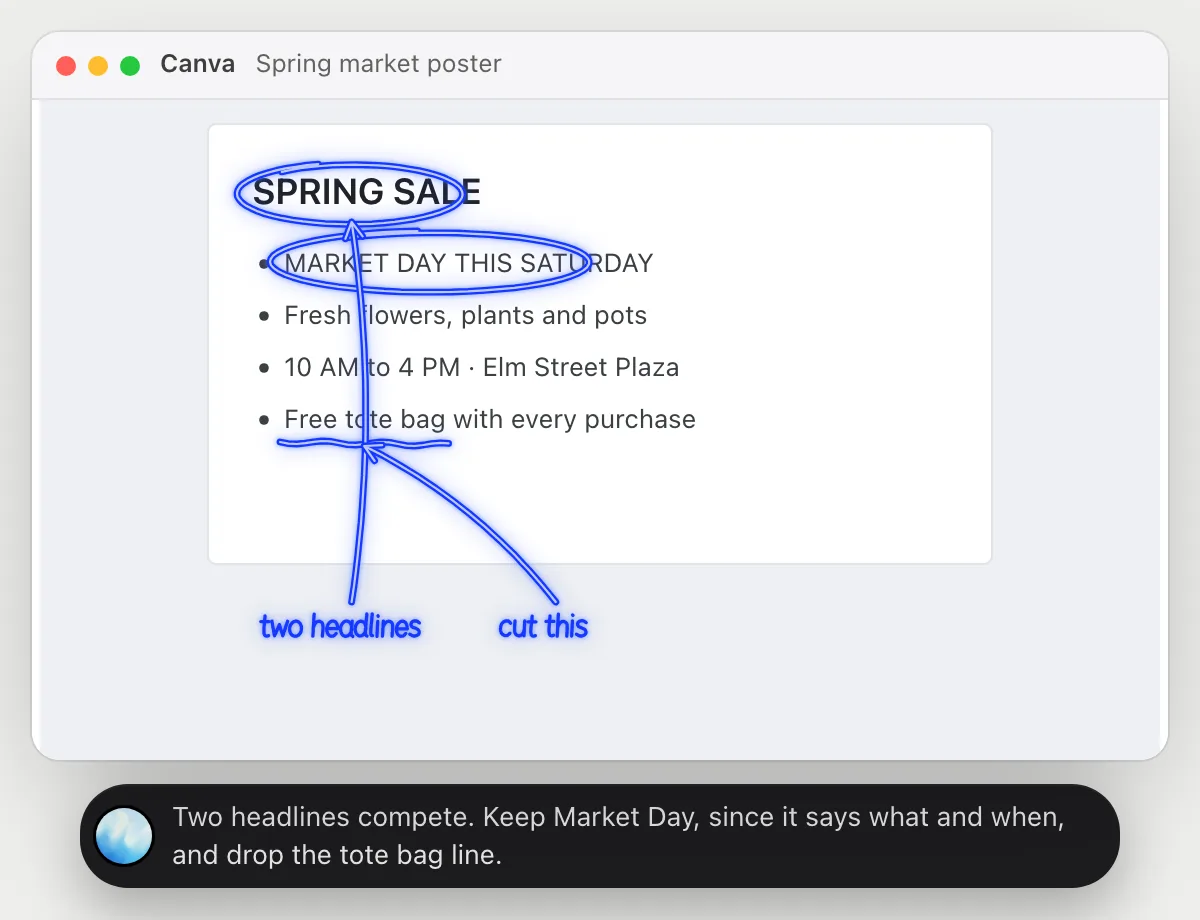
Find why a design feels cluttered
“Why does this post feel cluttered, and what would you remove?”
- 01Open the design so the whole page shows.
- 02Ask out loud. DuckyHelper reads each piece of text and where it sits.
- 03It rings the two things competing for attention and underlines what could go.
- 04It tells you which one to keep and why, in plain words. You make the change.
You getA clear call on what to cut, so the design says one thing.
 Two headlines compete. Keep Market Day, since it says what and when, and drop the tote bag line.
Swap text across designs
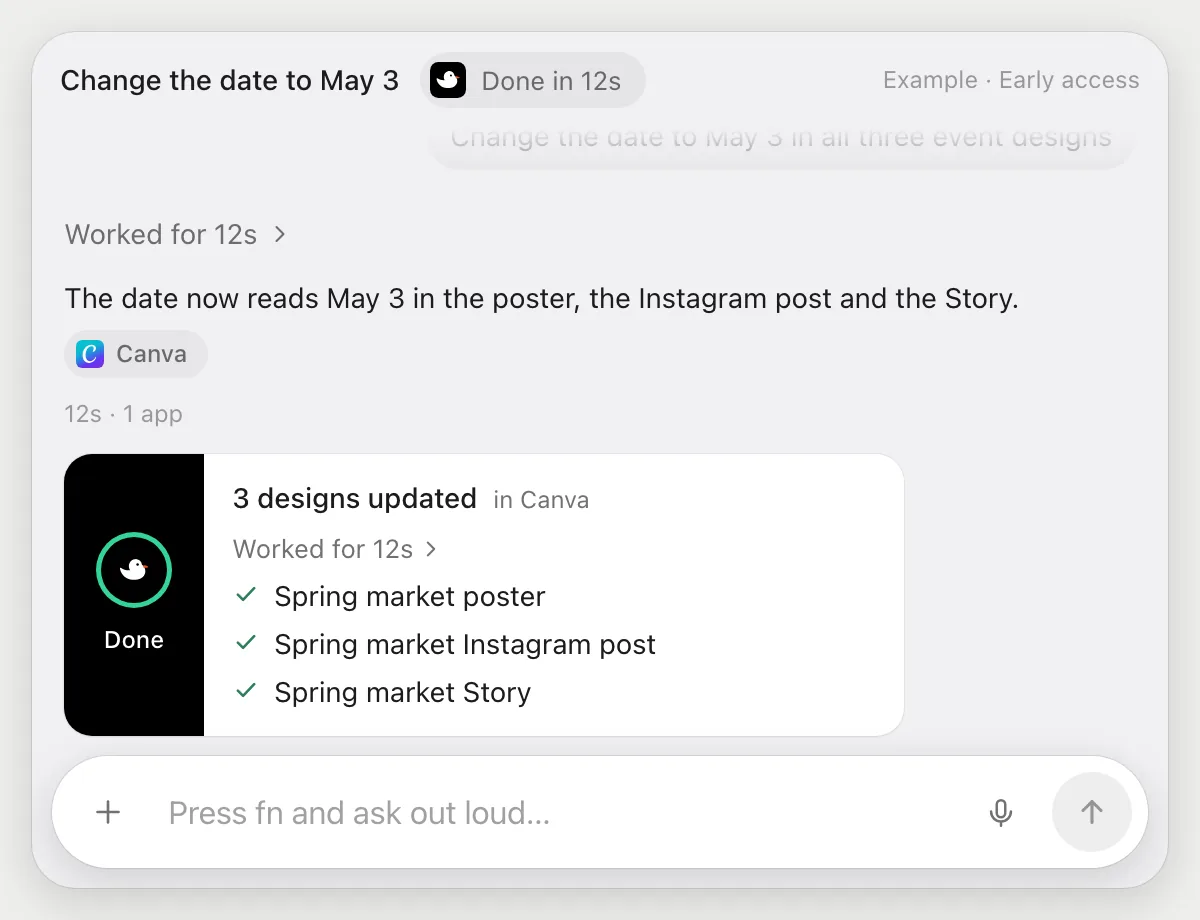
“Change the date to May 3 in all three event designs”
- 01Say which designs and what to change.
- 02DuckyHelper opens each design with its own cursor while you keep working.
- 03In each it finds the date text and types May 3.
- 04It lists the three designs it changed, so you can open each one to check.
Built to ask firstIt edits your own designs and nothing leaves Canva: no sharing, no publishing, no sending. If a step ever would, it's built to stop and ask first.
You getThe same date fixed in every design without opening each one yourself.
Export a design and send it
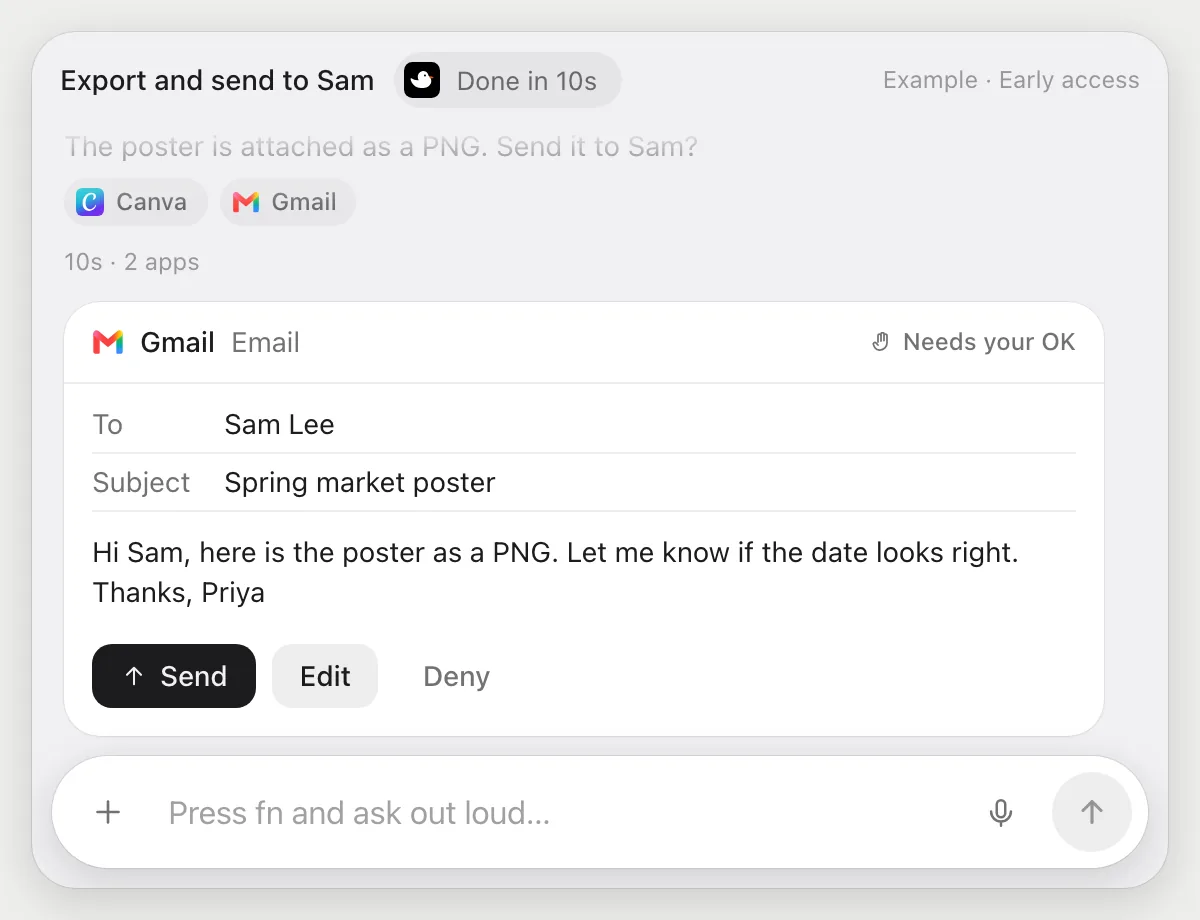
“Export this design as a PNG and send it to Sam”
- 01Open the design and say the file type and who gets it.
- 02DuckyHelper uses the design's download option with its own cursor and picks PNG.
- 03It starts an email to Sam and attaches the file.
- 04It stops before sending and shows the recipient and message. You press Send, Edit or Deny.
Built to ask firstThe file goes to another person, so it shows who gets it and the message with Send, Edit and Deny. Exporting needs no OK.
You getA finished PNG in Sam's inbox, sent only after you looked at it.
Check text is readable
“Is this text readable on the photo?”
- 01Open the design so the photo and its text are both visible.
- 02Ask out loud. DuckyHelper looks at the text against the part of the photo behind it.
- 03It rings the line that is hard to read and says why.
- 04It suggests a fix, such as darker text or a solid strip behind it. You make the change.
You getThe line that nobody could read, found before you export.
The date line is hard to read: light text on a bright photo. Use darker text or a strip behind it.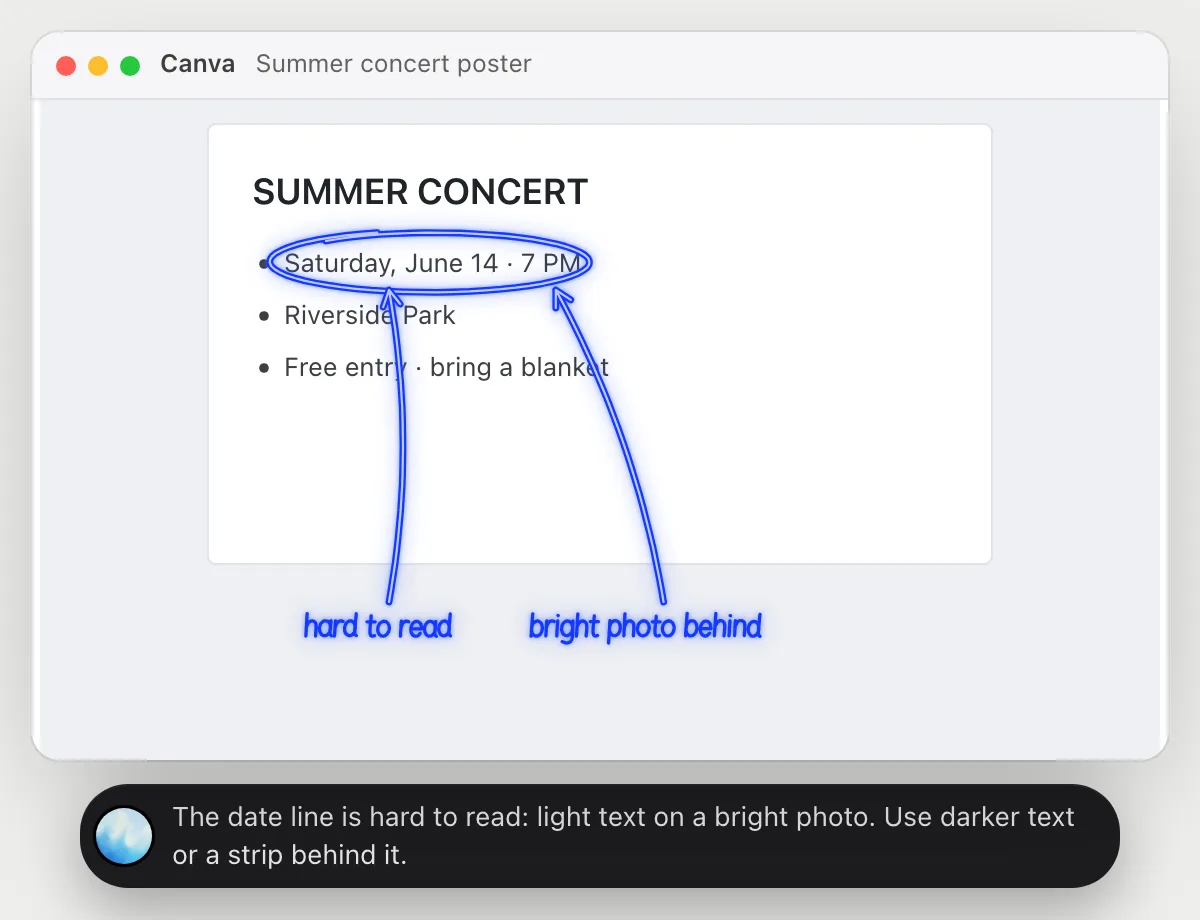
Getting more out of it in Canva.
- 01
Show the whole design before you ask, not a zoomed-in corner. The layout is part of the answer.
- 02
Ask for one change, not a redesign: "what is the one thing I would remove" gets a sharper answer.
- 03
Check the photo and text at the size they will be shown, since small screens make the problem worse.
- 04
Building the same message as slides? The PowerPoint guide covers that.
Questions about Canva.
Do I need to connect my Canva account?
No. There is nothing to connect. It reads the design on your screen while the pill is open. Jobs (Early access) use Canva in the browser or desktop app, signed in as you, and it's built not to type your passwords or card numbers.
Does it work in the desktop app?
Yes. It works with whatever is on your screen, in the browser or the desktop app. It does not work in Canva's phone app.
Can it send my design without asking me?
It's built to ask first: anything that goes to another person shows its recipient and message with Send, Edit and Deny first. It may not recognize every send or payment, so keep an eye on tasks that involve messages or money.
Does it design for me?
It tells you what to change, and in Early access it can make edits you ask for, like swapping text across designs.


Do anything
Ask it a question or hand it a job, in any app.



Doing jobs for you is in early access on Mac. Asking works on Mac, Windows and Linux.