

How to use DuckyHelper in YouTube
A channel is part creating and part admin: numbers to read, comments to sort, chapters to write. Ask about the Studio page on your screen and DuckyHelper explains where the views came from and circles the comments that are questions. You can also hand it the chapters or drafted replies (Early access), and it's built to ask before anything is published.
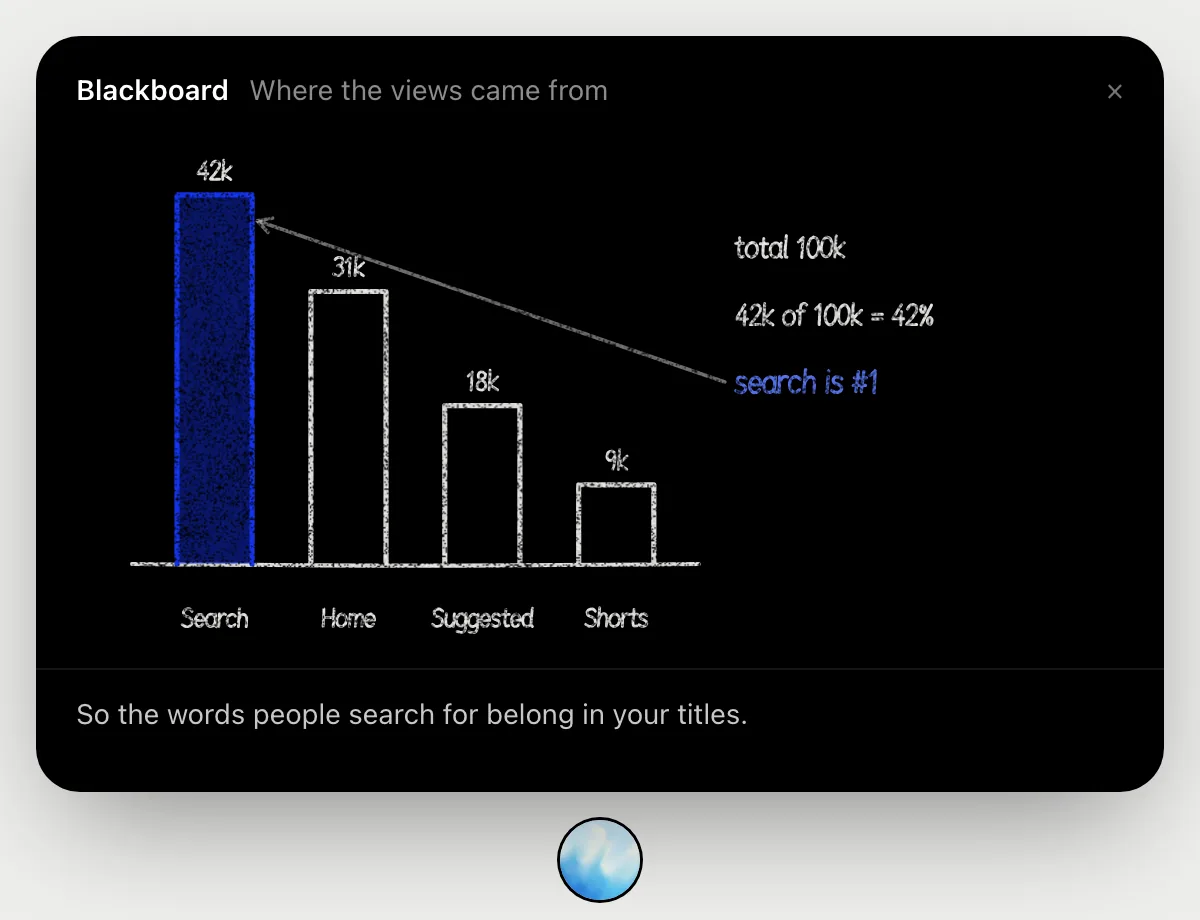
See where your views came from
“Where did this month's views come from?”
- 01Open the traffic sources page in Studio analytics so the source numbers show.
- 02Ask out loud. DuckyHelper reads the figures and opens the blackboard.
- 03It draws a bar for search, home, suggested and Shorts, then adds them up.
- 04It works out search's share of the total and says what that means for your titles.
You getWhich source drives your views, and what to do about it, worked out where you can follow the numbers.

Find comments that are questions
“Which of these comments are questions I should answer?”
- 01Open the comments page so the list is on screen.
- 02Ask out loud. DuckyHelper reads each comment.
- 03It circles the ones that ask something and leaves the praise alone.
- 04Ask what to say to one of them, and it suggests an answer you can type yourself.
You getThe comments worth your time, found without reading them all.
Three ask something: how you export at 4K, which mic you use, and whether the music is free to use.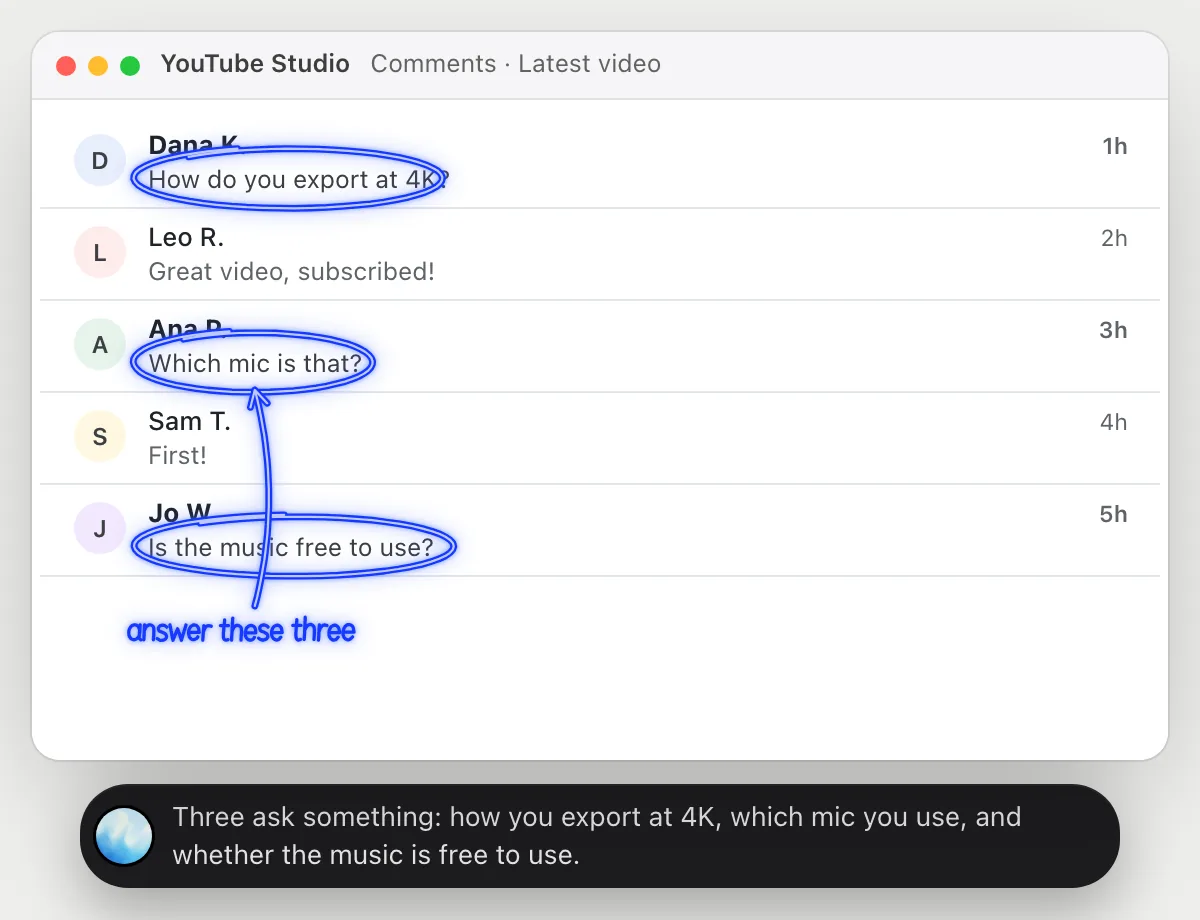
Add chapters to a video
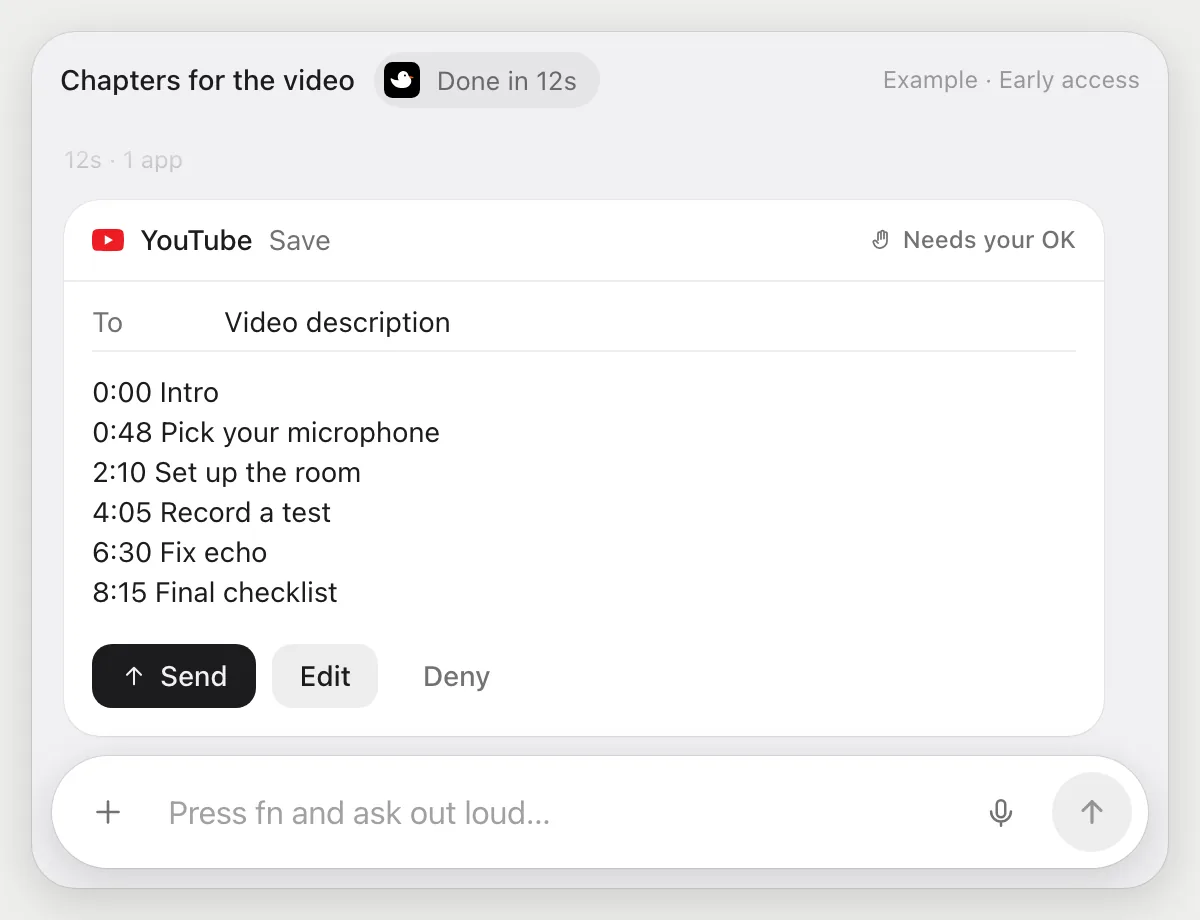
“Write chapters from this video's transcript and add them to the description”
- 01Open the video's page in Studio and say you want chapters.
- 02DuckyHelper opens the transcript panel and reads the text and the times.
- 03It writes a chapter for each change of topic, starting at 0:00.
- 04It puts them in the description box, then stops before saving. You press Save, edit a line, or Deny.
Built to ask firstA change to a public video's description goes live when saved, so it shows the chapters with Save, Edit and Deny and waits. Reading the transcript and writing the chapters need no OK.
You getChapters that match the video, live only after you looked at them.
Draft replies to new questions
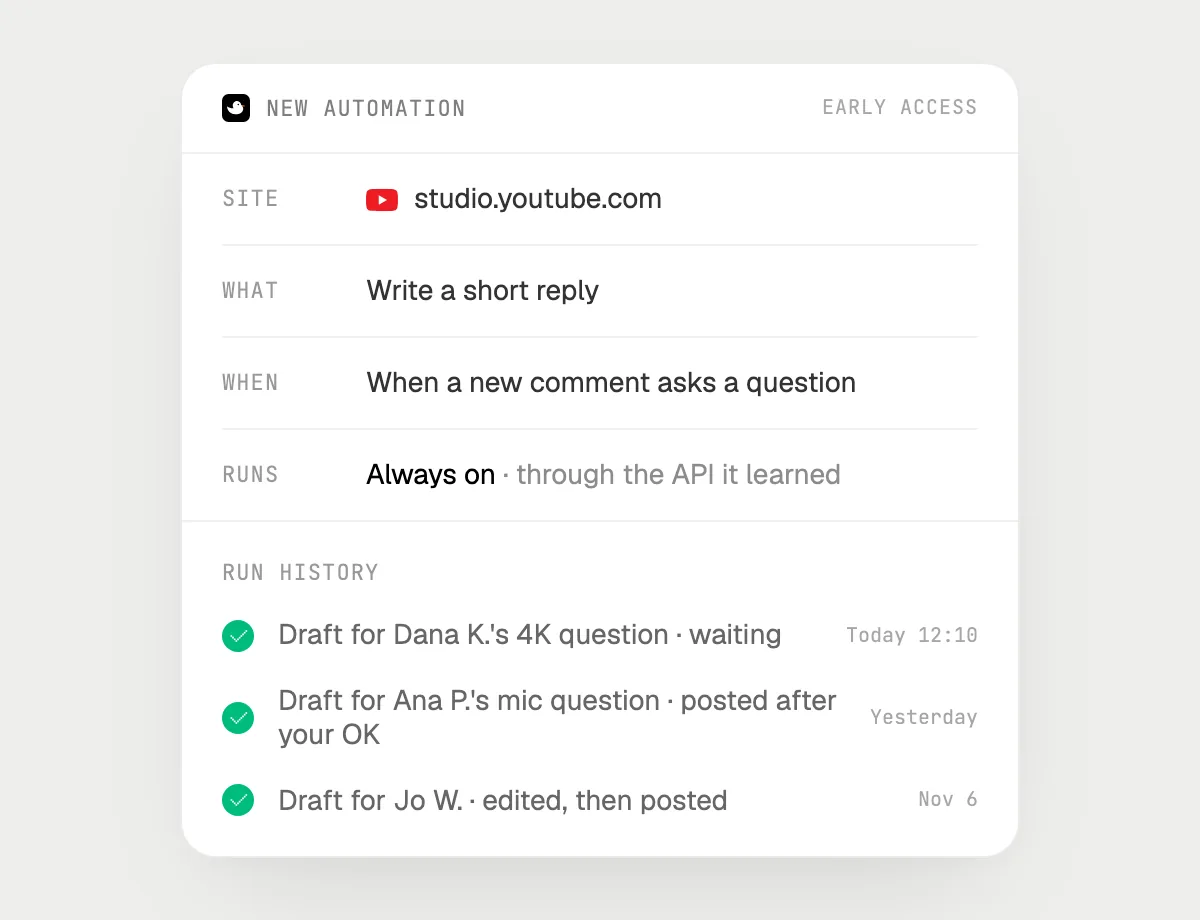
“When a new comment asks a question, draft a reply for my OK”
- 01Say it once with your comments open. It checks the questions already there.
- 02It learns Studio's own actions the first time, so later runs are quick.
- 03Turn it on from the card it offers. It runs when a new comment asks a question.
- 04Each draft is in the history, waiting for your Reply, Edit or Deny.
Built to ask firstDrafting needs no OK. Every reply is public, so each one waits for your Reply before it goes out.
You getNew questions come with an answer ready, and each one waits for you before it is posted.

Getting more out of it in YouTube.
- 01
Open the transcript panel before a chapters job. It reads the text on screen, not the sound of the video.
- 02
Pause on a frame and ask about it. DuckyHelper describes what that frame shows.
- 03
Use the search share to pick your next title: lead with the words people type.
- 04
Planning where else to share a video? The X guide covers posts.
Questions about YouTube.
Do I need to connect my YouTube account?
No. There is nothing to connect. It reads what is on your screen while the pill is open. Jobs (Early access) use Studio in your browser, signed in as you, and it's built not to type your passwords or card numbers.
Can it listen to my video?
No. It works from what is on the screen, like the transcript panel or a paused frame.
Can it reply or publish without asking me?
It's built to ask first: every reply and every change to a description shows with its words and Edit and Deny first and waits for your yes. It may not recognize every send or payment, so keep an eye on tasks that involve messages or money.
Does it grow my channel?
It saves you admin time. It makes no promise about views or growth.



Do anything
Ask it a question or hand it a job, in any app.



Doing jobs for you is in early access on Mac. Asking works on Mac, Windows and Linux.