

How to use DuckyHelper in Microsoft PowerPoint
A deck is due and the slides need work: one says too much, a chart needs explaining, the speaker notes are empty. Ask about the slide on your screen and DuckyHelper marks it up right there or walks you through the chart on the blackboard. You can also hand it the notes, or the weekly numbers slide (Early access).
Find out what to cut from a busy slide
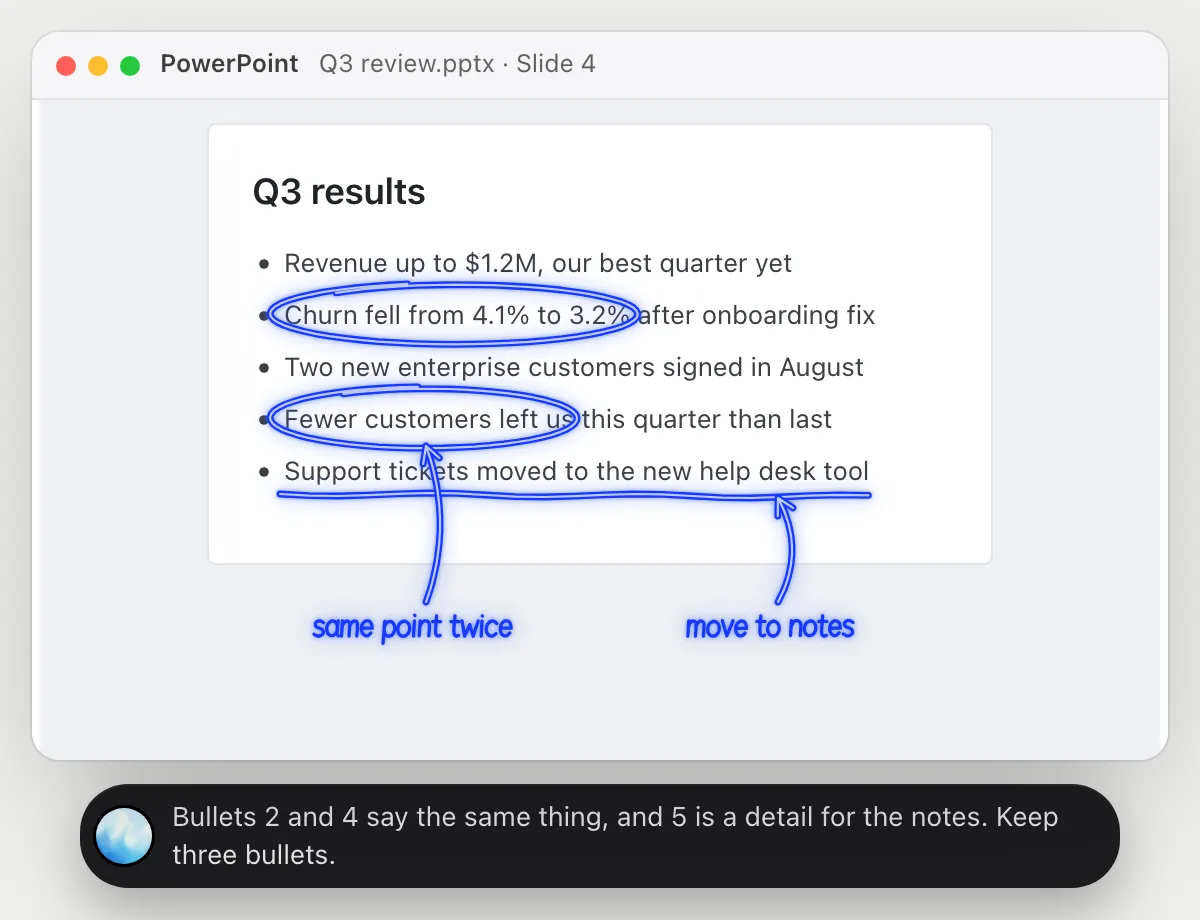
“Is this slide too busy? What would you cut?”
- 01Show the slide you are worried about in Normal view.
- 02Ask out loud. DuckyHelper reads the title and every bullet on the slide.
- 03It circles the bullets that repeat each other and underlines the one that belongs in the notes.
- 04It tells you which three to keep, and you make the cuts yourself.
You getA slide with one clear point, and the detail moved where it belongs.
 Bullets 2 and 4 say the same thing, and 5 is a detail for the notes. Keep three bullets.
Get a chart explained before you present it
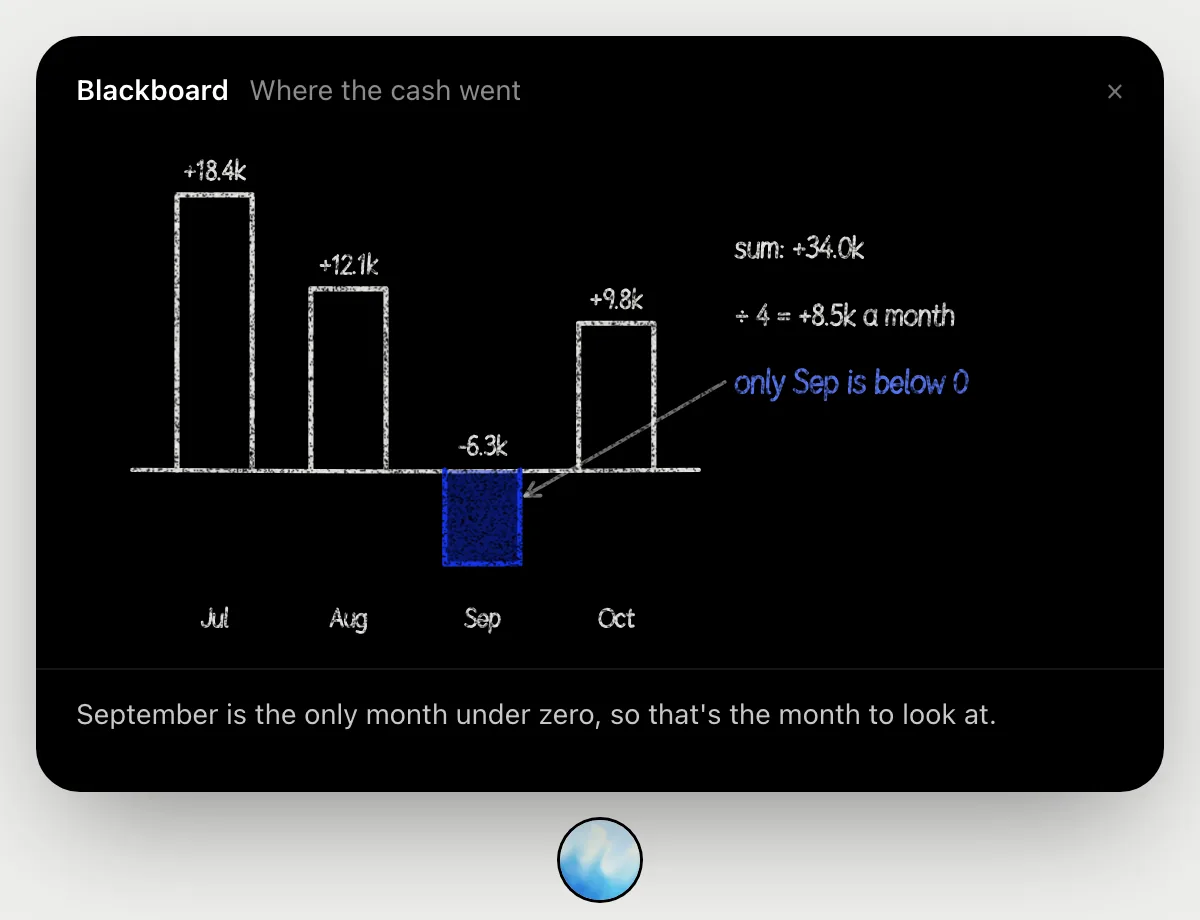
“Walk me through this cash chart so I can explain it in the meeting”
- 01Show the slide with the chart, big enough that the labels are readable.
- 02Ask out loud. DuckyHelper reads the bars and their labels and opens the blackboard.
- 03It redraws the chart month by month, adds them up as it talks and marks the one month that matters.
- 04Ask it to say it again shorter, the way you would say it to the room.
You getOne clear sentence about the chart, and the numbers behind it, before anyone asks.
Have the speaker notes written, then send the deck
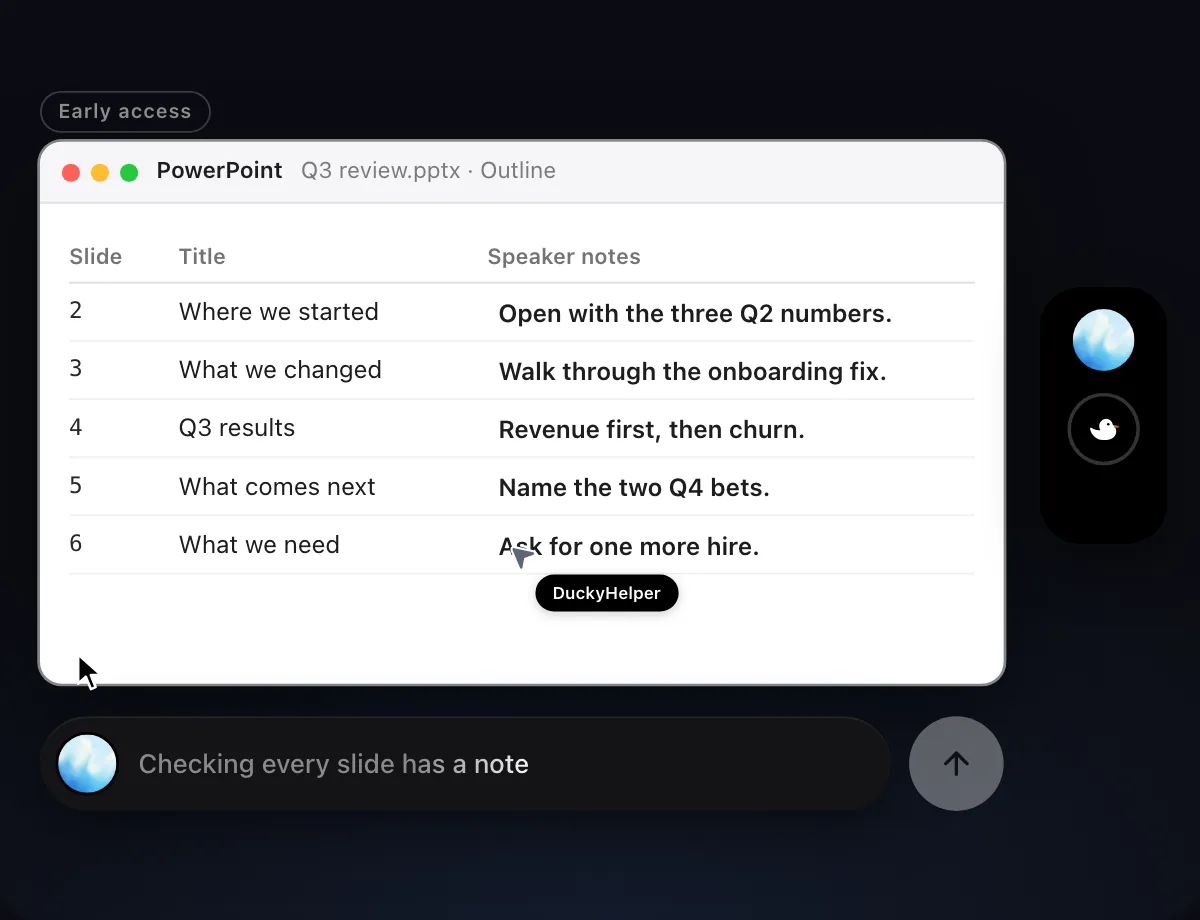
“Write speaker notes for slides 2 to 6 from my outline, then send the deck to Priya”
- 01Open the deck and say which slides need notes and where the points come from.
- 02DuckyHelper works in PowerPoint with its own cursor, slide by slide, while you keep using yours.
- 03It writes a short note under each slide and leaves your slides themselves as they are.
- 04Before the deck goes to anyone, it shows you the email with the file attached and waits.
Built to ask firstBefore the deck goes to Priya it shows the email with the file attached: Send, Edit or Deny.
You getNotes under every slide you named, and a deck that went out only after you checked it.

Keep the weekly numbers slide current
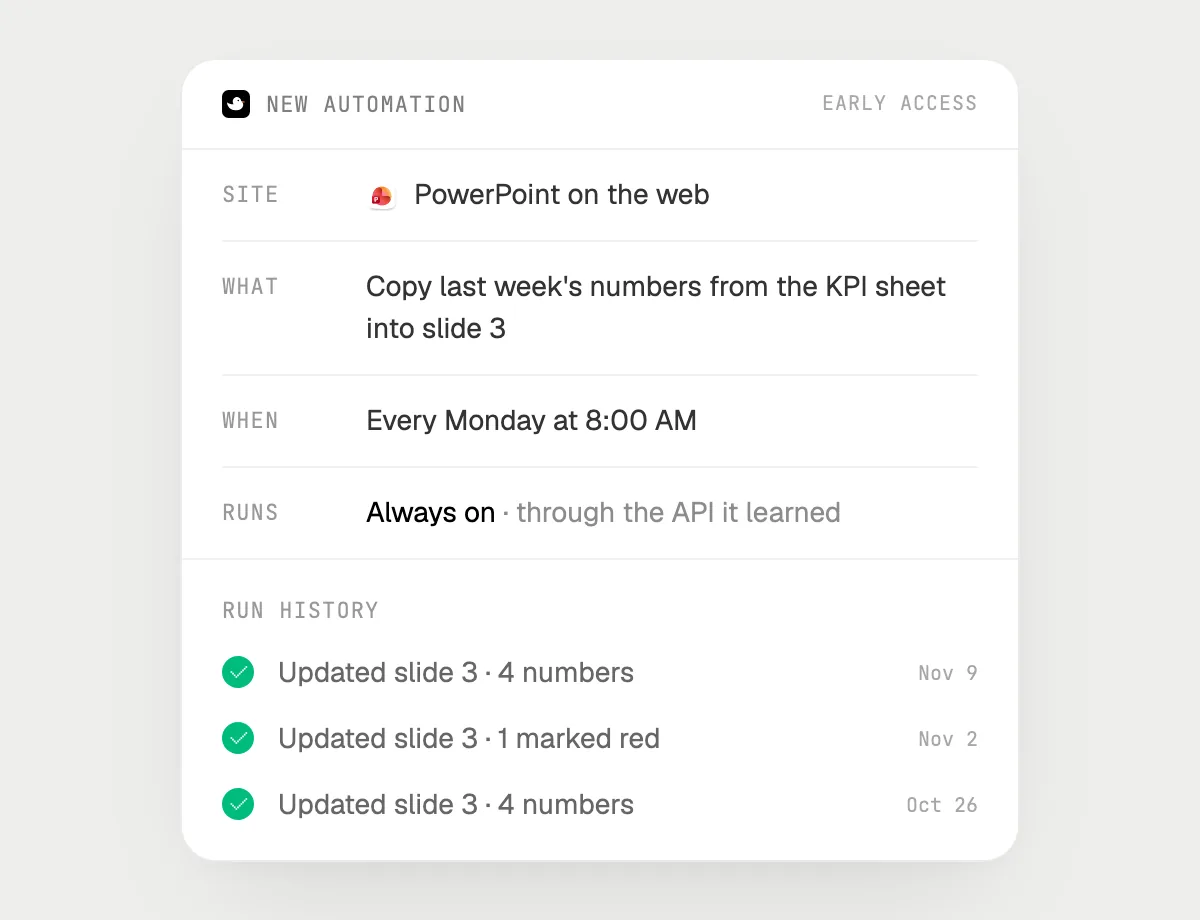
“Every Monday at 8, update slide 3 of the weekly review from the KPI sheet and mark anything that dropped”
- 01Have the deck open in PowerPoint on the web and say it once. It updates slide 3 right away so you can check it.
- 02It learns the site's own actions for that deck and that sheet the first time, so later runs are quick.
- 03Turn it on from the card it offers. It runs every Monday at 8 AM from then on.
- 04Every run lands in the history with the numbers it changed.
Built to ask firstUpdating the slide needs no OK. Sending or sharing the deck is built to stop for your OK first.
You getA numbers slide that is already right when you open the deck on Monday.
Getting more out of it in Microsoft PowerPoint.
- 01
Ask about one slide at a time in Normal view. For the whole story, Outline view puts every title and bullet on the screen at once.
- 02
Before a talk, ask "what would someone in the back row miss on this slide?" and fix that first.
- 03
Name the audience when you ask for notes: a board update and a team meeting need different words.
- 04
Turning a document into slides? Start in the Microsoft Word guide with the outline, then bring it here.
Questions about Microsoft PowerPoint.
Does it work in the PowerPoint desktop app or only on the web?
Both. Asking about a slide works in the desktop app on Mac and Windows, and in the browser on any computer. Doing the work with its own cursor is Early access on Mac, and always-on automations run on the web version.
Will it change my slides without asking?
It only edits what you asked for, like the speaker notes, and it leaves the rest of the deck as it is. Sending or sharing the deck is built to stop for your OK first.
Can it make a whole deck from a document?
You can ask it to (Early access): it reads the document on your screen and builds the slides in PowerPoint with its own cursor, and you check them before anything is sent.
Does it need a Microsoft account connection?
No. There is nothing to connect. It works with the deck on your screen, and it's built not to type your passwords or card numbers.


Do anything
Ask it a question or hand it a job, in any app.


Doing jobs for you is in early access on Mac. Asking works on Mac, Windows and Linux.