

How to use DuckyHelper in DocuSign
With DocuSign the stress is in the waiting and the fine print: a clause you want to understand before you sign, and envelopes that sit with someone who forgot. Ask about the document or the list on your screen and DuckyHelper explains and circles it. You can also hand it the sending or the reminders (Early access), and you always sign yourself.
Understand a section before you sign
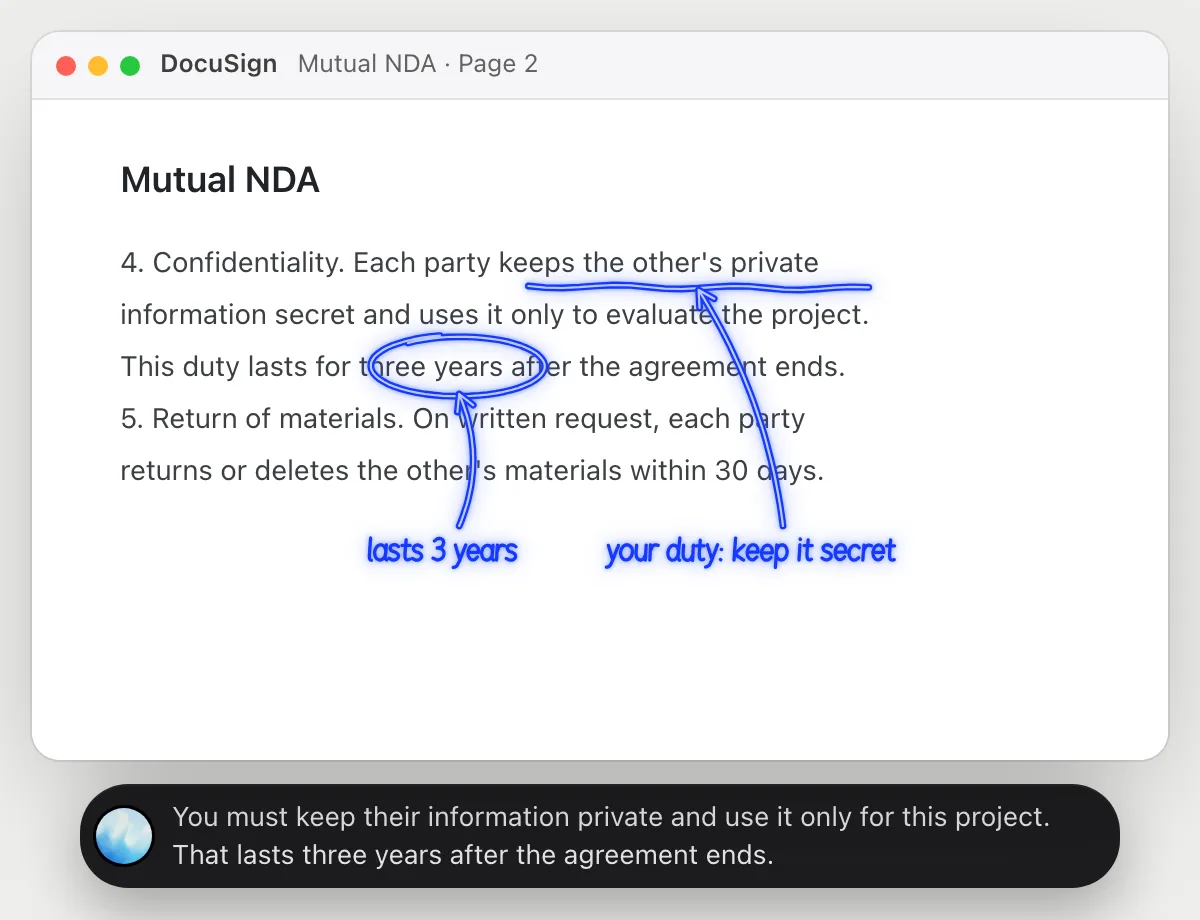
“In plain words, what am I agreeing to in section 4?”
- 01Open the document so section 4 is on the screen, then ask out loud.
- 02DuckyHelper reads the section as it shows.
- 03It underlines the duty you would take on and rings the length of time it lasts.
- 04It says it in plain words. This is an explanation of the text, not legal advice, so ask a lawyer about anything that matters a lot.
- 05Ask a follow-up, like what happens if you break it, and it explains from the same page.
You getYou know what a clause asks of you before you put your name on it.
 You must keep their information private and use it only for this project. That lasts three years after the agreement ends.
See who still has to sign
“Which envelopes are still waiting, and on whom?”
- 01Open your list of envelopes so the statuses show.
- 02Ask out loud. DuckyHelper reads each row: the document, who it is with and when it went out.
- 03It circles the ones still waiting and says whose turn it is.
- 04Ask which has waited longest, and it answers from the dates on the screen.
You getA clear list of who is holding things up, without opening each envelope.
Two are waiting: the vendor agreement on Marcus Bell since Nov 4, and the lease renewal on Priya Nair.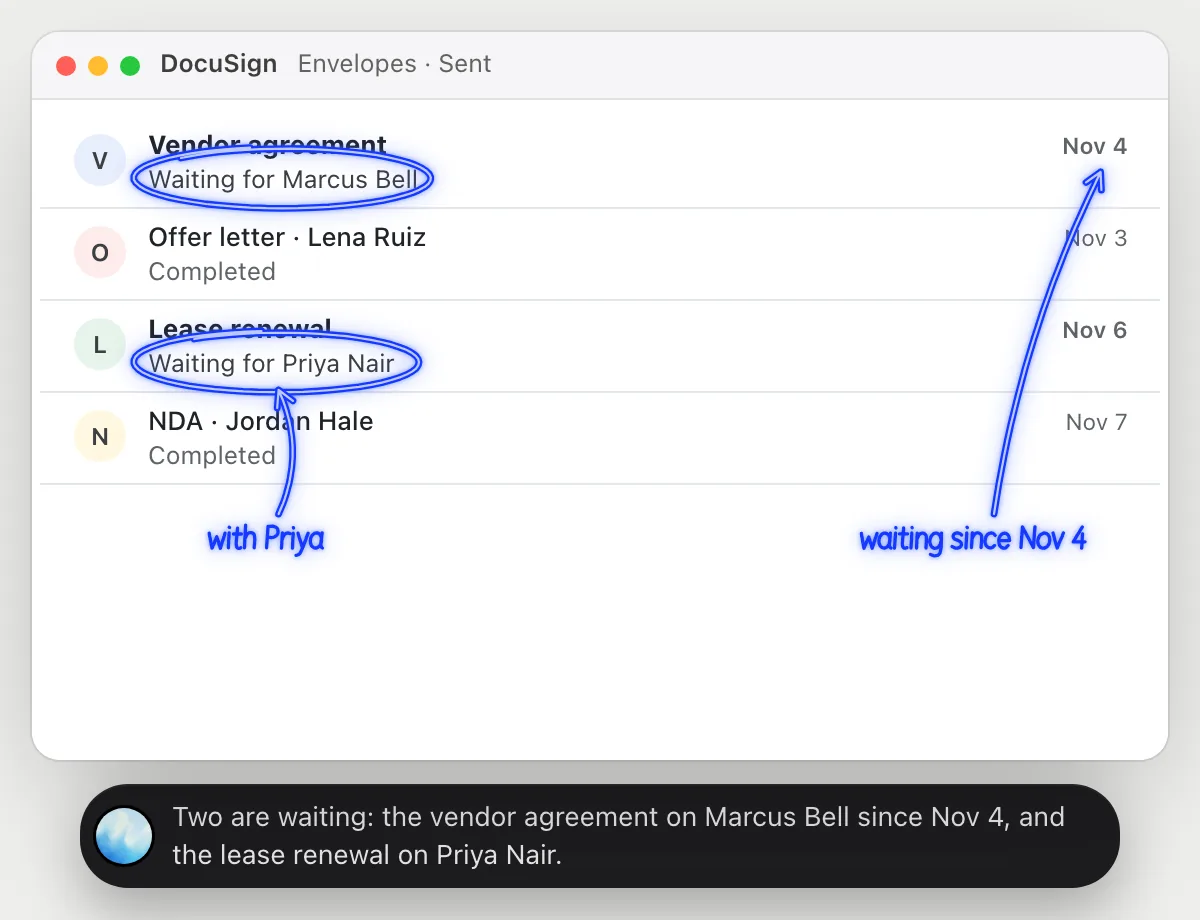
Send an NDA for signature
“Send this NDA to Jordan for signature with the signature on page 2”
- 01Open DocuSign and say which file and who signs.
- 02DuckyHelper starts a new envelope with its own cursor while you keep working, and adds the file.
- 03It adds Jordan as the person who signs and puts the signature box on page 2.
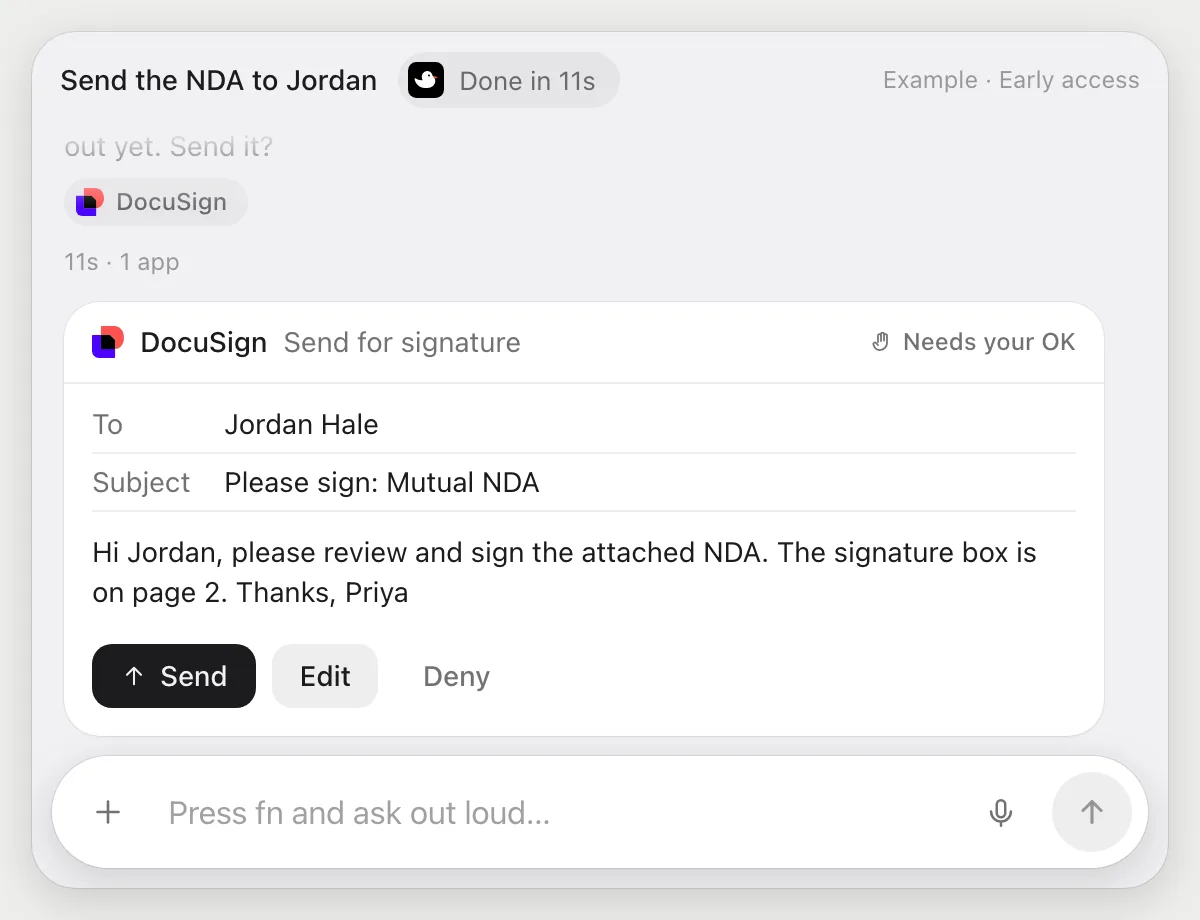
- 04It stops and shows the envelope: who gets it, the subject and the message. You press Send, or Edit, or Deny.
Built to ask firstBefore the envelope goes out it shows who gets it and what it says, with Send, Edit and Deny. Setting up the envelope needs no OK; sending it does.
You getAn envelope set up the way you described, sent only after you looked at it.
Remind people who haven't signed
“Remind everyone who hasn't signed the vendor agreement”
- 01Open the vendor agreement envelope so its recipients show.
- 02DuckyHelper reads who has signed and who has not.
- 03It writes a short, friendly reminder for each person still waiting.
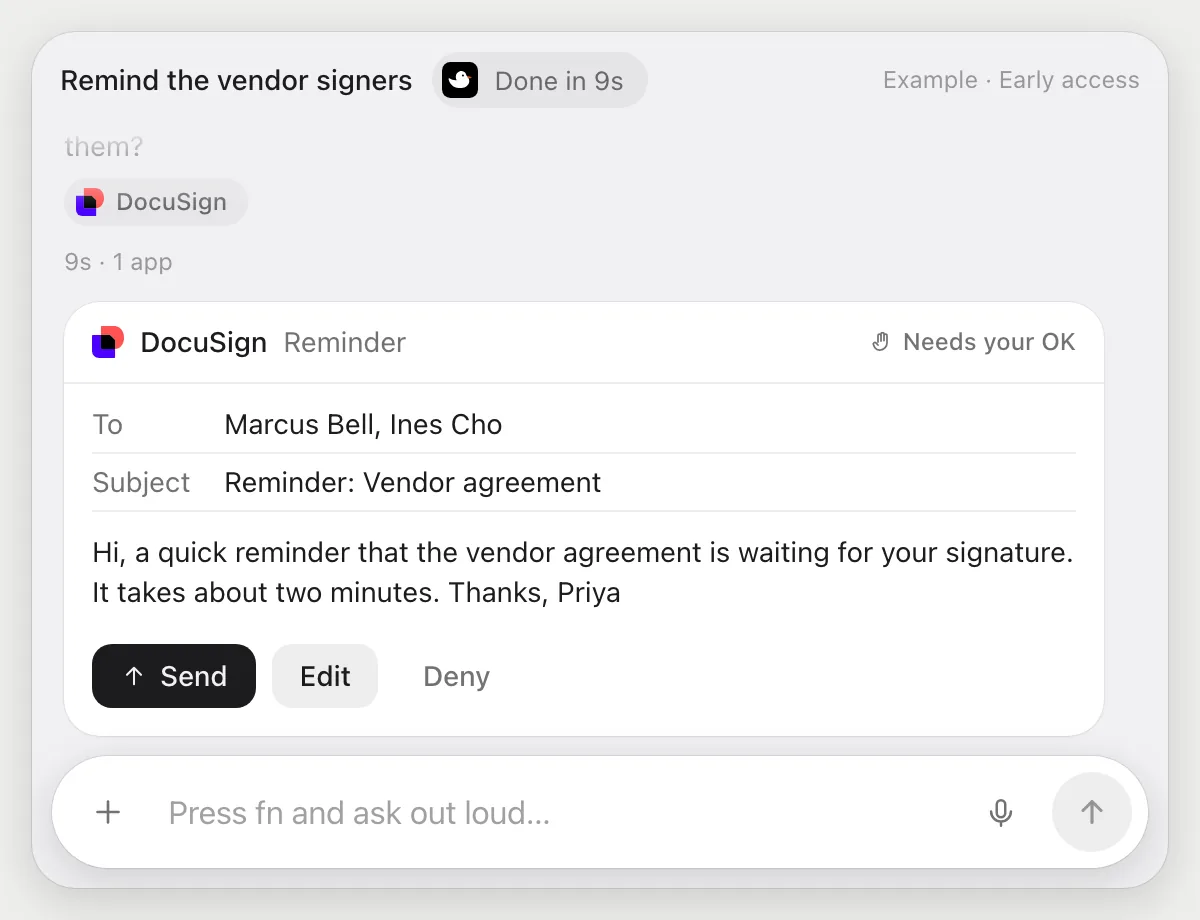
- 04It stops before sending and shows each reminder. You press Send, edit a line, or Deny.
Built to ask firstReminders go to other people, so it shows who gets each one and the words, with Send, Edit and Deny. Reading the envelope and writing the draft need no OK.
You getEveryone still holding up the agreement gets a nudge, and you read every word first.
Getting more out of it in DocuSign.
- 01
Open the section you mean before you ask. DuckyHelper explains the words it can see, not a file you haven't opened.
- 02
It explains what a clause says. It does not tell you whether to sign: for that, ask a lawyer.
- 03
Name people the way your envelope list does, and it will match the right row.
- 04
Writing the cover email too? The Gmail guide covers sending with your OK.
Questions about DocuSign.
Will it sign documents for me?
No. You sign yourself, always. DuckyHelper can explain a clause or set up an envelope for others to sign, but it never signs for you.
Do I need to connect my DocuSign account?
No. There is nothing to connect. It reads what is on your screen while the pill is open. Jobs (Early access) use DocuSign in your browser, signed in as you, and it's built not to type your passwords or card numbers.
Can it send an envelope without asking me?
It's built to ask first: before anything goes to another person it shows the recipient and the message with Send, Edit and Deny and waits for your yes. It may not recognize every send or payment, so keep an eye on tasks that involve messages or money.
Is the explanation legal advice?
No. It explains what the words say in plain language. For a decision with real stakes, talk to a lawyer.



Do anything
Ask it a question or hand it a job, in any app.



Doing jobs for you is in early access on Mac. Asking works on Mac, Windows and Linux.