

How to use DuckyHelper in Gmail
Gmail is where requests, deadlines and receipts pile up. Ask DuckyHelper about the inbox or the email in front of you and it answers out loud and circles what matters on the screen. You can also hand it the reply, or a rule that keeps filing mail as it arrives (Early access).
Find what needs a reply today
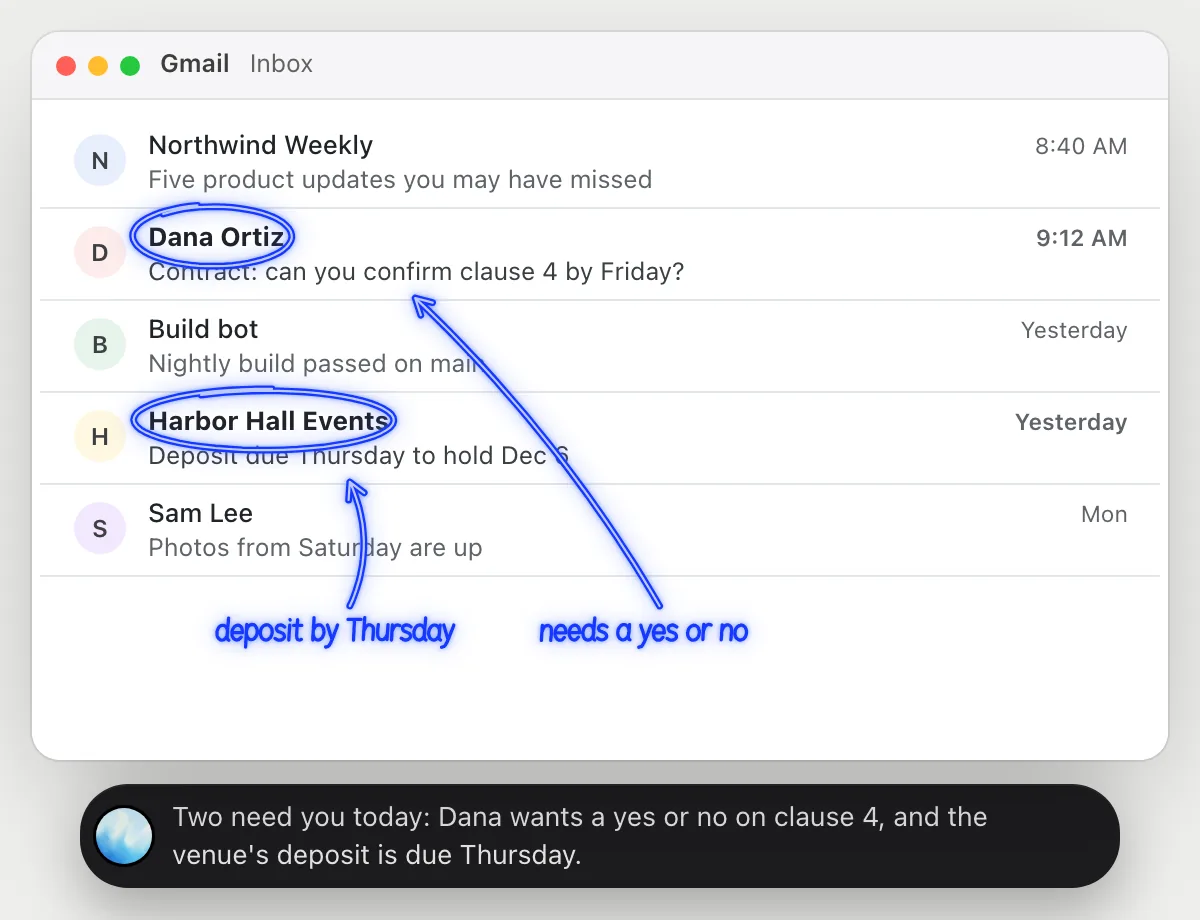
“Which of these emails need a reply from me today?”
- 01Open your inbox so the emails you mean are on the screen, then ask out loud.
- 02DuckyHelper reads the senders, subjects and previews that are showing.
- 03It answers out loud with the ones that need you and why, and circles them right on the inbox.
- 04Ask a follow-up, like what exactly Dana needs, and it explains from the open email.
You getYou know which emails need you today and why, without opening every one of them.
 Two need you today: Dana wants a yes or no on clause 4, and the venue's deposit is due Thursday.
See what an email is really asking
“What does this email actually want me to do, and by when?”
- 01Open the email so the whole message is on the screen.
- 02Ask out loud. It reads the message, including any dates, amounts and attachments it mentions.
- 03It underlines the request and circles the deadline, and says both in one sentence.
- 04If a word or a term is unclear, ask what it means and it explains it next to the words.
You getThe one thing the sender needs and the deadline, without digging through a long message.
Sign the attached form and pay the $500 deposit by Thursday at 5 pm, or they release Dec 6.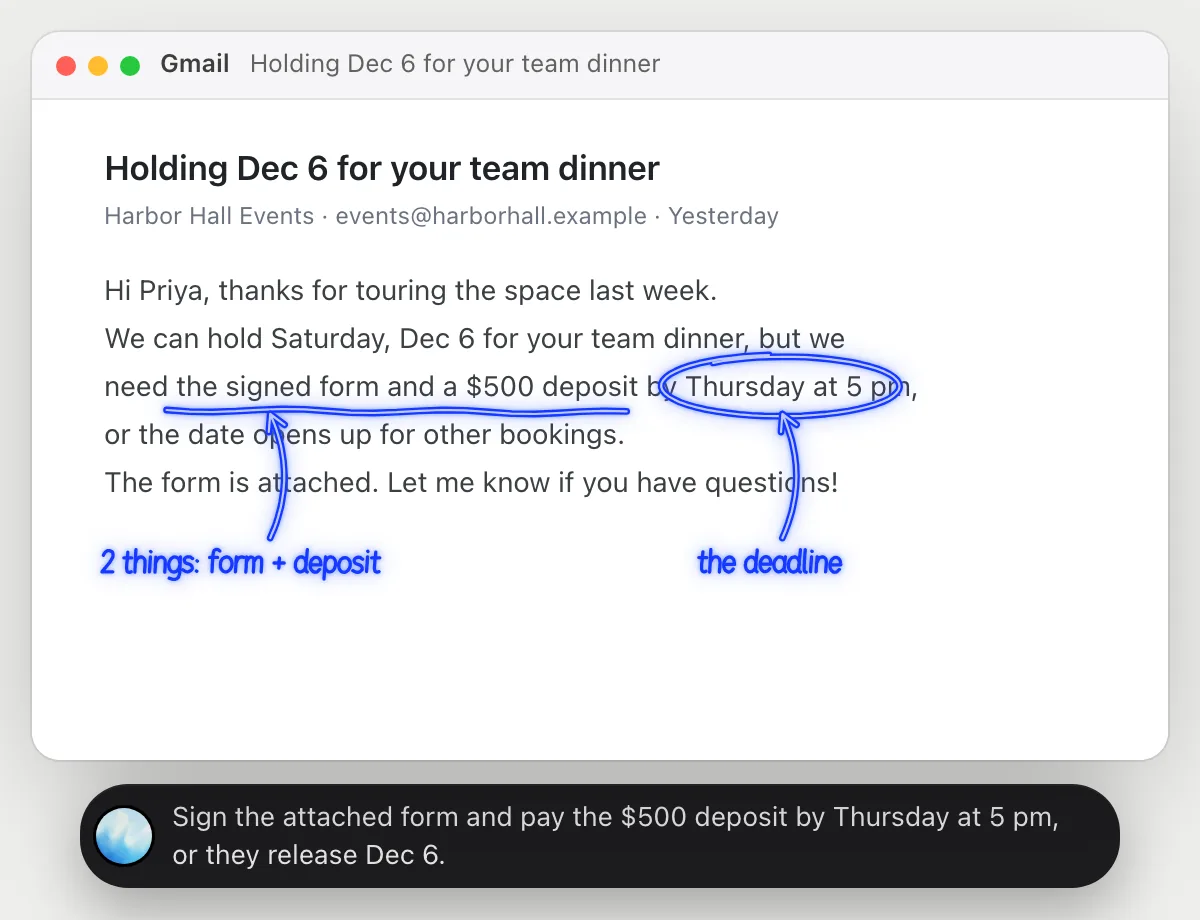
Have the reply written for your OK
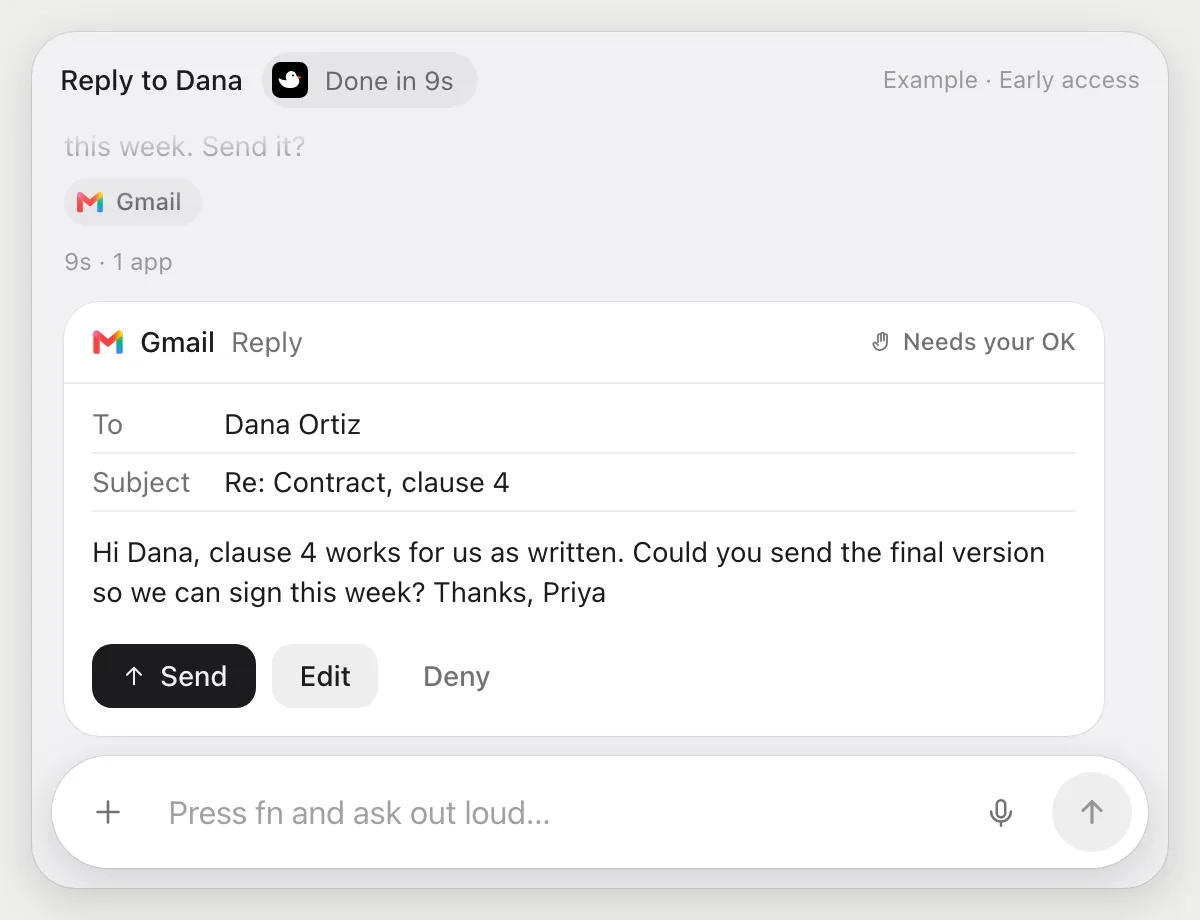
“Reply to Dana that clause 4 is fine and ask her to send the final version”
- 01Open Dana's email, or just say her name and it finds the thread in your inbox.
- 02It reads the thread and writes the reply in Gmail with its own cursor while you keep working.
- 03It stops before sending and shows you the reply: who it goes to, the subject and every word.
- 04Press Send, change a line with Edit, or Deny and nothing goes out.
Built to ask firstBefore anything is sent it shows the reply with Send, Edit and Deny. Nothing goes out until you press Send.
You getA reply that says what you meant, sent only after you read it.
File receipts as they arrive
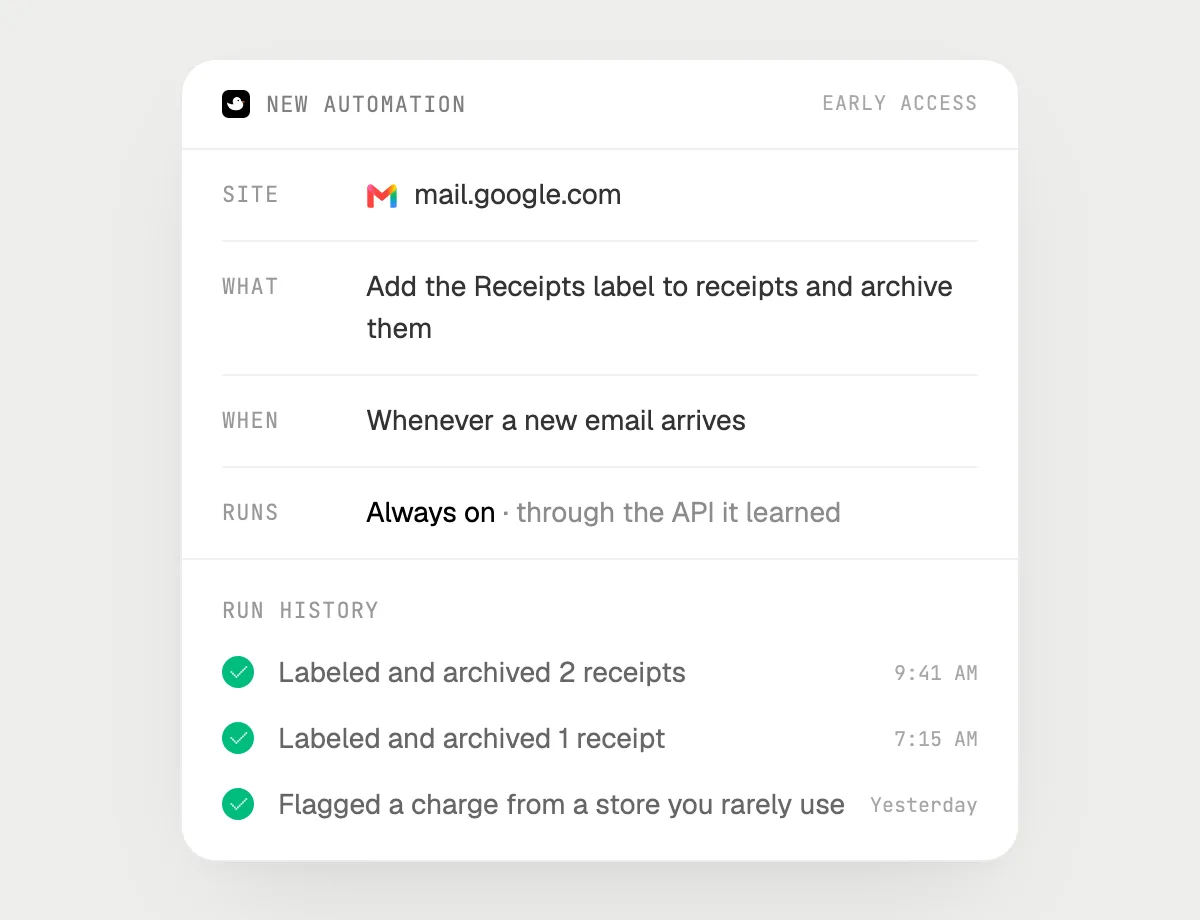
“Whenever a receipt comes in, label it Receipts and archive it, and tell me about any charge I might not know”
- 01Say it once while Gmail is open. It does the first run on what is in your inbox now.
- 02It learns Gmail's own actions for labels and archiving the first time, so later runs are quick.
- 03Turn it on from the card it offers. From then on it runs whenever a new email arrives.
- 04Each run lands in the history, so you can see what it filed and when.
Built to ask firstLabeling and archiving need no OK. If a run would ever send a reply or pay for something, it's built to stop and ask you first.
You getReceipts that file themselves, and a heads-up when a charge looks unfamiliar.

Getting more out of it in Gmail.
- 01
Ask about what is showing. If the email you mean is further down, scroll to it or open it first: DuckyHelper reads the screen, not your whole account.
- 02
Name things the way you would to a colleague. "The venue email from yesterday" is enough to find it.
- 03
For a long thread, ask for the last decision and who is waiting on whom. It answers from the messages on screen.
- 04
When you hand it a reply, say how it should sound: short and friendly, formal, or in your usual sign-off.
- 05
An email asking for a time? Keep going in the Google Calendar guide.
Questions about Gmail.
Do I need to connect my Gmail account?
No. There is nothing to connect. It sees what is on your screen while the pill is open, and for jobs (Early access) it uses Gmail in your browser with its own cursor, signed in as you. It's built not to type your passwords or card numbers.
Can it send an email without asking me?
It's built to ask first: before any email goes out it shows you the message with Send, Edit and Deny and waits for your yes. It may not recognize every send or payment, so keep an eye on tasks that involve messages or money. Reading, drafting, labeling and archiving don't need your OK.
Does it read my whole inbox?
When you ask a question it looks only at what is on your screen, and only while the pill is open. A job or automation you start (Early access) works through the emails that job needs.
Does it work in the Gmail app on my phone?
No. DuckyHelper is an app for Mac, Windows and Linux, so it works with Gmail in your computer's browser.



Do anything
Ask it a question or hand it a job, in any app.

Doing jobs for you is in early access on Mac. Asking works on Mac, Windows and Linux.