

How to use DuckyHelper in Microsoft Word
Word documents hide long sentences, dense clauses and piles of tracked changes. Ask DuckyHelper about the page on your screen and it marks what is hard to follow and explains it. You can also hand it the editing or the draft (Early access).
Find the sentences that are too long
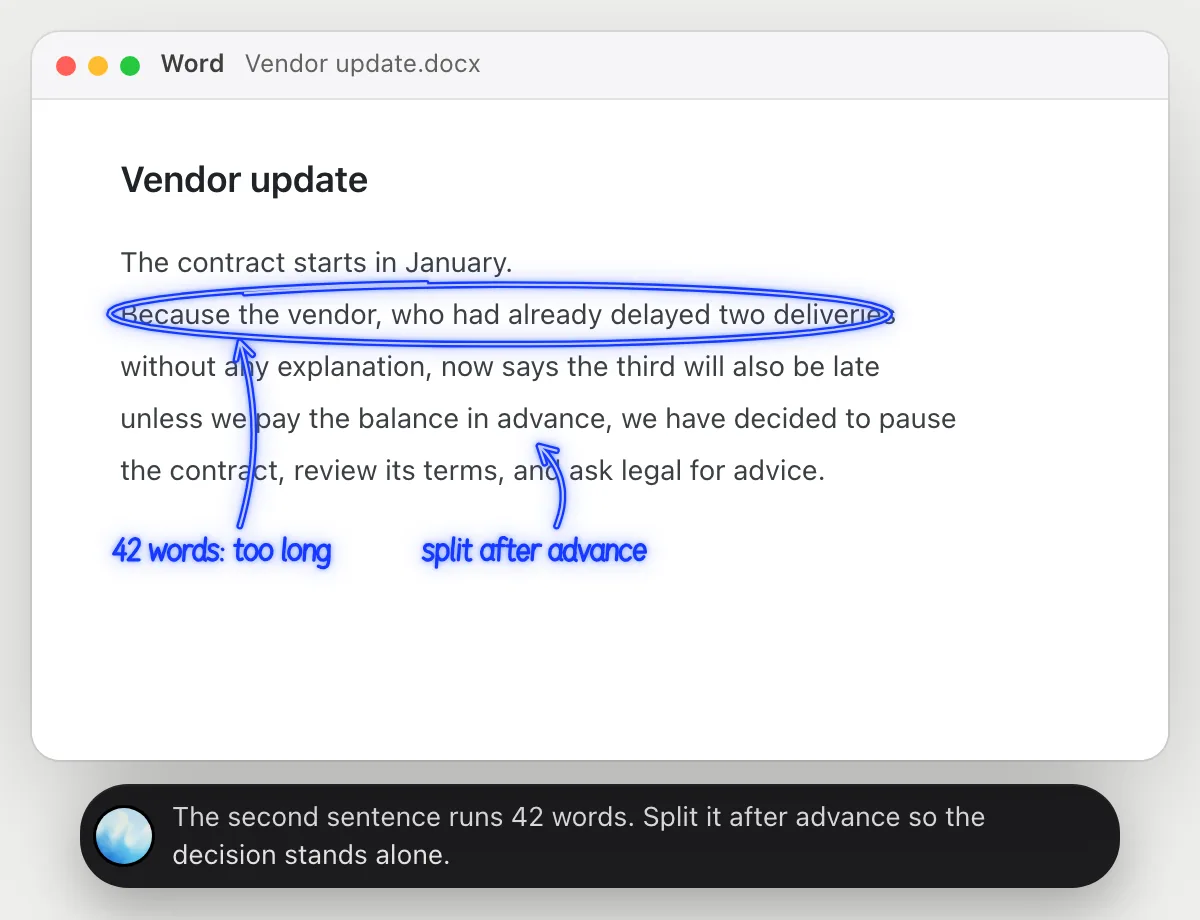
“Which sentences in this paragraph are too long to follow?”
- 01Scroll so the paragraph is fully on the screen.
- 02Ask out loud. DuckyHelper reads the paragraph sentence by sentence.
- 03It circles the sentence that runs longest and counts its words.
- 04It tells you where it would split the sentence so each part makes one point.
You getYou know which sentence loses readers and where to cut it in two.
 The second sentence runs 42 words. Split it after advance so the decision stands alone.
Understand a clause before you agree to it
“In plain words, what does this clause commit us to?”
- 01Scroll so the whole clause is on the screen.
- 02Ask out loud. DuckyHelper reads the clause line by line.
- 03It underlines what you must do and circles the notice period.
- 04It says the same thing in plain words. It explains what the words say; for a decision, ask a lawyer.
You getYou understand what you would be agreeing to, and what to ask a lawyer about.
You can leave with 60 days' notice, but you still owe fees to the end date. Ask a lawyer first.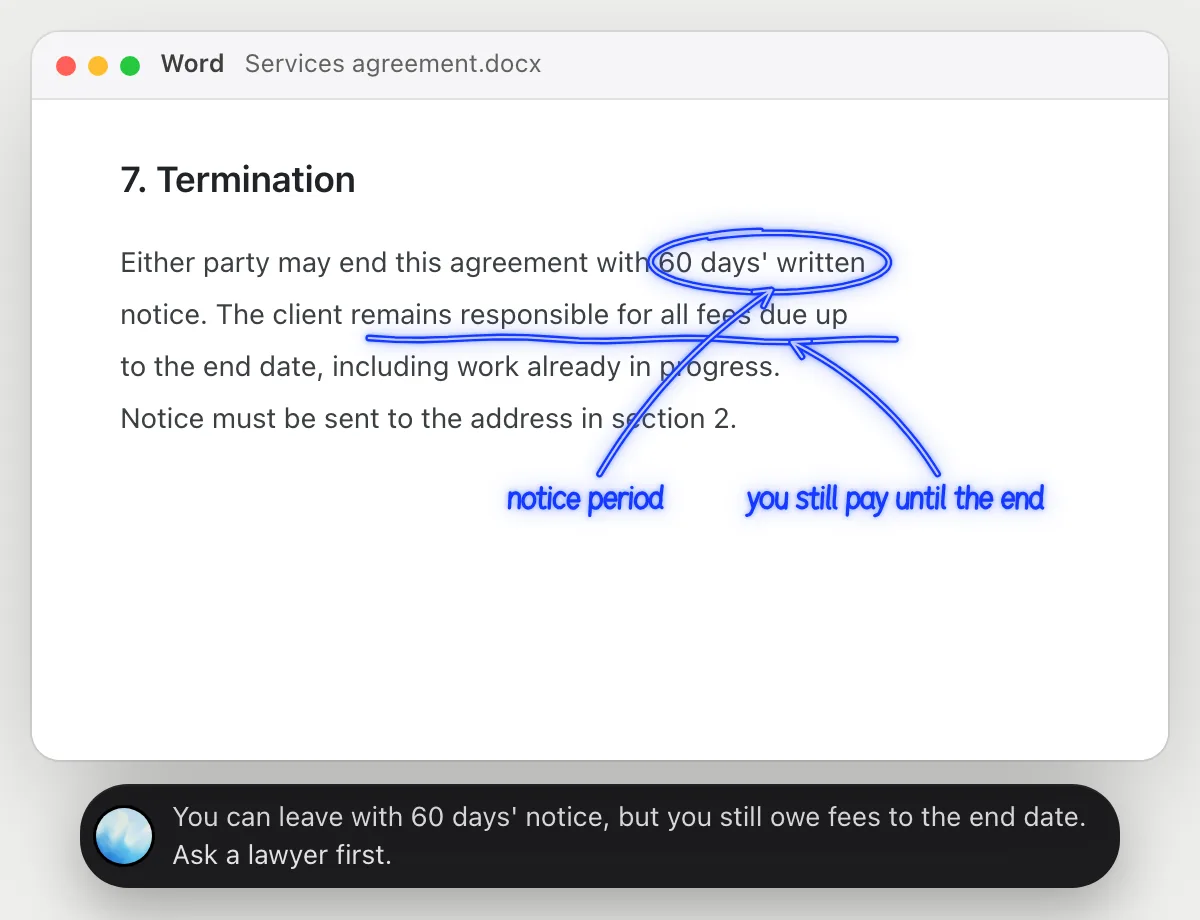
Sort out tracked changes
“Accept Ben's tracked changes except the ones in the summary”
- 01Open the document and say whose changes to accept and what to leave alone.
- 02DuckyHelper goes through the tracked changes in Word with its own cursor while you keep working.
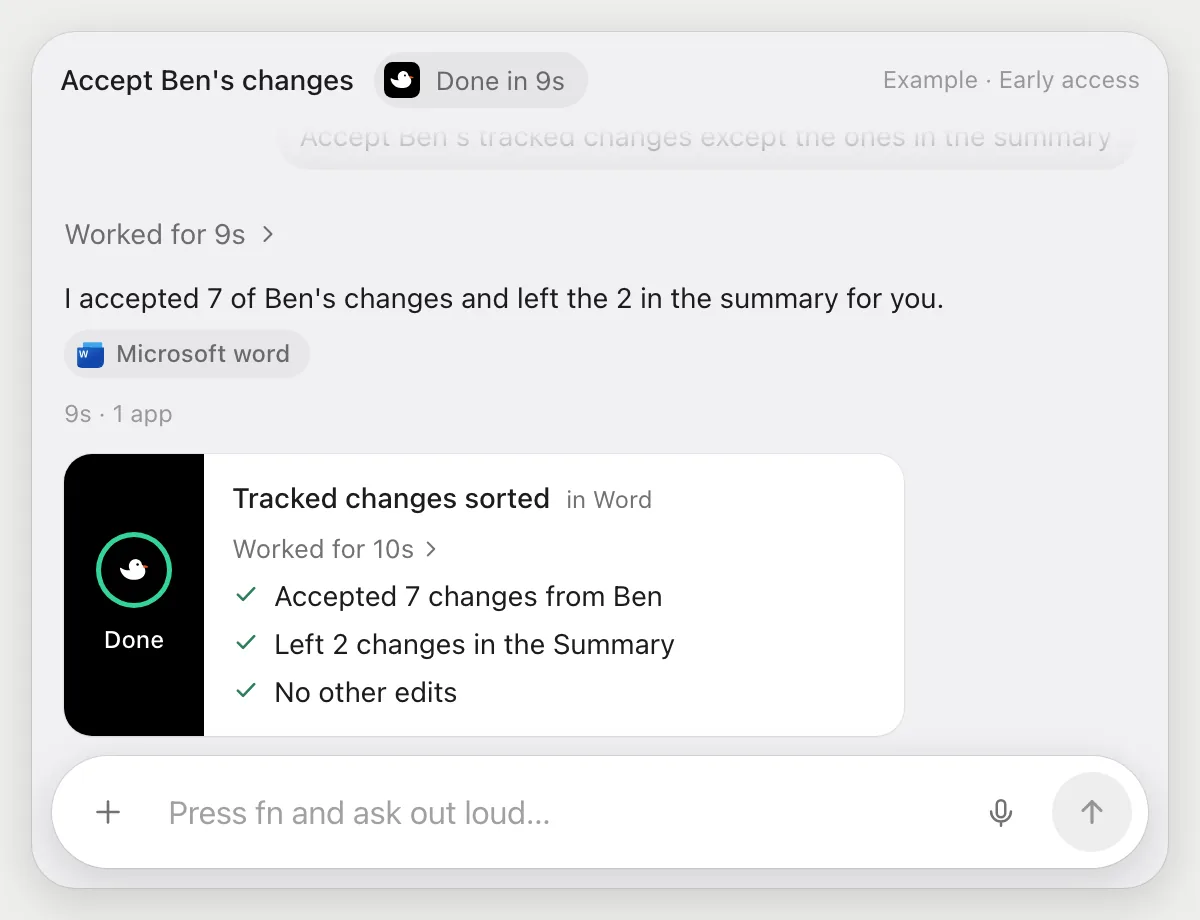
- 03It accepts Ben's changes one by one and skips the ones in the summary.
- 04It finishes with a done card telling you how many it accepted and how many it left.
Built to ask firstAccepting changes needs no OK. Nothing is sent, so it does not stop to ask. The two it skips stay in the file for you.
You getBen's edits are in, and the ones in the summary are left for you to decide.
Draft from an outline, then send it
“Turn this outline into a two-page draft under the same headings, then email it to Priya”
- 01Open the outline and say how long the draft should be.
- 02DuckyHelper writes the text under each heading in Word with its own cursor.
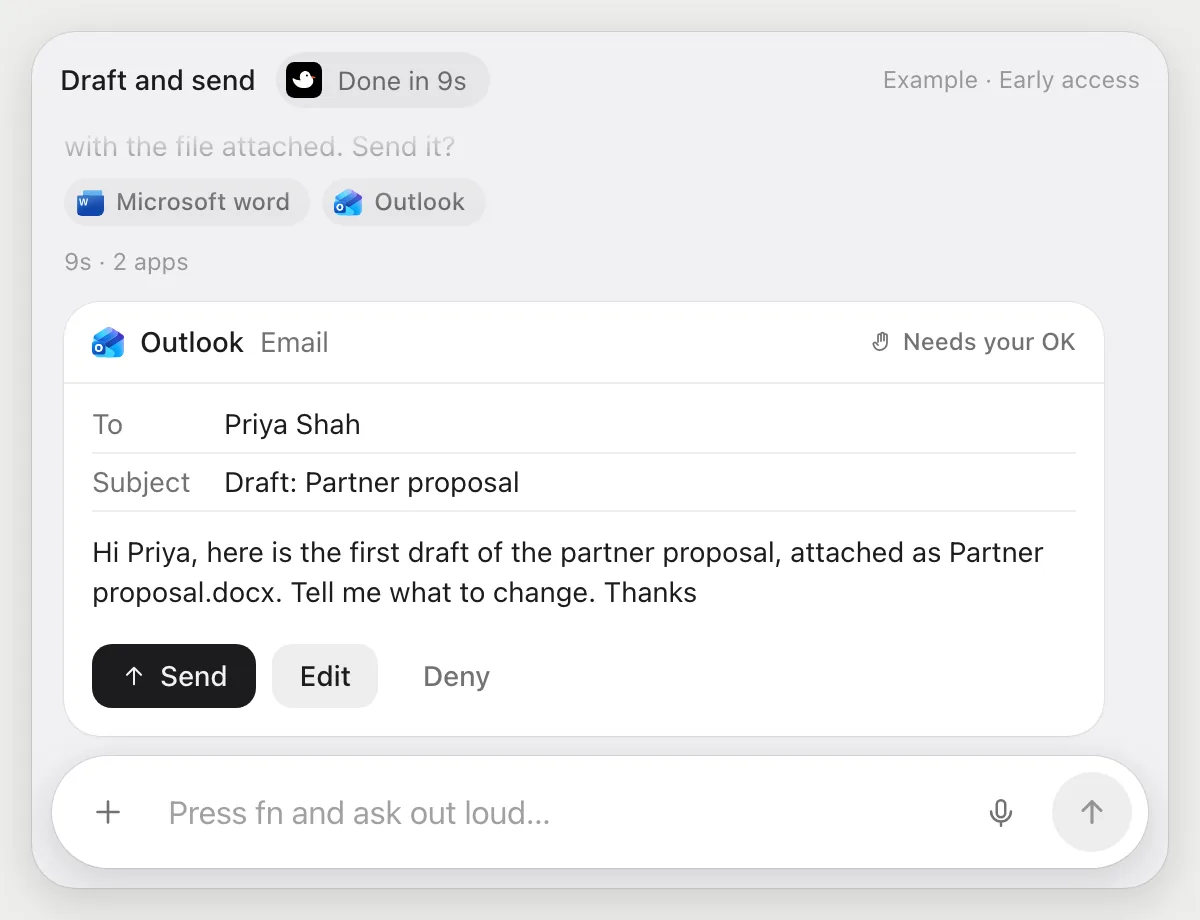
- 03It saves the file and opens an email to Priya with the draft attached.
- 04It stops before sending and shows the email with Send, Edit and Deny.
Built to ask firstThe draft is emailed to Priya only after you press Send. Writing it needs no OK.
You getA two-page draft under your headings, sent only after you read the email.
Getting more out of it in Microsoft Word.
- 01
Place the paragraph or clause you mean in view. It reads the screen, not your whole file.
- 02
Ask for the plain meaning first, then for what to ask a lawyer. It will not decide for you.
- 03
Keep a copy before a big edit job. You can check its done card against the file.
- 04
Working in Google instead? See the Google Docs guide.
Questions about Microsoft Word.
Do I need to connect my Word account?
No. There is nothing to connect. It sees what is on your screen while the pill is open, and for jobs (Early access) it uses Word on your computer or the web with its own cursor, signed in as you. It's built not to type your passwords or card numbers.
Can it send my document without asking me?
It's built to ask first: before an email with the file goes out it shows it with Send, Edit and Deny and waits for your yes. It may not recognize every send or payment, so keep an eye on tasks that involve messages or money. Editing in your own document needs no OK.
Is it legal advice?
No. It explains what the words say in plain language. For a decision about a contract, ask a lawyer.
Does it see everything in your document?
No. When you ask a question it looks only at what is on your screen, and only while the pill is open. A job or automation you start (Early access) opens only the pages that job needs.



Do anything
Ask it a question or hand it a job, in any app.



Doing jobs for you is in early access on Mac. Asking works on Mac, Windows and Linux.