

How to use DuckyHelper in Fathom
Fathom writes the summary of a call. DuckyHelper does not record or join calls: it reads the summary on your screen. Ask what you promised, or hand it the follow-up work of tasks, highlights and notes (Early access).
Find what you promised on a call
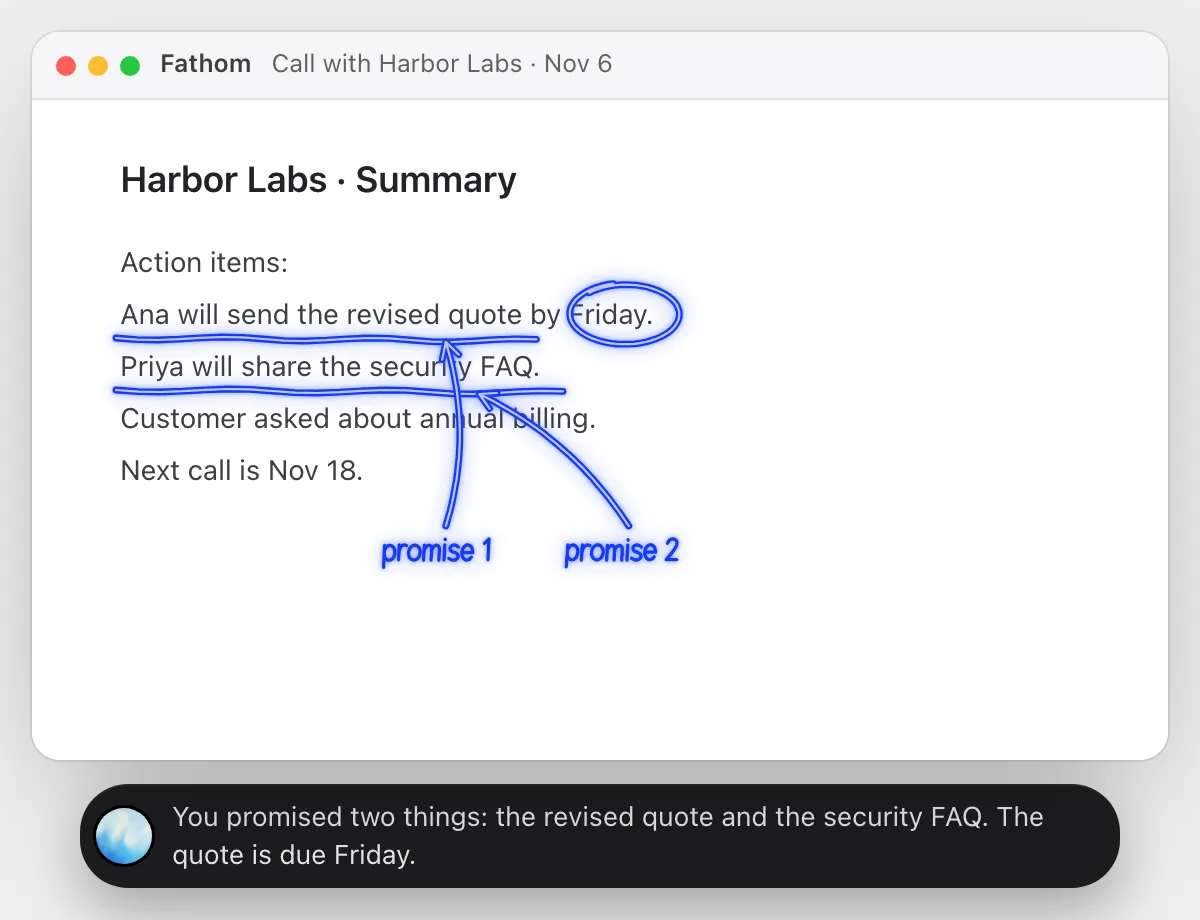
“What did we promise the customer on this call?”
- 01Open the call's summary so the action items are on the screen.
- 02Ask out loud. DuckyHelper reads the summary.
- 03It underlines the commitments you made and circles the date.
- 04Ask who owns each one and it answers from the summary.
You getThe promises and the date, without replaying the call.
 You promised two things: the revised quote and the security FAQ. The quote is due Friday.
Turn action items into tasks
“Turn this call's action items into tasks in Asana”
- 01Open the summary and say where the tasks should go.
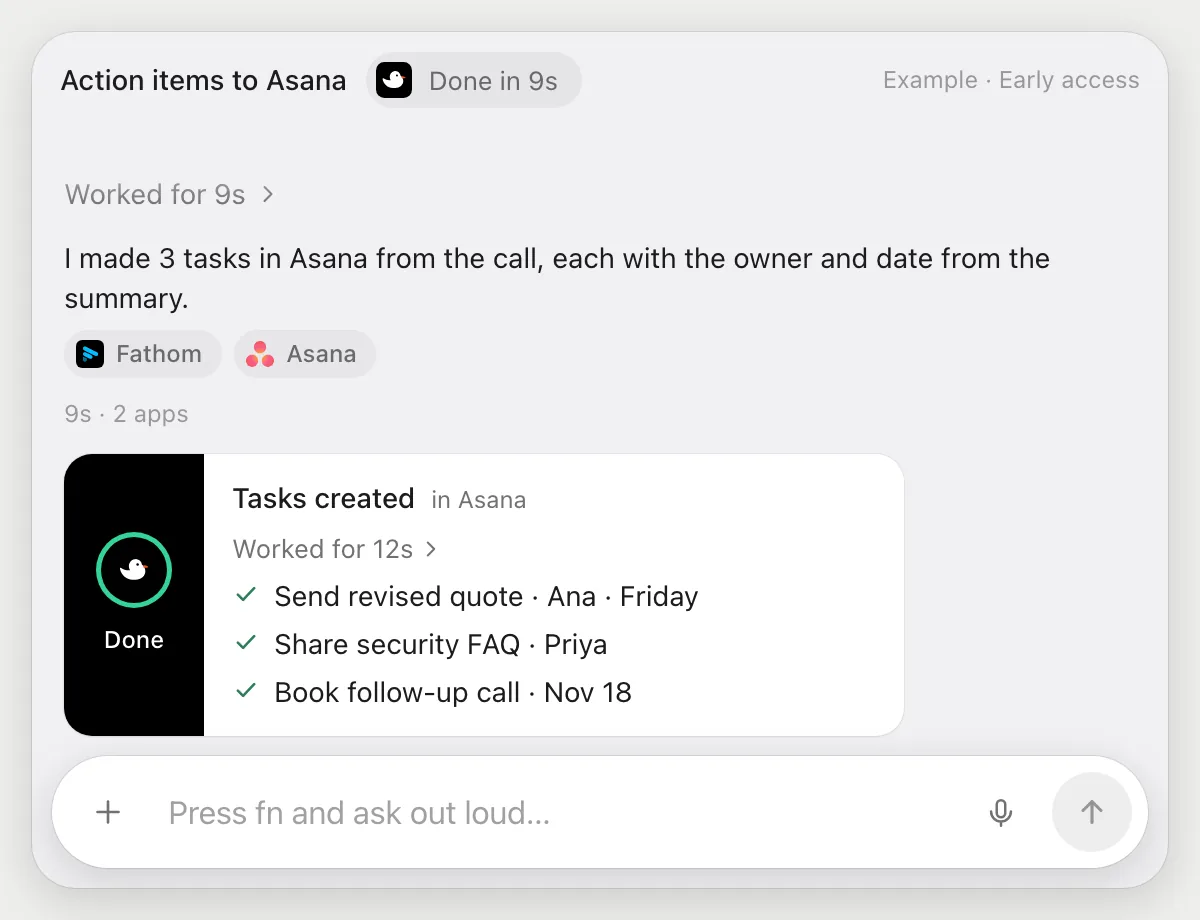
- 02DuckyHelper reads the action items, then opens Asana with its own cursor.
- 03It creates one task for each item with the owner and date from the summary.
- 04It finishes with a done card listing the tasks.
Built to ask firstCreating tasks in your own project needs no OK. It does not message anyone, so it does not stop to ask.
You getEvery action item from the call is a task with an owner and a date.
Share the highlights with the team
“Post this call's highlights in #sales”
- 01Open the summary and say where to post.
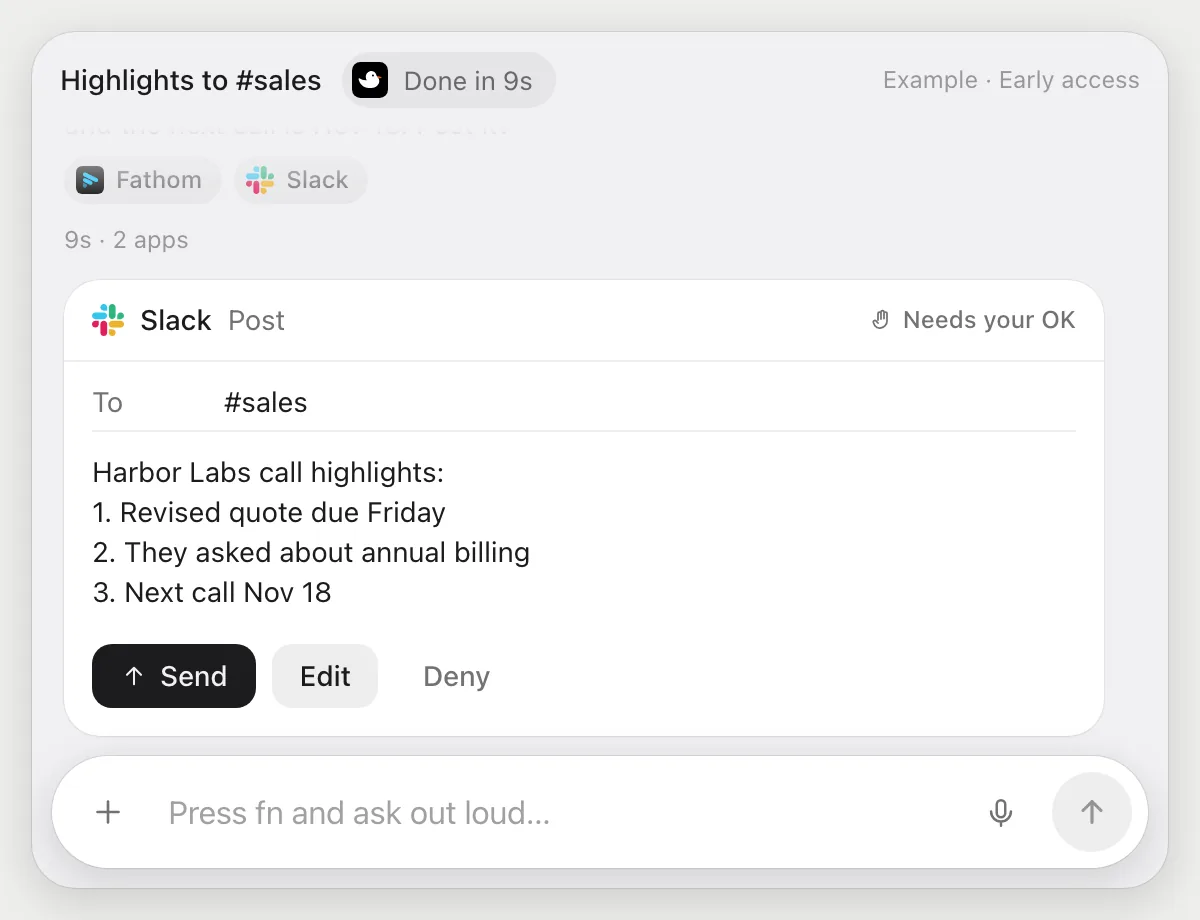
- 02DuckyHelper reads the summary and writes three short bullets.
- 03It opens Slack with its own cursor and prepares the post for #sales.
- 04It stops before posting and shows the message with Send, Edit and Deny.
Built to ask firstThe post goes to #sales only after you press Send.
You getThe team gets the highlights, after you read them.
Copy action items into the CRM after each call
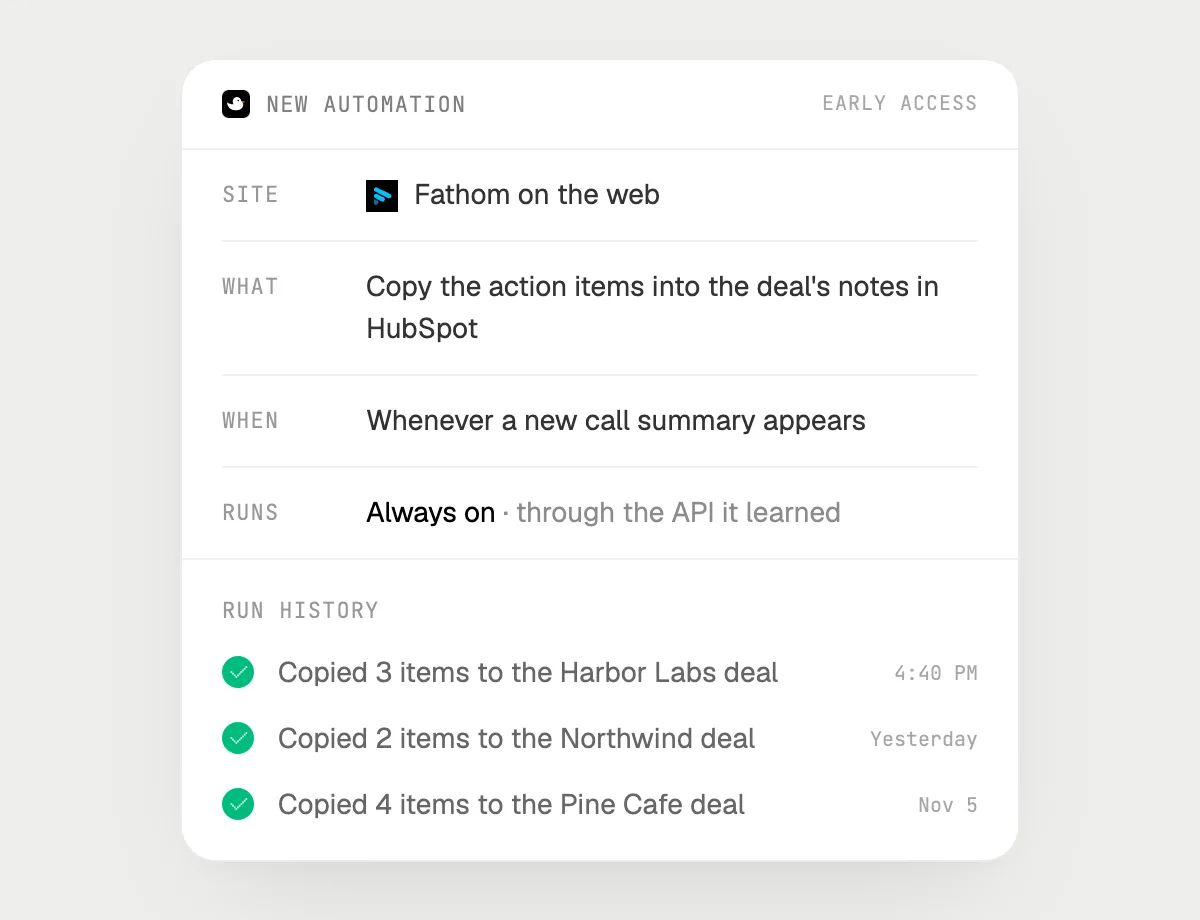
“After every customer call, copy the action items into the deal's notes in HubSpot”
- 01Say it once with the summary open. It copies this call's items to the deal now so you can check.
- 02It learns the sites' own actions the first time, so later runs are quick.
- 03Turn it on from the card it offers. It runs when a new summary appears.
- 04Each run lands in the history with the deal it updated.
Built to ask firstAdding notes to a deal needs no OK. It sends nothing to the customer on its own.
You getEach deal's notes are up to date after a call, without copying by hand.

Getting more out of it in Fathom.
- 01
Open the summary page first. It reads what is on the screen, not the recording.
- 02
Ask for one thing at a time: promises first, then owners, then dates.
- 03
Check the owner on every task or note against the call before relying on it.
- 04
Scheduling the next call? See the Zoom guide.
Questions about Fathom.
Do I need to connect my Fathom account?
No. There is nothing to connect. It sees what is on your screen while the pill is open, and for jobs (Early access) it uses Fathom in your browser with its own cursor, signed in as you. It's built not to type your passwords or card numbers.
Does it record my calls?
No. DuckyHelper does not record, join or transcribe calls. Fathom does that. DuckyHelper reads the summary on your screen.
Can it post to Slack without asking?
It's built to ask first: before it posts it shows the message with Send, Edit and Deny and waits for your yes. It may not recognize every send or payment, so keep an eye on tasks that involve messages or money. Creating tasks and adding notes need no OK.
Does it see everything in your calls?
No. When you ask a question it looks only at what is on your screen, and only while the pill is open. A job or automation you start (Early access) opens only the pages that job needs.



Do anything
Ask it a question or hand it a job, in any app.


Doing jobs for you is in early access on Mac. Asking works on Mac, Windows and Linux.