

How to use DuckyHelper in Linear
Linear is fast, so a cycle drifts fast too: issues with no owner, a pace that will not finish. Ask DuckyHelper about the list on screen and it names the gaps and circles them. Hand it the busywork, like turning reports into issues, or a rule for urgent ones (Early access).
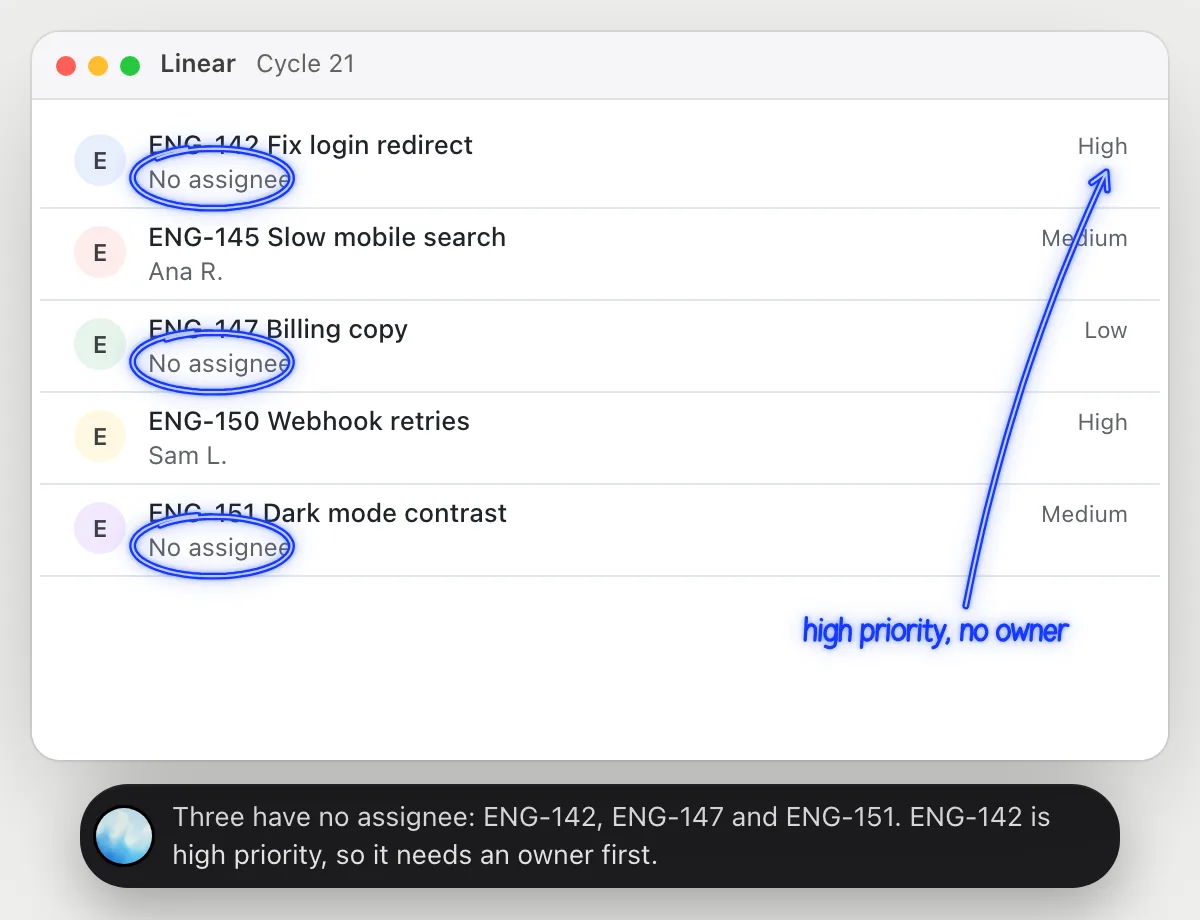
Find unowned issues in the cycle
“Which issues in this cycle have no assignee?”
- 01Open the cycle so its issues and their assignees show, then ask out loud.
- 02DuckyHelper reads each issue's title, owner and priority from the list.
- 03It names the ones nobody owns and circles them, starting with the highest priority.
- 04Ask who could take one and it suggests from the names it sees on the list.
You getThree issues with no owner, found in seconds, with the urgent one first.
 Three have no assignee: ENG-142, ENG-147 and ENG-151. ENG-142 is high priority, so it needs an owner first.
Check the cycle will finish
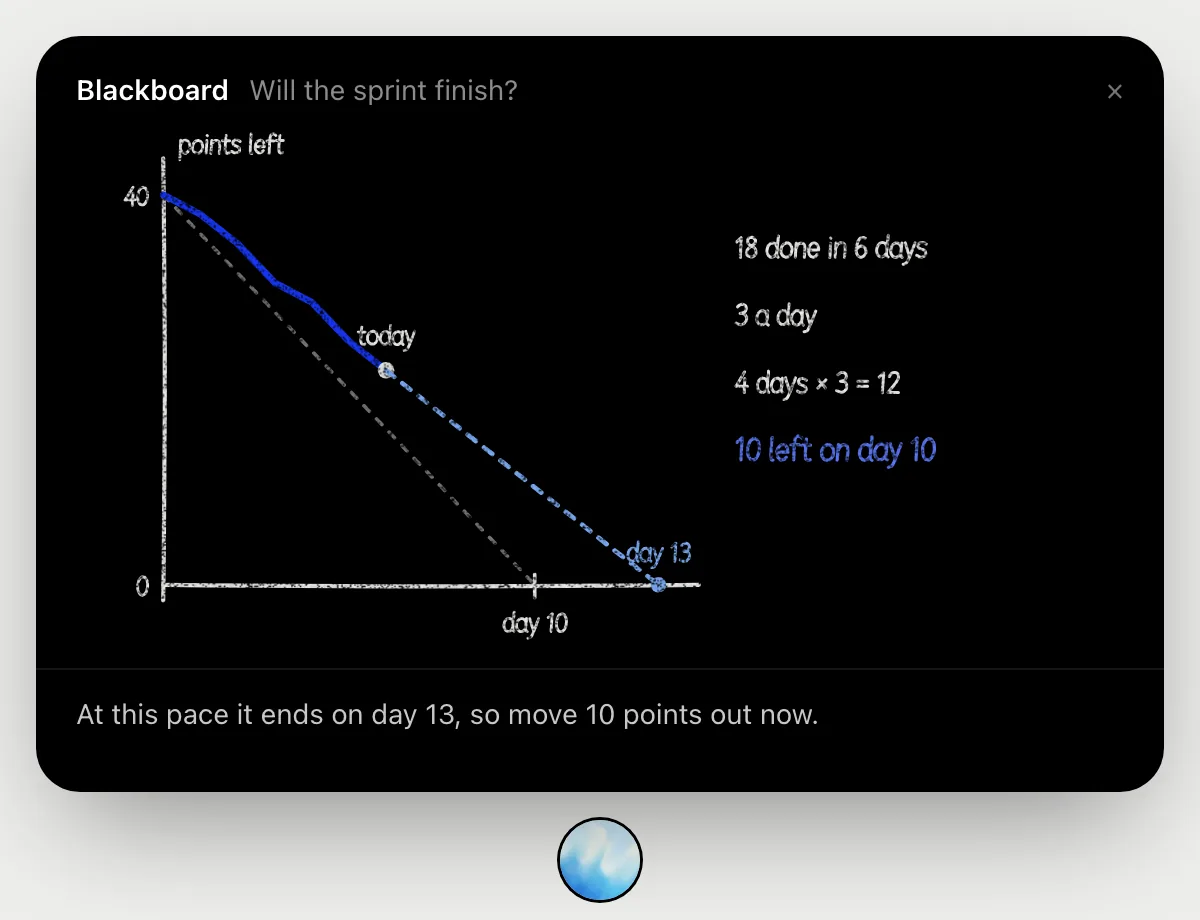
“Will we finish this cycle at this pace?”
- 01Open the cycle so its scope and progress show, then ask out loud.
- 02It draws the cycle on the blackboard: 40 points over 10 days, and 22 still open on day 6.
- 03It compares what you have closed so far, 3 points a day, with what finishing would take.
- 04It tells you 10 points will be left on the last day, and how much to move out of the cycle.
You getYou know on day 6 how much scope to cut, instead of finding out on day 10.
Turn bug reports into issues
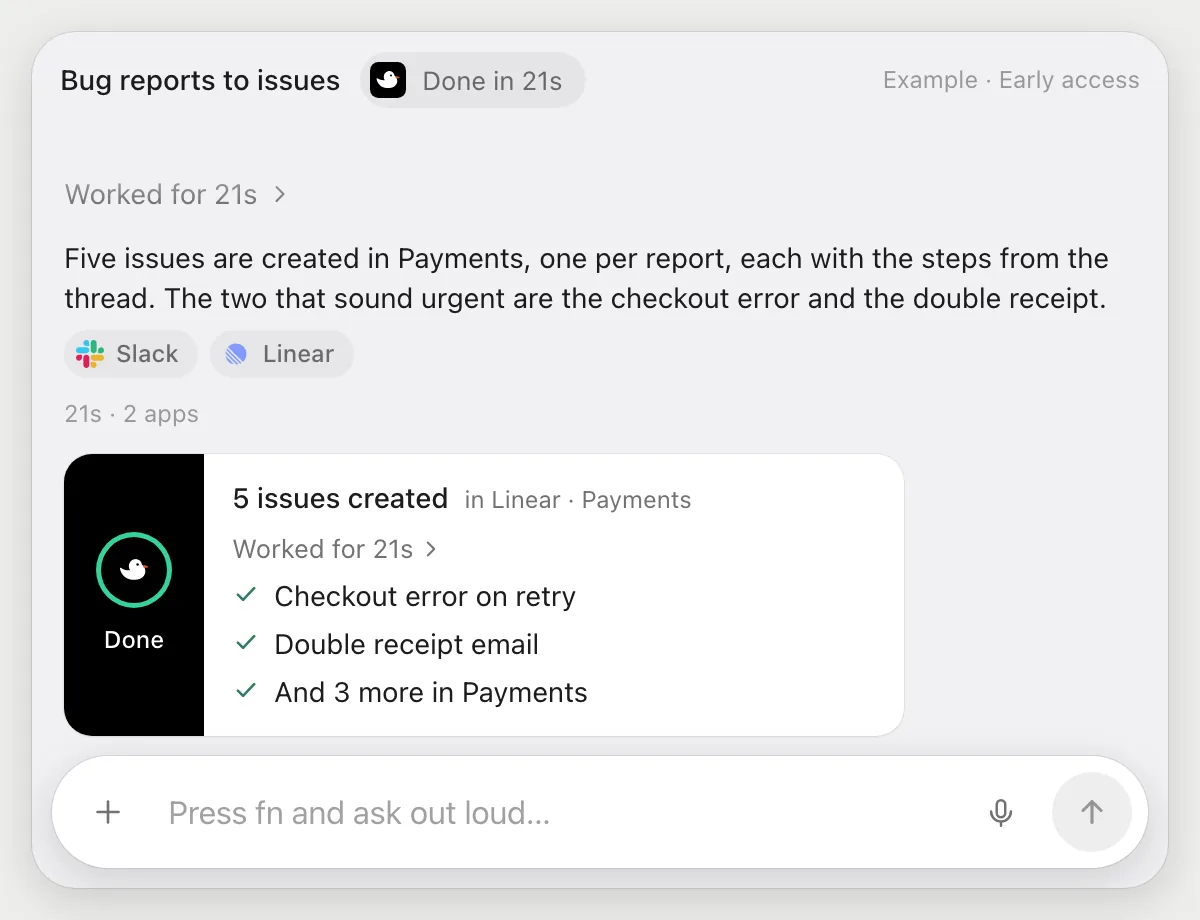
“Turn these five bug reports from Slack into issues in the Payments team”
- 01Have the Slack channel with the reports open, or name it.
- 02DuckyHelper reads the five reports and writes a title and description for each.
- 03It switches to Linear and creates each issue in the Payments team with its own cursor.
- 04It lists the five new issues when it finishes, so you can scan them and change any.
Built to ask firstCreating issues in your own workspace needs no OK, and you can edit or delete any of them. If a run would post a message to someone, it's built to stop and ask first.
You getFive reports become five clear issues in the right team, without retyping.
Post urgent issues to on-call
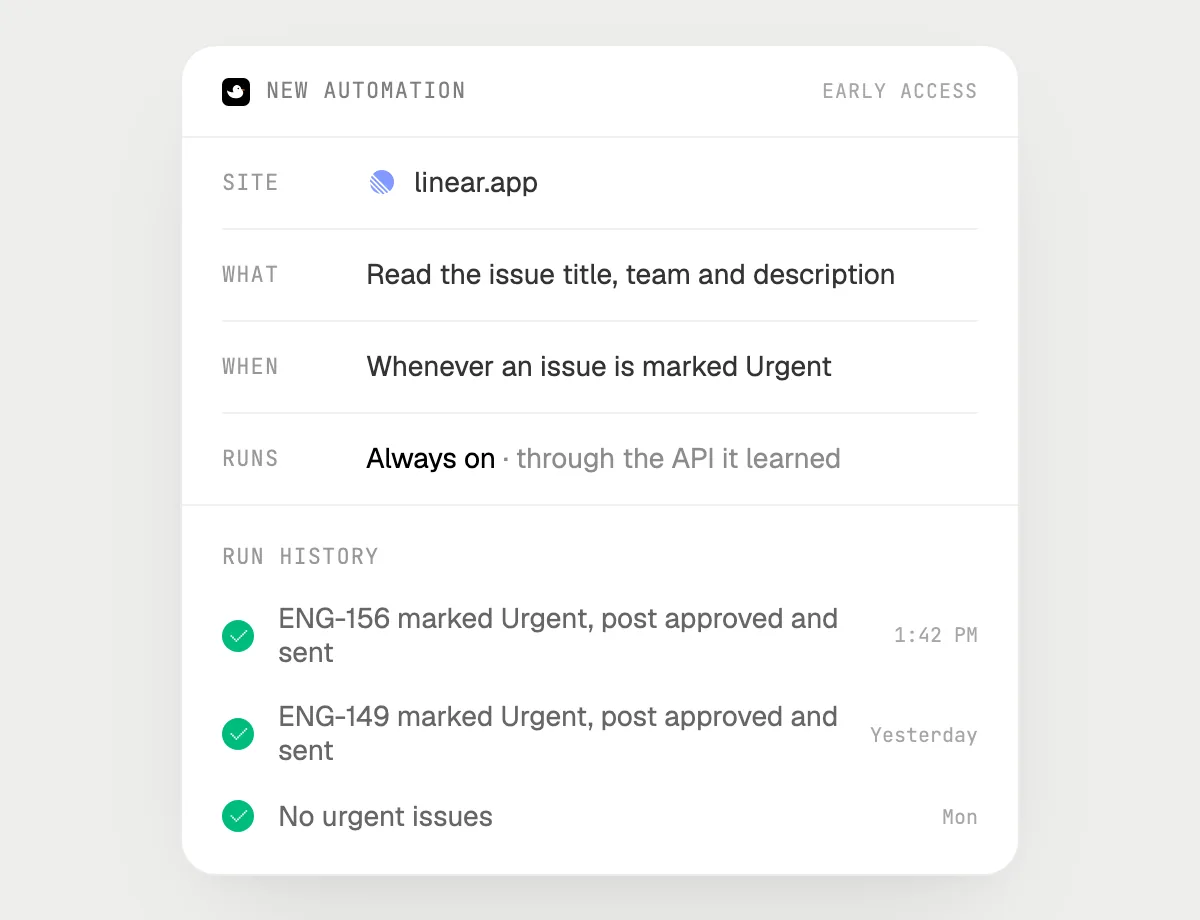
“When an issue is marked Urgent, post it in #oncall, asking me first”
- 01Say it once while Linear is open. It does the first run on the urgent issues you can see.
- 02It learns Linear's own actions the first time, and Slack's, so later runs are quick.
- 03Turn it on from the card it offers. From then on it runs when an issue is marked Urgent.
- 04Each run lands in the history. The Slack post waits for your OK.
Built to ask firstReading Linear needs no OK. Every post to #oncall stops with Send, Edit and Deny first.
You getUrgent issues reach on-call fast, and you approve every post.

Getting more out of it in Linear.
- 01
Use the cycle or project view you mean. It reads the screen, not the whole workspace.
- 02
Keep Slack open in another window when you turn reports into issues. It reads both.
- 03
Say which team and which labels you want, and it fills them in on every issue it creates.
- 04
In the desktop app and in the browser it works the same: it looks at the window that is open.
Questions about Linear.
Do I need to connect my Linear account?
No. There is nothing to connect. It sees what is on your screen while the pill is open, and for jobs (Early access) it uses Linear in the app or browser window, signed in as you. It's built not to type your passwords or card numbers.
Does it post to Slack without asking?
It's built to ask first: before any post or message it shows it with Send, Edit and Deny and waits for your yes. It may not recognize every send or payment, so keep an eye on tasks that involve messages or money. Reading and making issues don't need your OK.
Does it work in the Linear desktop app?
Yes, and in the browser. DuckyHelper is an app for Mac, Windows and Linux and works with the window that is open.
Does it work on my phone?
No. DuckyHelper is an app for Mac, Windows and Linux, so it works with Linear on your computer.



Do anything
Ask it a question or hand it a job, in any app.


Doing jobs for you is in early access on Mac. Asking works on Mac, Windows and Linux.