

How to use DuckyHelper in Outlook
Outlook holds your mail and your calendar, and both fill up fast. Ask DuckyHelper about the thread or the day on screen and it answers out loud and marks what matters. You can also hand it a reply or a rule for incoming mail (Early access).
Find the decision a long thread needs from you
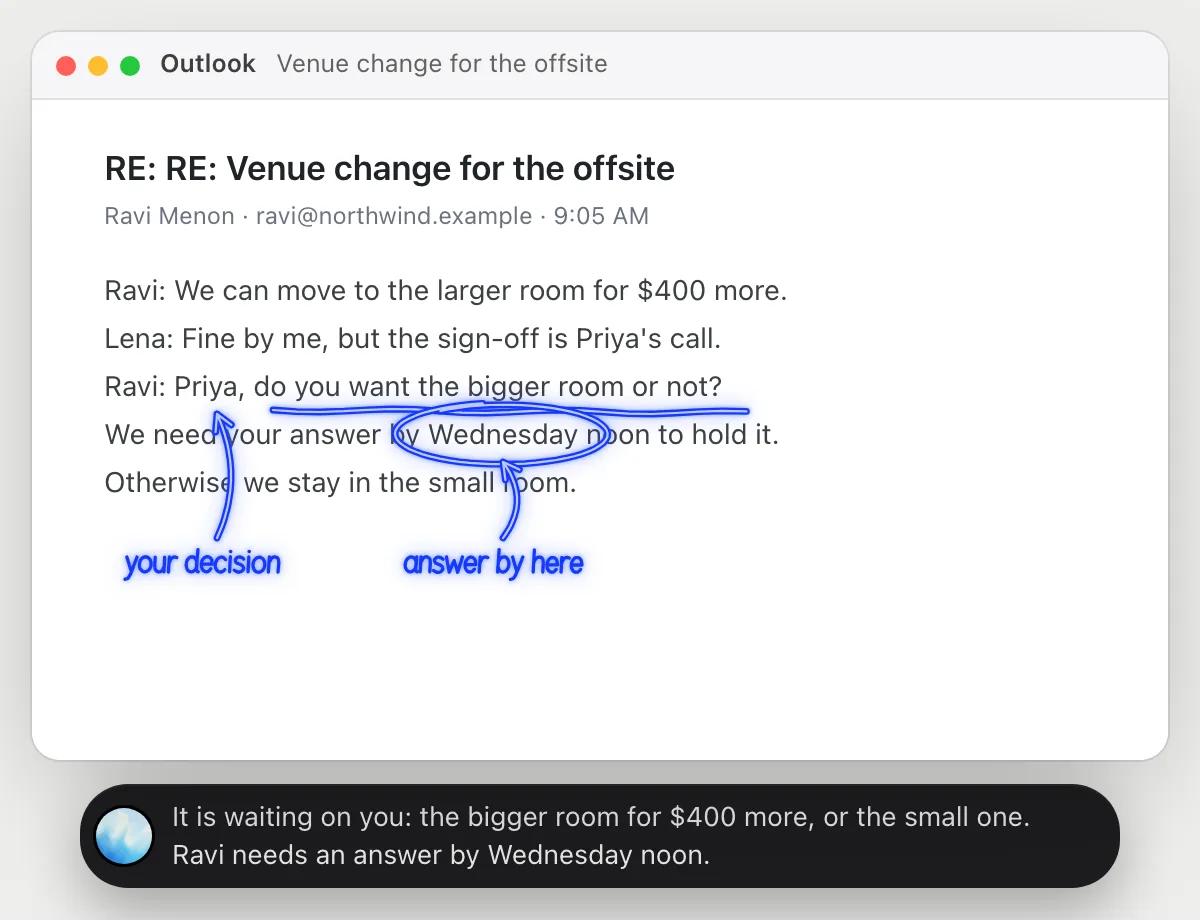
“What is this thread waiting for me to decide?”
- 01Open the thread so the latest messages are on the screen, then ask out loud.
- 02DuckyHelper reads the chain of replies from top to bottom.
- 03It underlines the open question and circles the date they need an answer by.
- 04It says in one sentence who is waiting on you and what happens if you stay quiet.
You getYou see the one question that is yours to answer and by when, without rereading ten replies.
 It is waiting on you: the bigger room for $400 more, or the small one. Ravi needs an answer by Wednesday noon.
Spot the clash in your calendar
“Do any of tomorrow's meetings overlap, and which one can move?”
- 01Open your calendar on tomorrow so every meeting is on the screen.
- 02Ask out loud. DuckyHelper reads the titles, times and who is invited.
- 03It circles the two meetings that run into each other and says how long they overlap.
- 04It points out which one is internal, so you know which is easier to move.
You getYou know which two meetings collide and which one you can ask to move.
The design review and the client call overlap from 10:30 to 11. The design review is internal, so move that one.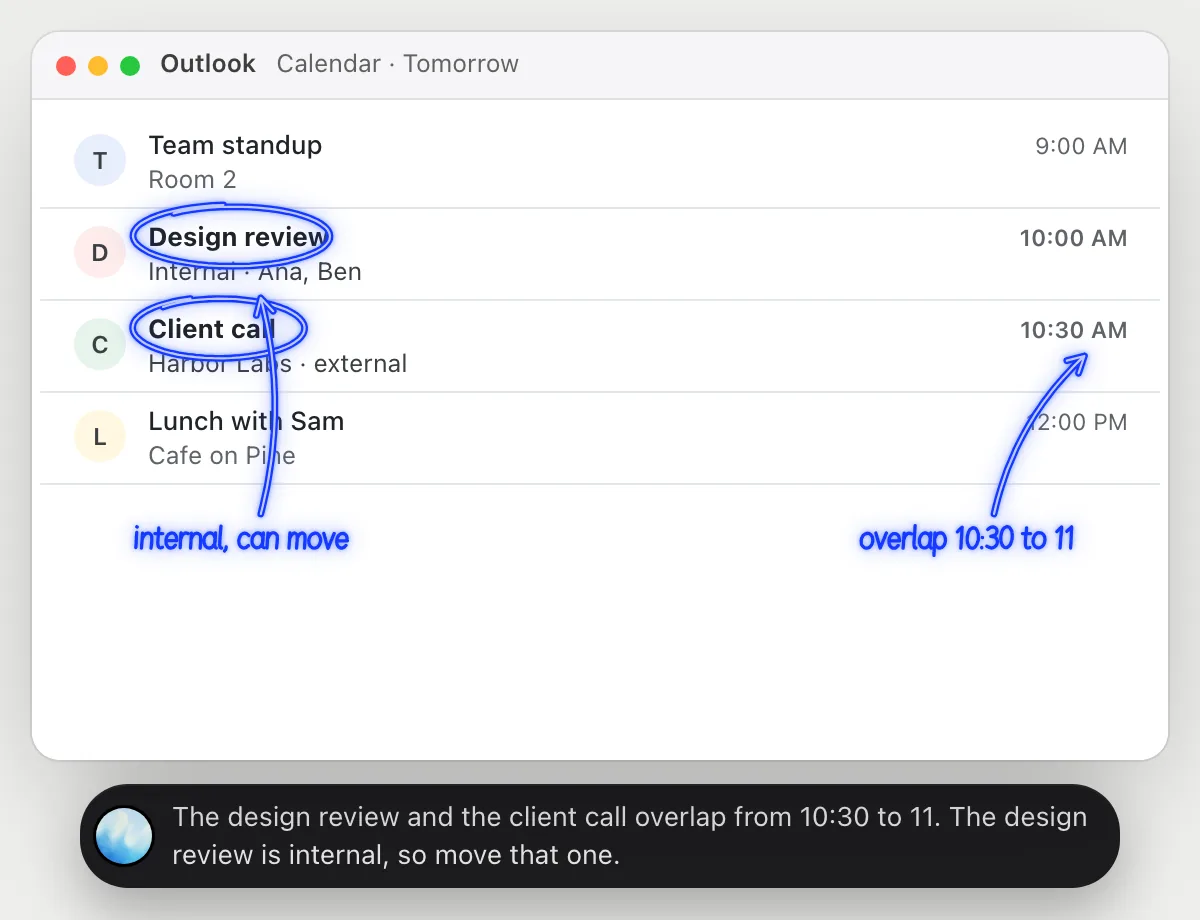
Decline a meeting and offer another time
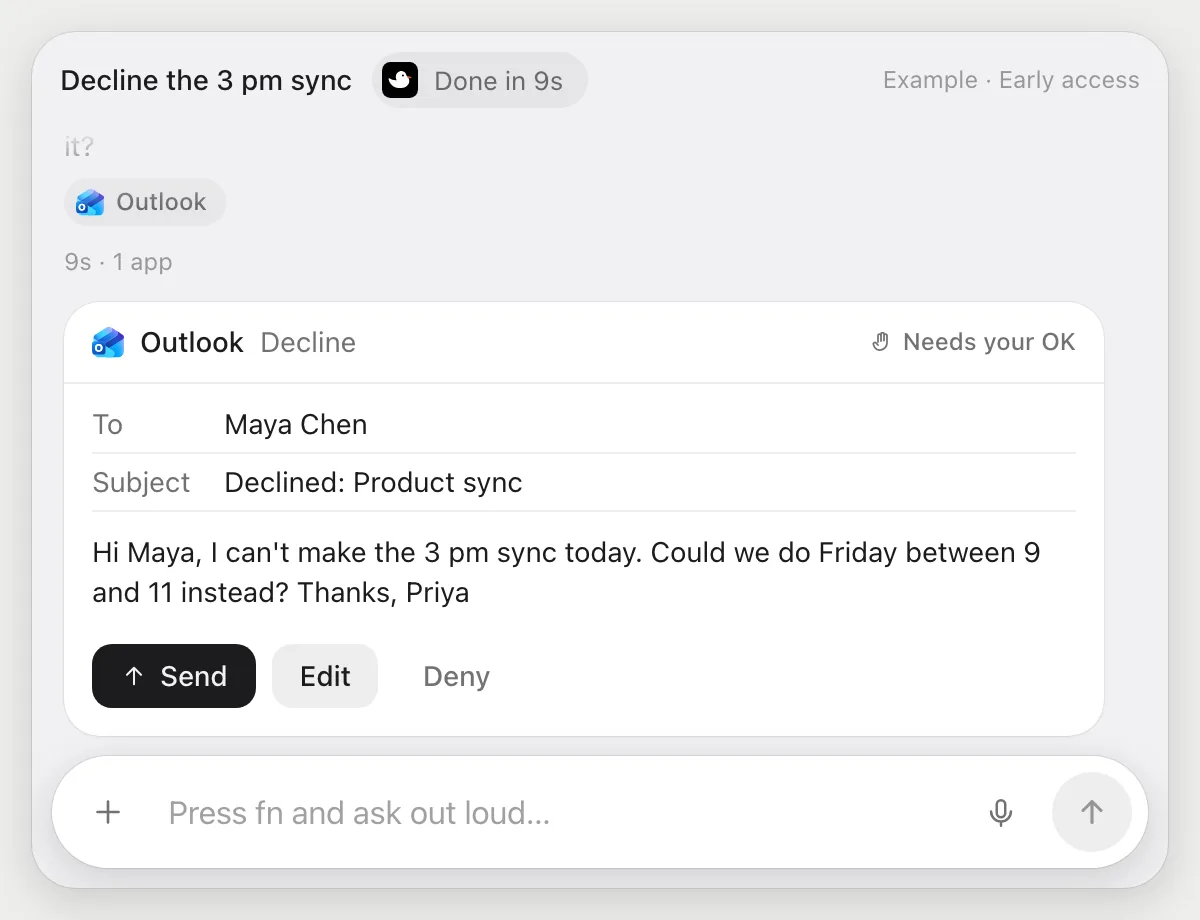
“Decline the 3 pm sync and suggest Friday morning instead”
- 01Say what to decline and what to offer. You can name the meeting or have the invite open.
- 02DuckyHelper opens the invite in Outlook with its own cursor while you keep working.
- 03It writes the decline note with Friday between 9 and 11 as the new time.
- 04It stops before the decline goes out and shows you the note, with Send, Edit and Deny.
Built to ask firstThe decline reaches the organizer only after you press Send. You can change the note first with Edit.
You getA polite decline with a new time on offer, sent only after you read it.
Move the accountant's emails into Finance
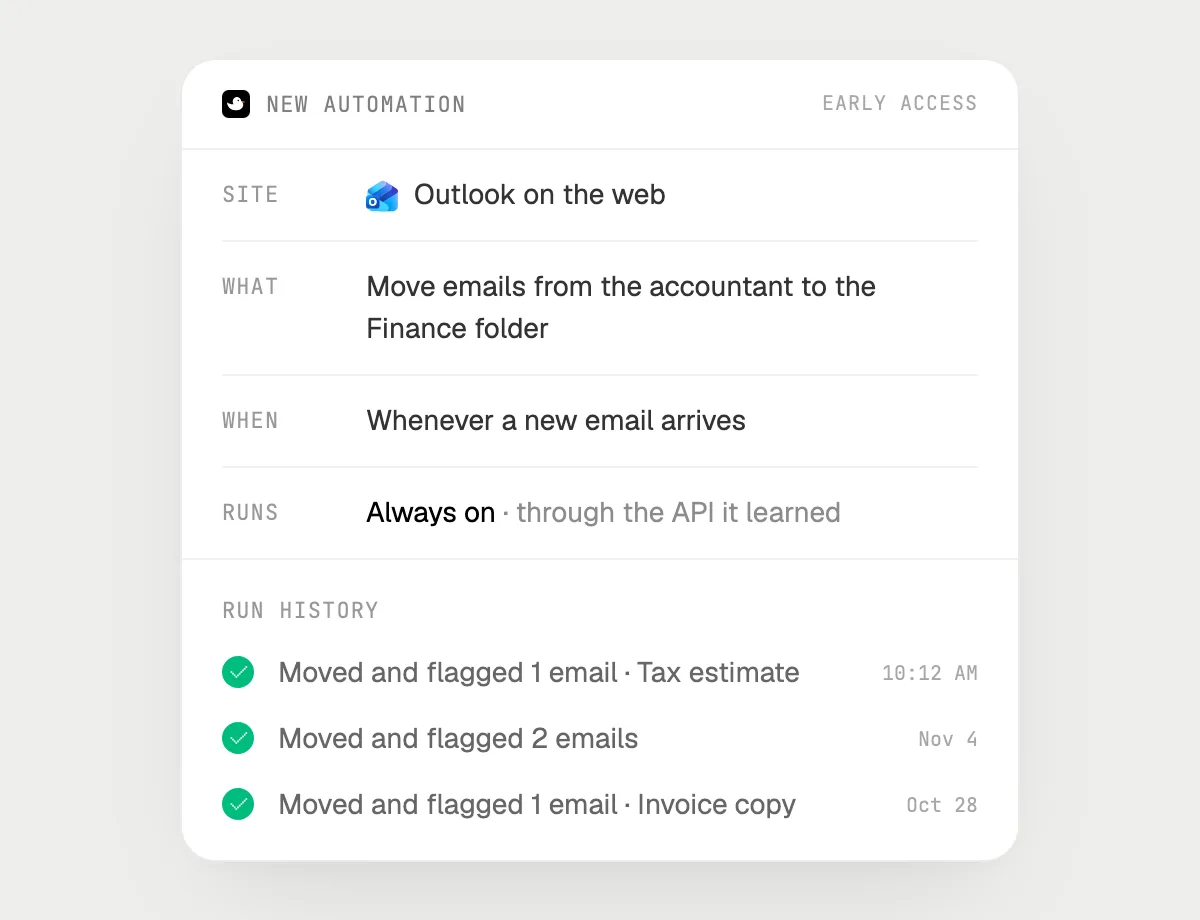
“When an email from our accountant arrives, move it to the Finance folder and flag it”
- 01Say it once with your mailbox open. It does the first run on the emails already in your inbox.
- 02It learns the page's own actions for moving and flagging the first time, so later runs are quick.
- 03Turn it on from the card it offers. It runs whenever a new email arrives.
- 04Each run lands in the history with what it moved.
Built to ask firstMoving and flagging need no OK. If a run would ever reply or pay, it's built to stop and ask you first.
You getThe accountant's emails land in Finance, flagged, without you sorting them.

Getting more out of it in Outlook.
- 01
Ask about what is showing. For a long thread, scroll to the latest messages so the open question is on screen.
- 02
Say how the reply should sound: short and friendly, or formal. It writes in that voice.
- 03
Ask for the last decision and who is waiting on whom. It answers from the messages on screen.
- 04
Planning a call from a thread? The Gmail guide shows the same steps for Gmail.
Questions about Outlook.
Do I need to connect my Outlook account?
No. There is nothing to connect. It sees what is on your screen while the pill is open, and for jobs (Early access) it uses Outlook on the web or in the app with its own cursor, signed in as you. It's built not to type your passwords or card numbers.
Can it send an email without asking me?
It's built to ask first: before any decline, reply or email goes out it shows you the message with Send, Edit and Deny and waits for your yes. It may not recognize every send or payment, so keep an eye on tasks that involve messages or money. Reading, moving and flagging don't need your OK.
Does it see everything in your mailbox?
No. When you ask a question it looks only at what is on your screen, and only while the pill is open. A job or automation you start (Early access) opens only the pages that job needs.
Does it work on my phone?
No. DuckyHelper is an app for Mac, Windows and Linux, so it works with Outlook on your computer.



Do anything
Ask it a question or hand it a job, in any app.

Doing jobs for you is in early access on Mac. Asking works on Mac, Windows and Linux.