

How to use DuckyHelper in Google Analytics
Analytics has the answer to most questions about your site, behind a few too many menus. Ask about the report on your screen and DuckyHelper explains the change and circles the cause. You can also hand it the exploration to build, or a weekly note on what moved (Early access), and it's built to ask before anything is posted.
Find why traffic dropped
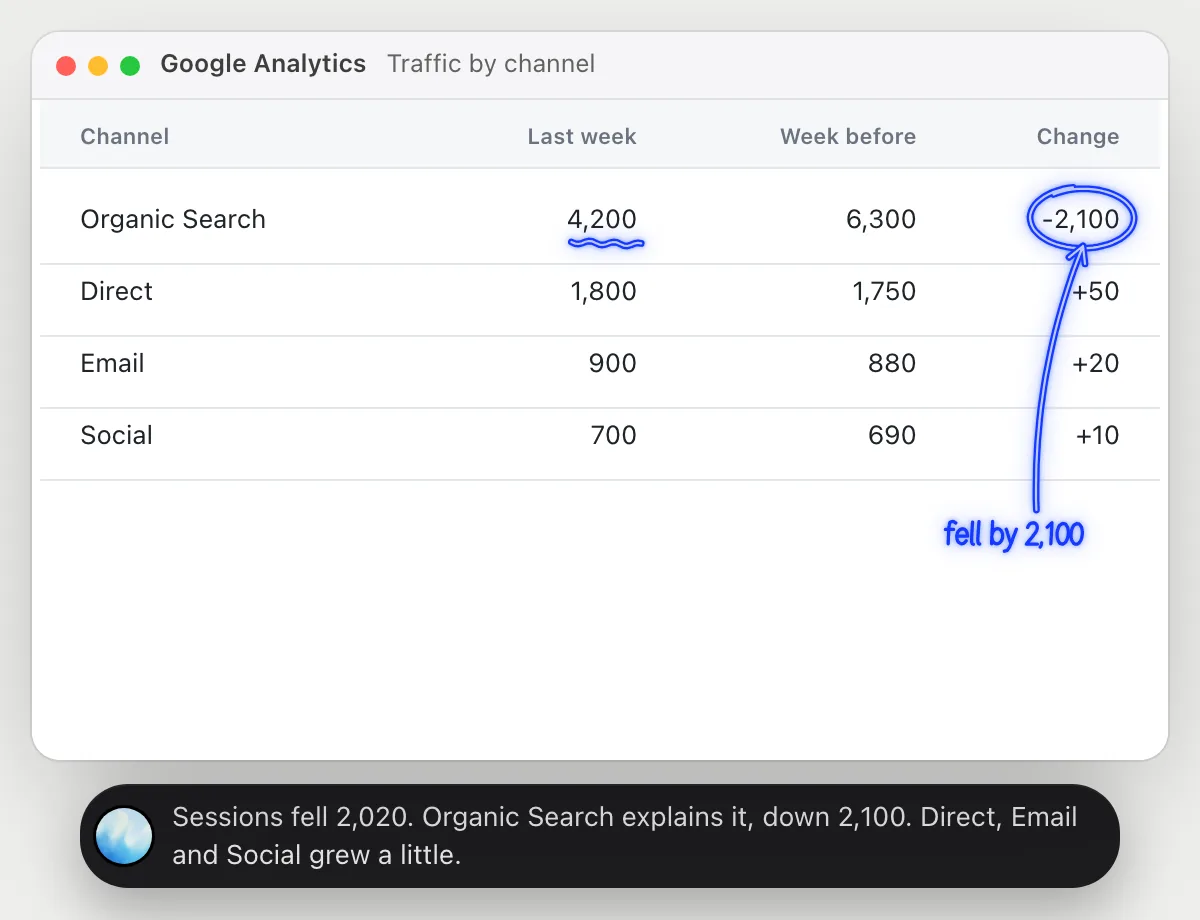
“Why did traffic drop last week?”
- 01Open the traffic report by channel with the last two weeks showing.
- 02Ask out loud. DuckyHelper reads the rows and compares the weeks.
- 03It rings the channel that fell and adds up the change across all of them.
- 04Ask what might explain it, and it names likely causes to check, like a ranking change or a paused campaign.
You getThe one channel behind the drop, found without exporting anything.
 Sessions fell 2,020. Organic Search explains it, down 2,100. Direct, Email and Social grew a little.
See where visitors leave
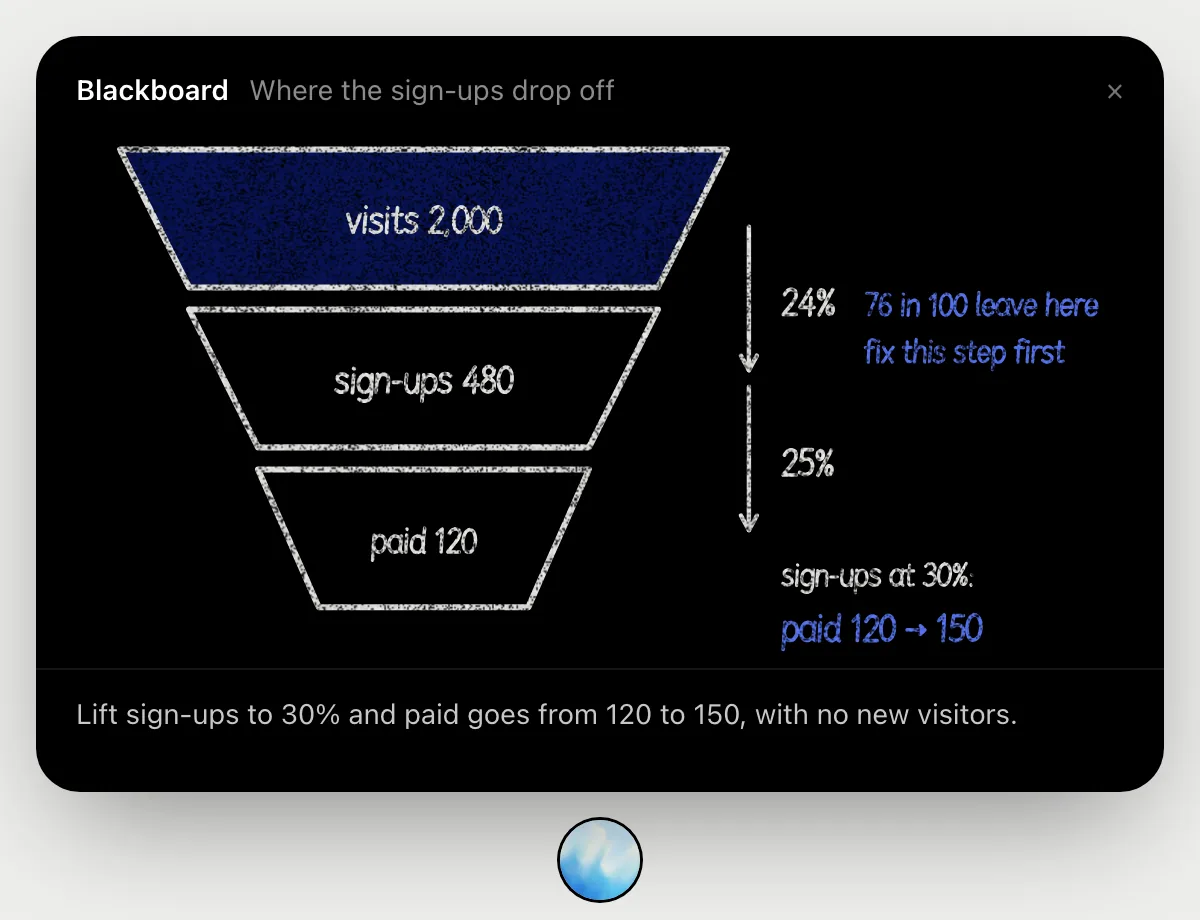
“Where do visitors drop off before signing up?”
- 01Open the report with your visits, sign-ups and paid numbers, or have them ready to say.
- 02Ask out loud. DuckyHelper reads the figures and opens the blackboard.
- 03It draws the funnel and works out the rate at each step as it talks.
- 04It marks the step that loses the most visitors and shows what a better rate there would be worth.
You getThe step where visitors leave, with the sums where you can follow them.
Build a report of sign-ups by source
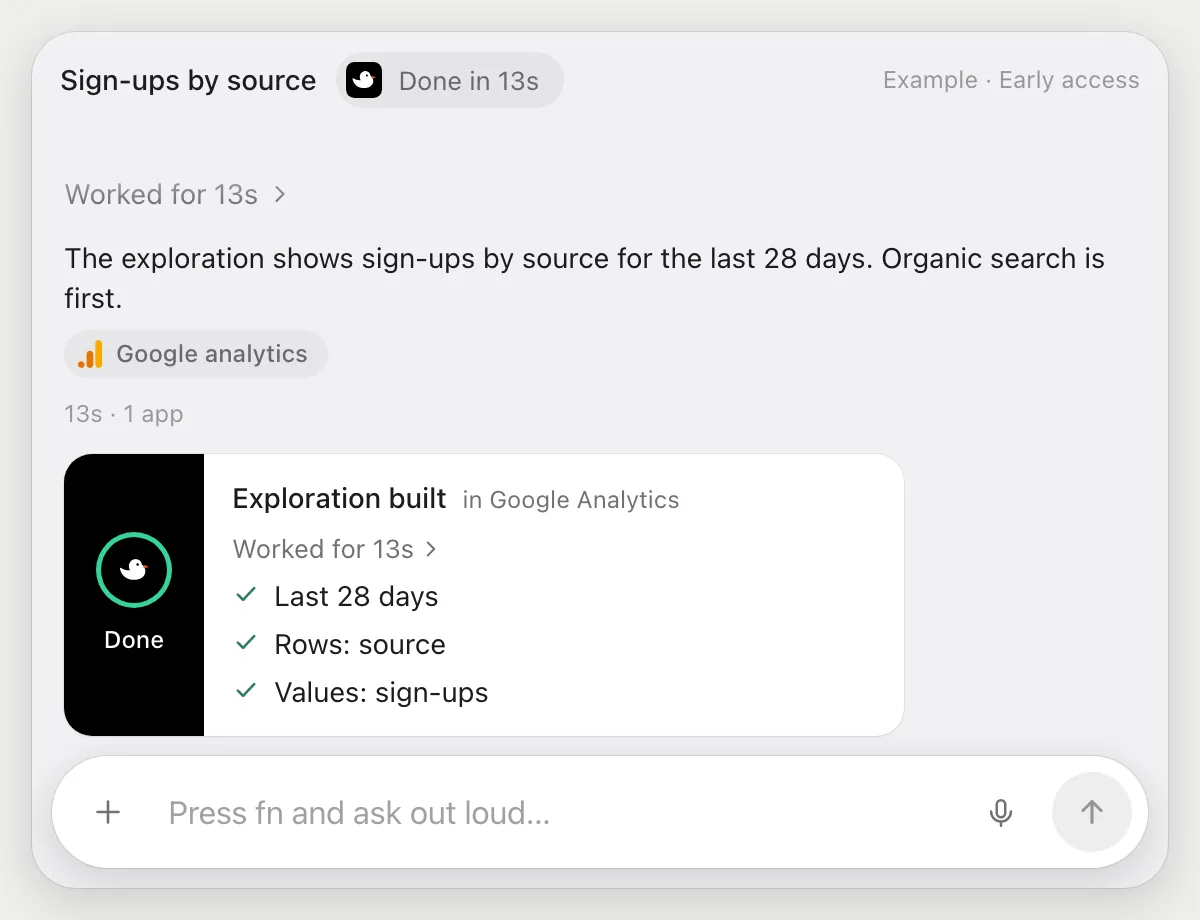
“Build an exploration of sign-ups by source for the last 28 days”
- 01Say what you want to see and for how long.
- 02DuckyHelper opens the explore area and starts a new exploration with its own cursor.
- 03It sets the date range to the last 28 days and picks the source and the sign-up count.
- 04It reports the table it built, so you can check it against what you expected.
Built to ask firstBuilding a report in your own account sends nothing and costs nothing, so it does not stop. If it would share the report with anyone, it's built to ask first.
You getA sign-ups by source table, built without hunting through the menus.
Post a weekly traffic note
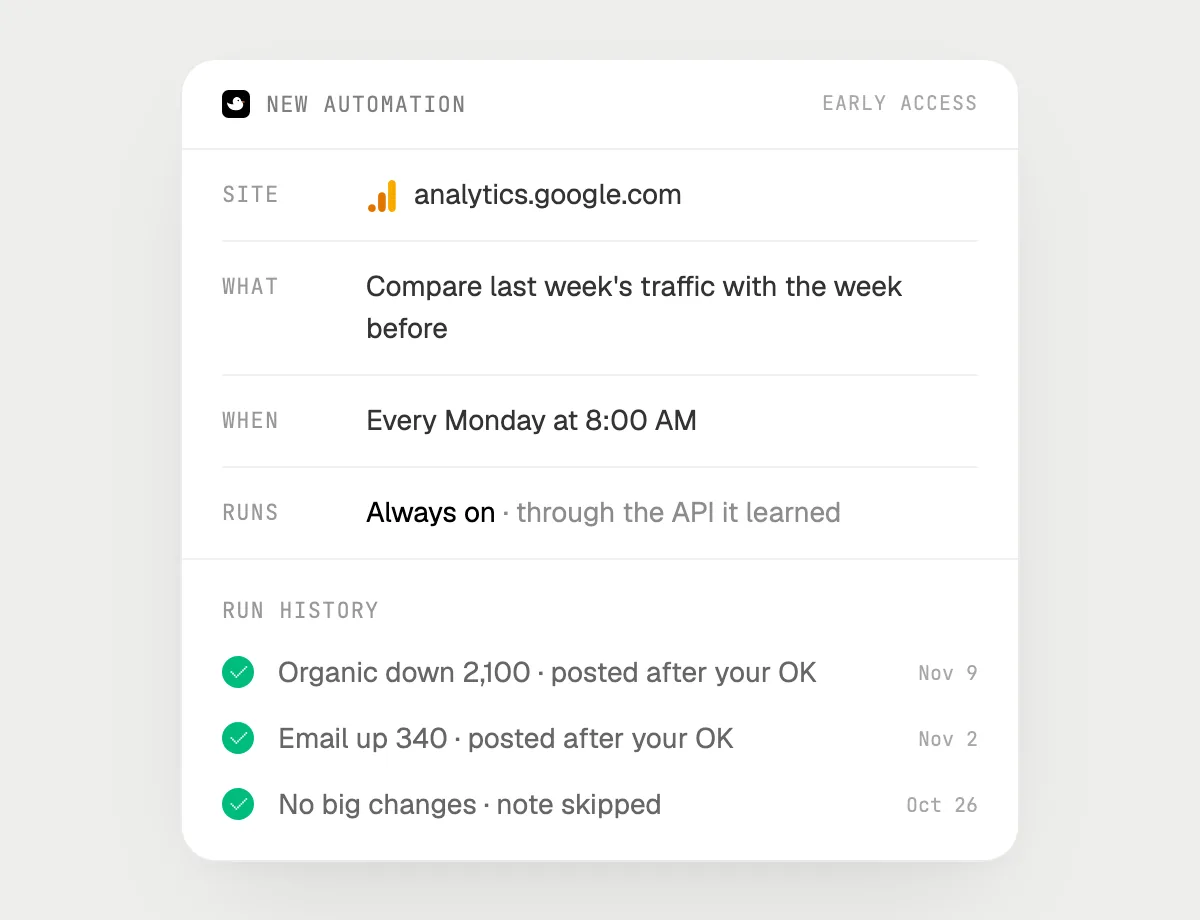
“Every Monday, check last week's traffic and post the top changes in #marketing, asking me first”
- 01Say it once with your traffic report open. It writes this week's note right away.
- 02It learns the report's own actions the first time, so later runs are quick.
- 03Turn it on from the card it offers. It runs every Monday morning.
- 04Each run is in the history, with the note it drafted and whether you approved the post.
Built to ask firstReading the report and writing the note need no OK. Posting in #marketing is a send, so each post waits for your Post, Edit or Deny.
You getA Monday note on what changed in traffic, posted only when you say so.

Getting more out of it in Google Analytics.
- 01
Set the comparison before you ask. "Last week against the week before" is a different question from "against last year".
- 02
A big change in one channel is a place to start, not proof. Ask what else to check.
- 03
Say what counts as a sign-up for you. DuckyHelper uses the event or conversion name it sees on screen.
- 04
Looking at search clicks as well? The Search Console guide covers that.
Questions about Google Analytics.
Do I need to connect my Analytics account?
No. There is nothing to connect. It reads the report on your screen while the pill is open. Jobs (Early access) use Analytics in your browser, signed in as you, and it's built not to type your passwords or card numbers.
Can it post to Slack without asking me?
It's built to ask first: any post shows its channel and words with Post, Edit and Deny first and waits for your yes. It may not recognize every send or payment, so keep an eye on tasks that involve messages or money.
Does it check whether my data is right?
No. It explains the numbers on your screen as they are. It cannot tell you whether the tracking is set up correctly.
Does it work in the Analytics phone app?
No. DuckyHelper is an app for Mac, Windows and Linux, so it works with Analytics in a computer's browser.



Do anything
Ask it a question or hand it a job, in any app.



Doing jobs for you is in early access on Mac. Asking works on Mac, Windows and Linux.