

How to use DuckyHelper in Google Search Console
Search Console tells you what happened to your pages in search, in a lot of small tables. Ask about the report on your screen and DuckyHelper circles the query that slipped and the pages Google left out. You can also hand it the indexing requests, or a weekly list of the pages that lost the most clicks (Early access).
Find why a page lost clicks
“Why did clicks for this page drop?”
- 01Open the performance report filtered to the page, with the date comparison on.
- 02Ask out loud. DuckyHelper reads the queries, clicks and positions.
- 03It rings the query that lost the most clicks and underlines its position.
- 04It says what changed in plain words and what to look at on the page.
You getThe query behind a page's lost clicks, with its position change next to it.
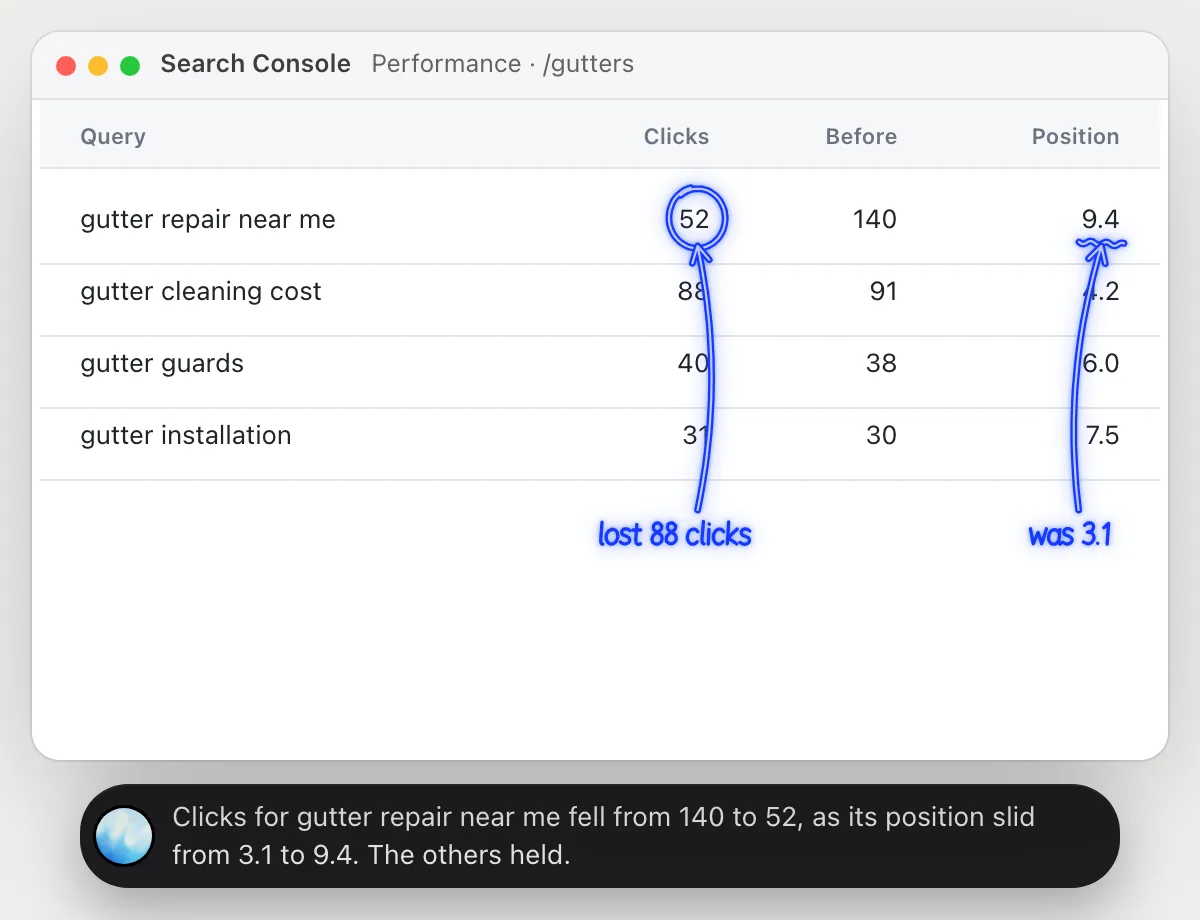
 Clicks for gutter repair near me fell from 140 to 52, as its position slid from 3.1 to 9.4. The others held.
See which pages aren't indexed
“Which pages aren't indexed, and why?”
- 01Open the pages report so the reasons show.
- 02Ask out loud. DuckyHelper reads each page and the reason beside it.
- 03It rings the pages Google left out and says what each reason means.
- 04It tells you which are worth fixing, such as a page you want found, and which are meant to be left out.
You getWhich pages are missing from search, and the reason for each.
Two pages are out: the old blog post, crawled but not indexed, and the spring sale page, blocked by a noindex tag.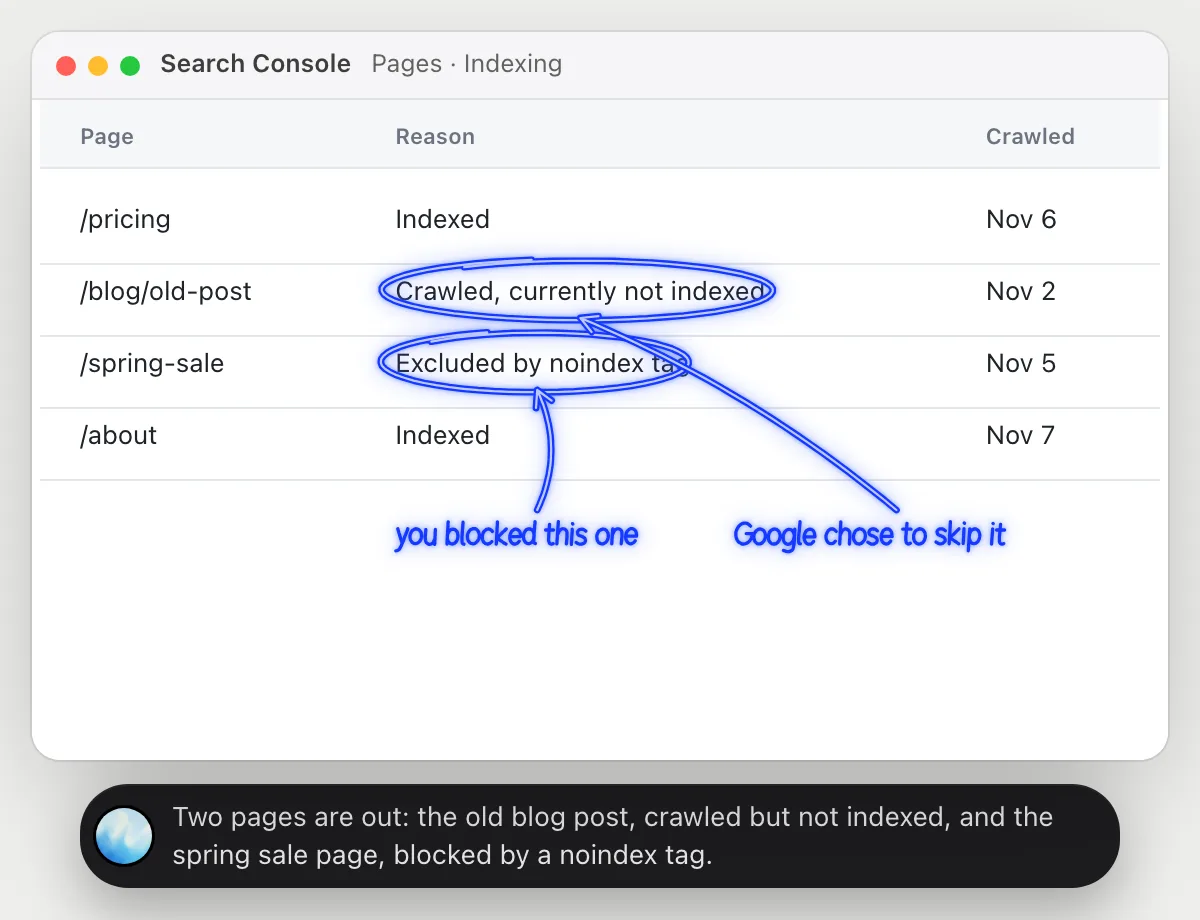
Ask Google to recrawl updated pages
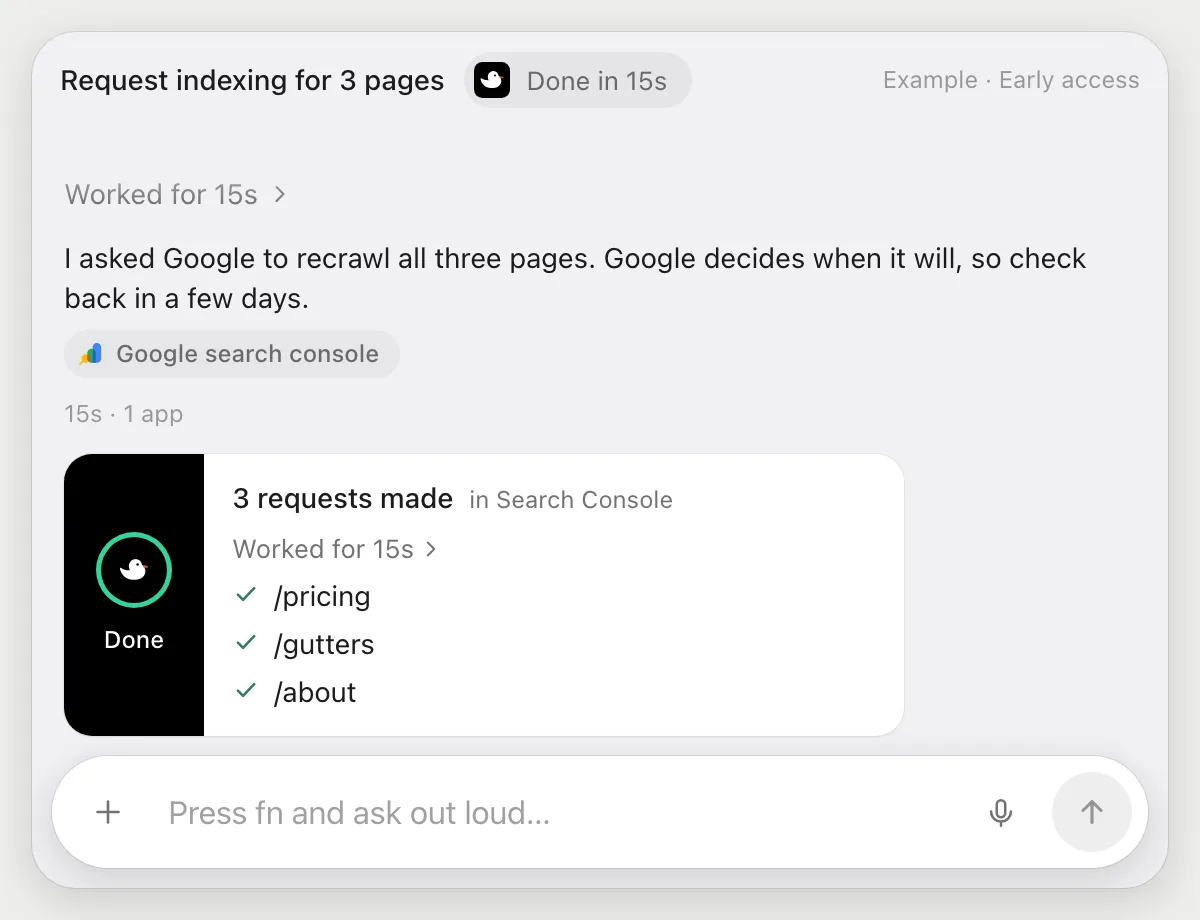
“Request indexing for the three pages I updated today”
- 01Say which pages, with their web addresses.
- 02DuckyHelper inspects each address with its own cursor, using the inspection box at the top.
- 03On each page's result it presses the request indexing button.
- 04It reports each one it asked for. If Google says a limit is reached, it stops and tells you.
Built to ask firstRequesting indexing sends nothing to a person and costs nothing, so it does not stop. It is a request, and Google decides if and when to recrawl.
You getThree updated pages put in front of Google, without inspecting each by hand.
Get a weekly lost-clicks list
“Every Monday, list the pages that lost the most clicks and tell me”
- 01Say it once with the performance report open. It makes this week's list right away.
- 02It learns the report's own actions the first time, so later runs are quick.
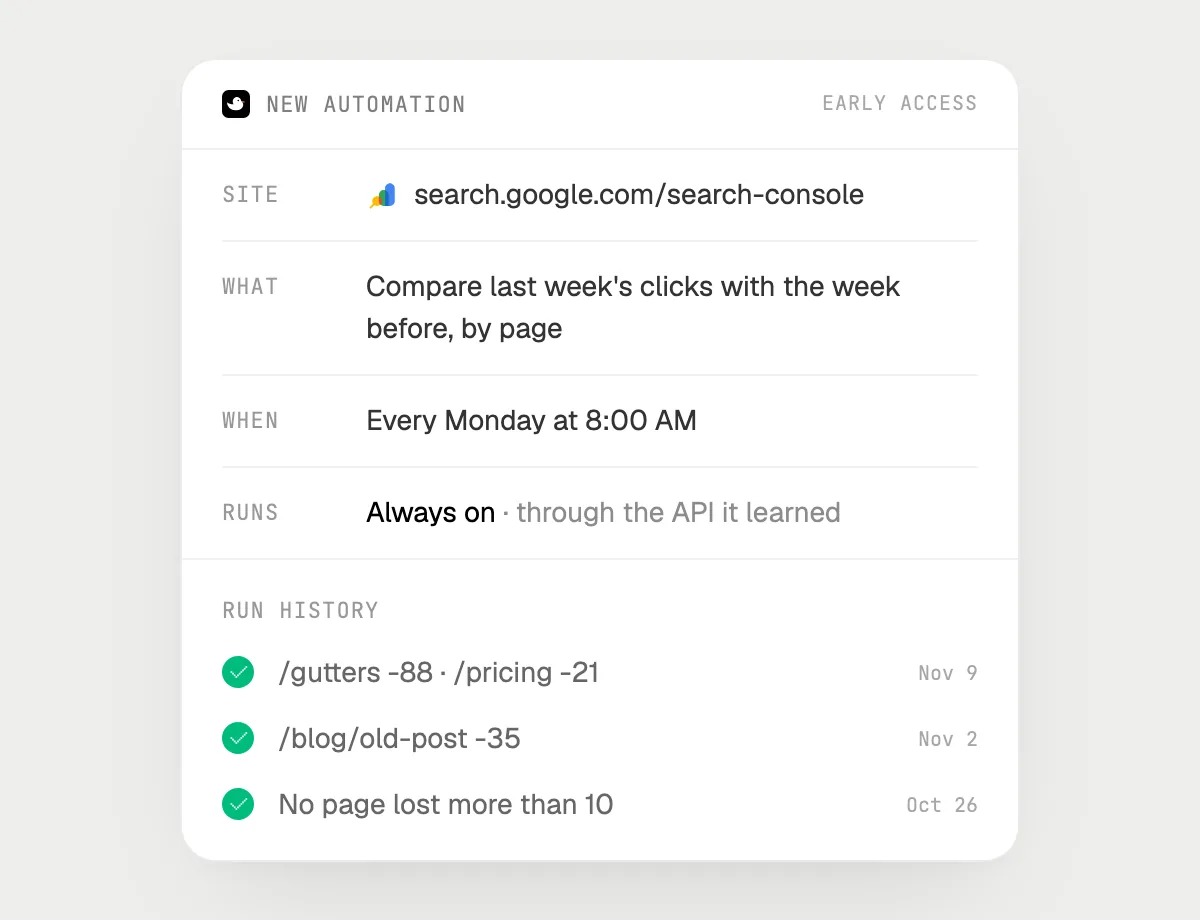
- 03Turn it on from the card it offers. It runs every Monday morning.
- 04Each run is in the history, with the pages and how many clicks each lost.
Built to ask firstReading the report needs no OK and nothing is sent. If you later ask it to email the list, it's built to ask before each send.
You getEvery Monday you know which pages slipped, without opening the report.

Getting more out of it in Google Search Console.
- 01
Turn on the date comparison before you ask, so the change is visible on screen.
- 02
Filter the report to one page for a page question. DuckyHelper reads what is showing.
- 03
A request to recrawl is not a promise. Ask DuckyHelper to check the page's status again in a few days.
- 04
Also checking paid search? The Google Ads guide covers it.
Questions about Google Search Console.
Do I need to connect my Search Console account?
No. There is nothing to connect. It reads the report on your screen while the pill is open. Jobs (Early access) use Search Console in your browser, signed in as you, and it's built not to type your passwords or card numbers.
Will this improve my ranking?
No promise. It helps you see what changed and saves time on requests. Where you rank is up to Google.
Can it email my team the list without asking?
It's built to ask first: any email shows its recipient and words with Send, Edit and Deny first. It may not recognize every send or payment, so keep an eye on tasks that involve messages or money.
Does it work on the phone?
No. DuckyHelper is an app for Mac, Windows and Linux, so it works with Search Console in a computer's browser.



Do anything
Ask it a question or hand it a job, in any app.


Doing jobs for you is in early access on Mac. Asking works on Mac, Windows and Linux.