

How to use DuckyHelper in PostHog
PostHog has the numbers, but the question is always why. Ask DuckyHelper about the chart or table on screen and it explains what it shows and circles the part that moved. Hand it the building of an insight, or a weekly note, and it does that in PostHog and is built to ask before posting (Early access).
Find out why sign-ups dipped
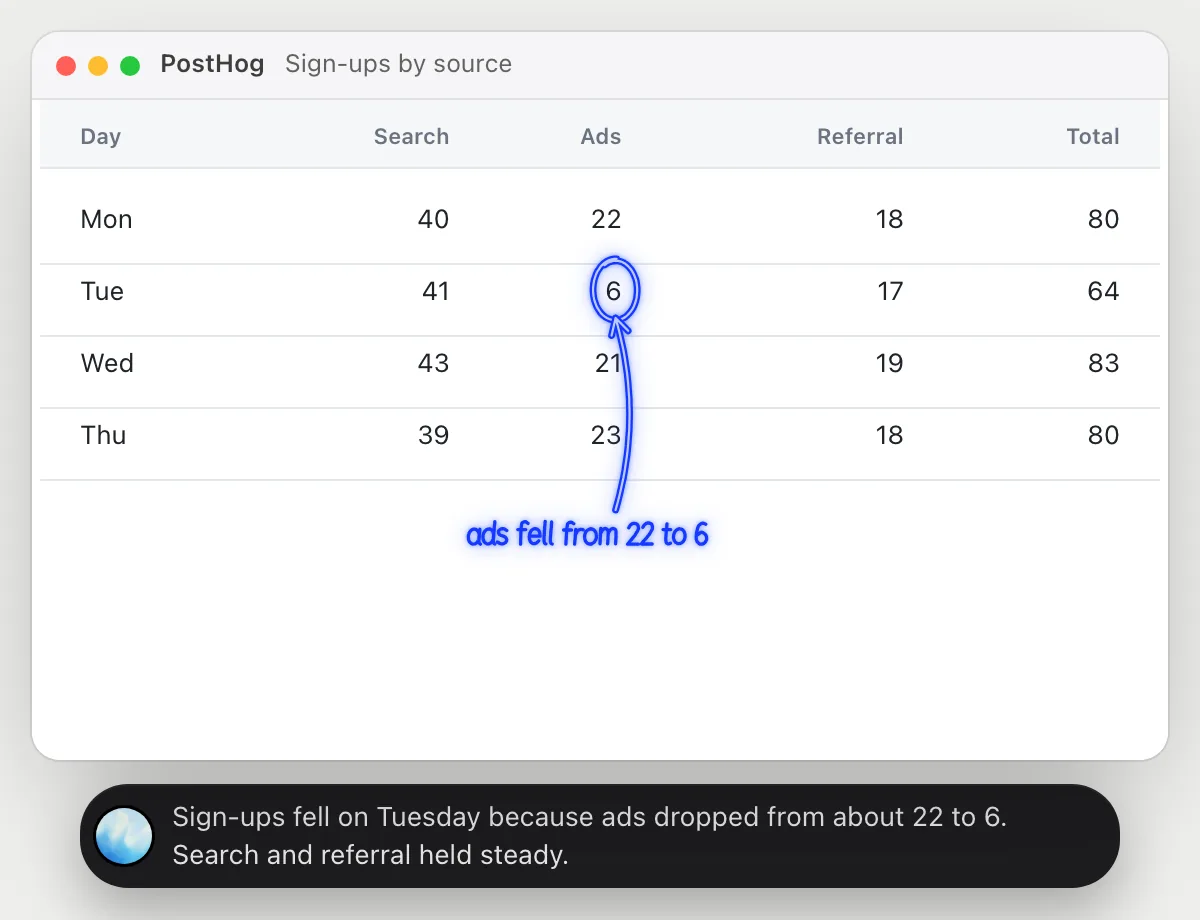
“Why did sign-ups drop on Tuesday?”
- 01Open the table of daily sign-ups, broken down by source, so the days and sources show, then ask out loud.
- 02DuckyHelper reads each day and compares Tuesday with the days around it.
- 03It circles the source that fell and says the other sources held steady.
- 04Ask what could explain it and it lists the things to check, like a paused campaign, as ideas, not facts.
You getYou know the dip came from one source, not the whole product.
 Sign-ups fell on Tuesday because ads dropped from about 22 to 6. Search and referral held steady.
See where the funnel leaks
“Where does our sign-up funnel lose people?”
- 01Open the funnel insight so its steps and counts show, then ask out loud.
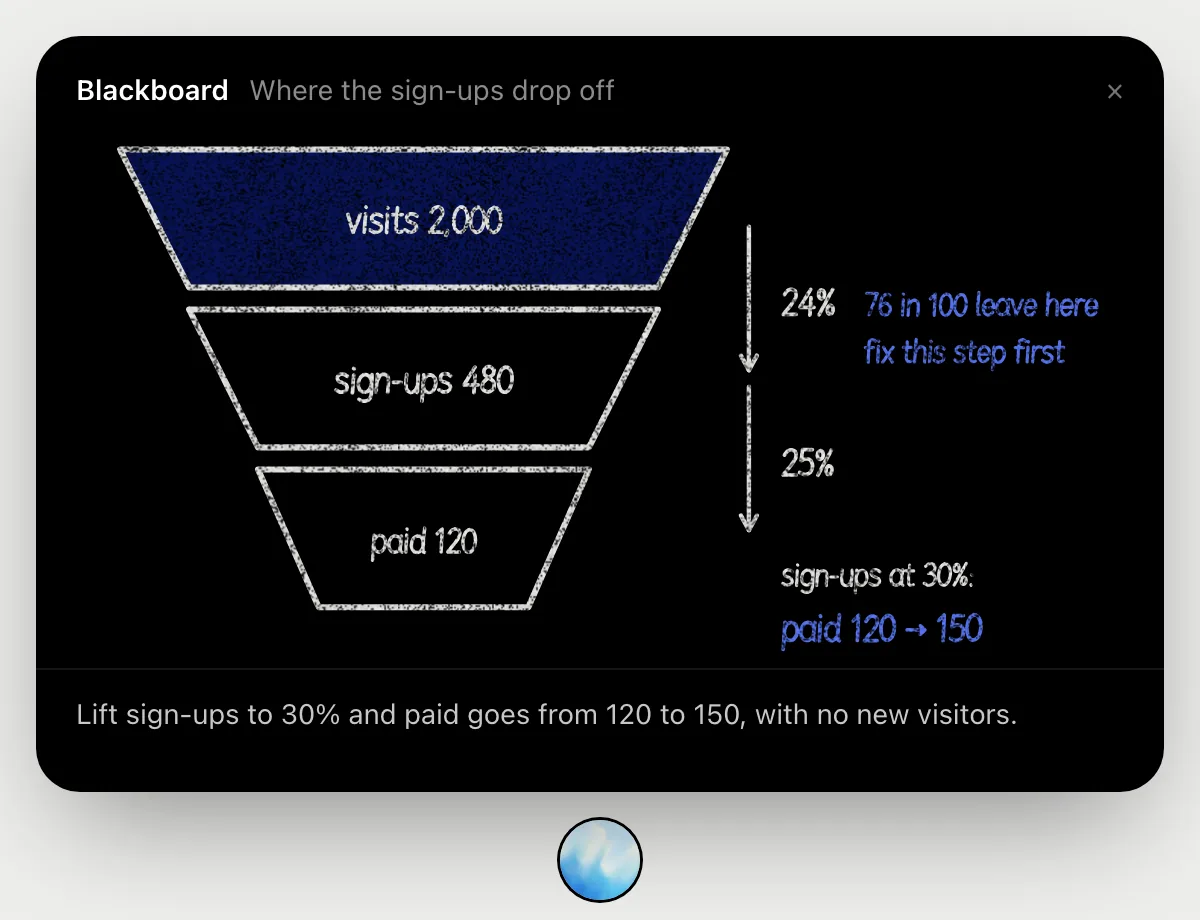
- 02It draws the funnel on the blackboard: 2,000 visits, 480 sign-ups, 120 paid.
- 03It works out the step rates, 24 in 100 visitors sign up and 25 in 100 sign-ups pay.
- 04It points at the sign-up step as the one to fix first, and shows what 30 in 100 would give.
You getYou see which step loses the most people, in plain numbers.
Build a funnel insight
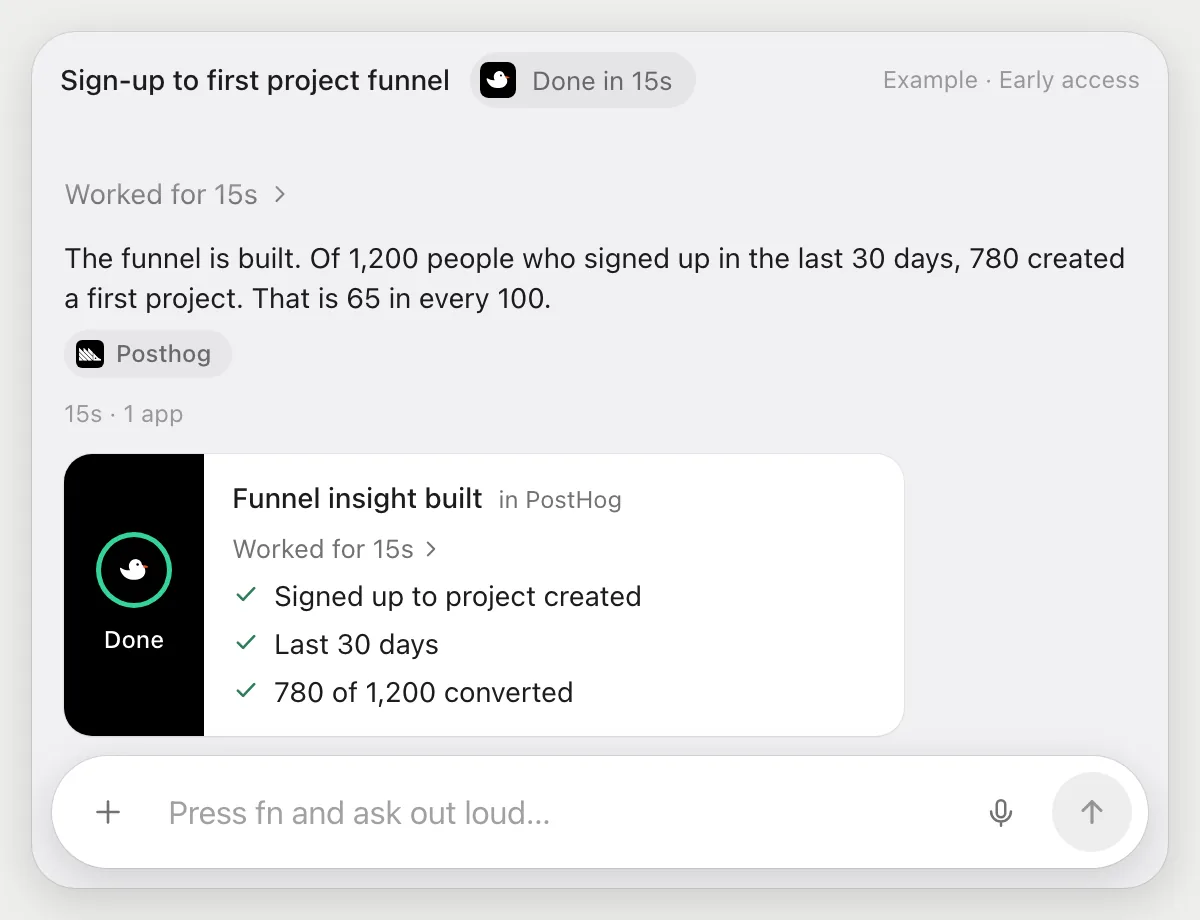
“Build a funnel from signed up to first project created for the last 30 days”
- 01Open PostHog on any page, or the dashboard you want the insight on.
- 02DuckyHelper starts a new insight and picks the funnel type with its own cursor.
- 03It adds the signed up event, then the project created event, and sets the date range to the last 30 days.
- 04It reads the finished chart and tells you the conversion between the two steps out loud.
Built to ask firstBuilding an insight needs no OK. If a run would post a message to someone, it's built to stop and ask first.
You getA funnel insight ready to look at, with the conversion read out to you.
Weekly funnel note
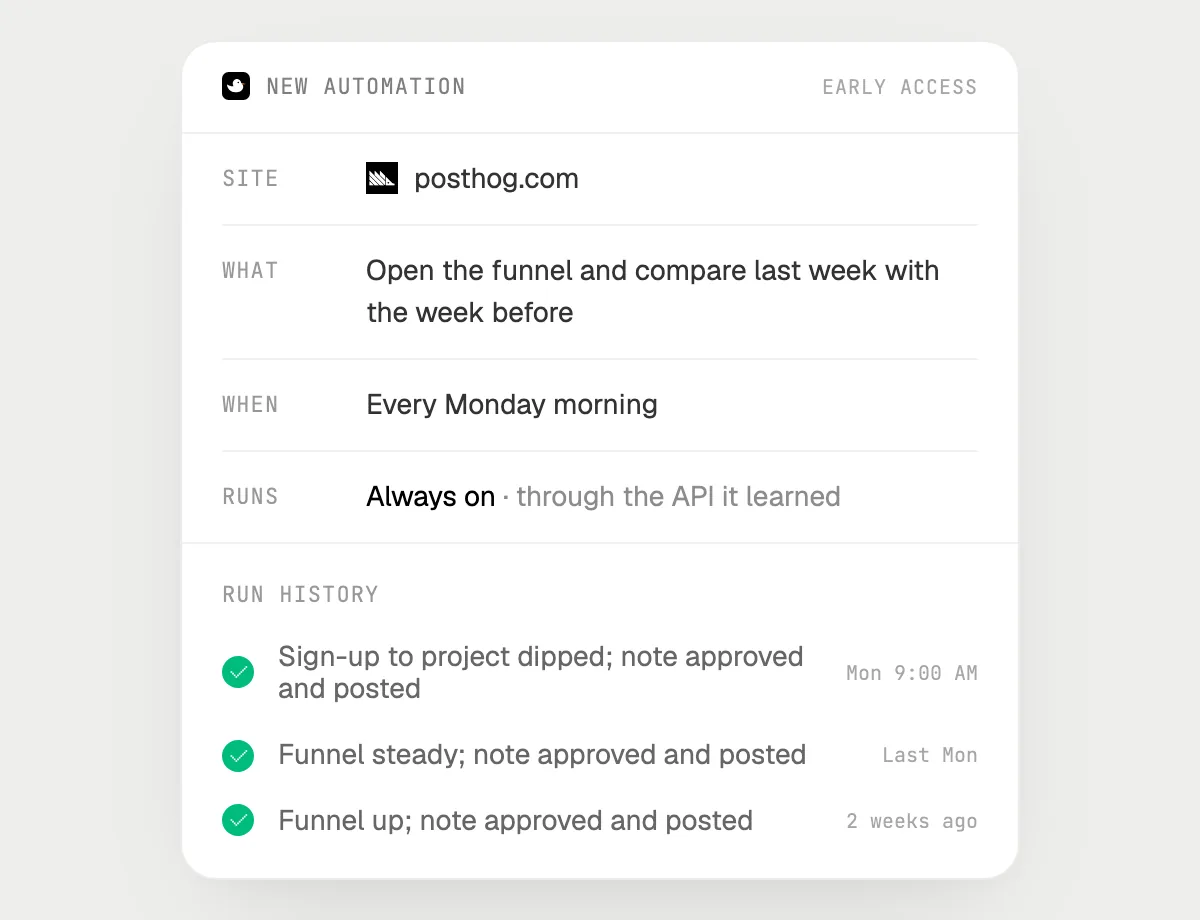
“Every Monday, check last week's funnel and post the change in #product, asking me first”
- 01Say it once while the funnel insight is open. It does the first run on the numbers on screen.
- 02It learns PostHog's own actions the first time, so later runs are quick.
- 03Turn it on from the card it offers. From then on it runs every Monday.
- 04Each run lands in the history. The post to #product waits for your OK.
Built to ask firstReading the funnel needs no OK. Every post to #product stops with Send, Edit and Deny first.
You getThe team gets last week's funnel change on Monday, and you approve every word.

Getting more out of it in PostHog.
- 01
Say the date range out loud, like "last week". It reads the one on the screen, and tells you which one that is.
- 02
Ask it to explain a chart as you would to a new teammate. It says what the lines mean before it says what moved.
- 03
It explains what the charts show. It does not say the data is right or wrong.
- 04
For a dip, ask which breakdown to look at next, like source or country.
Questions about PostHog.
Do I need to connect my PostHog project?
No. There is nothing to connect. It sees what is on your screen while the pill is open, and for jobs (Early access) it uses PostHog in your browser, signed in as you. It's built not to type your passwords or card numbers.
Does it say whether my data is accurate?
No. It explains what the charts and tables on your screen show. Whether the events are tracked right is something you check in PostHog.
Will it post to my team without asking?
It's built to ask first: before any post it shows the text with Send, Edit and Deny and waits for your yes. It may not recognize every send or payment, so keep an eye on tasks that involve messages or money. Reading and building insights don't need your OK.
Does it work on my phone?
No. DuckyHelper is an app for Mac, Windows and Linux, so it works with PostHog in your computer's browser.



Do anything
Ask it a question or hand it a job, in any app.



Doing jobs for you is in early access on Mac. Asking works on Mac, Windows and Linux.