

How to use DuckyHelper in Google Ads
Ad accounts quietly leak money: a keyword that spends and never converts, a sign-up page that loses people. Ask about the report on your screen and DuckyHelper circles the waste. You can also hand it the pausing, or a weekly check on cost per conversion (Early access), and any change that spends more money is built to stop for your OK.
Find keywords that spend without results
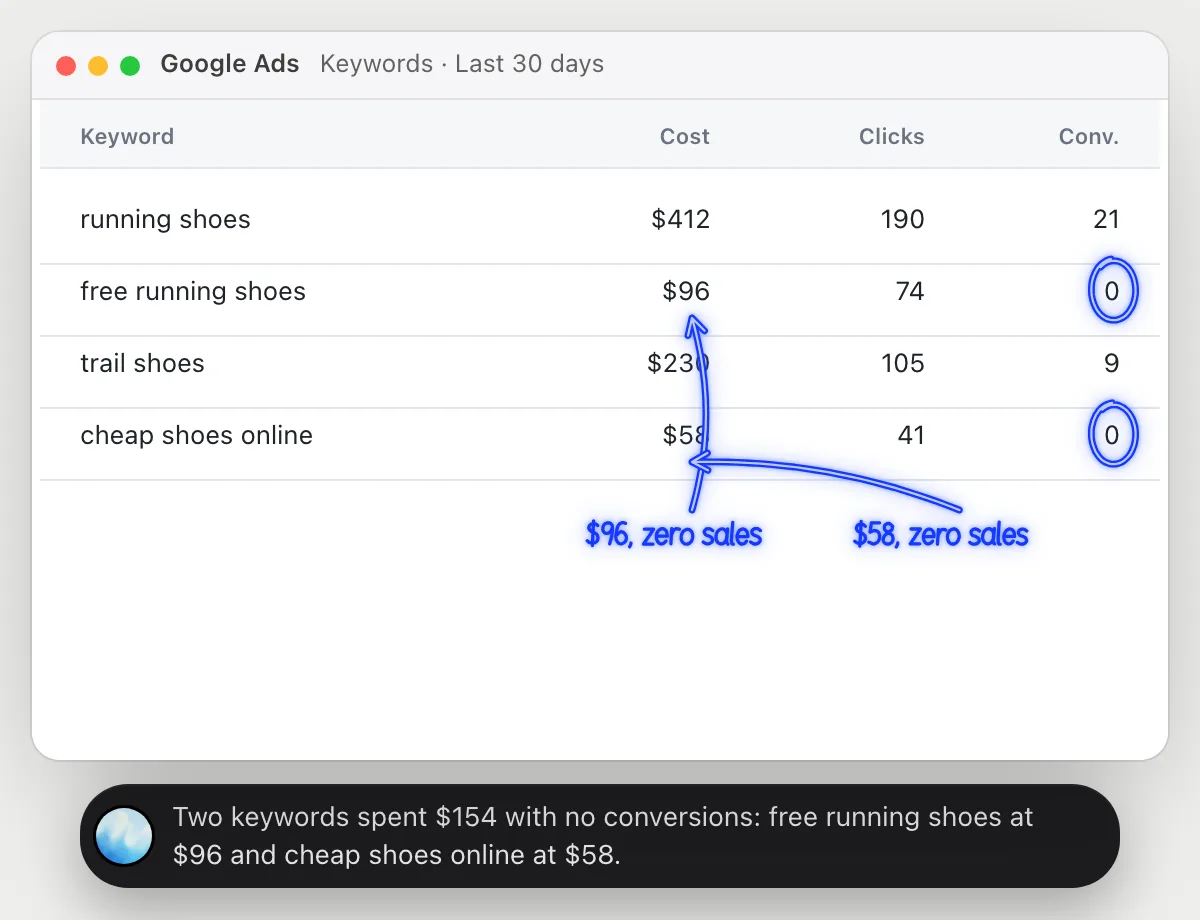
“Which keywords spend money with no conversions?”
- 01Open the keywords report with cost and conversions showing.
- 02Ask out loud. DuckyHelper reads each row.
- 03It circles the keywords that cost money and show zero conversions.
- 04It adds up what they cost so you see what the waste is.
You getThe keywords that spend without results, and how much they cost.
 Two keywords spent $154 with no conversions: free running shoes at $96 and cheap shoes online at $58.
See where clicks drop off
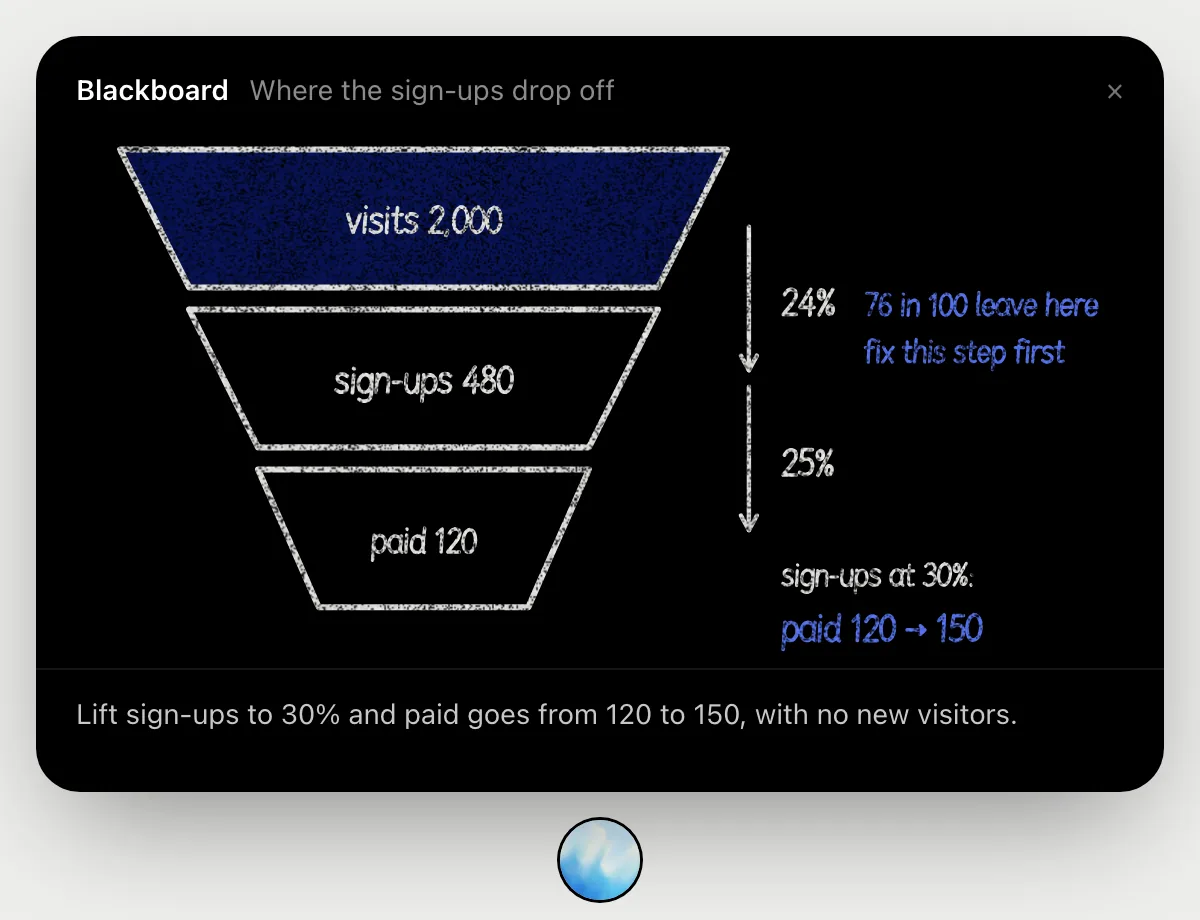
“Where do people drop off between the ad click and the sign-up?”
- 01Open the report with your clicks, sign-ups and paid numbers, or have them ready to say.
- 02Ask out loud. DuckyHelper reads the figures and opens the blackboard.
- 03It draws the funnel and works out the rate at each step as it talks.
- 04It marks the step that loses the most people and shows what a better rate there would be worth.
You getThe step after the click that loses the most people, with the sums on the board.
Pause keywords that don't convert
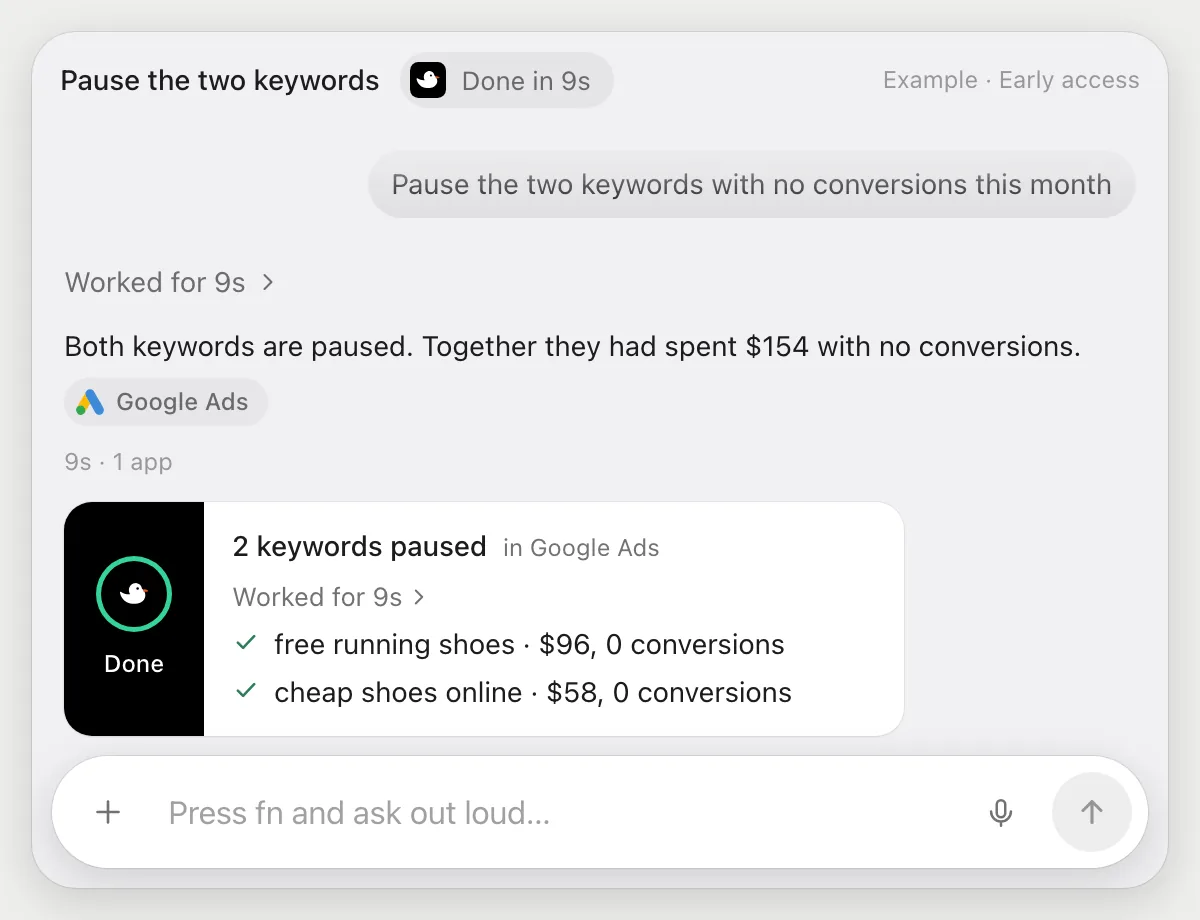
“Pause the two keywords with no conversions this month”
- 01Open the keywords report and say which keywords.
- 02DuckyHelper finds the two rows with spend and no conversions.
- 03It selects them and pauses them with its own cursor.
- 04It lists what it paused, so you can switch either back on.
Built to ask firstPausing stops spend and sends nothing, so it needs no OK. Anything that would raise a budget is built to stop and ask you first.
You getThe waste stopped without hunting through the report.
Check cost per conversion every week
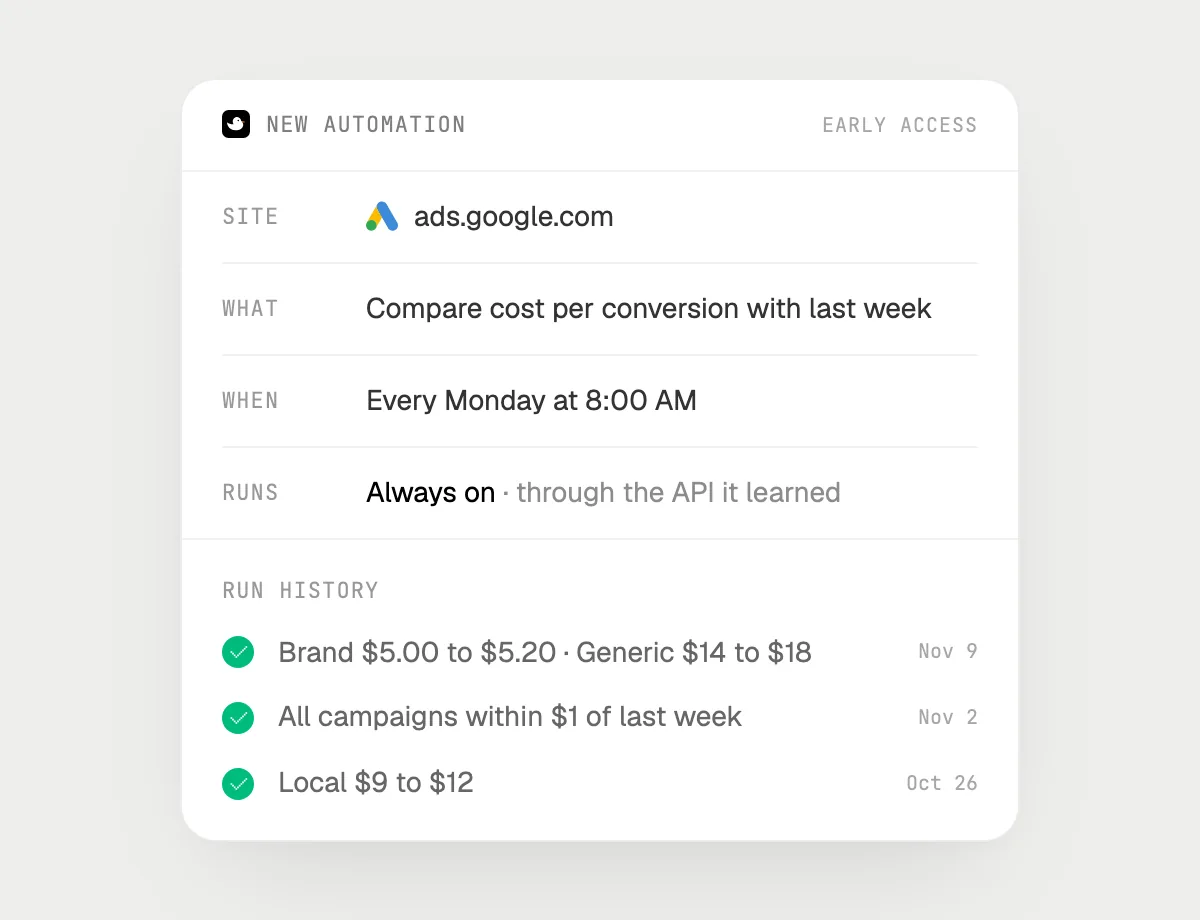
“Every Monday, check cost per conversion and tell me which campaign got worse”
- 01Say it once with your campaigns report open. It runs the check right away.
- 02It learns the report's own actions the first time, so later runs are quick.
- 03Turn it on from the card it offers. It runs every Monday morning.
- 04Each run is in the history, with the campaign that got worse and by how much.
Built to ask firstReading and telling you need no OK. Any change that spends more money, like a higher budget, is built to stop and ask you first.
You getA Monday heads-up on what got worse, without opening the account.

Getting more out of it in Google Ads.
- 01
Set the date range before you ask. A keyword can look wasteful on a short window and fine on a longer one.
- 02
Zero conversions on few clicks may just be small numbers. Ask how many clicks stand behind each row.
- 03
Ask for the cost of everything you plan to pause, so you know what you are saving.
- 04
Running search ads on another network? The Microsoft Advertising guide covers it.
Questions about Google Ads.
Do I need to connect my Google Ads account?
No. There is nothing to connect. It reads the report on your screen while the pill is open. Jobs (Early access) use Google Ads in your browser, signed in as you, and it's built not to type your passwords or card numbers.
Can it change my budget without asking me?
It's built to ask first: changes that spend more money stop for your OK first. It may not recognize every send or payment, so keep an eye on tasks that involve messages or money. Pausing a keyword stops spend, so it does not ask.
Will this make my ads perform better?
It saves you time finding the waste. It makes no promise about results.
Does it work in the Google Ads phone app?
No. DuckyHelper is an app for Mac, Windows and Linux, so it works with Google Ads in a computer's browser.



Do anything
Ask it a question or hand it a job, in any app.


Doing jobs for you is in early access on Mac. Asking works on Mac, Windows and Linux.