

How to use DuckyHelper in Microsoft Advertising
Search ads waste money on searches that were never yours: people looking for jobs, patterns or freebies. Ask about the search terms on your screen and DuckyHelper circles the ones to exclude and explains why one campaign costs more than another. You can also hand it the negative keywords, or a weekly list of new waste (Early access).
Find search terms to exclude
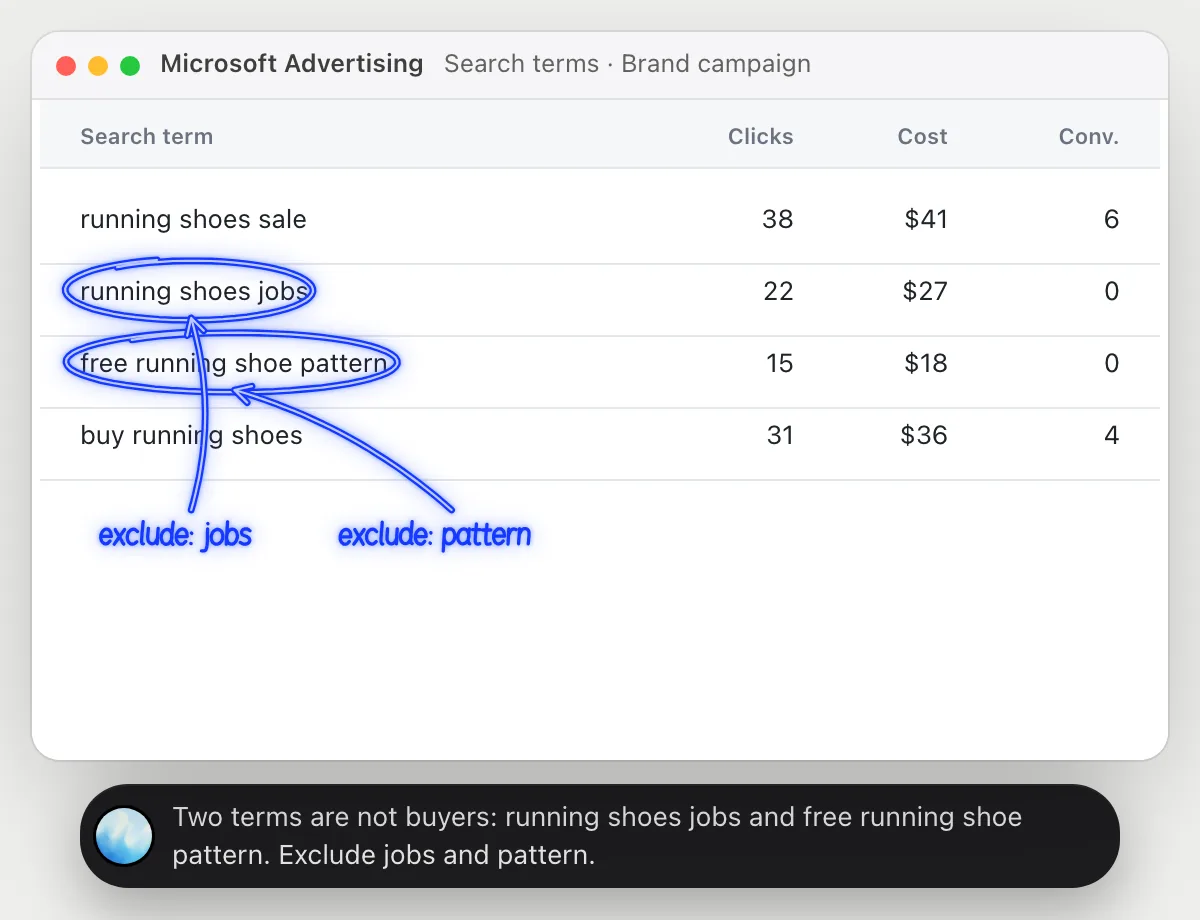
“Which of these search terms should be negative keywords?”
- 01Open the search terms report with clicks, cost and conversions showing.
- 02Ask out loud. DuckyHelper reads each term and what it cost.
- 03It circles the terms that are clearly not what you sell, with spend and no conversions.
- 04It suggests the word to exclude for each, so one negative keyword can cover several searches.
You getThe searches wasting your money, and the words that would stop them.
 Two terms are not buyers: running shoes jobs and free running shoe pattern. Exclude jobs and pattern.
Compare two campaigns
“Why does Brand cost less per conversion than Generic?”
- 01Open the campaigns report with cost and conversions showing.
- 02Ask out loud. DuckyHelper reads both rows.
- 03It rings each campaign's cost per conversion and works out how they compare.
- 04It explains the likely reason in plain words, such as the kind of searcher each one reaches.
You getWhy two campaigns cost so differently, in a sentence you can act on.
Brand costs $5 per conversion and Generic costs $15. Brand searchers already know you, so more of them convert.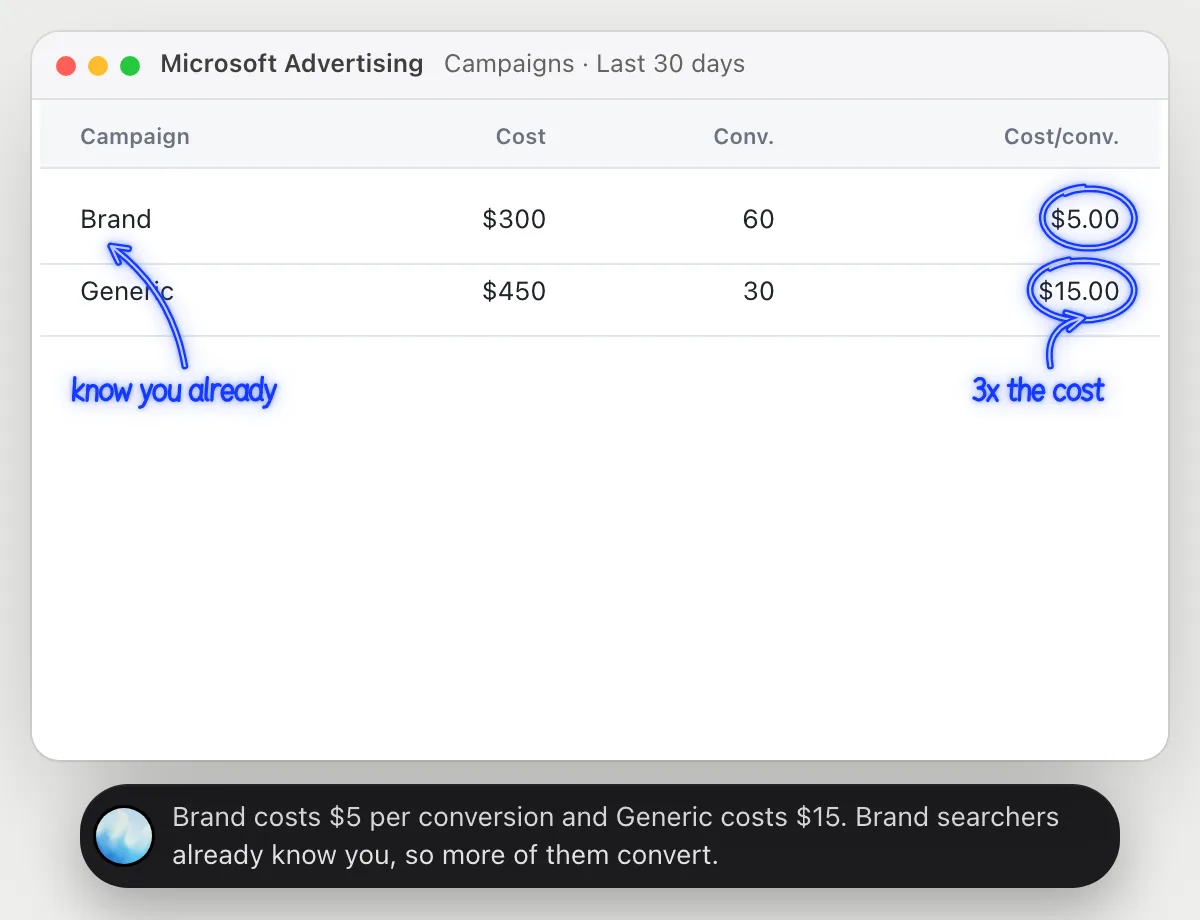
Add negative keywords
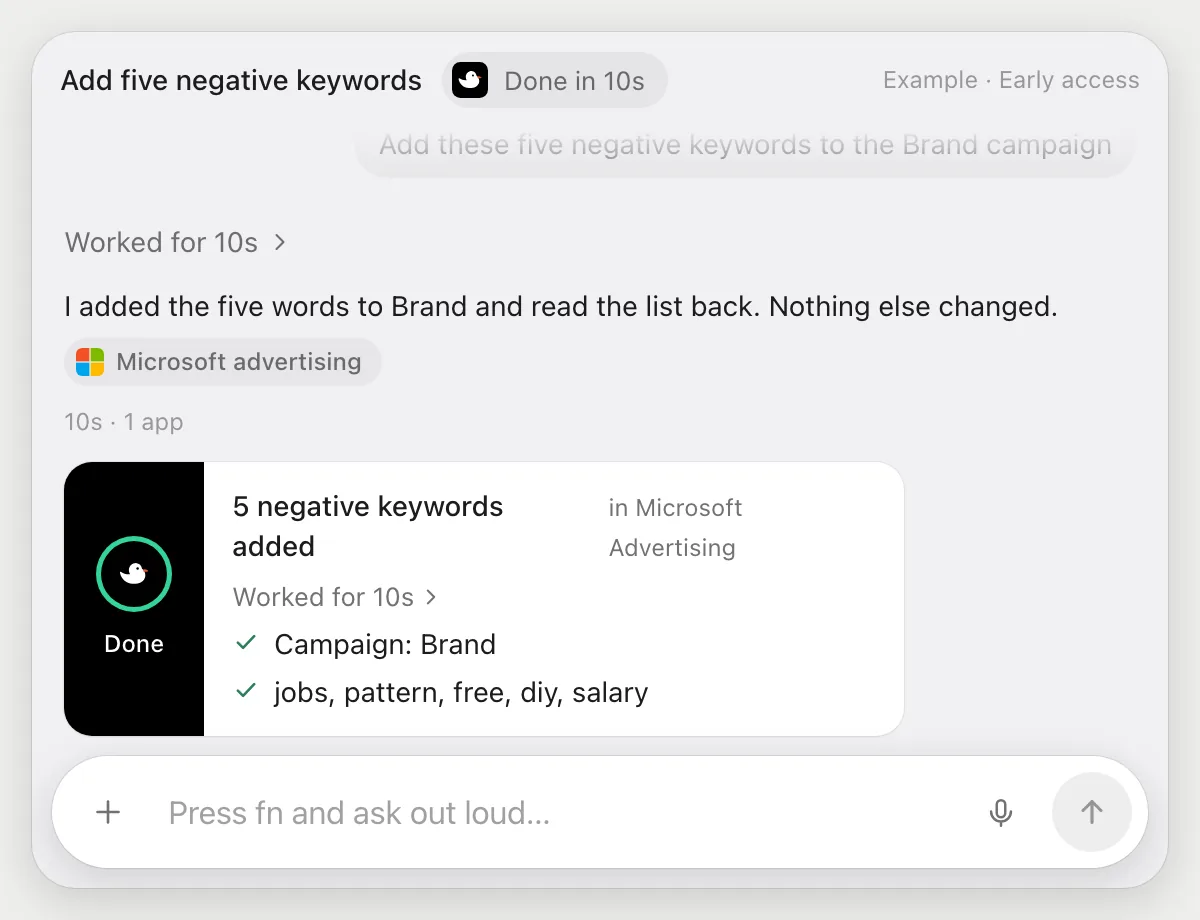
“Add these five negative keywords to the Brand campaign”
- 01Say the five words and which campaign.
- 02DuckyHelper opens the Brand campaign's negative keywords with its own cursor.
- 03It types in the five words, one at a time, and saves them.
- 04It reads the list back to you, so you can check each word.
Built to ask firstNegative keywords only reduce spend and send nothing, so it does not stop. It lists what it added so you can remove any of them.
You getFive searches that no longer cost you money, added without clicking through the page.
Check new search terms every week
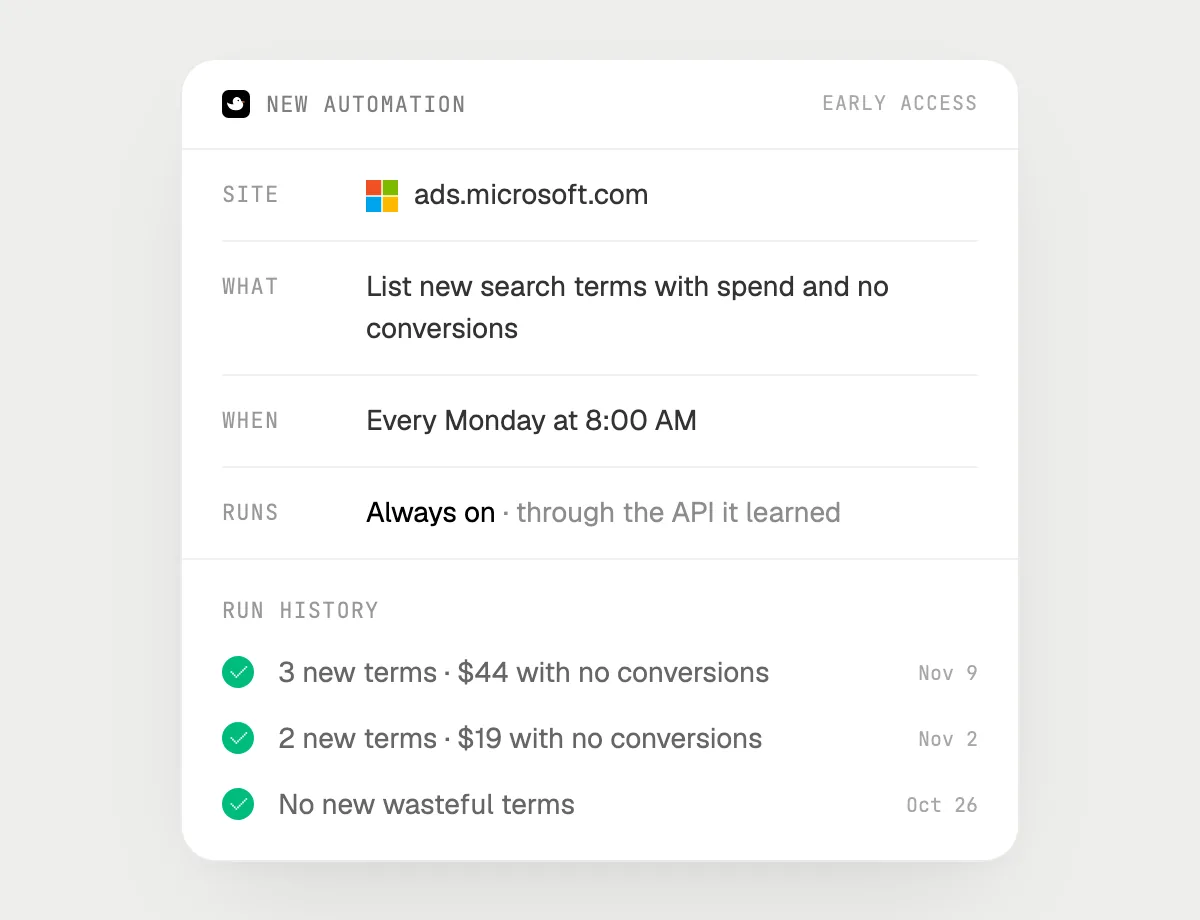
“Every Monday, list new search terms with spend and no conversions”
- 01Say it once with the search terms report open. It makes this week's list right away.
- 02It learns the report's own actions the first time, so later runs are quick.
- 03Turn it on from the card it offers. It runs every Monday morning.
- 04Each run is in the history, with the new terms that spent and did not convert.
Built to ask firstReading the report needs no OK. If you later ask it to add negatives or change a budget, a change that spends more is built to stop for your OK.
You getA Monday list of fresh waste, ready to turn into negative keywords.

Getting more out of it in Microsoft Advertising.
- 01
Set the date range before you ask. A term with two clicks may just be too small to judge.
- 02
Check the words DuckyHelper suggests before they are added. A negative keyword can also block searches you want.
- 03
Ask what a term cost and how many clicks it had, so you can judge it for yourself.
- 04
Running the same keywords on Google? The Google Ads guide covers it.
Questions about Microsoft Advertising.
Do I need to connect my Microsoft Advertising account?
No. There is nothing to connect. It reads the report on your screen while the pill is open. Jobs (Early access) use the site in your browser, signed in as you, and it's built not to type your passwords or card numbers.
Could a negative keyword block good searches?
It can, which is why DuckyHelper lists what it added and you check it. Ask it which of your converting terms contain the word first.
Will this lower my cost?
It saves you time finding waste. It makes no promise about results.
Does it spend more money on its own?
Adding negatives only reduces spend. A change that spends more money is built to stop for your OK. It may not recognize every send or payment, so keep an eye on tasks that involve messages or money.



Do anything
Ask it a question or hand it a job, in any app.


Doing jobs for you is in early access on Mac. Asking works on Mac, Windows and Linux.