

How to use DuckyHelper in Google Docs
Docs fill up with drafts and comments. Ask DuckyHelper about the section or comments on your screen and it underlines what matters and says it out loud. You can also hand it a brief to write and share, or a notes doc to start each week (Early access).
Check a paragraph answers its heading
“Does this section actually answer the question in its heading?”
- 01Show the heading and its paragraph on the screen.
- 02Ask out loud. DuckyHelper reads the heading, then each line.
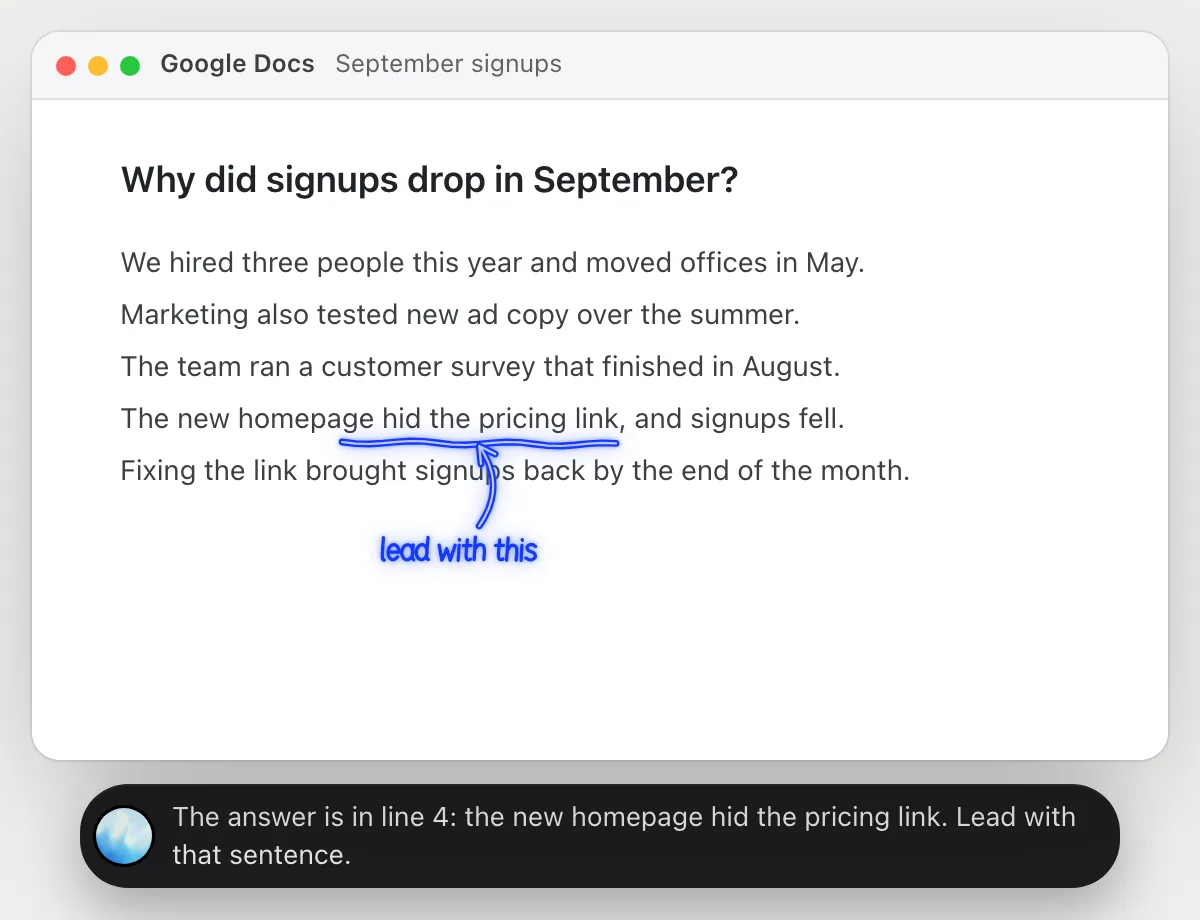
- 03It underlines the line that actually answers the heading and says where it sits.
- 04Ask how to reorder it and it tells you what to lead with.
You getYou see that the answer is buried and which line to move to the top.
 The answer is in line 4: the new homepage hid the pricing link. Lead with that sentence.
Find what the comments want changed
“What do these comments want me to change, in order of importance?”
- 01Open the comments next to the paragraph so they are on the screen.
- 02Ask out loud. DuckyHelper reads every comment with the text it points at.
- 03It circles the one that changes the meaning and underlines the smaller edits.
- 04It lists the changes in the order it would make them.
You getA short list of edits, with the one that changes the meaning first.
Fix Priya's comment first: the date conflicts with the plan. Then cut the budget table, then the typo.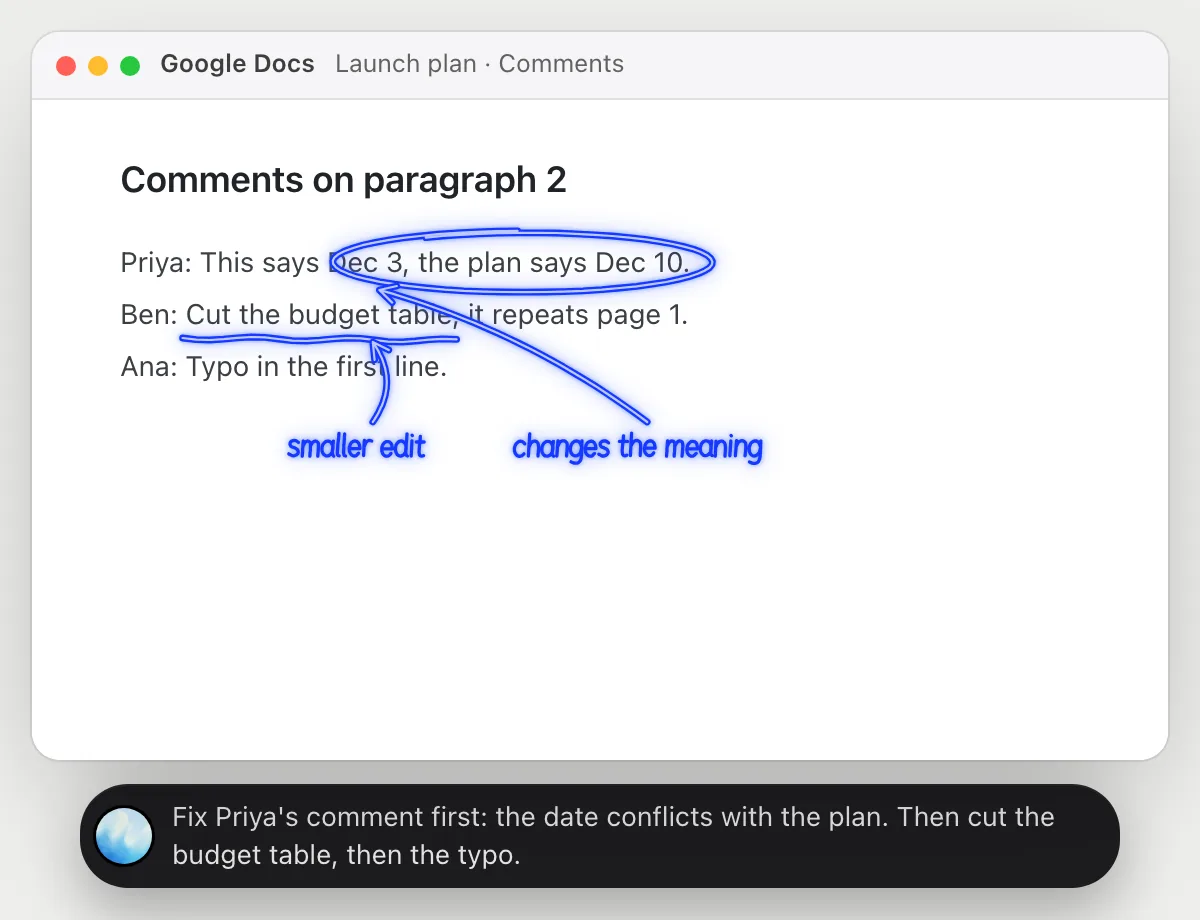
Turn notes into a one-page brief and share it
“Turn my notes into a one-page brief with headings, then share it with Ana as a commenter”
- 01Open the notes doc and say what the brief is for.
- 02DuckyHelper reads the notes and writes the brief in a new doc with its own cursor.
- 03It adds headings and keeps it to one page.
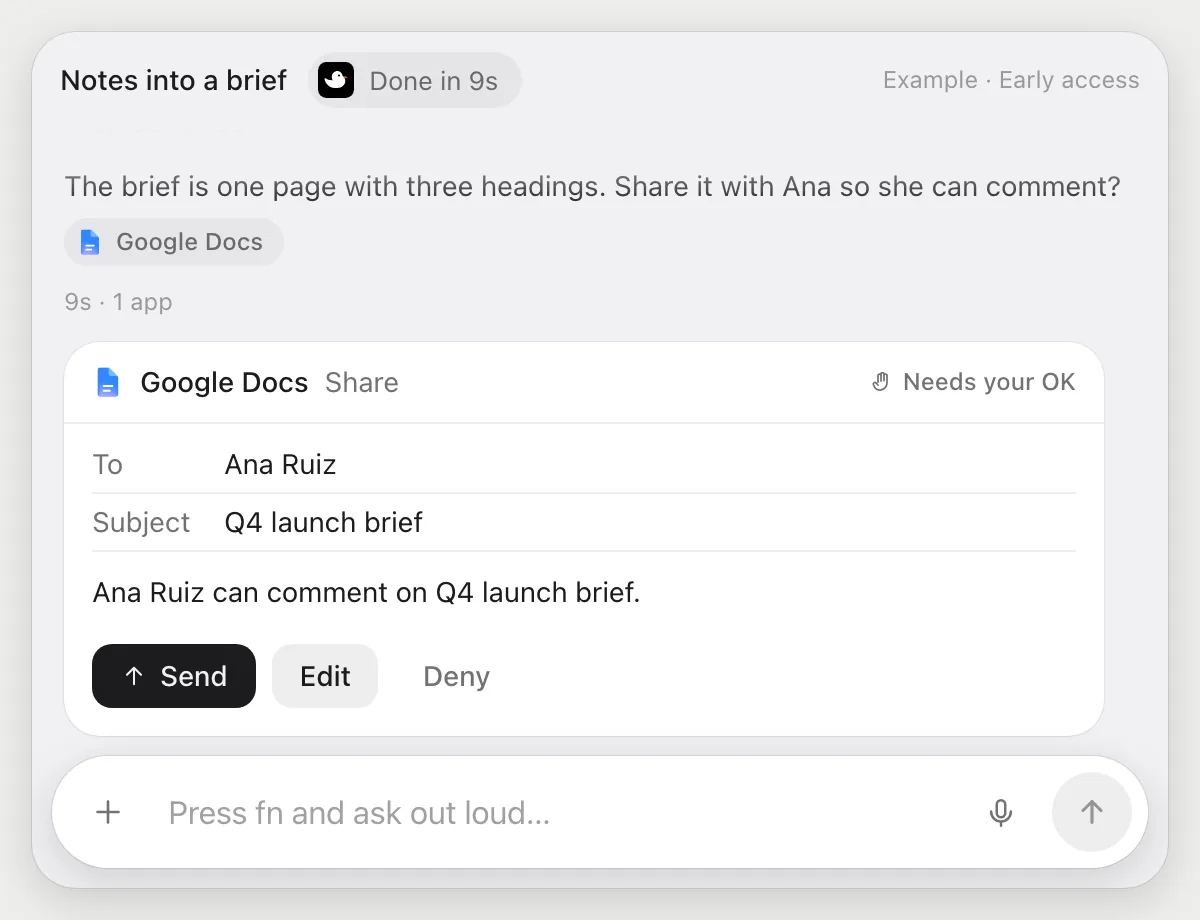
- 04Before sharing it shows who gets the doc and what they can do, with Share, Edit and Deny.
Built to ask firstThe doc is shared with Ana only after you press Share. Writing the brief needs no OK.
You getA one-page brief with headings, shared with Ana as a commenter after you checked it.
Start each week's notes doc for you
“Every Monday at 9, add a dated section to the team notes doc with last week's open action items”
- 01Say it once with the notes doc open. It adds this week's section now so you can check it.
- 02It learns the doc's own actions the first time, so each run is quick.
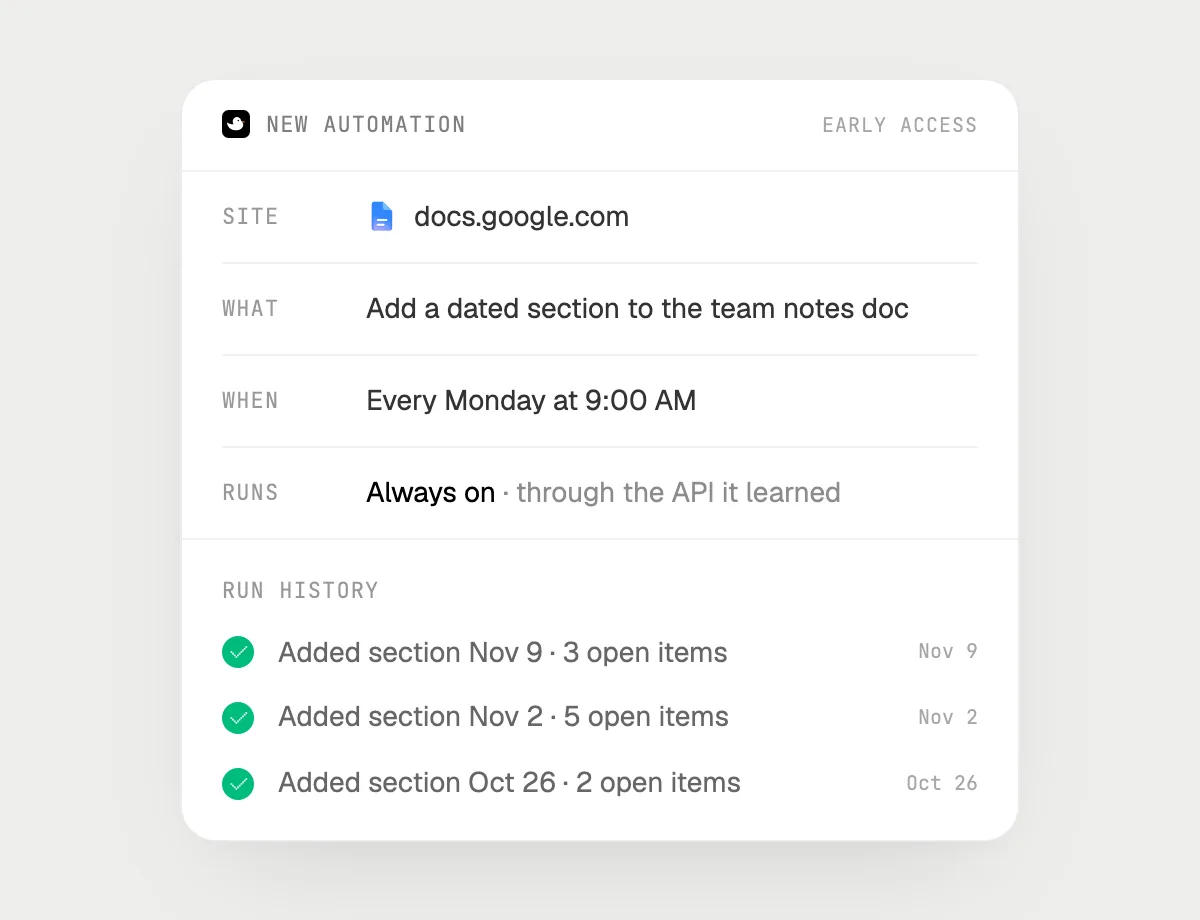
- 03Turn it on from the card it offers. It runs every Monday at 9.
- 04Each run appears in the history with the section it added.
Built to ask firstAdding a section needs no OK. Sharing the doc or sending anything is built to wait for your OK.
You getEach Monday starts with a dated section and last week's open items already in it.

Getting more out of it in Google Docs.
- 01
Click into the section you mean, or scroll to it. It reads the screen, not the whole document.
- 02
Open the comment panel before you ask about comments so they are visible.
- 03
Ask it to say how it would reorder a section, then do the edit yourself if you like.
- 04
Working with numbers too? See the Google Sheets guide.
Questions about Google Docs.
Do I need to connect my Google account?
No. There is nothing to connect. It sees what is on your screen while the pill is open, and for jobs (Early access) it uses Google in your browser with its own cursor, signed in as you. It's built not to type your passwords or card numbers.
Will it share my doc without asking?
It's built to ask first: before a doc is shared it shows who gets it and what they can do, with Share, Edit and Deny. It may not recognize every send or payment, so keep an eye on tasks that involve messages or money. Reading and writing in your own doc need no OK.
Does it accept or reject suggestions?
Only if you hand it that job. Otherwise suggestions stay your call.
Does it see everything in your documents?
No. When you ask a question it looks only at what is on your screen, and only while the pill is open. A job or automation you start (Early access) opens only the pages that job needs.



Do anything
Ask it a question or hand it a job, in any app.



Doing jobs for you is in early access on Mac. Asking works on Mac, Windows and Linux.