

How to use DuckyHelper in Gorgias
Store support is the same few questions about orders, again and again. Ask DuckyHelper about the ticket on screen and it tells you what was ordered and what went wrong. Hand it a refund or a stack of tracking replies and it does the work, and is built to stop for your OK (Early access).
See what a customer ordered and what went wrong
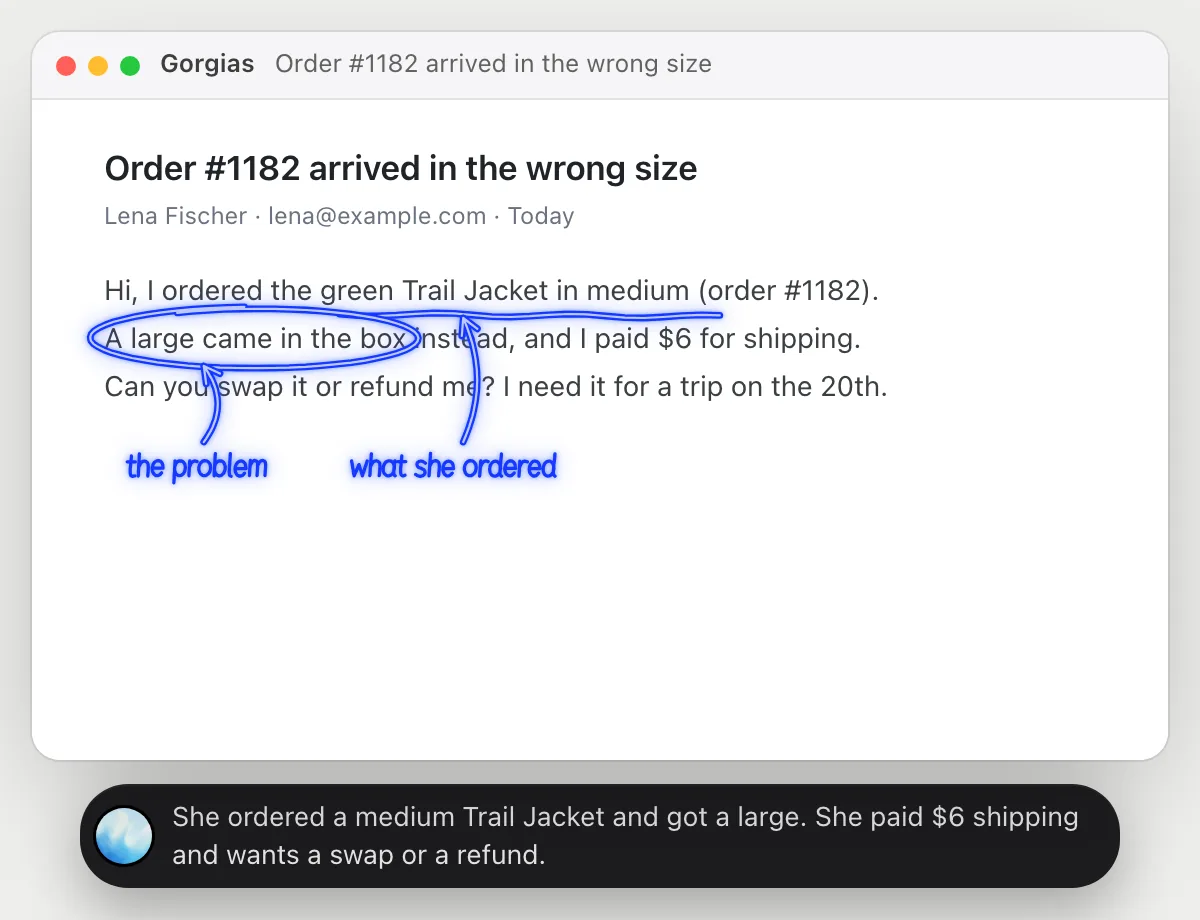
“What did this customer order, and what went wrong with it?”
- 01Open the ticket so the customer's message and their order are on the screen, then ask out loud.
- 02DuckyHelper reads the message and the order number, items and shipping line it can see.
- 03It underlines what was ordered and circles the problem, and says both in one sentence.
- 04Ask what the customer wants, a swap or a refund, and it answers from the same message.
You getYou know the item, the problem and the ask before you write a word.
 She ordered a medium Trail Jacket and got a large. She paid $6 shipping and wants a swap or a refund.
Refund shipping and reply
“Refund the shipping on order 1182 and tell the customer”
- 01Open the ticket for order 1182, or say the order number and it finds it.
- 02It reads the order and the shipping amount that was charged.
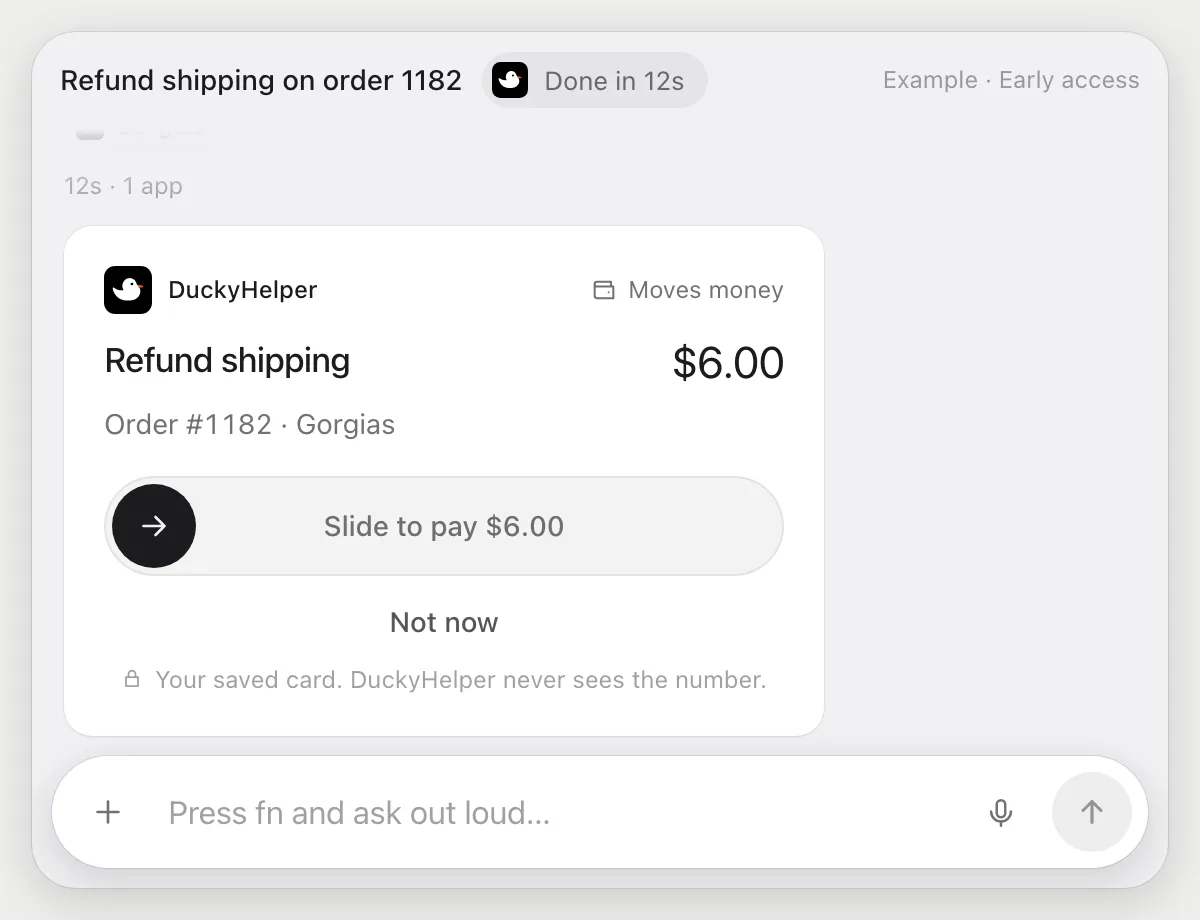
- 03It goes to the refund in Gorgias and stops before it refunds, showing the amount and the customer.
- 04Slide to pay to approve the refund. Then it writes the reply and stops again, with Send, Edit and Deny.
Built to ask firstAnything that moves money is built to stop for your OK. It shows the refund amount and waits, and the reply to the customer waits for your Send too.
You getThe shipping is refunded and the customer is told, and you approved both.
Answer where-is-my-order tickets
“Reply to the where-is-my-order tickets with their tracking links”
- 01Open the list of open tickets, or say which view holds the where-is-my-order ones.
- 02It opens each of the four tickets and reads the order and its tracking link.
- 03It writes a reply in each ticket with that customer's own link, using its own cursor.
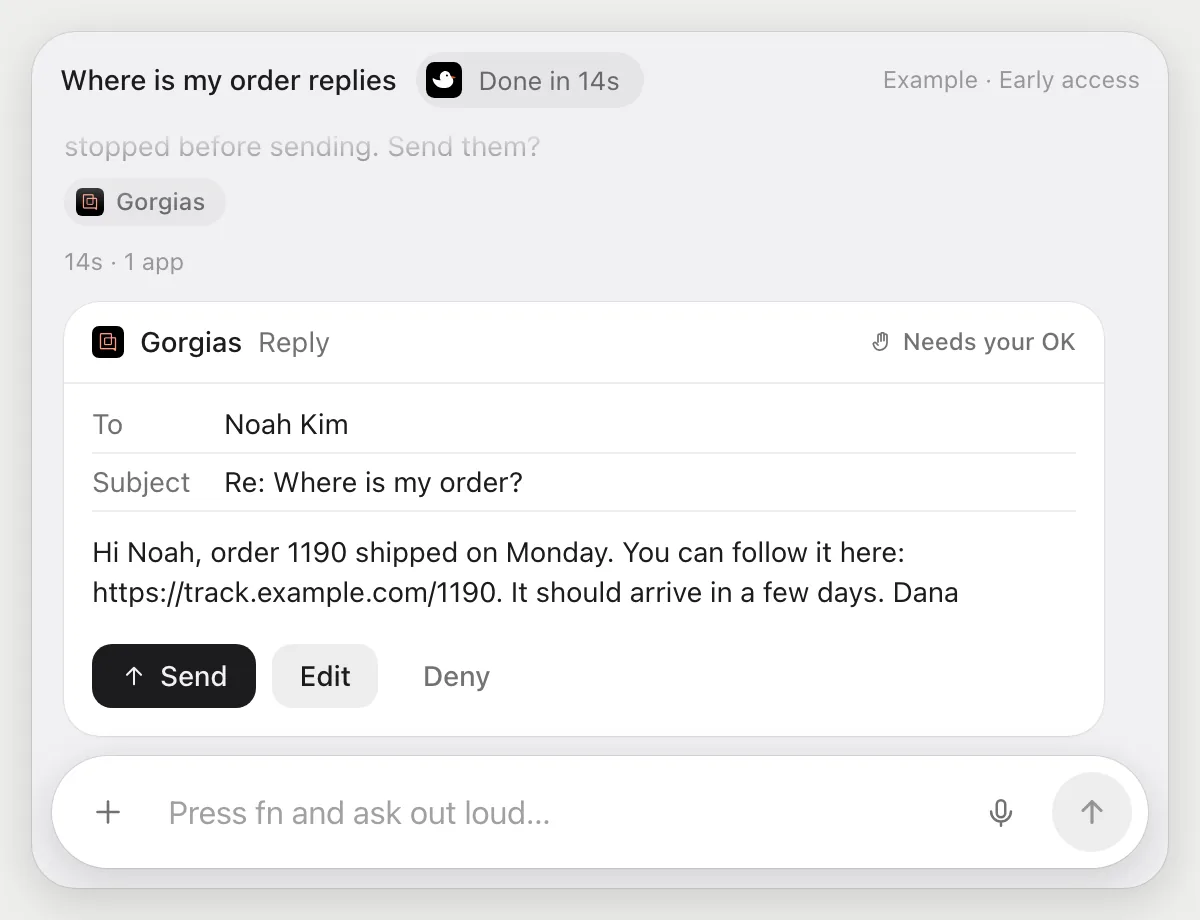
- 04It stops before sending and shows the replies. Send them, Edit one, or Deny.
Built to ask firstBefore any reply goes out it shows the message with Send, Edit and Deny. Nothing is sent until you press Send.
You getFour customers get their own tracking link, and you read every reply first.
Handle damaged-item tickets
“When a ticket says the item arrived damaged, ask for a photo and tag it Damaged, asking me before each reply”
- 01Say it once while Gorgias is open. It does the first run on the open tickets you can see.
- 02It learns Gorgias's own actions for tagging and replying the first time, so later runs are quick.
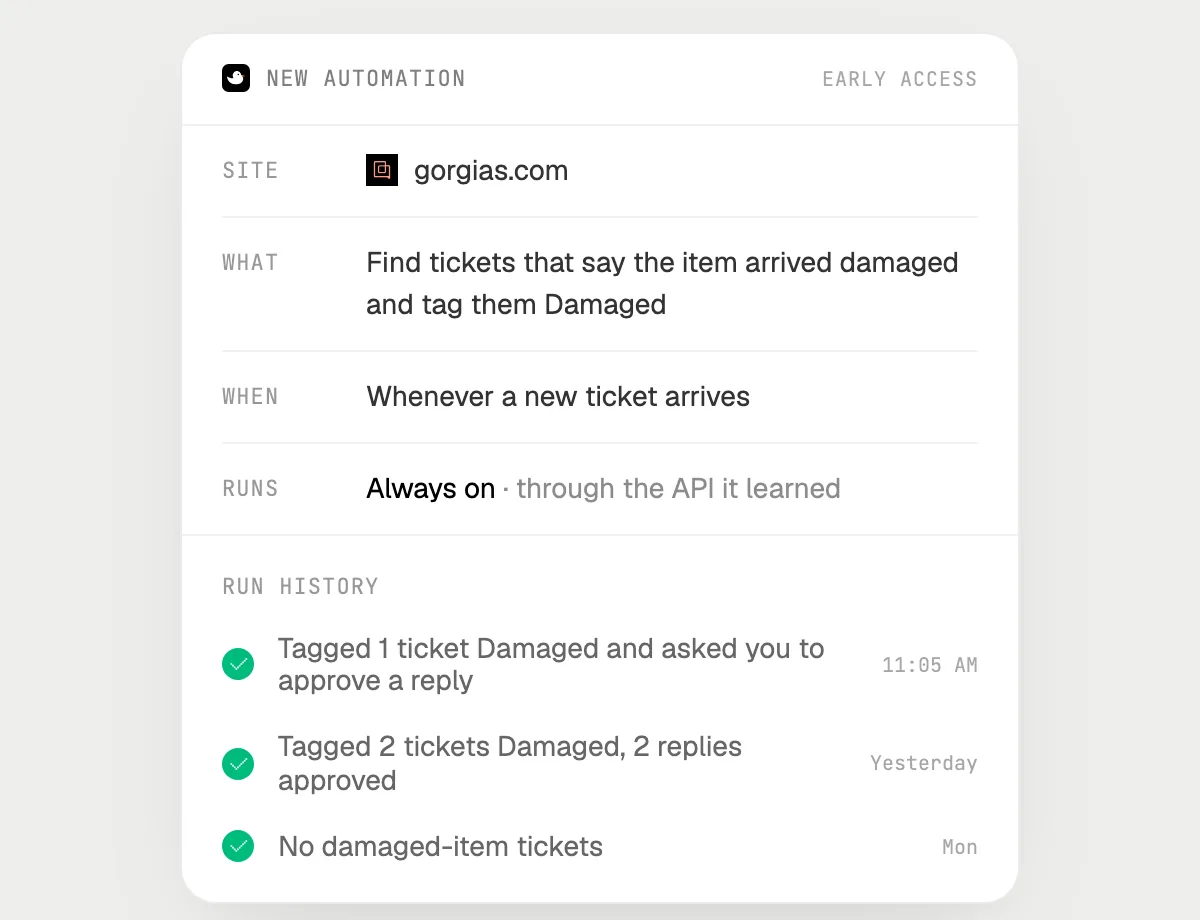
- 03Turn it on from the card it offers. From then on it runs whenever a new ticket comes in.
- 04Each run lands in the history, and each reply waits for your Send.
Built to ask firstTagging needs no OK. Every reply to a customer stops with Send, Edit and Deny first.
You getDamaged-item tickets are tagged and the photo request is ready, and you approve each reply.

Getting more out of it in Gorgias.
- 01
Say the order number out loud when you can. "Order 1182" is enough for it to find the right ticket on screen.
- 02
Ask what the customer actually wants before you answer: a refund, a swap or just an update.
- 03
For tracking replies, tell it the tone once, like short and friendly, and it keeps it for all of them.
- 04
Refunds are built to stop for your OK, so you can hand over a batch and still check each amount.
Questions about Gorgias.
Do I need to connect my store or Gorgias account?
No. There is nothing to connect. It reads the Gorgias page on your screen while the pill is open, and for jobs (Early access) it uses Gorgias in your browser, signed in as you. It's built not to type your passwords or card numbers.
Will it refund a customer without asking me?
It's built to ask first: a refund stops with the amount and the customer on a card, and you slide to approve. Replies stop with Send, Edit and Deny too. It may not recognize every send or payment, so keep an eye on tasks that involve messages or money.
Does it see my store's orders?
It sees what Gorgias shows on your screen, like the order beside a ticket. It does not have its own link to your store.
Does it work on my phone?
No. DuckyHelper is an app for Mac, Windows and Linux, so it works with Gorgias in your computer's browser.



Do anything
Ask it a question or hand it a job, in any app.


Doing jobs for you is in early access on Mac. Asking works on Mac, Windows and Linux.