

How to use DuckyHelper in Shopify
Running a store means chasing small things: an order that won't ship, a price list to key in, a product quietly running out. Ask about the admin page on your screen and DuckyHelper explains and circles it. You can also hand it the price updates or a stock watch that drafts the reorder email (Early access).
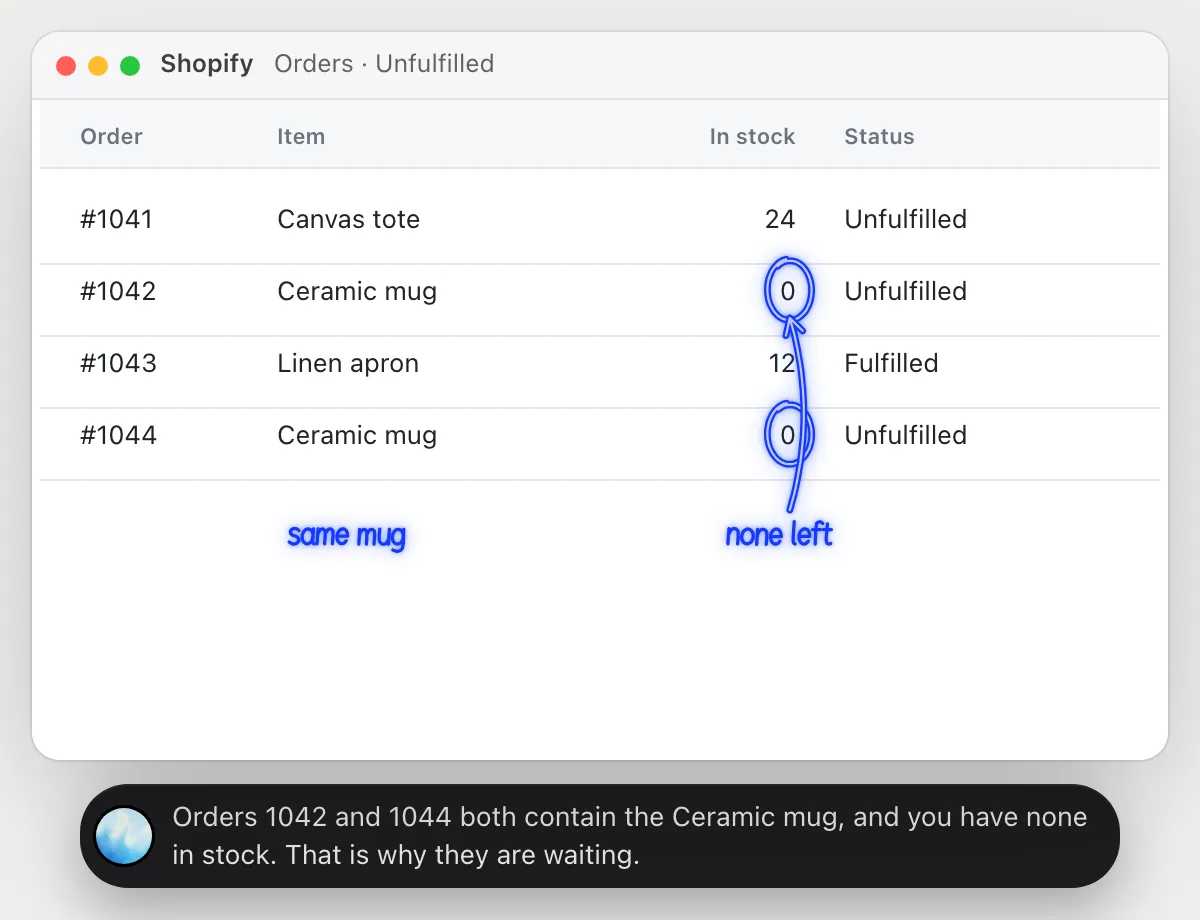
Find why an order is stuck
“Why is this order still unfulfilled?”
- 01Open the unfulfilled orders so the items and their stock show.
- 02Ask out loud about the order you mean.
- 03DuckyHelper reads each order's items and compares them with what you have in stock.
- 04It circles the item that is out and says which orders wait on it.
You getThe reason an order has not shipped, and every other order stuck on the same item.
 Orders 1042 and 1044 both contain the Ceramic mug, and you have none in stock. That is why they are waiting.
See where shoppers drop off
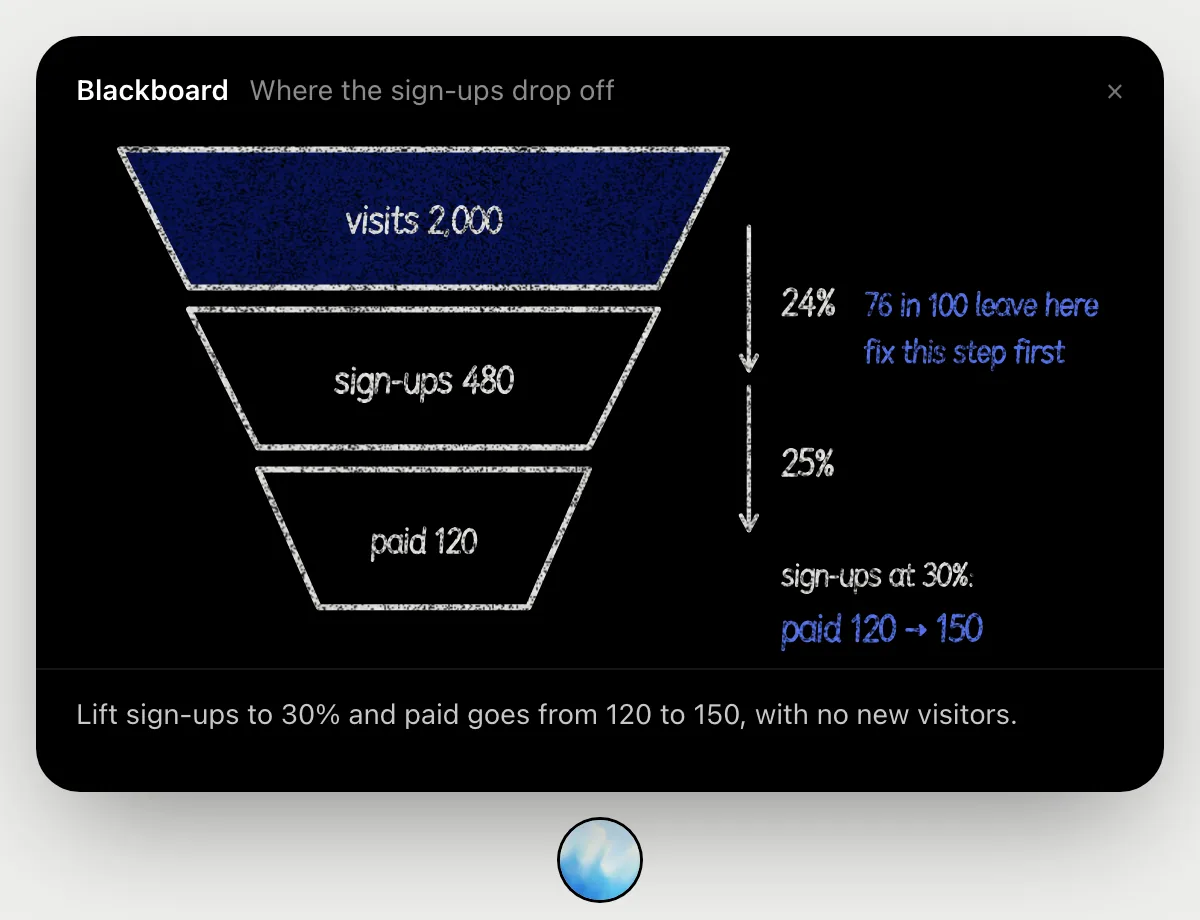
“Where do shoppers drop off between visiting and buying?”
- 01Open the page with your visit and order numbers, or have them ready to say.
- 02Ask out loud. DuckyHelper reads the numbers and opens the blackboard.
- 03It draws the funnel from visits to sign-ups to paid and works out the rate at each step as it talks.
- 04It marks the step that loses the most people and shows what a better rate there would be worth.
You getThe leakiest step in your store, with the arithmetic where you can follow it.
Update prices from a list
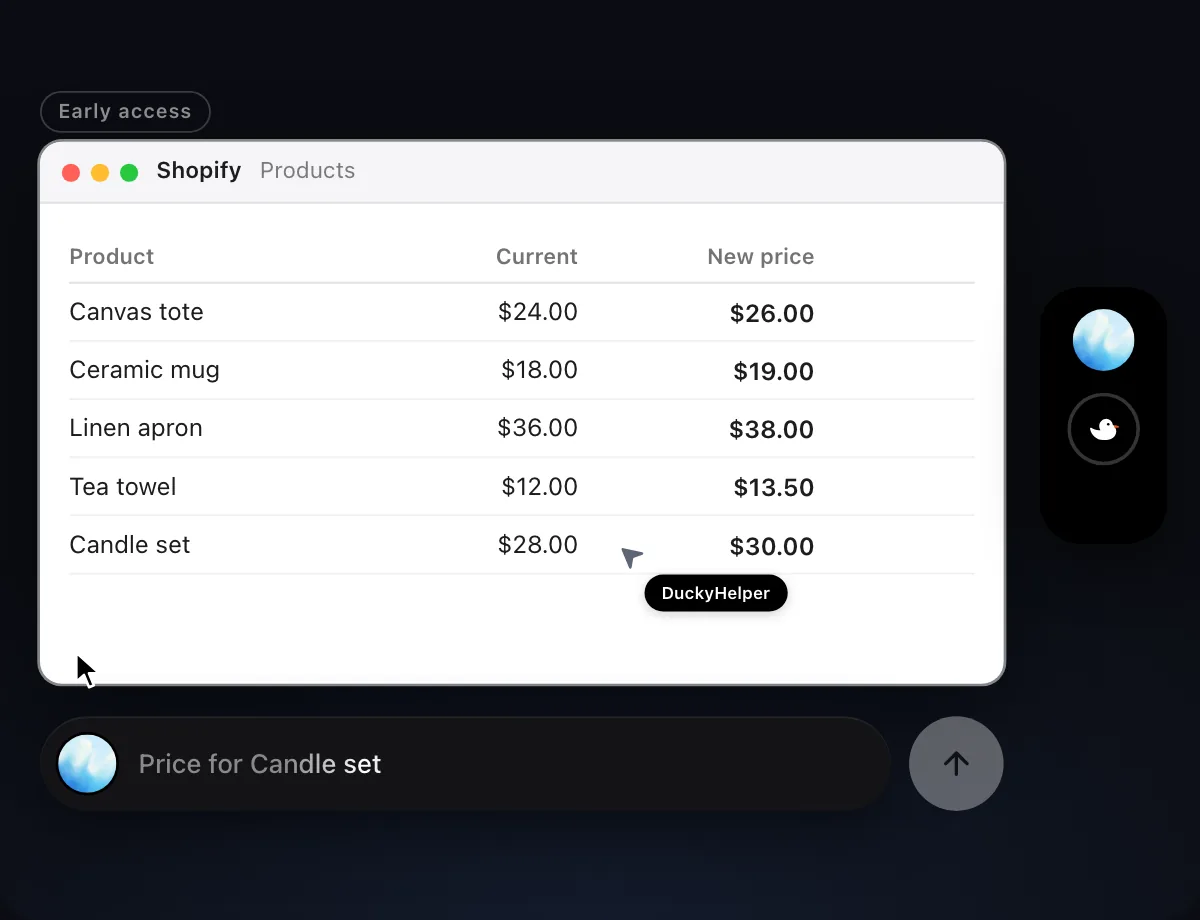
“Update these five products' prices from the new price list”
- 01Open the price list and your products page, and say which products.
- 02DuckyHelper works in the admin with its own cursor while you keep using yours.
- 03It opens each product and types the new price, one at a time.
- 04It shows the finished list so you can check every price against yours.
Built to ask firstChanging prices on your own products sends nothing and costs nothing, so it does not stop. Shoppers see new prices once they are saved, so check the list when it finishes.
You getFive prices matched to your list without opening five product pages yourself.

Warn when stock runs low
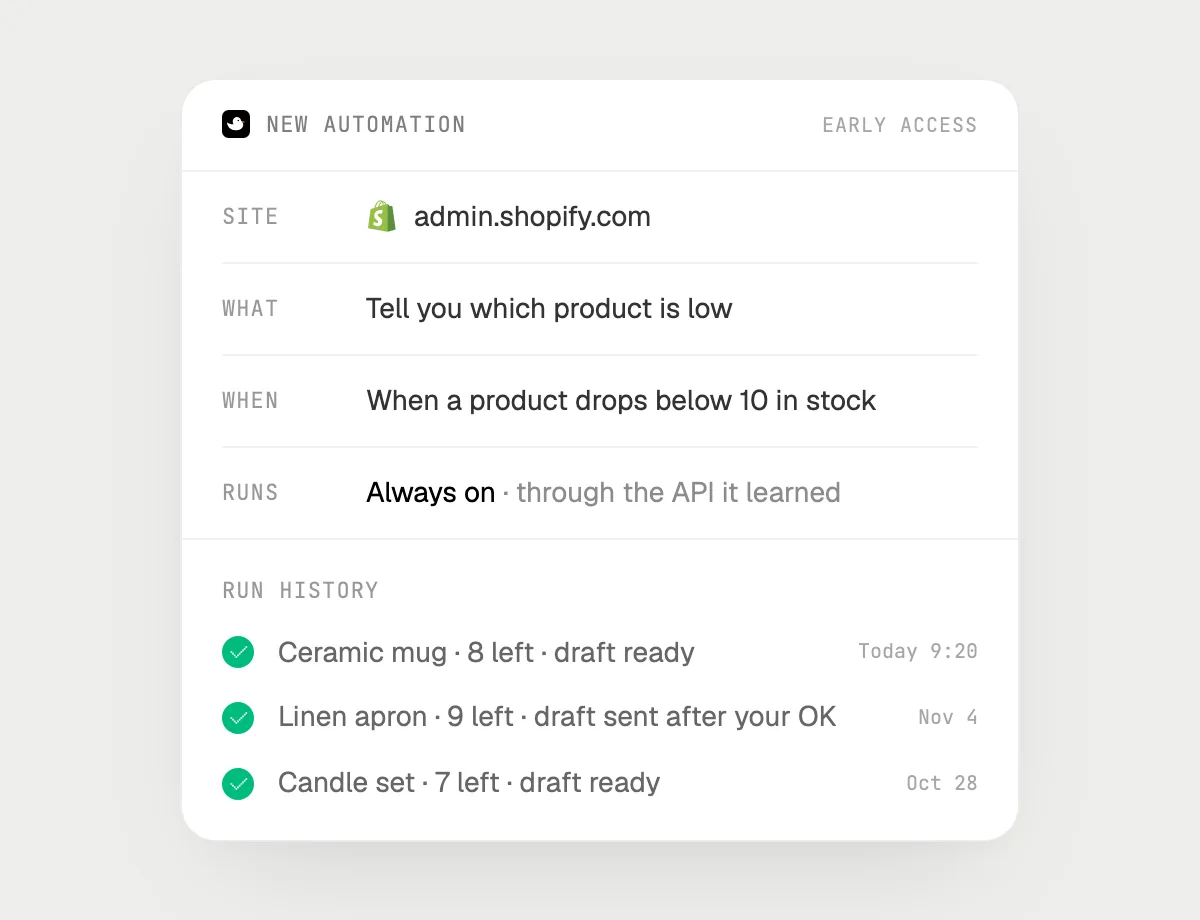
“When any product drops below 10 in stock, tell me and draft the reorder email, asking me before sending”
- 01Say it once with your products page open. It checks the stock levels it can see right away.
- 02It learns the admin's own actions the first time, so later checks are quick.
- 03Turn it on from the card it offers. It runs whenever a product's stock falls under 10.
- 04Each run shows in the history: which product, how many are left, and the draft waiting for you.
Built to ask firstTelling you and drafting the email need no OK. The reorder email goes out only after you press Send.
You getA heads-up before you run out, with the reorder email already written.
Getting more out of it in Shopify.
- 01
Put the order and the product's stock on screen together, so DuckyHelper can compare them without guessing.
- 02
Say products the way the admin names them. "The ceramic mug" is enough to find the row.
- 03
After a price job, ask it to read the products page back to you and check the new prices.
- 04
Customers writing in about the same orders? The Gorgias guide covers replying.
Questions about Shopify.
Do I need to connect my store?
No. There is nothing to connect. It reads the admin page on your screen while the pill is open. Jobs (Early access) use your admin in the browser, signed in as you, and it's built not to type your passwords or card numbers.
Will it email my supplier without asking?
It's built to ask first: any email shows its recipient and words with Send, Edit and Deny first. It may not recognize every send or payment, so keep an eye on tasks that involve messages or money. Drafting and watching stock need no OK.
Can it change prices or products on its own?
Only when you ask it to, as a job (Early access on Mac). Ask without a job and it only explains and draws.
Does it work in the Shopify phone app?
No. DuckyHelper is an app for Mac, Windows and Linux, so it works with your store's admin in a computer's browser.



Do anything
Ask it a question or hand it a job, in any app.



Doing jobs for you is in early access on Mac. Asking works on Mac, Windows and Linux.