

How to use DuckyHelper in Stripe
A payout that does not match the charges sends you hunting through the Dashboard. Ask DuckyHelper about the payout or chart on screen and it explains the gap and circles it. Hand it a refund and it finds the charges, and is built to stop for your OK before any money moves (Early access).
Find why a payout is smaller
“Why is this payout smaller than the charges?”
- 01Open the payout so its breakdown shows, then ask out loud.
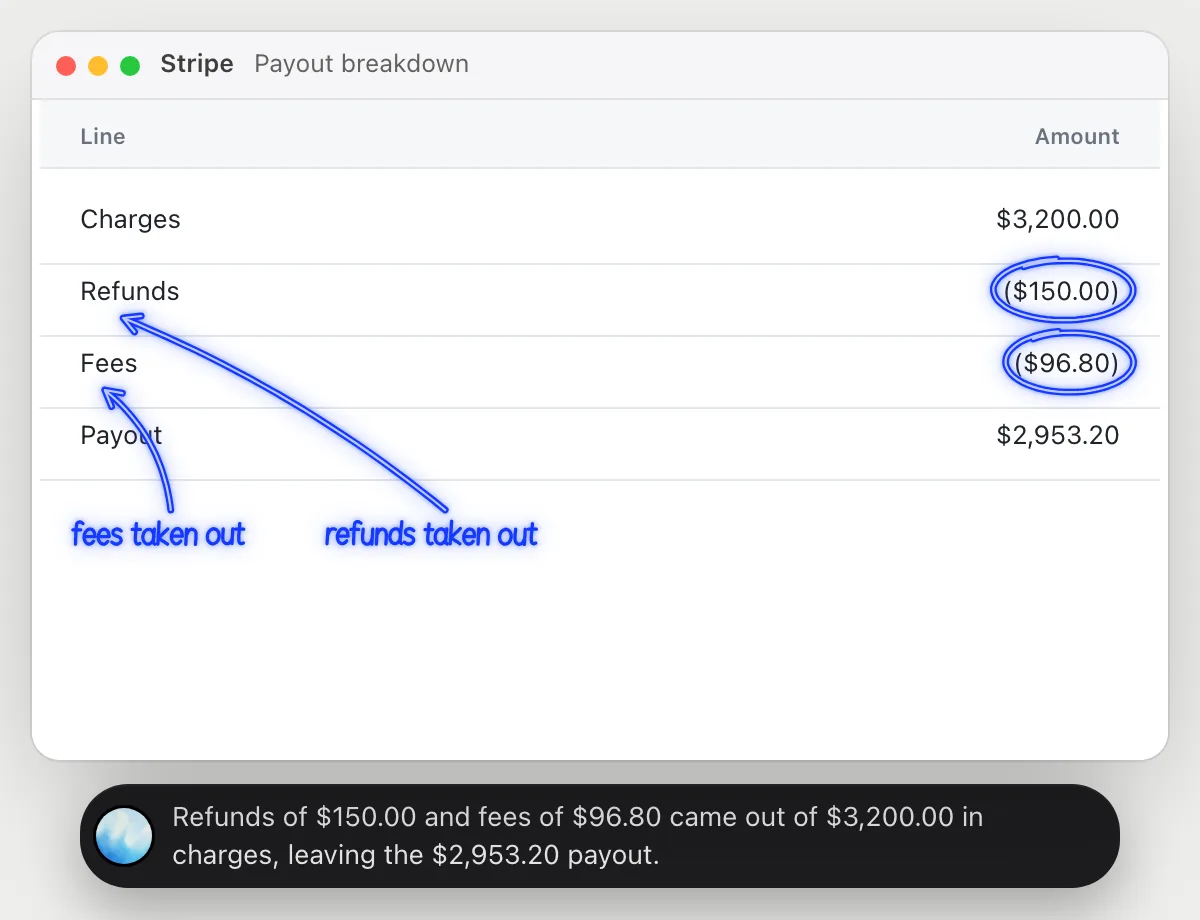
- 02DuckyHelper reads each line: the charges, the refunds, the fees and the total.
- 03It circles the refund and the fee lines and says how much each took off.
- 04Ask which customer a refund was for and it points at where the Dashboard shows it.
You getThe gap between charges and payout explained in a sentence, with the lines circled.
 Refunds of $150.00 and fees of $96.80 came out of $3,200.00 in charges, leaving the $2,953.20 payout.
See where the cash went
“Where did the cash go month by month?”
- 01Open the chart or report with the months in view, then ask out loud.
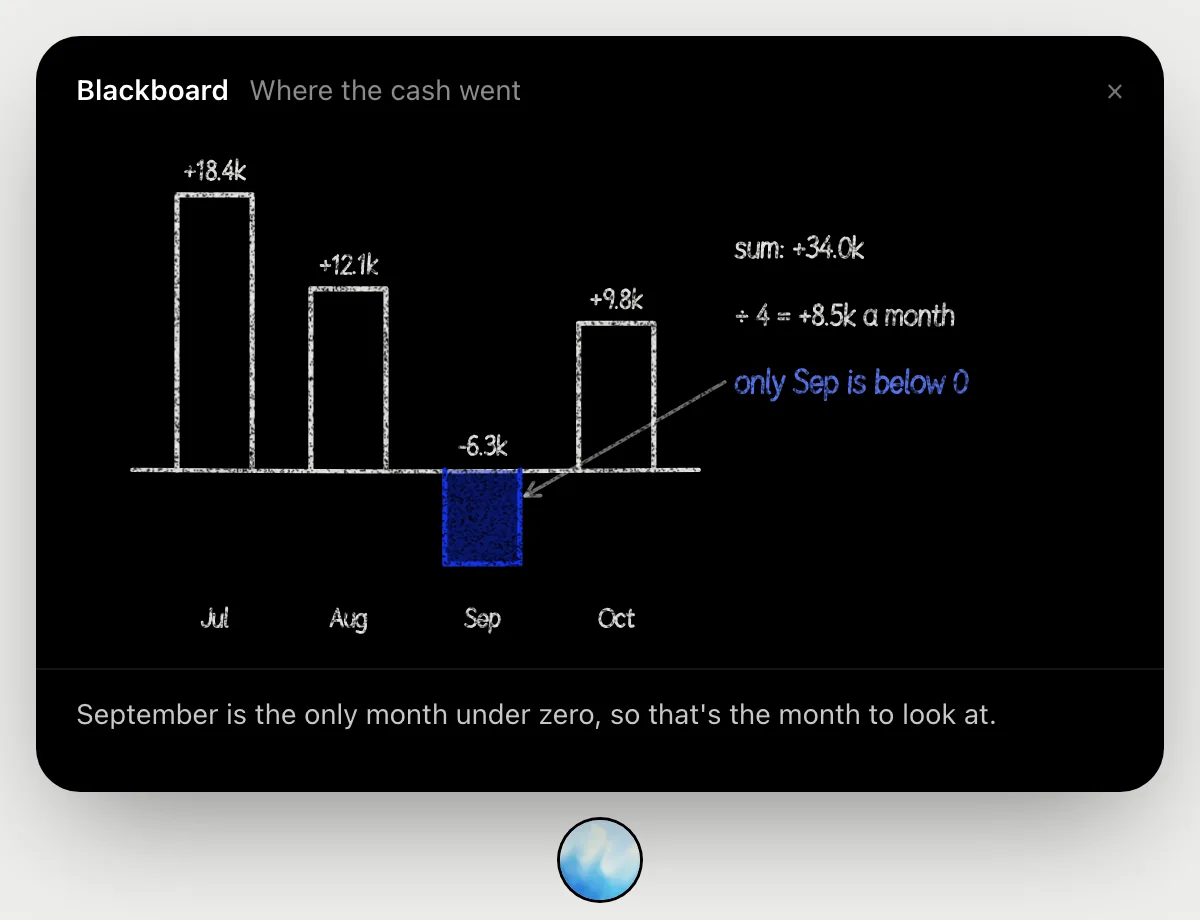
- 02It draws the four months as bars on the blackboard: July 18.4k, August 12.1k, September below zero, October 9.8k.
- 03It adds the months to 34.0k, about 8.5k a month, and says September is the only month under zero.
- 04Ask what to check in September and it names the lines to look at first.
You getYou can say in one breath which month went wrong, and how far.
Refund a duplicate charge
“Refund the duplicate charge on Jordan's account”
- 01Say the customer's name, or open their page in the Dashboard.
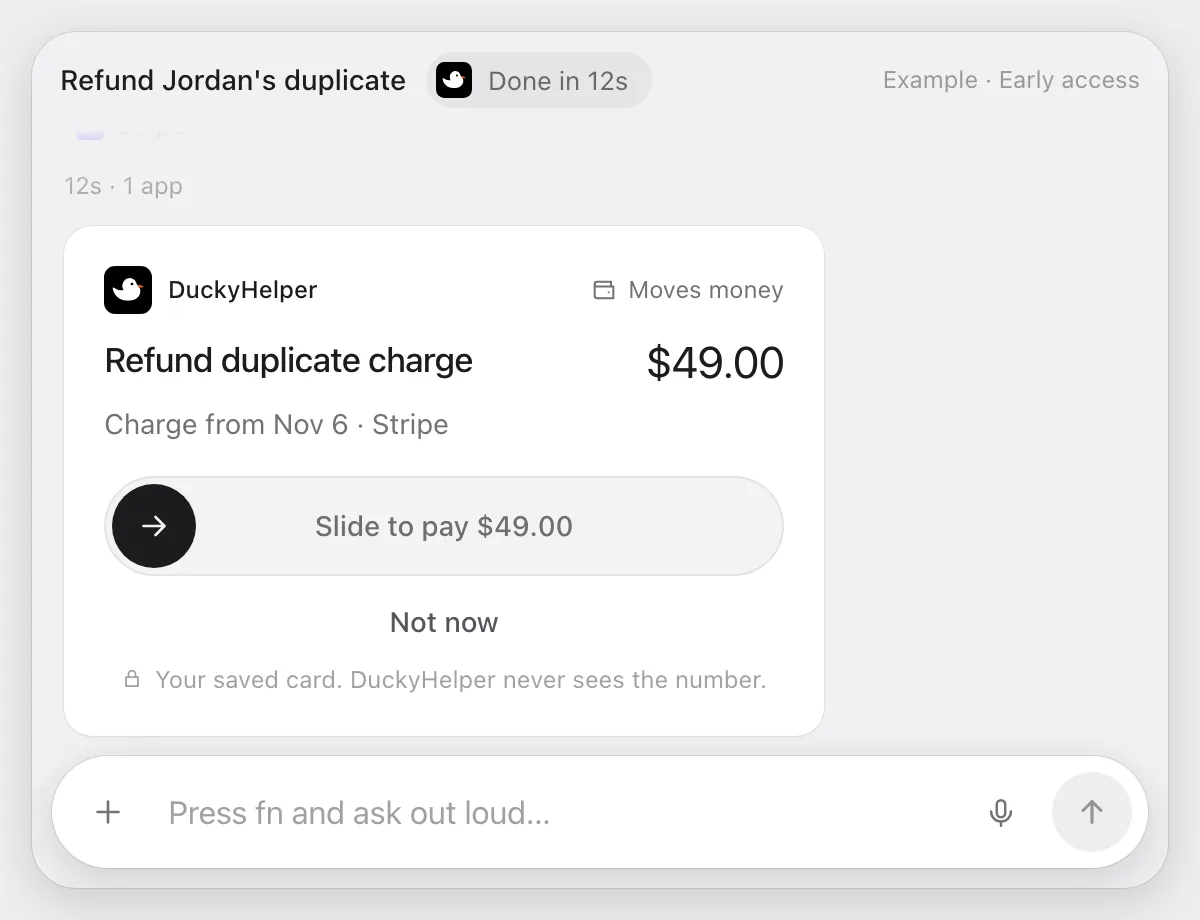
- 02DuckyHelper reads their payments and finds the two charges for the same amount a minute apart.
- 03It opens the second one and goes to the refund step, then stops.
- 04You see the amount and the customer on a card. Slide to approve the refund, or Deny to cancel.
Built to ask firstA refund moves money, so it's built to stop for your OK. It shows the amount and the customer, and nothing is refunded until you approve it.
You getThe duplicate is refunded, once, after you checked it.
Reconcile payouts each week
“Every Monday, check last week's payouts against the bank sheet and flag differences”
- 01Say it once with the Payouts page and the bank sheet in reach. It does the first run on last week's rows.
- 02It learns the Dashboard's own actions for reading payouts the first time, so later runs are quick.
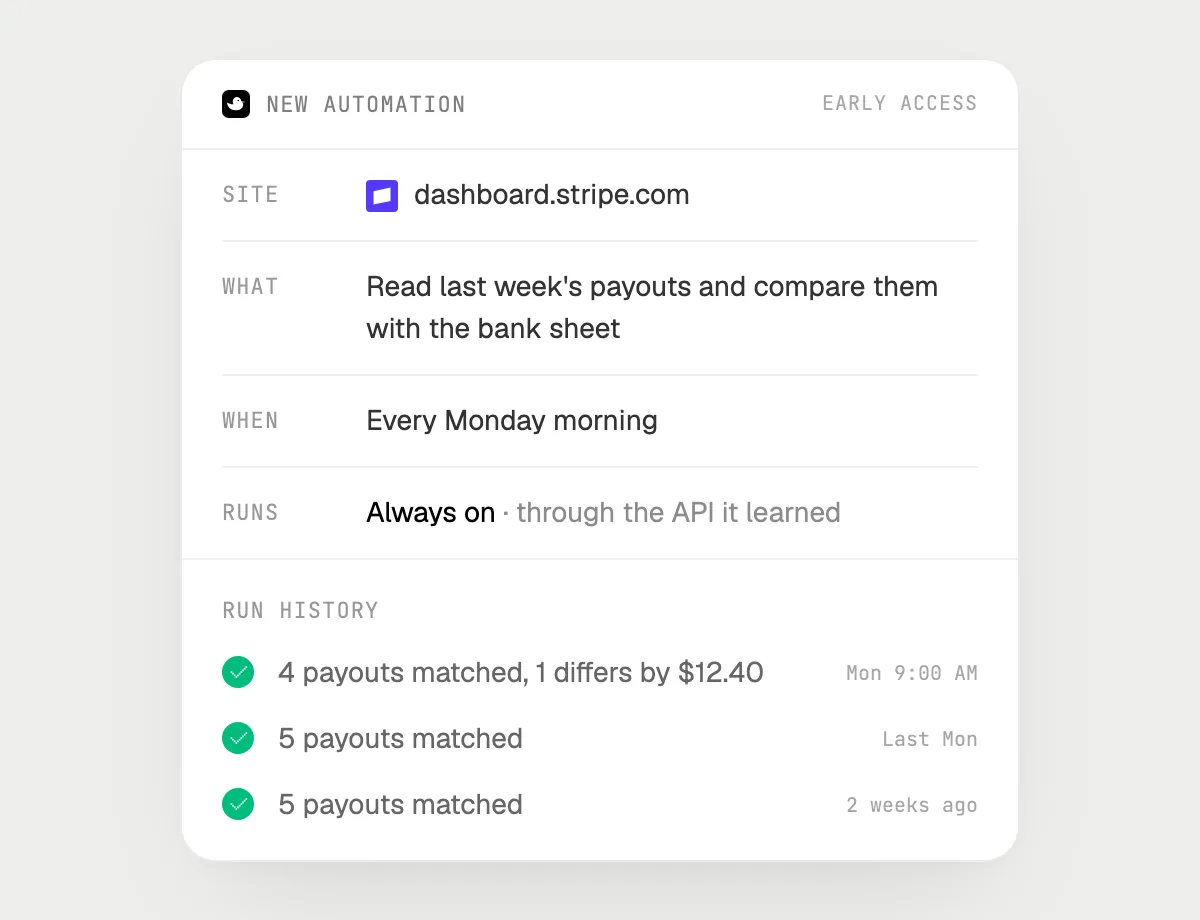
- 03Turn it on from the card it offers. From then on it runs every Monday.
- 04Each run lands in the history with the payouts that matched and the ones that did not.
Built to ask firstReading payouts and comparing them needs no OK. Moving money is not part of this job, and anything that sends a message is built to stop with Send, Edit and Deny first.
You getEvery Monday you hear which payouts match the bank sheet and which do not.

Getting more out of it in Stripe.
- 01
Open the payout itself, not the list of payouts, before you ask why it is smaller. The breakdown is on its page.
- 02
Say the customer's name for a refund. It finds their charges on screen and tells you what it found.
- 03
A refund is built to wait for you, even when you hand over a batch. Check the amount on the card.
- 04
It explains what is on screen. It does not give accounting or tax advice.
Questions about Stripe.
Do I need to connect my Stripe account?
No. There is nothing to connect. DuckyHelper works with the Stripe Dashboard on your screen like a person does. For jobs (Early access) it uses the Dashboard in your browser, signed in as you. It's built not to type your passwords or card numbers.
Can it refund without asking me?
It's built to ask first: a refund stops with the amount and the customer on a card, and waits for you to approve it. It may not recognize every send or payment, so keep an eye on tasks that involve messages or money.
Does it see all my payments?
Only what is on your screen while the pill is open. A job or automation you start (Early access) opens the pages it needs.
Does it work on my phone?
No. DuckyHelper is an app for Mac, Windows and Linux, so it works with the Dashboard in your computer's browser.



Do anything
Ask it a question or hand it a job, in any app.


Doing jobs for you is in early access on Mac. Asking works on Mac, Windows and Linux.