

How to use DuckyHelper in Zendesk
A Zendesk view fills up faster than you can read it. Ask DuckyHelper about the tickets on screen and it tells you which to answer first and circles them. You can also hand it the reply, or a rule that tags and routes tickets as they arrive (Early access).
See which tickets need you first
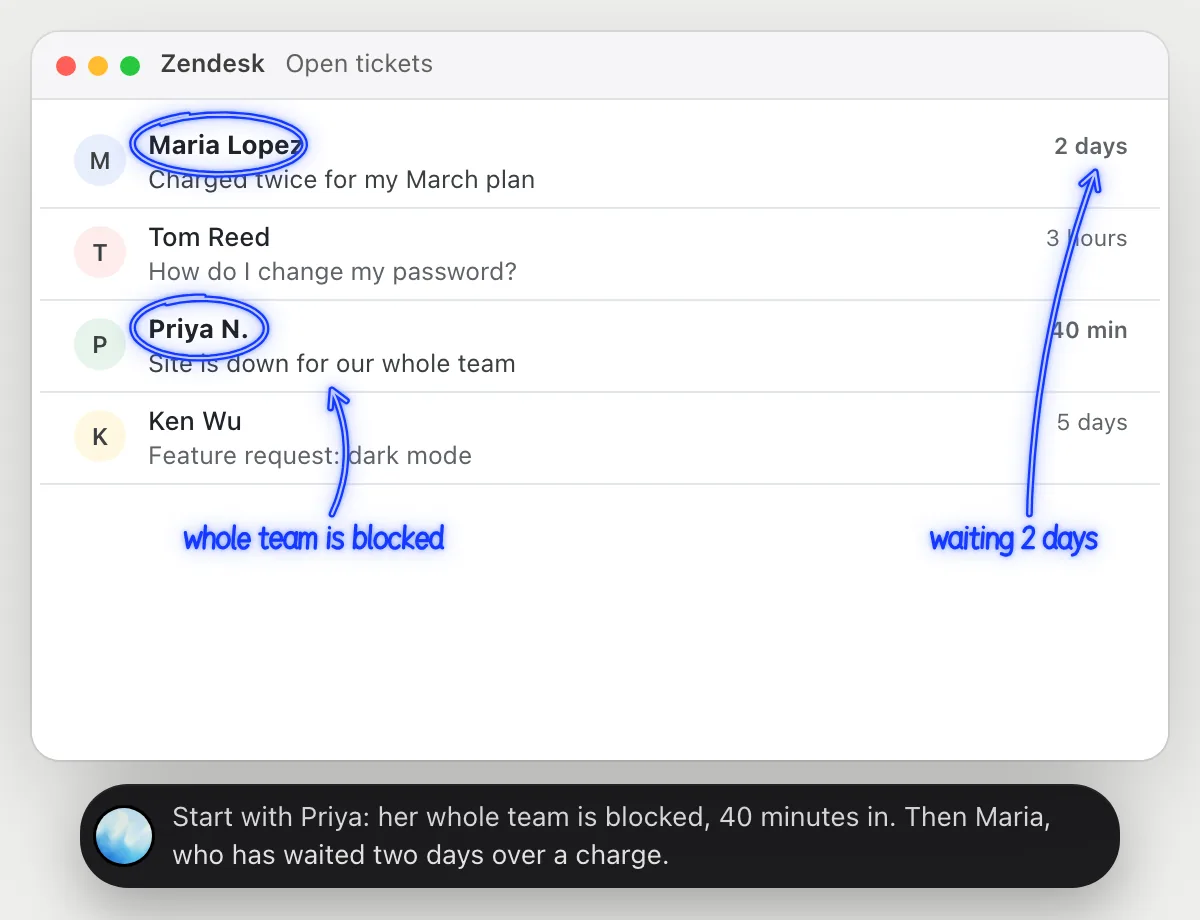
“Which of these tickets should I answer first?”
- 01Open the view of open tickets so the rows are on the screen, then ask out loud.
- 02DuckyHelper reads each ticket's subject, who sent it and how long it has been waiting.
- 03It answers out loud with the order it would take and why, and circles the first two in the list.
- 04Ask what is behind one of them and it explains from the ticket that is open.
You getYou know which two tickets to open first, and why, before you read the rest.
 Start with Priya: her whole team is blocked, 40 minutes in. Then Maria, who has waited two days over a charge.
Check the queue will clear
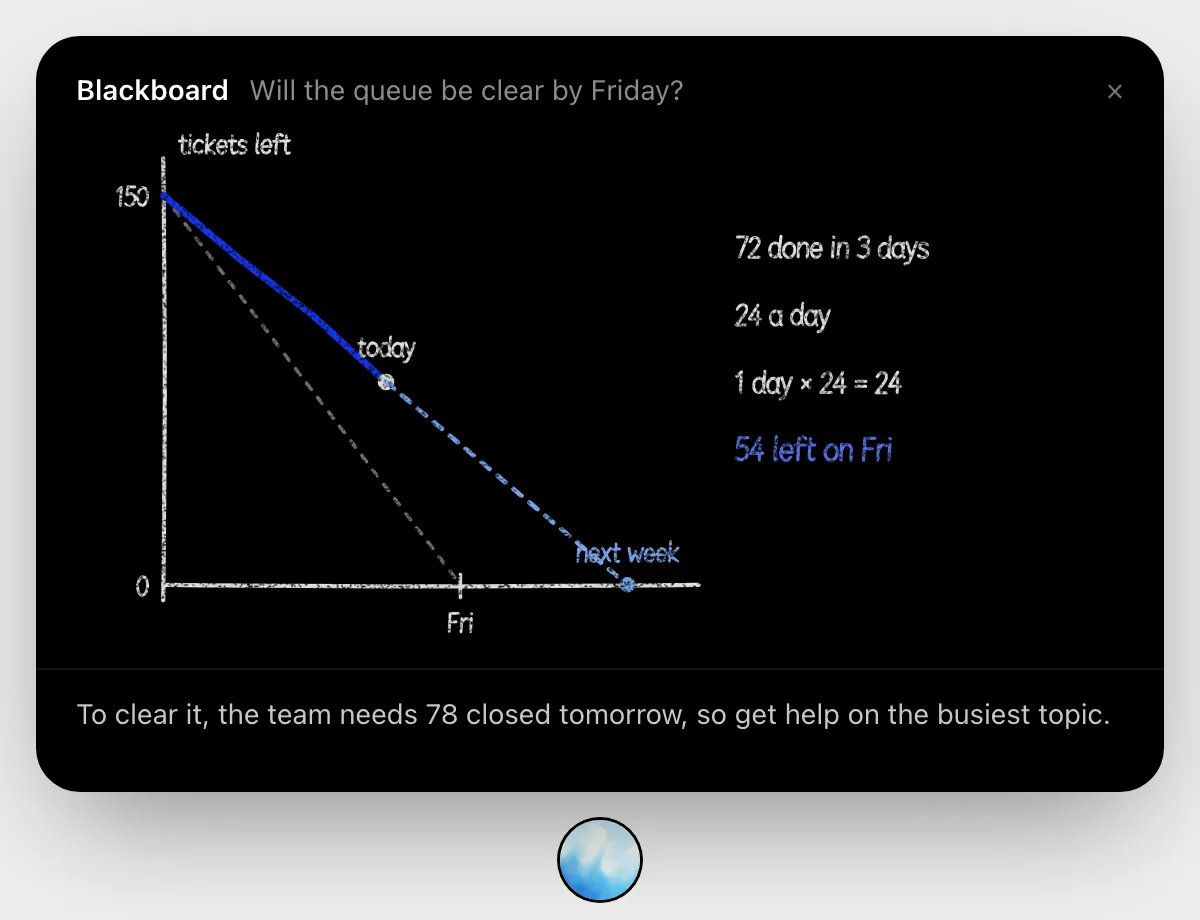
“Will we clear this queue by Friday at this pace?”
- 01Open the view with the open tickets, so the count is on the screen, and ask out loud.
- 02It works it out on the blackboard: 150 open on Monday, and 78 left on Thursday.
- 03It shows the pace so far, about 24 closed a day, against the 38 a day that clearing it by Friday needs.
- 04It says what that leaves open on Friday, 54 tickets, and where to get help.
You getA plain answer on Thursday: not at this pace, and what it would take.
Answer a ticket from your policy
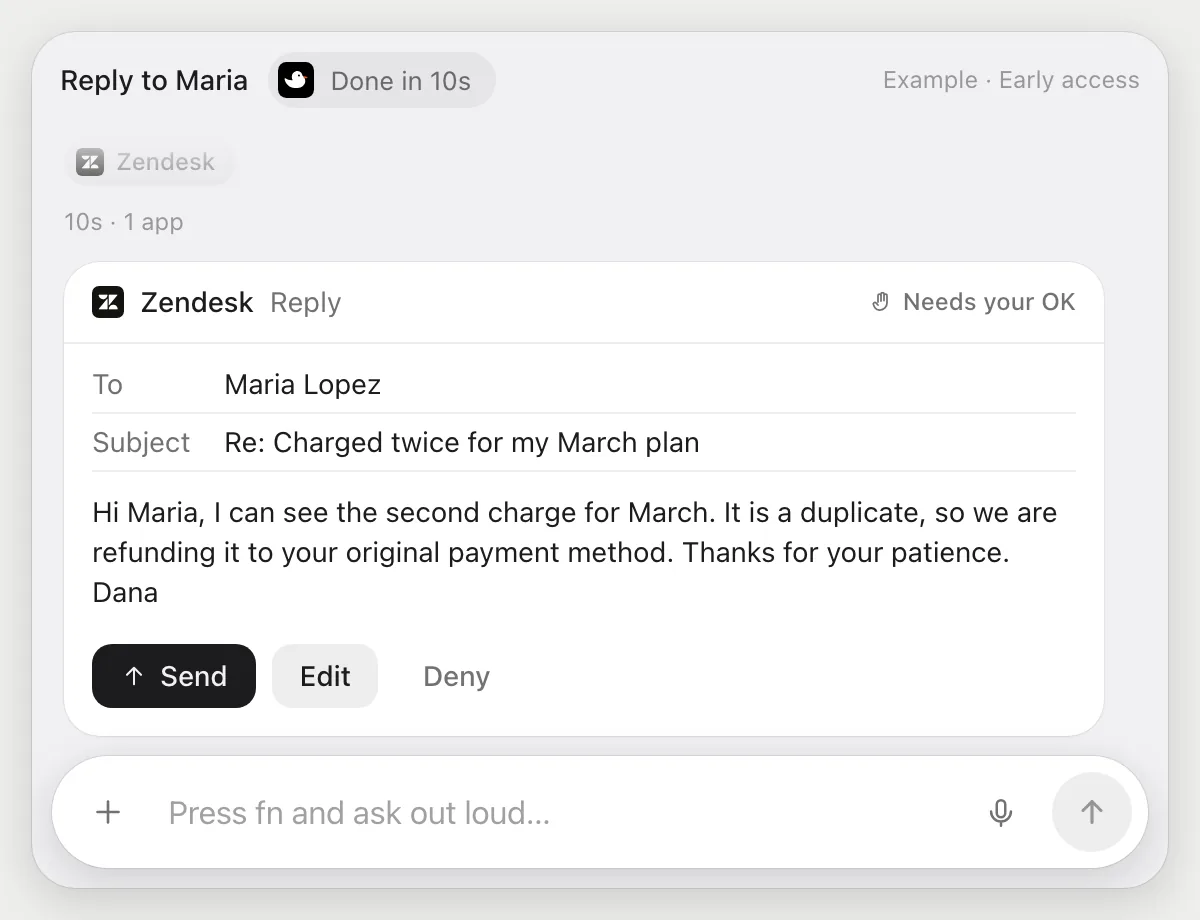
“Draft a reply to this ticket from our refund policy and wait for my OK”
- 01Open the ticket, or say the customer's name and it finds it in the view.
- 02It reads the conversation, then opens the refund policy article in your help center.
- 03It writes the reply in the ticket's reply box with its own cursor while you keep working.
- 04It stops before sending and shows who it goes to and every word. Press Send, Edit it, or Deny.
Built to ask firstBefore anything is sent to the customer it shows the reply with Send, Edit and Deny. Nothing goes out until you press Send.
You getA reply that matches your policy, sent only after you read it.
Route billing tickets
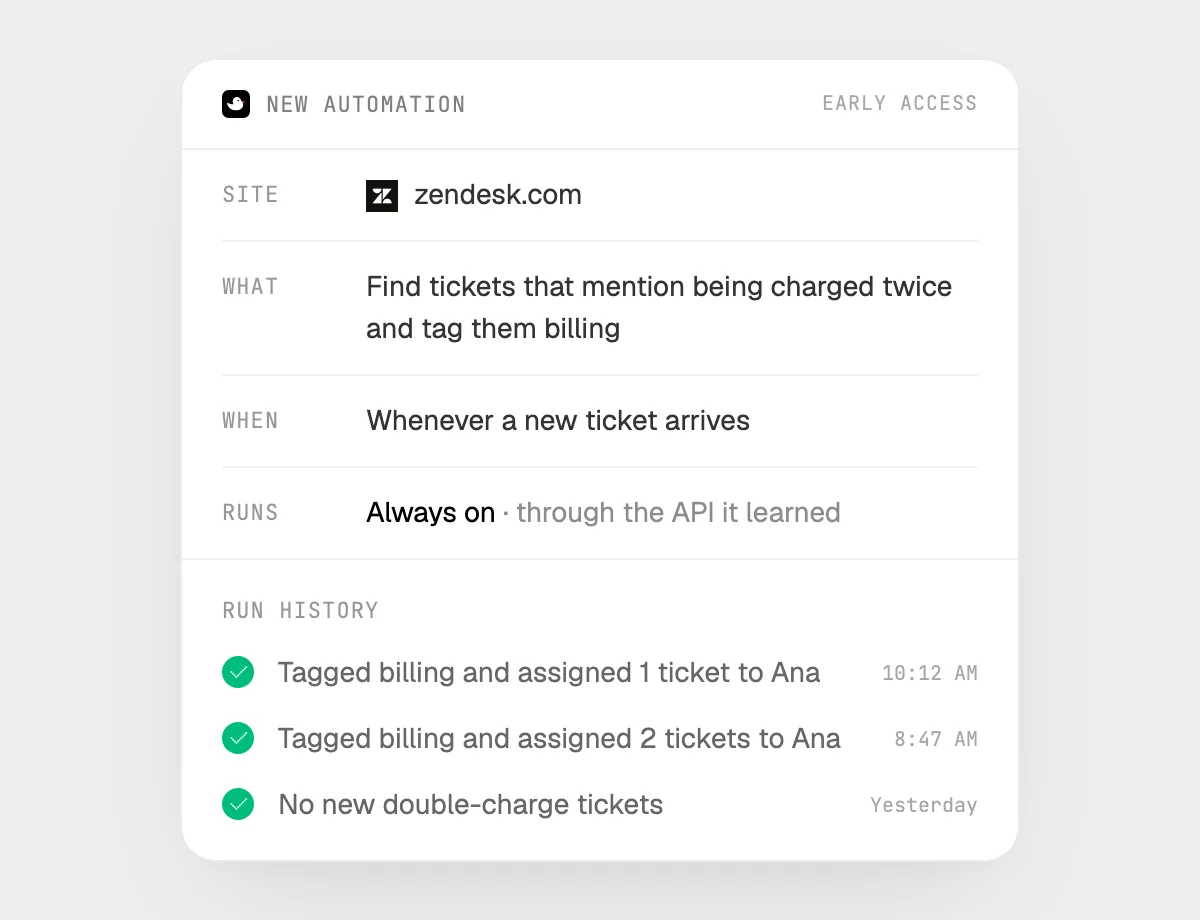
“When a ticket mentions being charged twice, tag it billing and assign it to Ana”
- 01Say it once while Zendesk is open. It does the first run on the tickets in your view now.
- 02It learns Zendesk's own actions for tagging and assigning the first time, so later runs are quick.
- 03Turn it on from the card it offers. From then on it runs when a new ticket comes in.
- 04Each run lands in the history, so you see which tickets it tagged and who got them.
Built to ask firstTagging and assigning need no OK. If a run would ever reply to a customer, it's built to stop and ask you first.
You getDouble-charge tickets land with Ana, tagged, without you sorting them.

Getting more out of it in Zendesk.
- 01
Ask about the view on screen. If a ticket is further down, scroll to it or open it first: DuckyHelper reads the screen, not your whole account.
- 02
Tell it which article your reply should follow, like the refund policy or the shipping page, and it reads that article first.
- 03
Say how the reply should sound: short and warm, formal, or with your usual sign-off.
- 04
Ask it to explain a long ticket thread in two sentences before you reply: who is waiting, and what they asked for last.
Questions about Zendesk.
Do I need to connect my Zendesk account?
No. There is nothing to connect. It sees what is on your screen while the pill is open, and for jobs (Early access) it uses Zendesk in your browser with its own cursor, signed in as you. It's built not to type your passwords or card numbers.
Can it reply to a customer without asking me?
It's built to ask first: before any reply goes out it shows the message with Send, Edit and Deny and waits for your yes. It may not recognize every send or payment, so keep an eye on tasks that involve messages or money. Reading, drafting, tagging and assigning don't need your OK.
Does it read every ticket in my account?
When you ask a question it looks only at what is on your screen, and only while the pill is open. A job or automation you start (Early access) opens the tickets that job needs.
Does it work in Zendesk on my phone?
No. DuckyHelper is an app for Mac, Windows and Linux, so it works with Zendesk in your computer's browser.



Do anything
Ask it a question or hand it a job, in any app.


Doing jobs for you is in early access on Mac. Asking works on Mac, Windows and Linux.