

How to use DuckyHelper in Workday
Workday is forms and balances you open a few times a month and never remember. Ask DuckyHelper about the page on screen and it reads the balance or the process back to you. Hand it the form and it fills it in, and is built to stop before it submits (Early access).
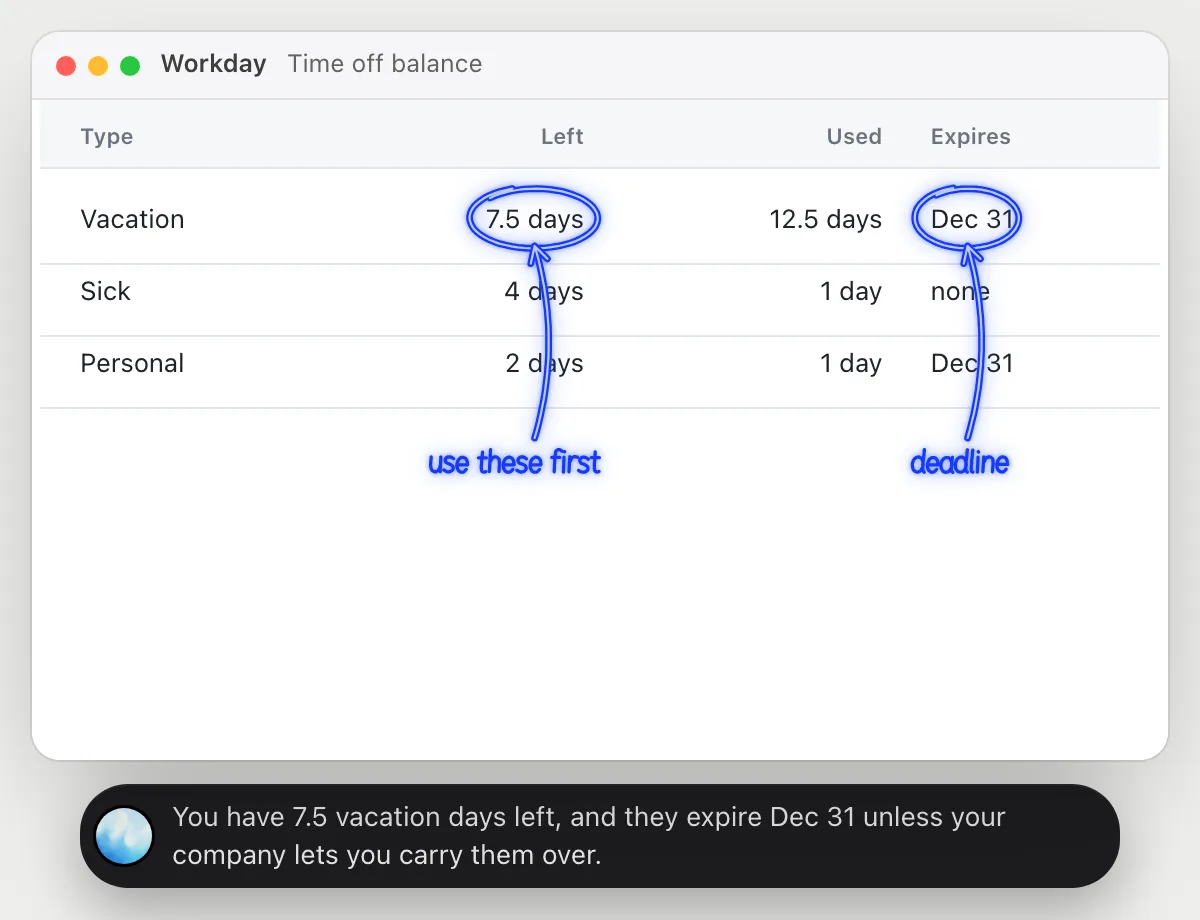
Check your time off balance
“How many vacation days do I have left, and do any expire?”
- 01Open your time off balance so the table shows, then ask out loud.
- 02DuckyHelper reads each type, what is left and what is used.
- 03It says how many vacation days are left and circles the days with an expiry date.
- 04Ask how many you would have after a week off and it works it out from the balance.
You getYour balance and its deadline, without hunting through the page.
 You have 7.5 vacation days left, and they expire Dec 31 unless your company lets you carry them over.
See where hiring slows down
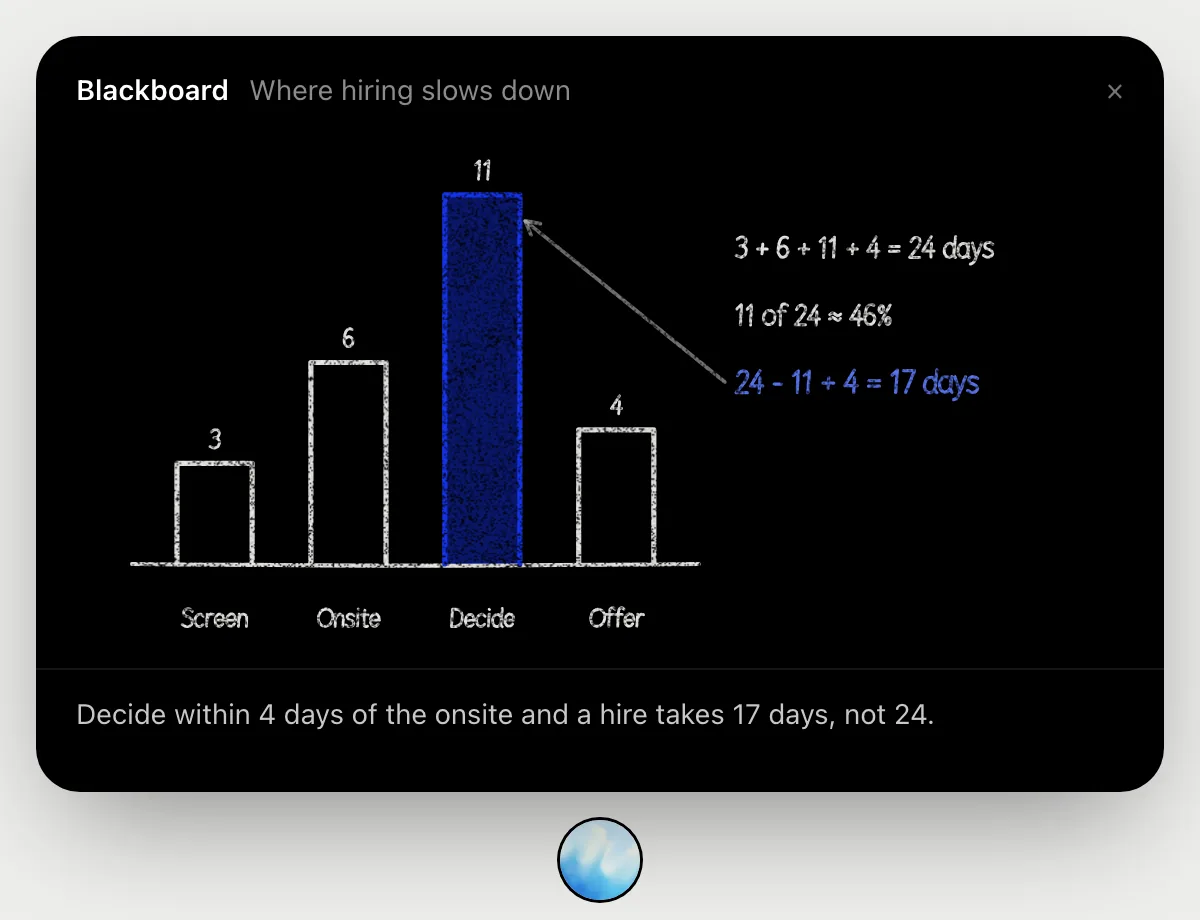
“Where does our hiring process slow down?”
- 01Open the recruiting report so the stages and their days show, then ask out loud.
- 02It draws the stages on the blackboard: 3 days to screen, 6 to the onsite, 11 to decide, 4 to an offer.
- 03It adds them to 24 days and shows deciding takes 11, almost half the time.
- 04It shows what deciding within 4 days would give: 17 days for a hire, instead of 24.
You getThe slow stage is named, with the number of days it could save.
Submit an expense report
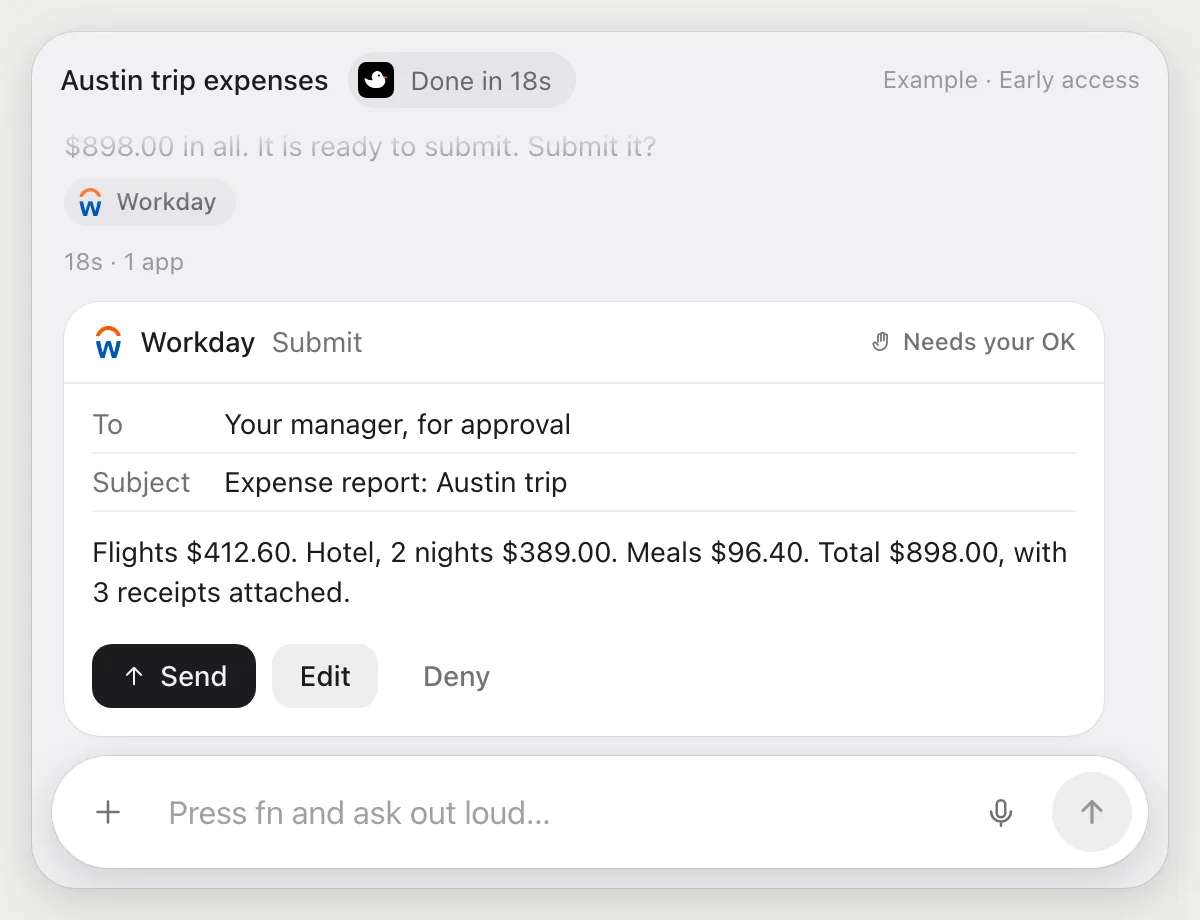
“Submit my expense report for the Austin trip with these receipts”
- 01Have the receipts open or in a folder, and say the trip's name.
- 02DuckyHelper starts an expense report in Workday and adds a line for each receipt.
- 03It attaches each receipt to its line and checks the total against the receipts.
- 04It stops before submitting and shows the report. Press Send to submit it, Edit it, or Deny.
Built to ask firstBefore the report is submitted it shows every line and the total with Send, Edit and Deny. Nothing goes to your manager until you press Send.
You getAn expense report with every receipt attached, submitted only after you checked it.
Request a day off
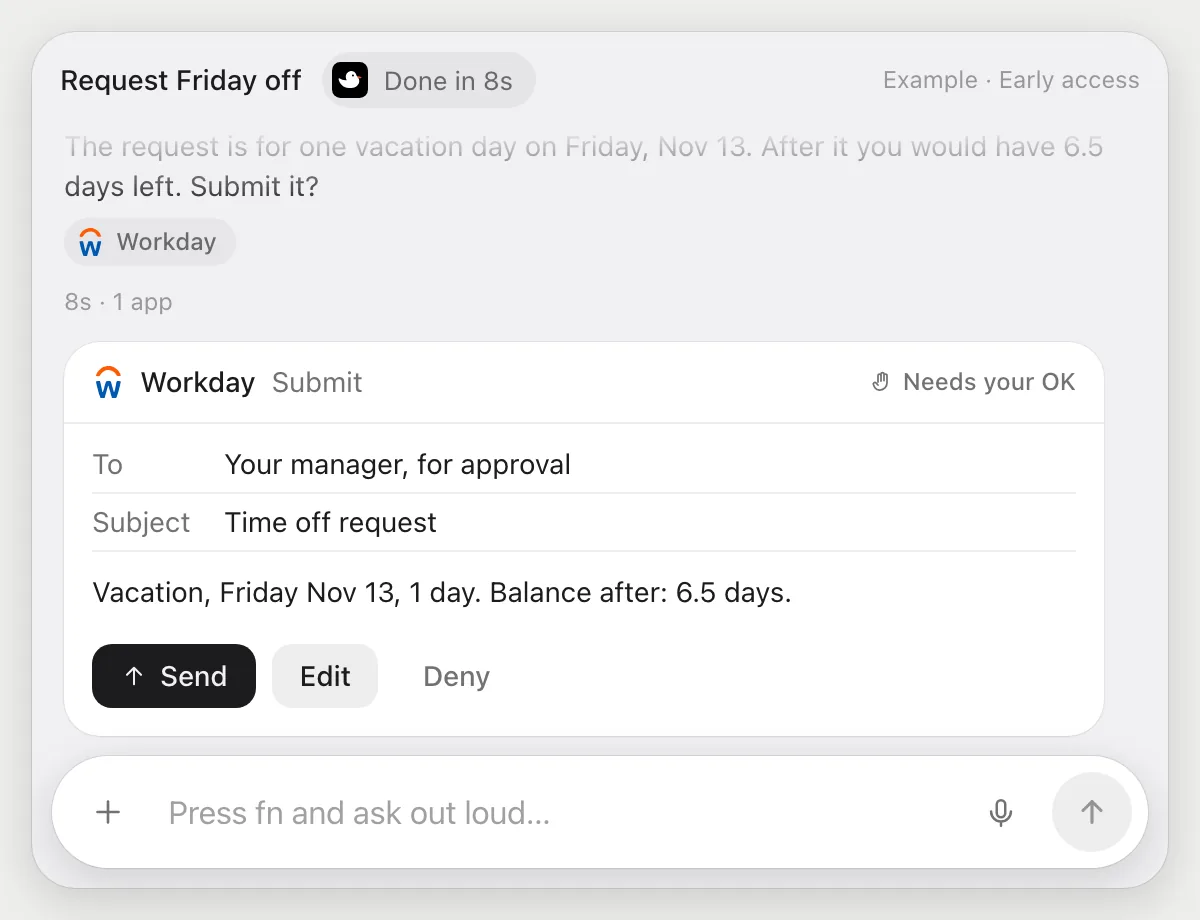
“Request Friday off as vacation”
- 01Open Workday, or just say the day.
- 02DuckyHelper opens the time off request and picks Friday, Nov 13.
- 03It sets the type to vacation, one day, and checks your balance on the page.
- 04It stops before submitting and shows the request. Press Send, Edit it, or Deny.
Built to ask firstBefore the request is submitted it shows the day, the type and the balance with Send, Edit and Deny. Nothing is submitted until you press Send.
You getA time off request that matches what you meant, submitted only after you read it.
Getting more out of it in Workday.
- 01
Say the dates out loud, like Friday the 13th. It reads them back to you before it submits anything.
- 02
Open the receipts folder next to Workday for expenses, so it can read each amount.
- 03
A form is built to wait for your Send before it goes in, so you can hand over the typing and keep the decision.
- 04
It reads and explains pages. It does not give HR or legal advice about your balances.
Questions about Workday.
Do I need to connect my Workday account?
No. There is nothing to connect. It sees what is on your screen while the pill is open, and for jobs (Early access) it uses Workday in your browser, signed in as you. It's built not to type your passwords or card numbers.
Will it submit a form without asking me?
It's built to ask first: before a request or an expense report is submitted it shows it with Send, Edit and Deny and waits for your yes. It may not recognize every send or payment, so keep an eye on tasks that involve messages or money.
Can it see other people's data?
No. It sees only what Workday shows on your screen, as you.
Does it work in the Workday app on my phone?
No. DuckyHelper is an app for Mac, Windows and Linux, so it works with Workday in your computer's browser.



Do anything
Ask it a question or hand it a job, in any app.



Doing jobs for you is in early access on Mac. Asking works on Mac, Windows and Linux.