

How to use DuckyHelper in X (Twitter)
On X the hard part is the pile: dozens of replies to read, a thread to write, a post to time. Ask about the page on your screen and DuckyHelper tells you the gist and circles the repeated points. You can also hand it the thread, the scheduling or draft answers (Early access), and it's built to ask before anything posts.
Get the gist of the replies
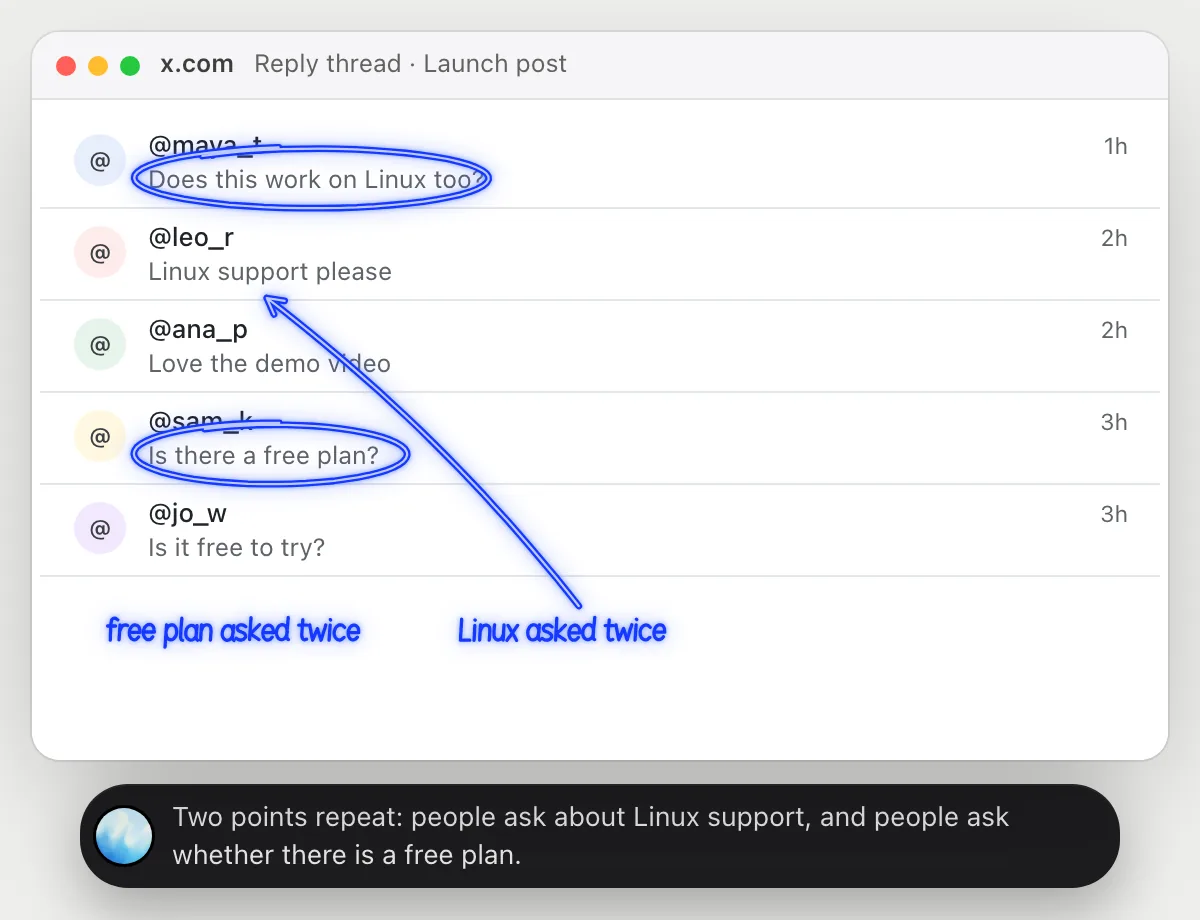
“What are people saying in the replies, in a sentence?”
- 01Open your post so the replies are on screen.
- 02Ask out loud. DuckyHelper reads the replies that are showing.
- 03It circles the points that repeat and says them in one sentence.
- 04Ask which reply is worth answering first and it picks one and says why.
You getWhat people want, in a sentence, without reading every reply.
 Two points repeat: people ask about Linux support, and people ask whether there is a free plan.
Turn a blog post into a thread
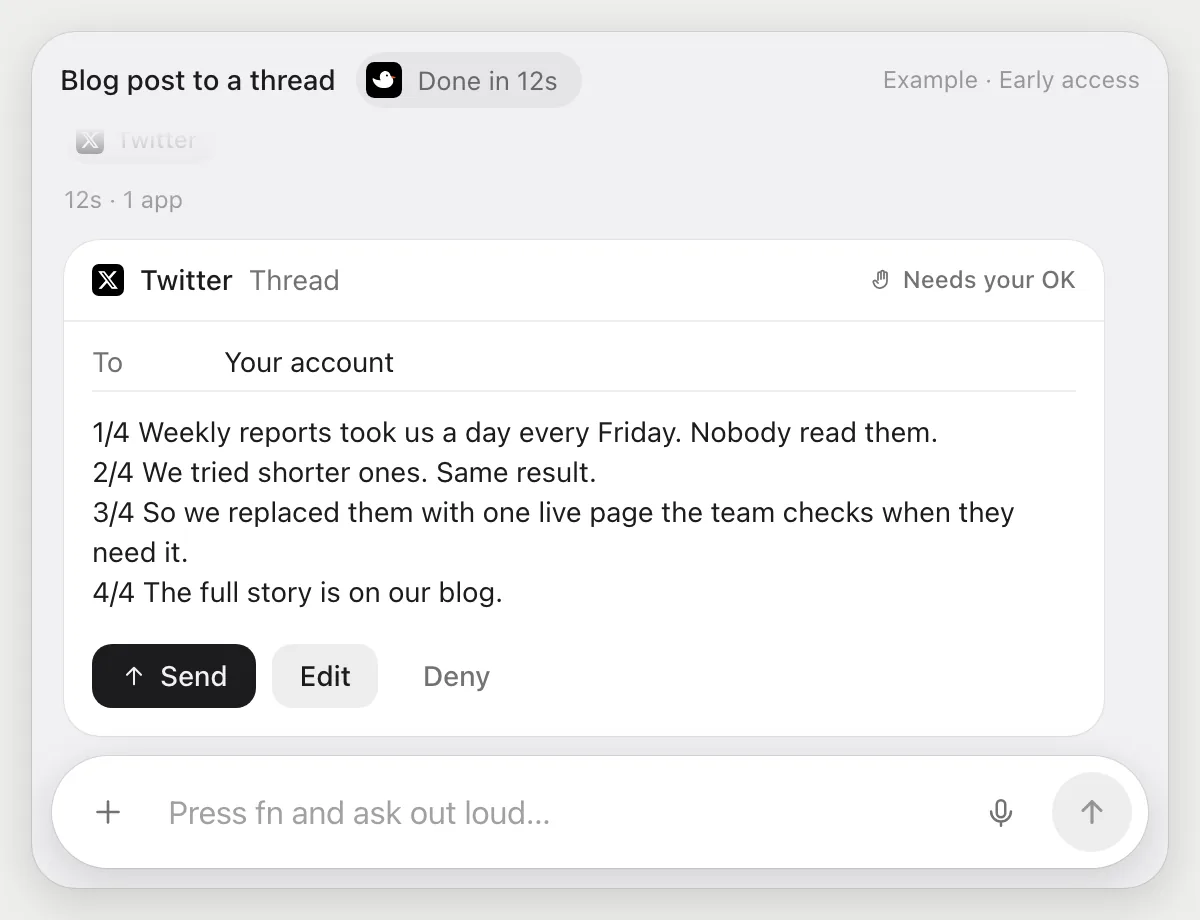
“Turn this blog post into a four-post thread and wait for my OK”
- 01Open the blog post and say how many posts you want.
- 02DuckyHelper reads the article and writes four posts that follow its argument.
- 03It puts them into the thread composer with its own cursor, in order.
- 04It stops before posting and shows all four. You press Post, edit a line, or Deny.
Built to ask firstA thread is public, so it shows every post with Post, Edit and Deny and waits. Reading the article and writing the posts need no OK.
You getA four-post thread ready in the composer, public only after you read it.
Schedule a post
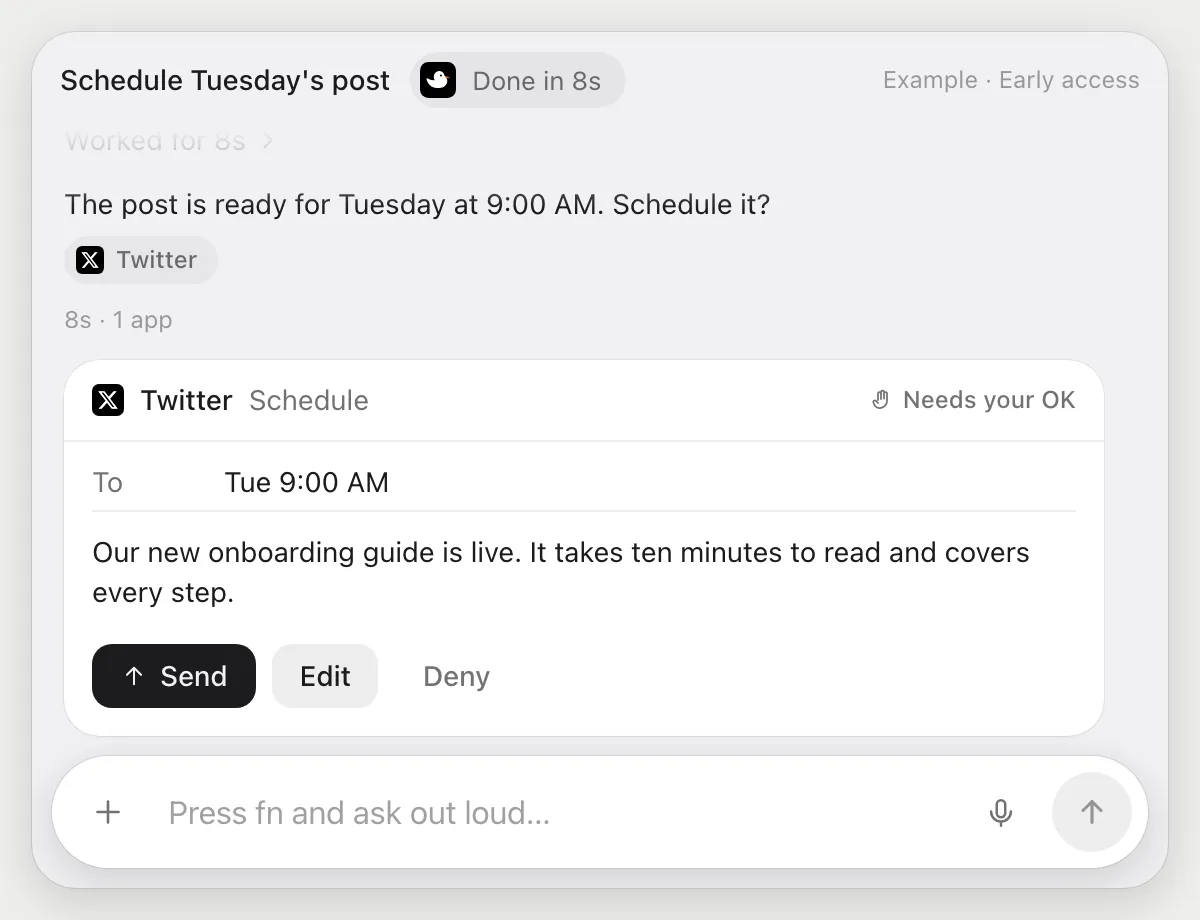
“Schedule this post for Tuesday at 9 AM”
- 01Have the post text ready, then say when it should go out.
- 02DuckyHelper opens the composer and puts the text in.
- 03It opens the composer's schedule option and sets Tuesday at 9 AM.
- 04It stops and shows the post and the time. You press Schedule, edit, or Deny.
Built to ask firstScheduling a post commits it to go public, so it shows the text and the time with Schedule, Edit and Deny. Nothing is scheduled until you press Schedule.
You getA post set for Tuesday morning that you checked once.
Draft answers to questions
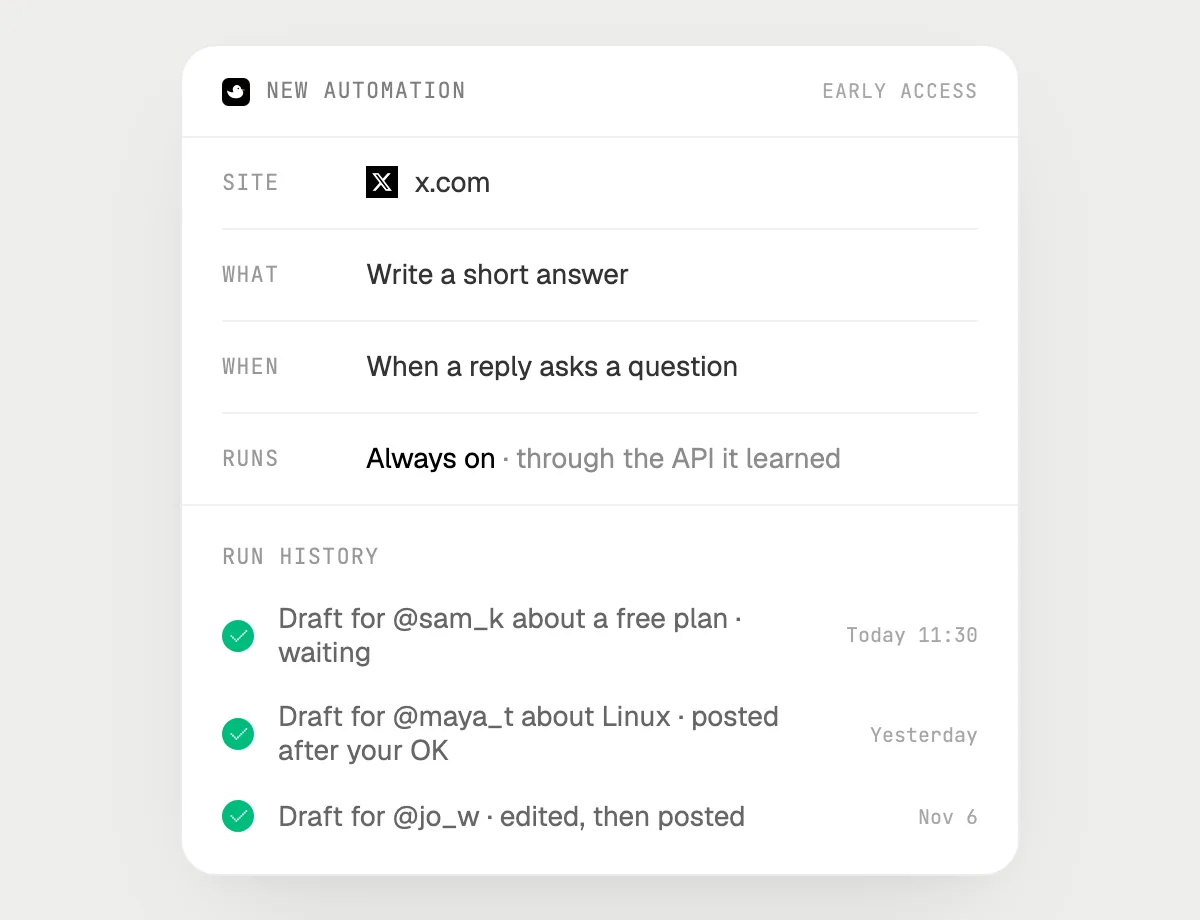
“When a reply asks us a question, draft an answer for my OK”
- 01Say it once with your post open. It checks the replies already there.
- 02It learns X's own actions the first time, so later runs are quick.
- 03Turn it on from the card it offers. It runs when a reply asks a question.
- 04Each draft is in the history, waiting for your Post, Edit or Deny.
Built to ask firstDrafting needs no OK. Each answer is public, so it waits for your Post before anything goes out.
You getQuestions in your replies come with an answer ready for you.

Getting more out of it in X (Twitter).
- 01
Scroll the replies into view before you ask. It cannot read ones that are not on the screen.
- 02
Give a thread a clear point. "Four posts, one idea each" works better than "make it a thread".
- 03
Keep each draft short and check the character count yourself before you press Post.
- 04
Sharing the same news on another network? The LinkedIn guide covers it.
Questions about X (Twitter).
Do I need to connect my X account?
No. There is nothing to connect. It reads what is on your screen while the pill is open. Jobs (Early access) use X in your browser, signed in as you, and it's built not to type your passwords or card numbers.
Can it post without asking me?
It's built to ask first: every post, thread and scheduled post shows with its words and a button to confirm, plus Edit and Deny and waits for your yes. It may not recognize every send or payment, so keep an eye on tasks that involve messages or money.
Will this get me more followers?
It makes writing and answering quicker. It does not promise reach or followers.
Does it work in the X phone app?
No. DuckyHelper is an app for Mac, Windows and Linux, so it works with X in a computer's browser.



Do anything
Ask it a question or hand it a job, in any app.



Doing jobs for you is in early access on Mac. Asking works on Mac, Windows and Linux.