

How to use DuckyHelper in Asana
Asana lists everything that is due, but not what to do first. Ask DuckyHelper about My tasks or the project on your screen and it picks, circles and works out the pace. You can also hand it due dates to set, or a post when a task is blocked (Early access).
Pick what to do first
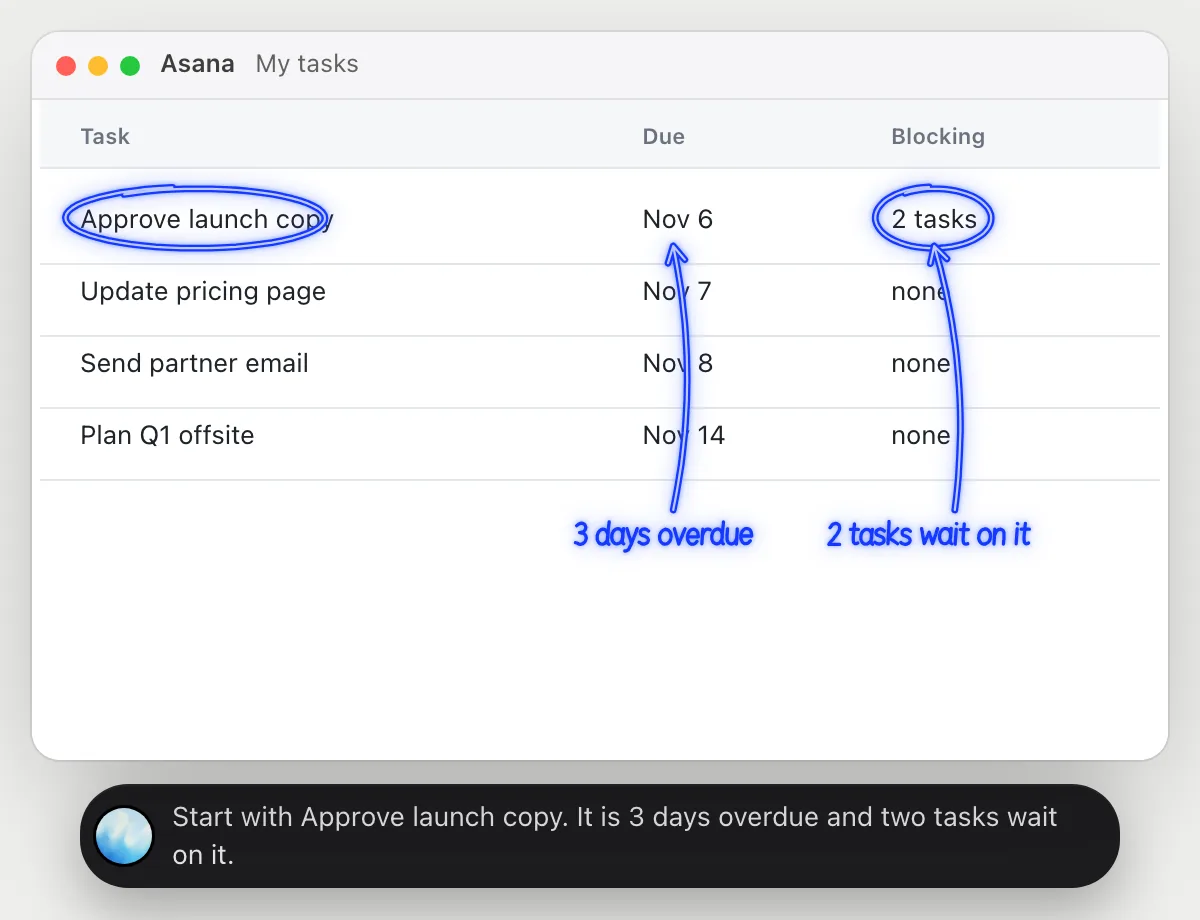
“Which of my overdue tasks matters most today?”
- 01Open My tasks so the due dates and what each task blocks are on the screen.
- 02Ask out loud. DuckyHelper reads the tasks.
- 03It circles the overdue task that other tasks wait on.
- 04It says why that one comes first and what to do next.
You getOne task to start with, and a reason for it.
 Start with Approve launch copy. It is 3 days overdue and two tasks wait on it.
Check a project will land on time
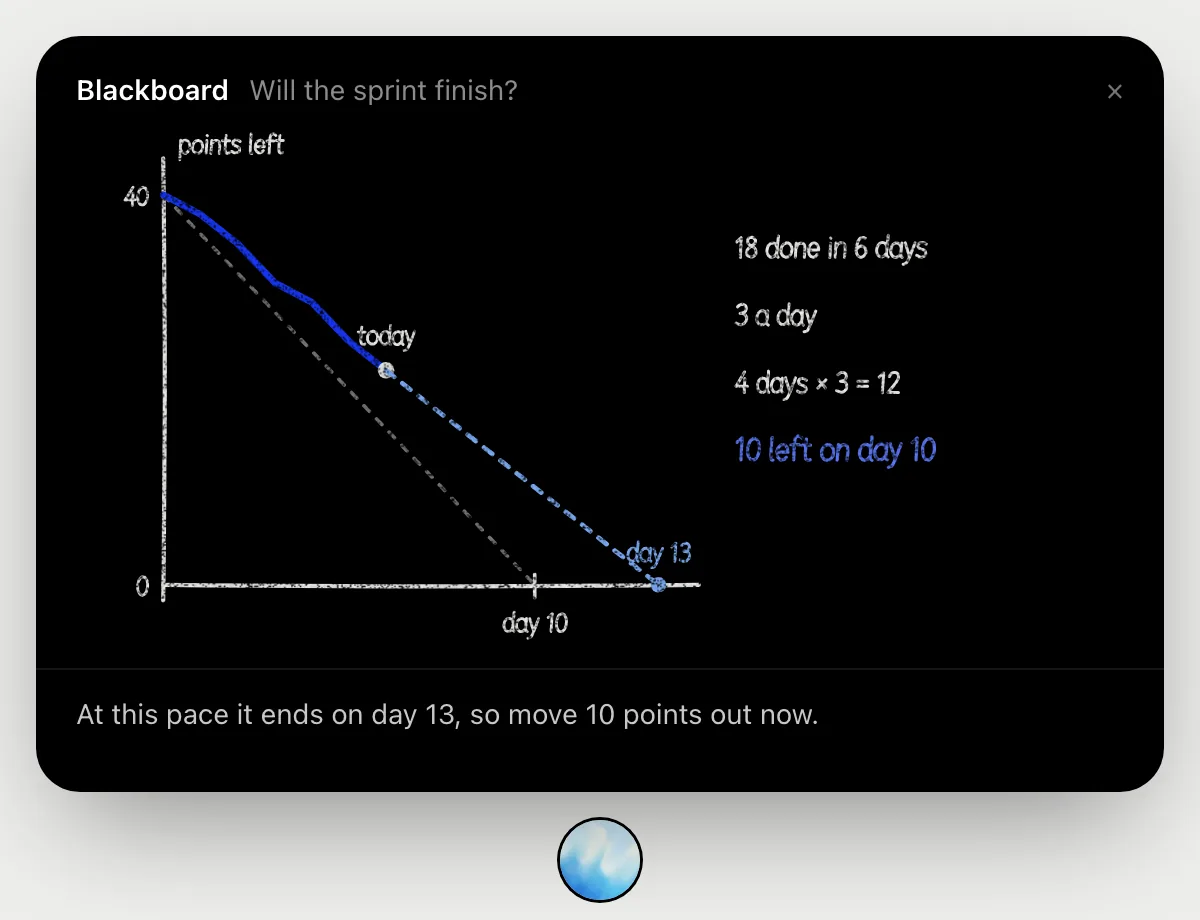
“Will this project finish by the deadline at this pace?”
- 01Have the project's task count and deadline on screen.
- 02Ask out loud. DuckyHelper opens the blackboard.
- 03It draws the on-track line and the points left each day.
- 04It continues the line at today's pace and says how much is left at the deadline, and how much to move out.
You getYou see if you will make it, and how much to move out if not.
Set due dates for a project's tasks
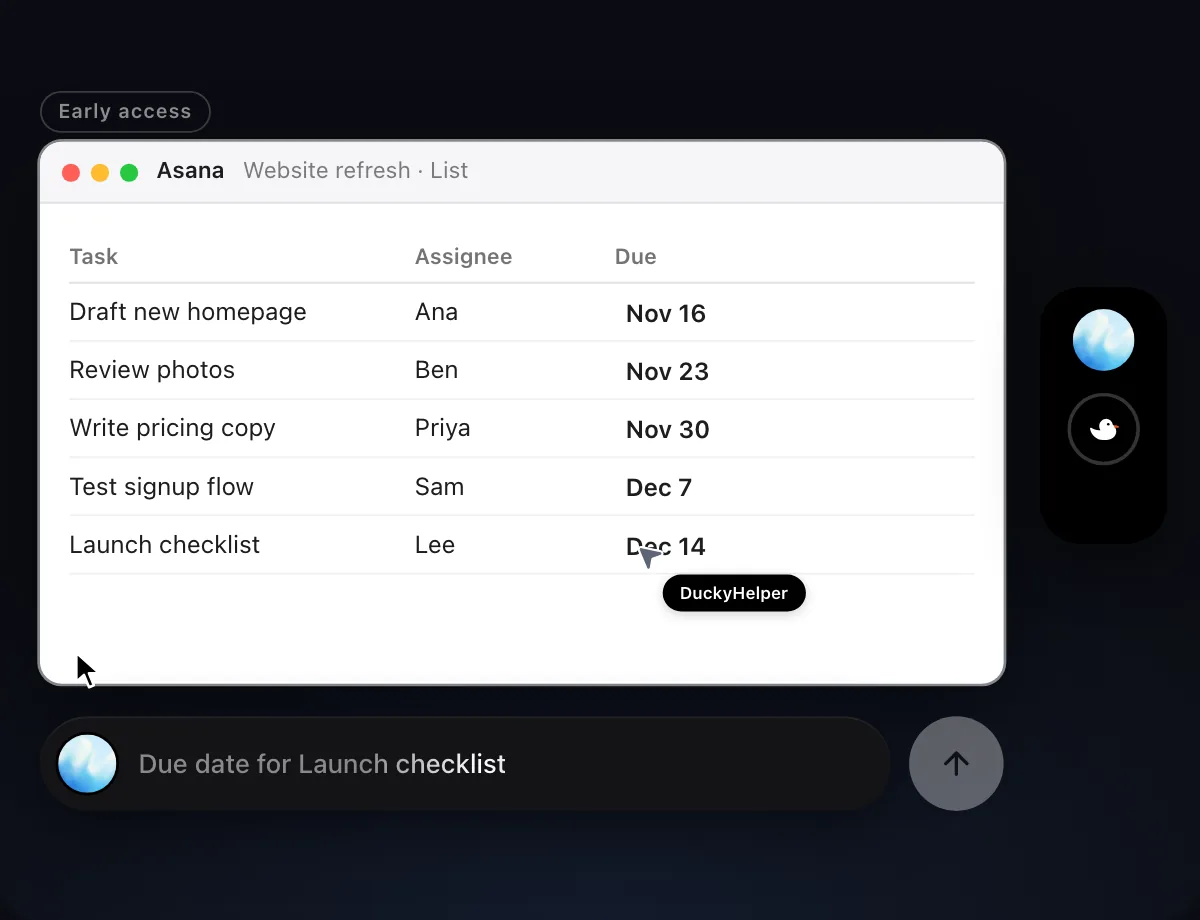
“Give each task in this project a due date, a week apart from Monday”
- 01Open the project's list and say how to space the dates.
- 02DuckyHelper works in Asana with its own cursor while you keep using yours.
- 03It sets a due date on each task, a week after the one before.
- 04It finishes with a done card with every date it set.
Built to ask firstSetting due dates needs no OK. Nothing is sent, so it does not stop to ask.
You getEvery task has a due date, spaced a week apart.

Say who a blocked task is waiting on
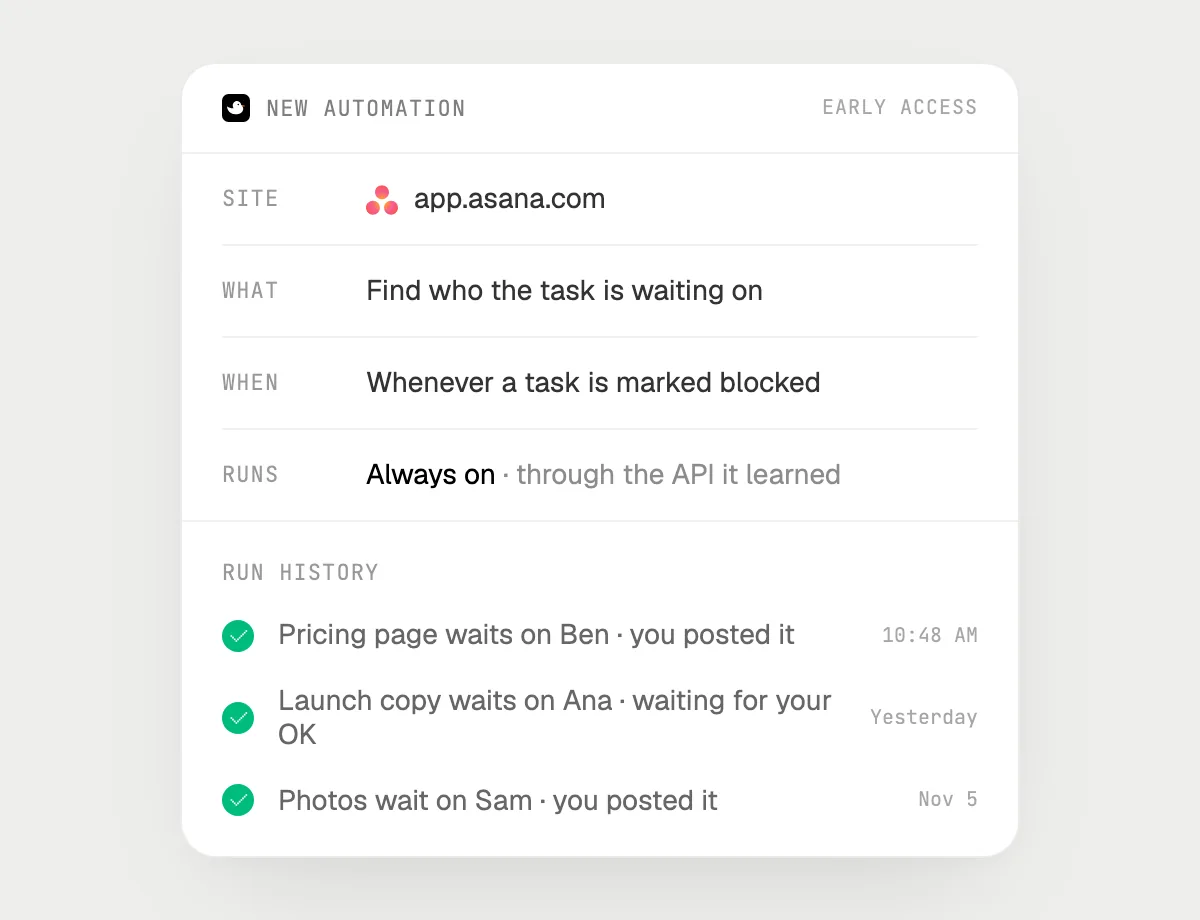
“When a task is marked blocked, post in #team who it is waiting on, asking me first”
- 01Say it once with the project open. It checks for blocked tasks right away.
- 02It learns Asana's own actions the first time, so later runs are quick.
- 03Turn it on from the card it offers. It runs when a task is marked blocked.
- 04Each run lands in the history, and the post waits for you.
Built to ask firstReading the task needs no OK. Posting in #team stops for your OK with Send, Edit and Deny.
You getThe team hears who a blocked task is waiting on, only after you say so.
Getting more out of it in Asana.
- 01
Open My tasks or the project list first. It reads the rows on the screen.
- 02
Say what you mean by important: due soonest, or blocking other people.
- 03
Tell it how to space the dates, such as "a week apart", and from which day.
- 04
Using Notion for projects? See the Notion guide.
Questions about Asana.
Do I need to connect my Asana account?
No. There is nothing to connect. It sees what is on your screen while the pill is open, and for jobs (Early access) it uses Asana in your browser or the app with its own cursor, signed in as you. It's built not to type your passwords or card numbers.
Is this the same as Asana's own rules?
No. Those are Asana's own. DuckyHelper works in the page on your screen like a person does.
Can it post in Slack without asking?
It's built to ask first: before it posts it shows the message with Send, Edit and Deny and waits for your yes. It may not recognize every send or payment, so keep an eye on tasks that involve messages or money. Setting dates needs no OK.
Does it see everything in your projects?
No. When you ask a question it looks only at what is on your screen, and only while the pill is open. A job or automation you start (Early access) opens only the pages that job needs.



Do anything
Ask it a question or hand it a job, in any app.



Doing jobs for you is in early access on Mac. Asking works on Mac, Windows and Linux.