

How to use DuckyHelper in Trello
A Trello board gets crowded fast: cards stall in Doing, meeting notes never become cards and Done fills up. Ask DuckyHelper about the board on your screen and it circles what matters. Hand it the card-making, the tidy-up or a Monday clean-up and it works in Trello with its own cursor (Early access).
Find cards that are stuck
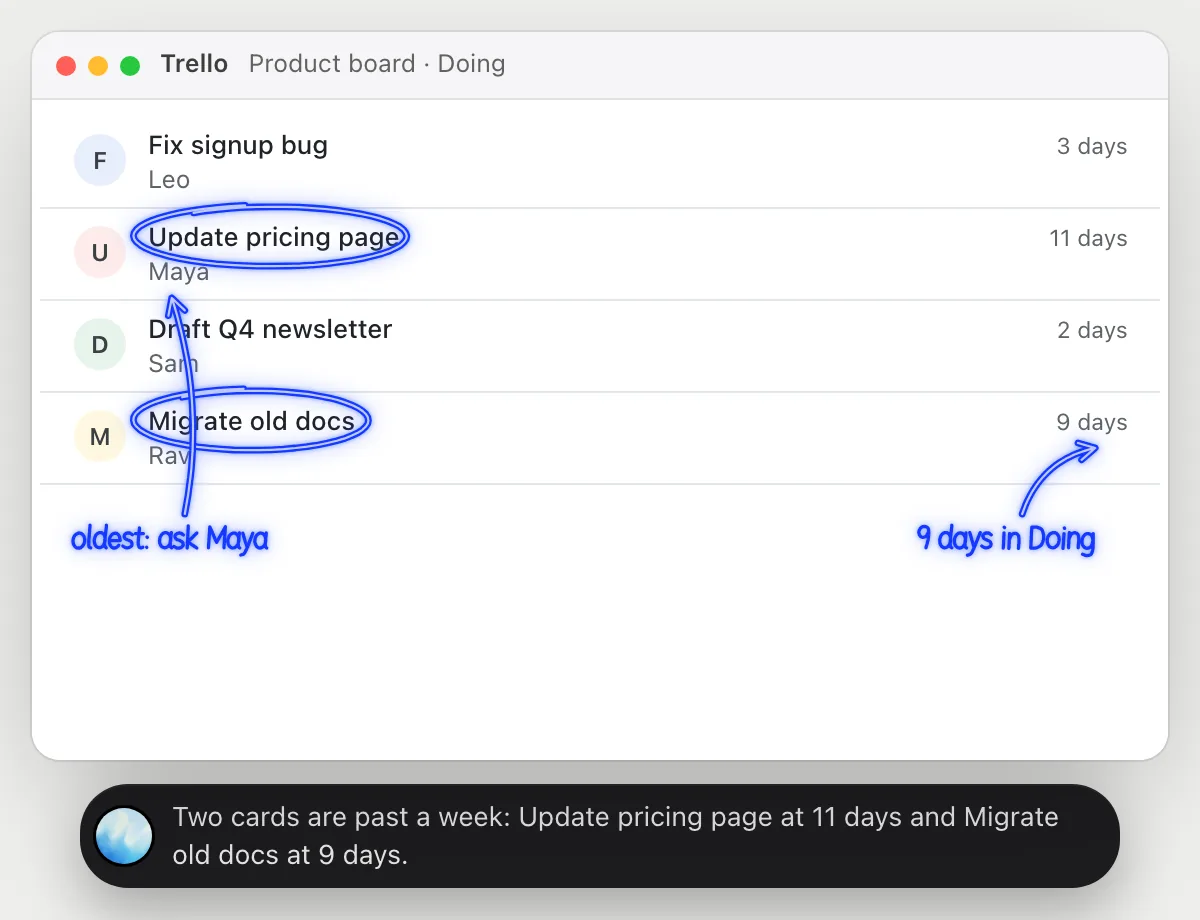
“Which cards have been sitting in Doing for over a week?”
- 01Open the board so the Doing list is on screen, then ask out loud.
- 02DuckyHelper reads each card's title, who is on it and any dates showing on the cards.
- 03For a card that doesn't show its age, open it and it reads the activity on the card.
- 04It answers out loud with the oldest ones and circles them on the list.
- 05Ask what is blocking one and it explains from the card's description and comments.
You getThe two or three cards that have gone stale, and who to ask about each, without opening every card.
 Two cards are past a week: Update pricing page at 11 days and Migrate old docs at 9 days.
Turn meeting notes into cards
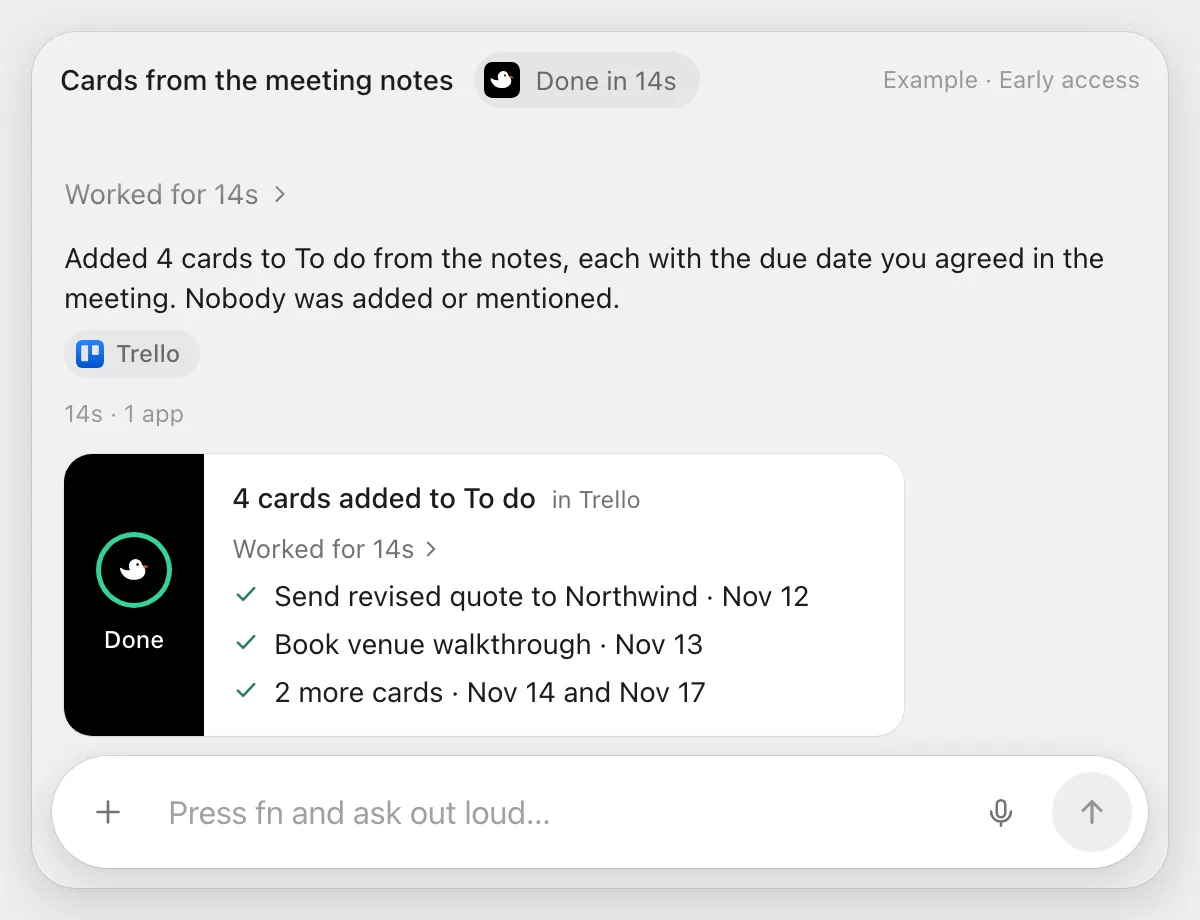
“Make cards in To do from these meeting notes, with due dates”
- 01Put the meeting notes on screen next to the board, or open the card or doc that holds them.
- 02DuckyHelper reads the notes and picks out the action items and who owns each.
- 03It adds a card for each one to the To do list with its own cursor, and sets the due date from the notes.
- 04It shows the finished list of cards so you can check names and dates.
Built to ask firstAdding cards and due dates stays inside your board, so it needs no OK. If a card would notify other people, like adding them or mentioning them, it's built to stop and ask first.
You getEvery action item from the meeting is a card with a date, ready for the next stand-up.
Tidy the Done list
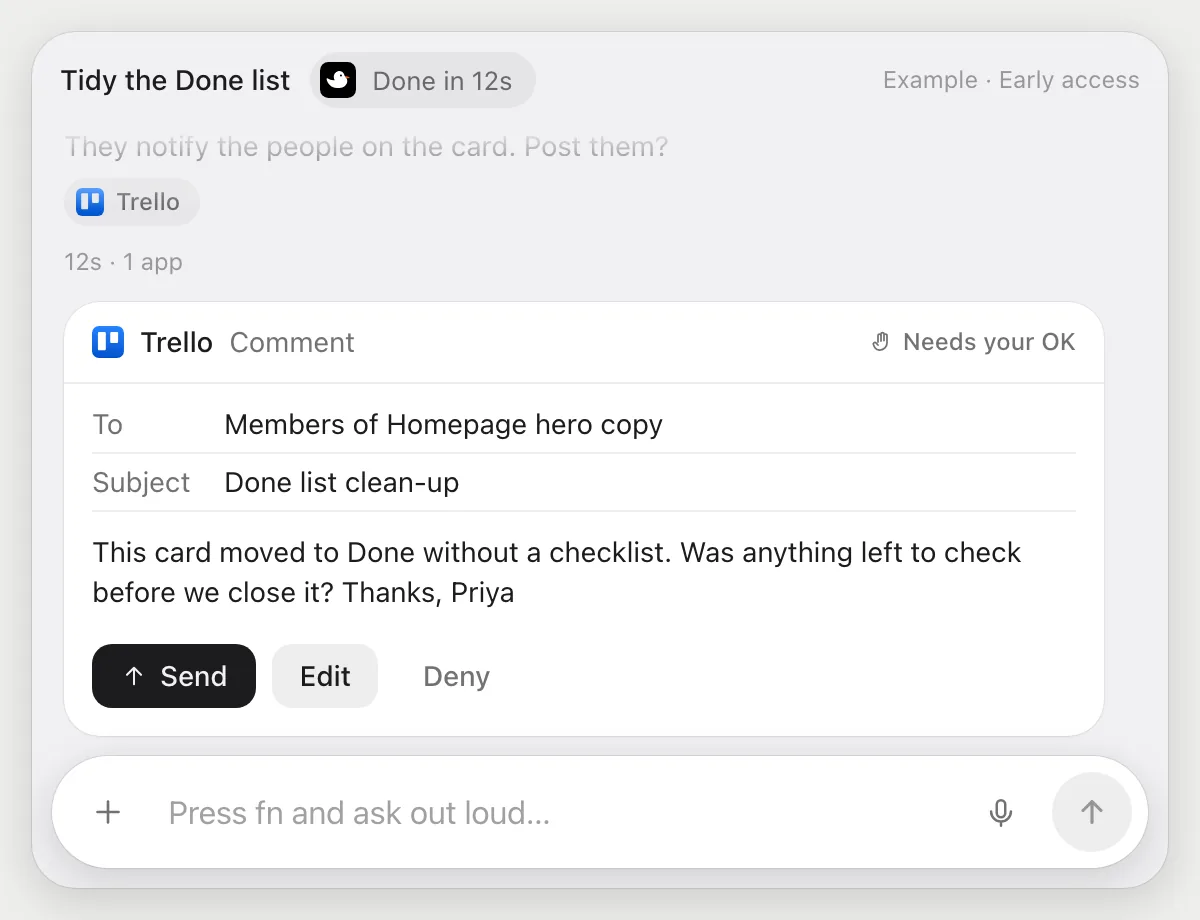
“Archive every card in Done and comment on the ones with no checklist”
- 01Open the board so the Done list is on screen.
- 02DuckyHelper goes through the Done cards and archives them with its own cursor.
- 03For cards that never had a checklist, it writes a short comment asking what was checked before closing.
- 04A comment can notify the people on the card, so it shows the comment and stops before posting it.
- 05Press Send, change it with Edit, or Deny and the comment is skipped.
Built to ask firstArchiving needs no OK. Posting a comment can notify people, so it shows it with Send, Edit and Deny first.
You getDone is empty and the two cards without a checklist have a comment, posted only after you read it.
Clear Done every Monday
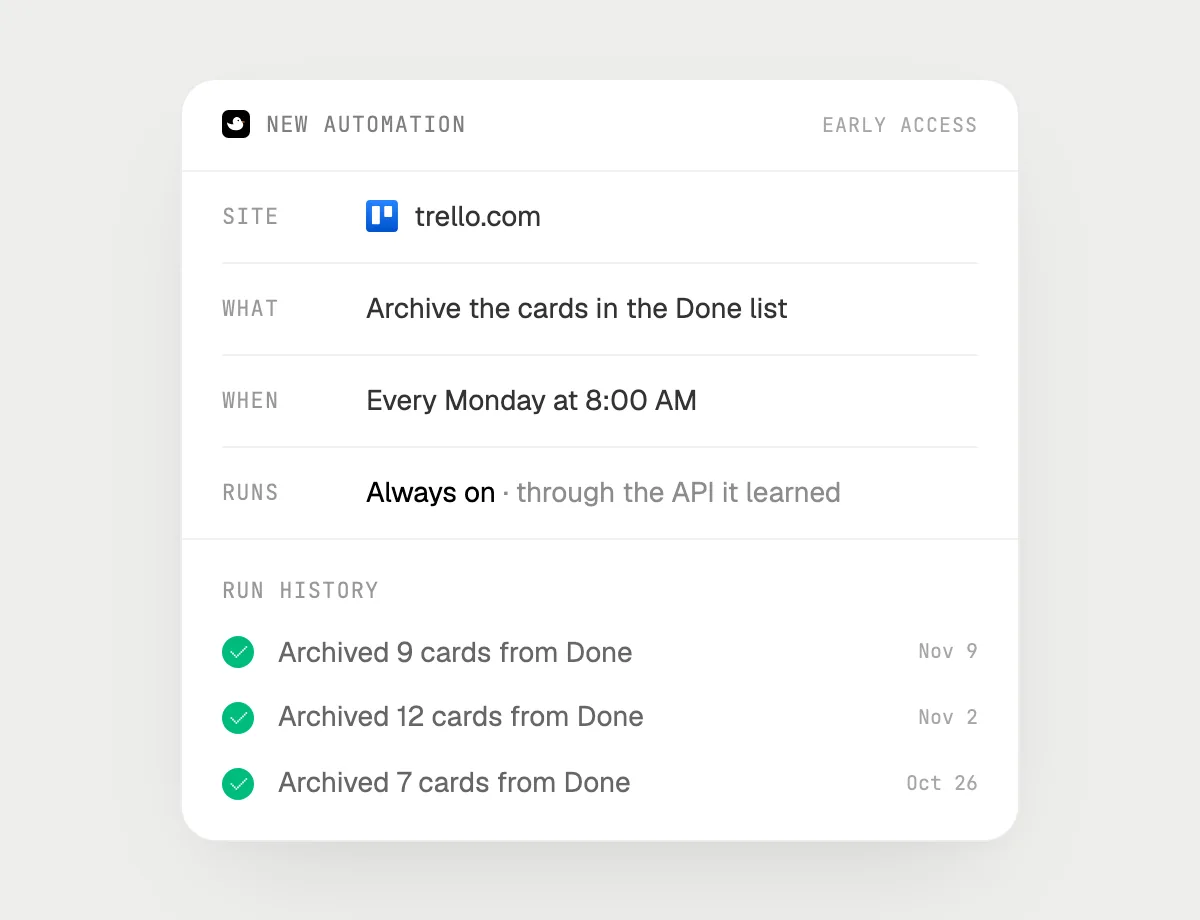
“Every Monday at 8, archive last week's Done cards”
- 01Say it once with the board open. It does the first clean-up on what is in Done now.
- 02It learns Trello's own actions for archiving the first time, so later runs are quick.
- 03Turn it on from the card it offers. It runs every Monday at 8 AM from then on.
- 04Each run lands in the history with how many cards it archived.
Built to ask firstArchiving cards needs no OK, so it runs on its own. If you later add a step that posts a comment or sends a message, it's built to ask before each one.
You getA Done list that starts every week empty, without you dragging anything.

Getting more out of it in Trello.
- 01
Keep the list you are asking about on screen. DuckyHelper reads the screen, not the whole board history.
- 02
Open a card before asking about its checklist or comments: that is where those words live.
- 03
Tell it the rule for dates: "due the Friday after the meeting" is enough for a job.
- 04
For notes that live in a doc, the Google Docs guide shows how to ask about them first.
Questions about Trello.
Do I need to connect my Trello account?
No. There is nothing to connect. It sees what is on your screen while the pill is open, and for jobs (Early access) it uses Trello in your browser or window with its own cursor, signed in as you. It's built not to type your passwords or card numbers.
Will it send anything without asking me?
It's built to ask first before it sends a message or pays for anything, and to wait for your yes: it stops with Send, Edit and Deny (or a pay card for anything that costs money). That covers comments that notify people. It may not recognize every send or payment, so keep an eye on tasks that involve messages or money. Reading, drafting and filling things in don't need your OK.
Does it work in the Trello desktop app?
Yes. It works with whatever is on your screen, in the browser or the desktop app. Phone apps aren't supported: DuckyHelper is for Mac, Windows and Linux.
Can it see all my boards?
No. When you ask, it looks only at the board on your screen, and only while the pill is open. A job (Early access) works on the board you point it at.



Do anything
Ask it a question or hand it a job, in any app.


Doing jobs for you is in early access on Mac. Asking works on Mac, Windows and Linux.