

How to use DuckyHelper in PagerDuty
During an incident the screen is full of alerts and you need answers fast. Ask DuckyHelper about the alerts or schedule on screen and it groups them or names who is on call. Hand it the acknowledging and the status post and it does them in PagerDuty (Early access).
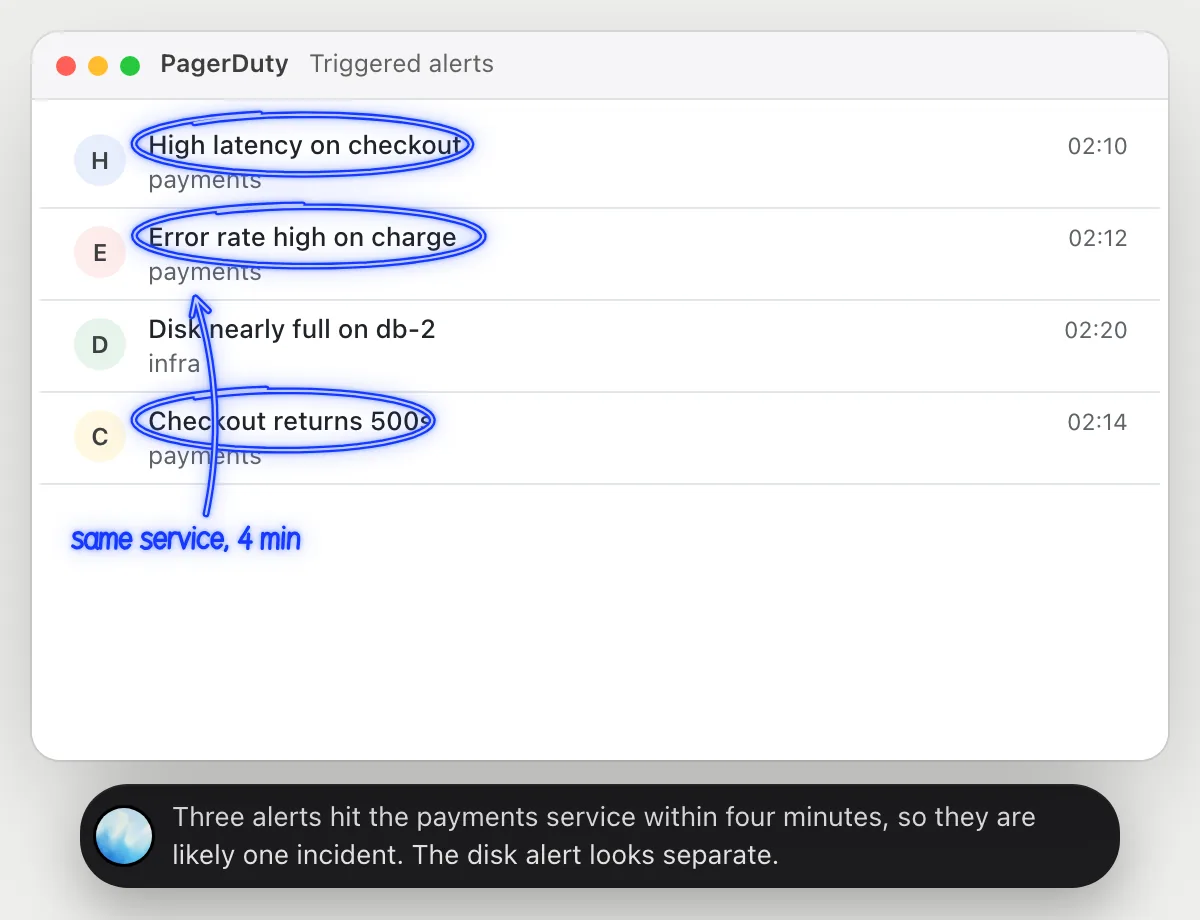
Tell which alerts are one incident
“Which of these alerts are the same incident?”
- 01Open the alert list so the titles, services and times show, then ask out loud.
- 02DuckyHelper reads each alert's title, service and start time.
- 03It answers out loud with the alerts that look related and circles them.
- 04Ask what to check first and it suggests where to look, from the titles it sees.
You getThree alerts become one incident to work on, and the odd one is set aside.
 Three alerts hit the payments service within four minutes, so they are likely one incident. The disk alert looks separate.
Check who is on call
“Who is on call this weekend for payments?”
- 01Open the payments schedule so the days and names show, then ask out loud.
- 02DuckyHelper reads the rows for Saturday and Sunday.
- 03It says who is primary on each day, and who backs them up, and circles the names.
- 04Ask who is on Monday and it reads the next row.
You getYou know who to call this weekend without clicking through the calendar.
Maya Chen is on call Saturday and Sunday. Luis backs her up on Saturday and Priya on Sunday.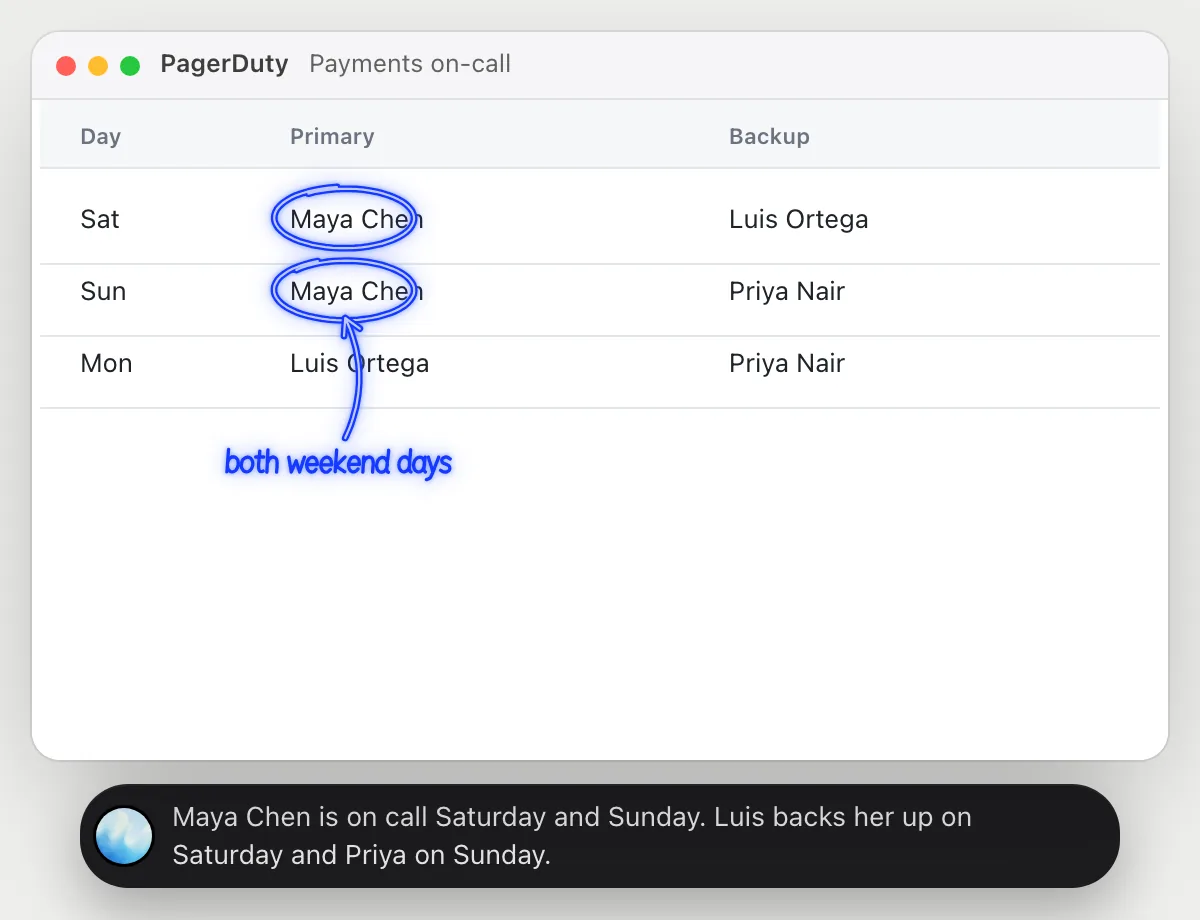
Acknowledge and post status
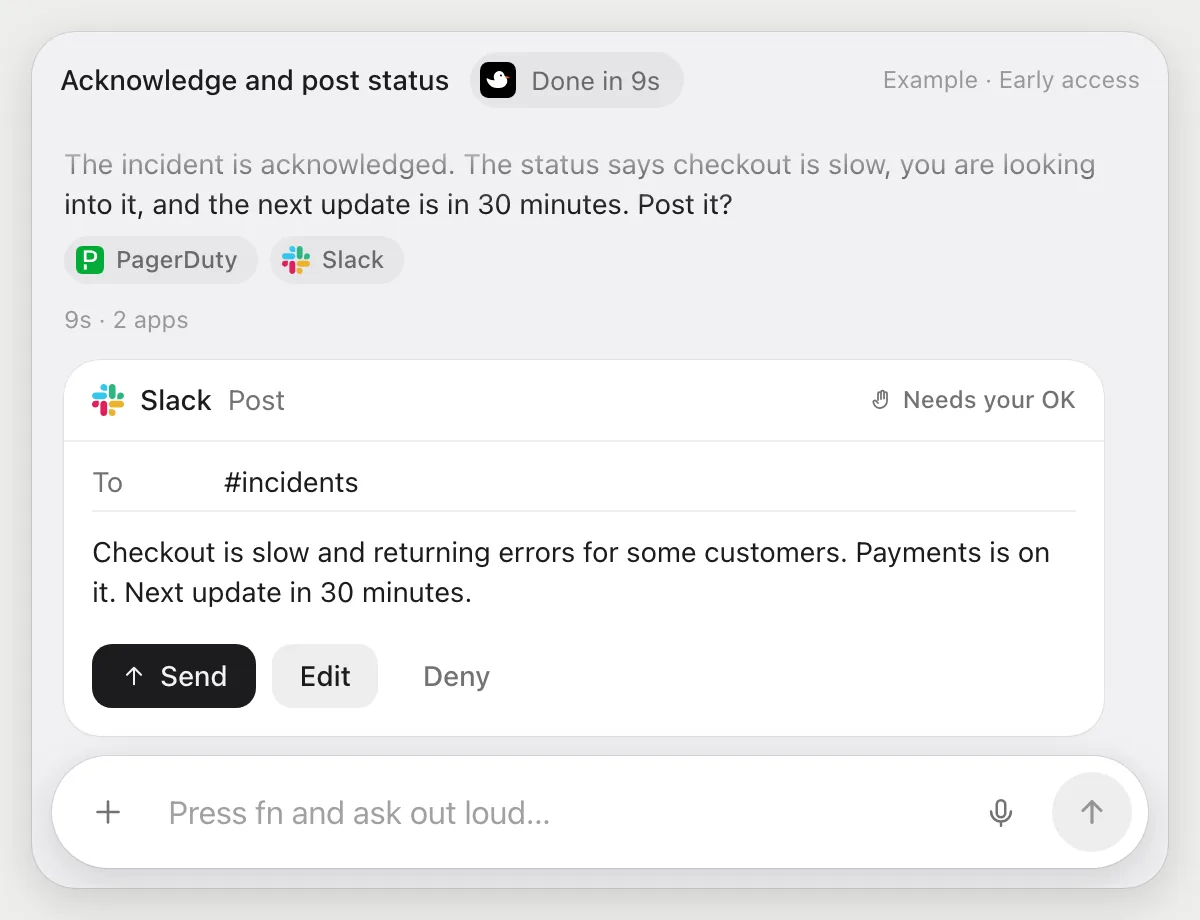
“Acknowledge this incident and post the status in #incidents”
- 01Open the incident, or say its title.
- 02DuckyHelper reads the incident's summary and uses its Acknowledge button.
- 03It writes a short status post for #incidents in Slack with its own cursor.
- 04It stops before posting and shows the message. Press Send, Edit it, or Deny.
Built to ask firstAcknowledging needs no OK from DuckyHelper. The post to #incidents shows with Send, Edit and Deny first, and nothing is posted until you press Send.
You getThe incident is acknowledged and the channel is told, in words you approved.
Summarize each new incident
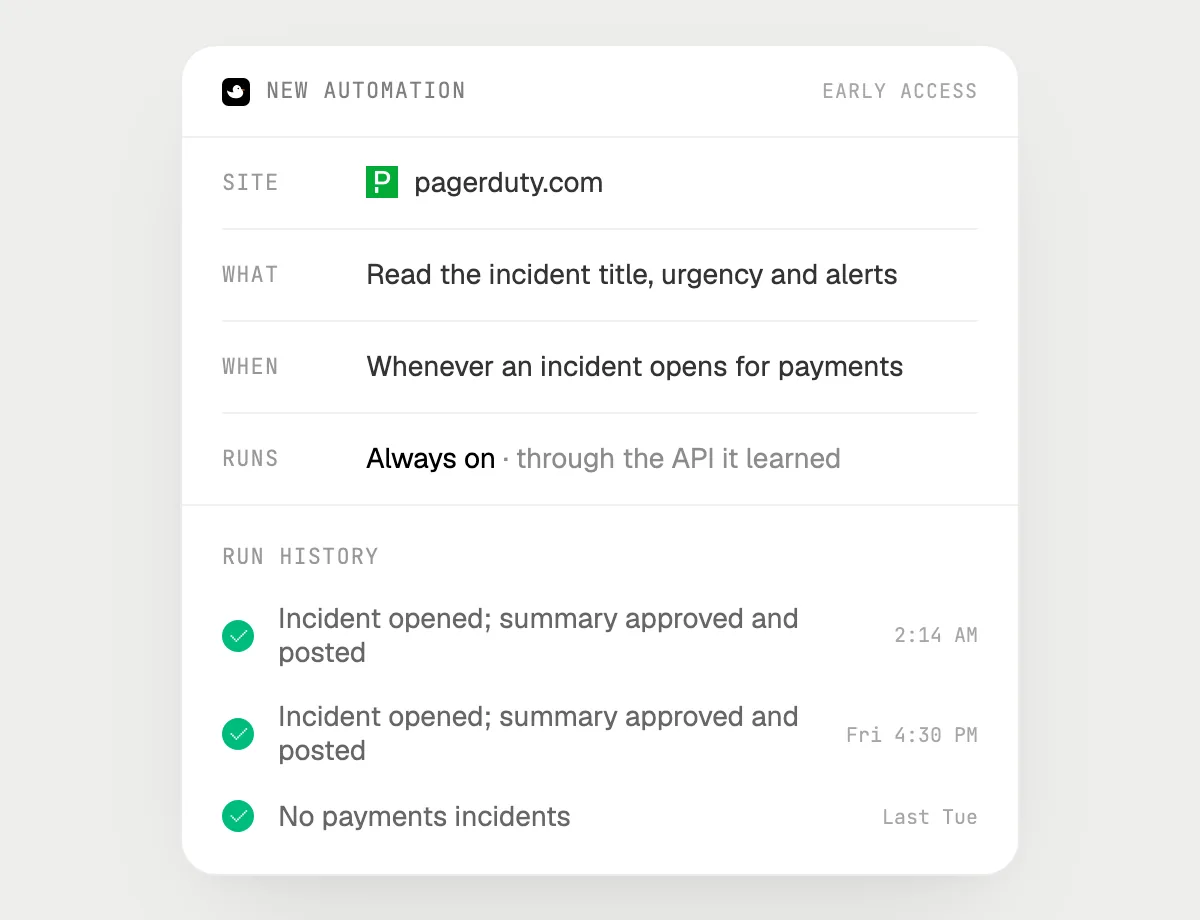
“When an incident opens for payments, post a short summary in #payments, asking me first”
- 01Say it once while PagerDuty is open. It does the first run on the incidents you can see.
- 02It learns PagerDuty's own actions the first time, and Slack's, so later runs are quick.
- 03Turn it on from the card it offers. From then on it runs when an incident opens for payments.
- 04Each run lands in the history. The post waits for your OK.
Built to ask firstReading incidents needs no OK. Every post to #payments stops with Send, Edit and Deny first.
You getThe payments channel gets a short summary of each incident, and you approve each one.

Getting more out of it in PagerDuty.
- 01
Say the service name out loud, like payments. It looks for that name on the screen.
- 02
Read the list sorted by start time, so related alerts sit together when you ask which belong together.
- 03
Ask for the status message in your team's own voice, short and without guesses about the cause.
- 04
It does not watch your alerts. It looks only when you open the pill, or when an automation you set up runs.
Questions about PagerDuty.
Do I need to connect my PagerDuty account?
No. There is nothing to connect. It sees what is on your screen while the pill is open, and for jobs (Early access) it uses PagerDuty in your browser, signed in as you. It's built not to type your passwords or card numbers.
Is it a monitoring or alerting tool?
No. It acts in PagerDuty when you ask. PagerDuty keeps alerting and paging the way it does now.
Will it post to the channel without asking?
It's built to ask first: before any post it shows the text with Send, Edit and Deny and waits for your yes. It may not recognize every send or payment, so keep an eye on tasks that involve messages or money.
Does it work on my phone?
No. DuckyHelper is an app for Mac, Windows and Linux, so it works with PagerDuty in your computer's browser.



Do anything
Ask it a question or hand it a job, in any app.


Doing jobs for you is in early access on Mac. Asking works on Mac, Windows and Linux.