

How to use DuckyHelper in Supabase
In the Supabase dashboard you read a lot of SQL and rows. Ask DuckyHelper about the query or table on screen and it finds the cause and circles it. Hand it a read-only question, or a daily look at your logs, and it does that in the dashboard (Early access).
Find why a query returns duplicates
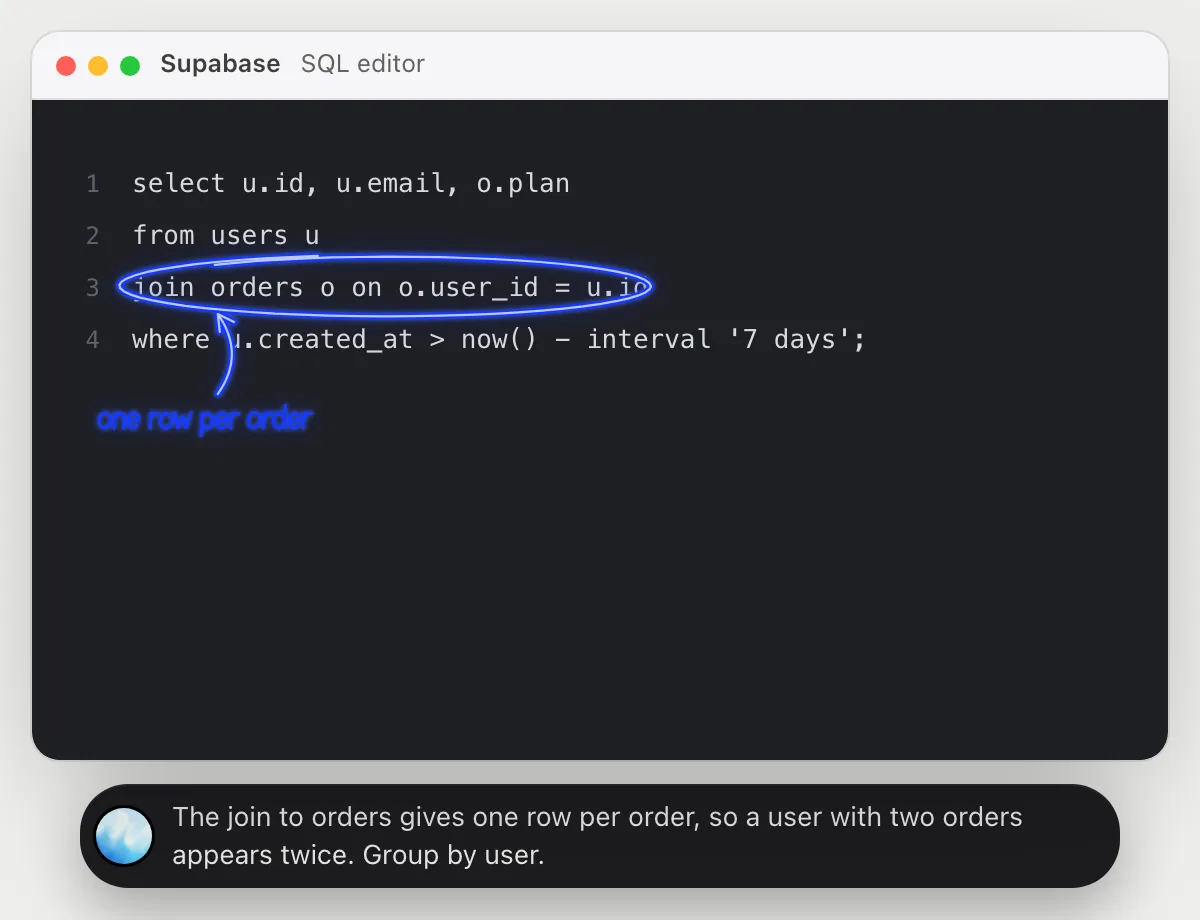
“Why does this query return every user twice?”
- 01Open the query in the SQL editor so the whole statement is on screen, then ask out loud.
- 02DuckyHelper reads the select, the tables and how they are joined.
- 03It circles the join condition and says one user has many orders, so each order gives a row.
- 04Ask for the fix and it tells you the choices, like grouping by user, as a short note.
You getYou know the join repeats users for every order, and how to keep a single row for each.
 The join to orders gives one row per order, so a user with two orders appears twice. Group by user.
Find rows that break a rule
“Which of these rows break the one-email-per-user rule?”
- 01Open the table in the table editor so the rows and the email column show, then ask out loud.
- 02DuckyHelper reads the emails and compares them across the rows on screen.
- 03It circles the two rows that share an email and says which came first.
- 04Ask how to stop it happening and it explains, in plain words, what rule the table needs.
You getThe repeated emails are found, with the row ids, without sorting the table yourself.
Rows 1 and 3 both use ana@example.com. The second one, from Nov 5, is the duplicate.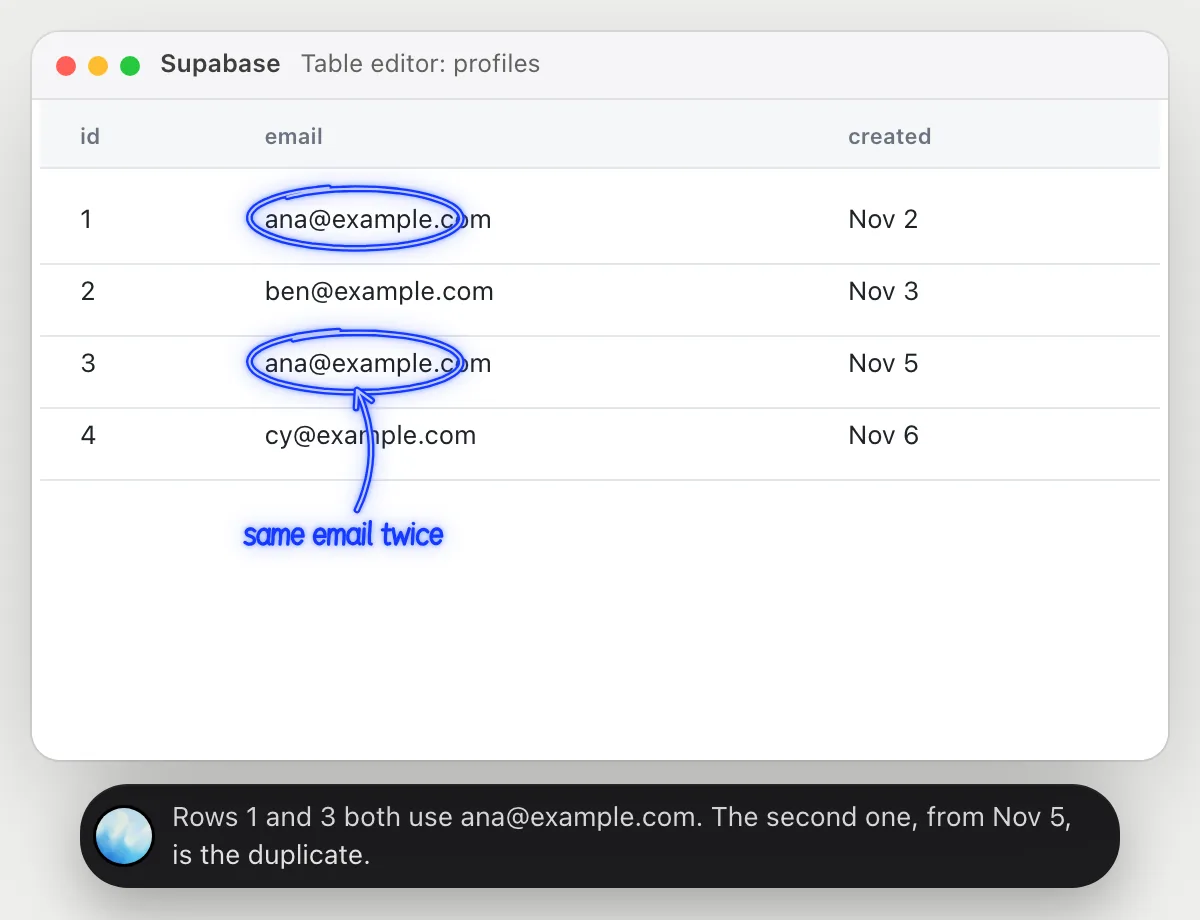
Run a read-only count
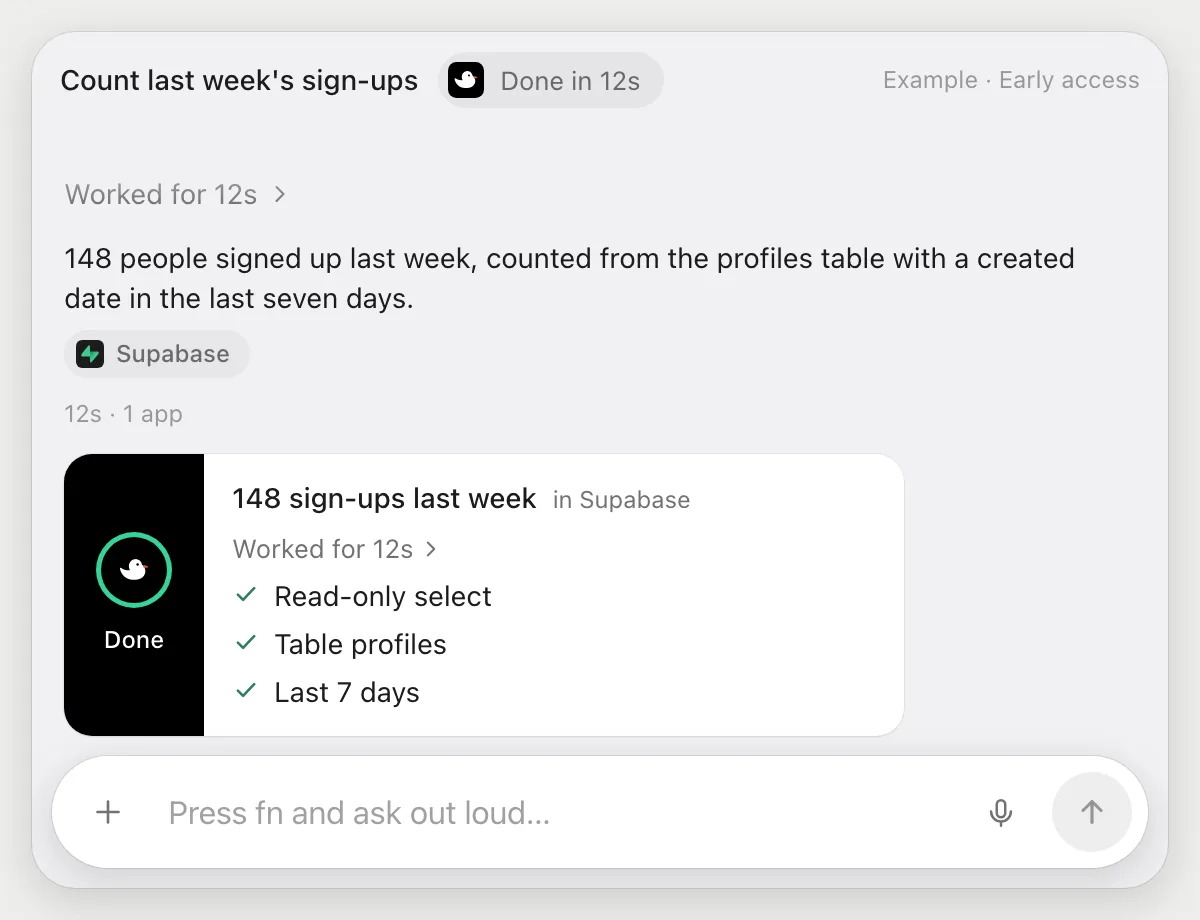
“Run a count of sign-ups from last week in the SQL editor and tell me the number”
- 01Open the project's dashboard, or say its name.
- 02DuckyHelper opens the SQL editor and writes one select that counts last week's rows.
- 03It runs the query and reads the number from the result panel.
- 04It tells you the number out loud and shows the query it ran.
Built to ask firstThis job only writes and runs one select that counts rows. It never changes data, and it's built to stop and ask before it would send or post anything.
You getThe number you needed, with the query so you can reuse it.
Morning check of the logs
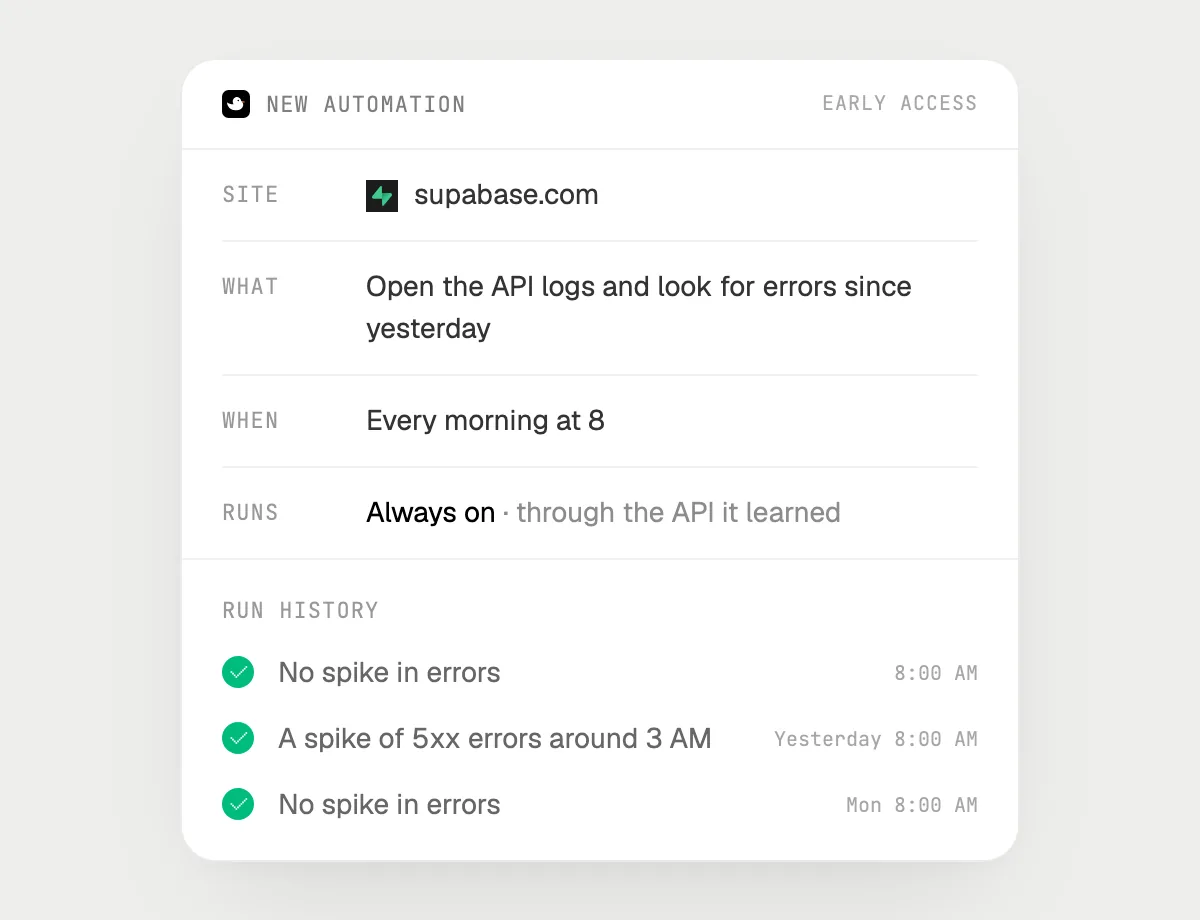
“Every morning at 8, check the API logs for errors and tell me if anything spiked”
- 01Say it once while the dashboard is open. It does the first check on the logs you can see now.
- 02It learns the dashboard's own actions for opening the logs the first time, so later runs are quick.
- 03Turn it on from the card it offers. From then on it runs every morning at 8.
- 04Each run lands in the history with what it saw.
Built to ask firstReading logs needs no OK. If a run would ever send you a message in a chat app, that is built to stop with Send, Edit and Deny first.
You getYou start the day knowing whether the API logs show a spike, without opening them.

Getting more out of it in Supabase.
- 01
Select the whole query before you ask. If the statement is cut off, it can only explain the part you see.
- 02
For rows, sort the column you care about first, so duplicates sit side by side on screen.
- 03
Name the table when you ask for a count. It writes a plain select, and shows you the SQL it used.
- 04
Keep production questions read-only. Anything that changes data is yours to run.
Questions about Supabase.
Do I need to connect my database to DuckyHelper?
No. There is nothing to connect. It sees what is on your screen while the pill is open, and for jobs (Early access) it uses the Supabase dashboard in your browser, signed in as you. It's built not to type your passwords or card numbers.
Can it change or delete my data?
The jobs in this guide only run selects that read data. Anything that sends or posts is built to stop with Send, Edit and Deny first.
Does it see my whole database?
No. Only what is on your screen while the pill is open, like the rows or the query. A job (Early access) reads what the job needs.
Does it work on my phone?
No. DuckyHelper is an app for Mac, Windows and Linux, so it works with the dashboard in your computer's browser.



Do anything
Ask it a question or hand it a job, in any app.


Doing jobs for you is in early access on Mac. Asking works on Mac, Windows and Linux.