

How to use DuckyHelper in Ramp
Month end in Ramp is chasing receipts and approving bills. Ask DuckyHelper about the transactions on screen and it names what is missing and circles it. Hand it the matching, or the small approvals, and it does them in Ramp, and is built to stop for your OK before anything that pays (Early access).
Find transactions missing receipts
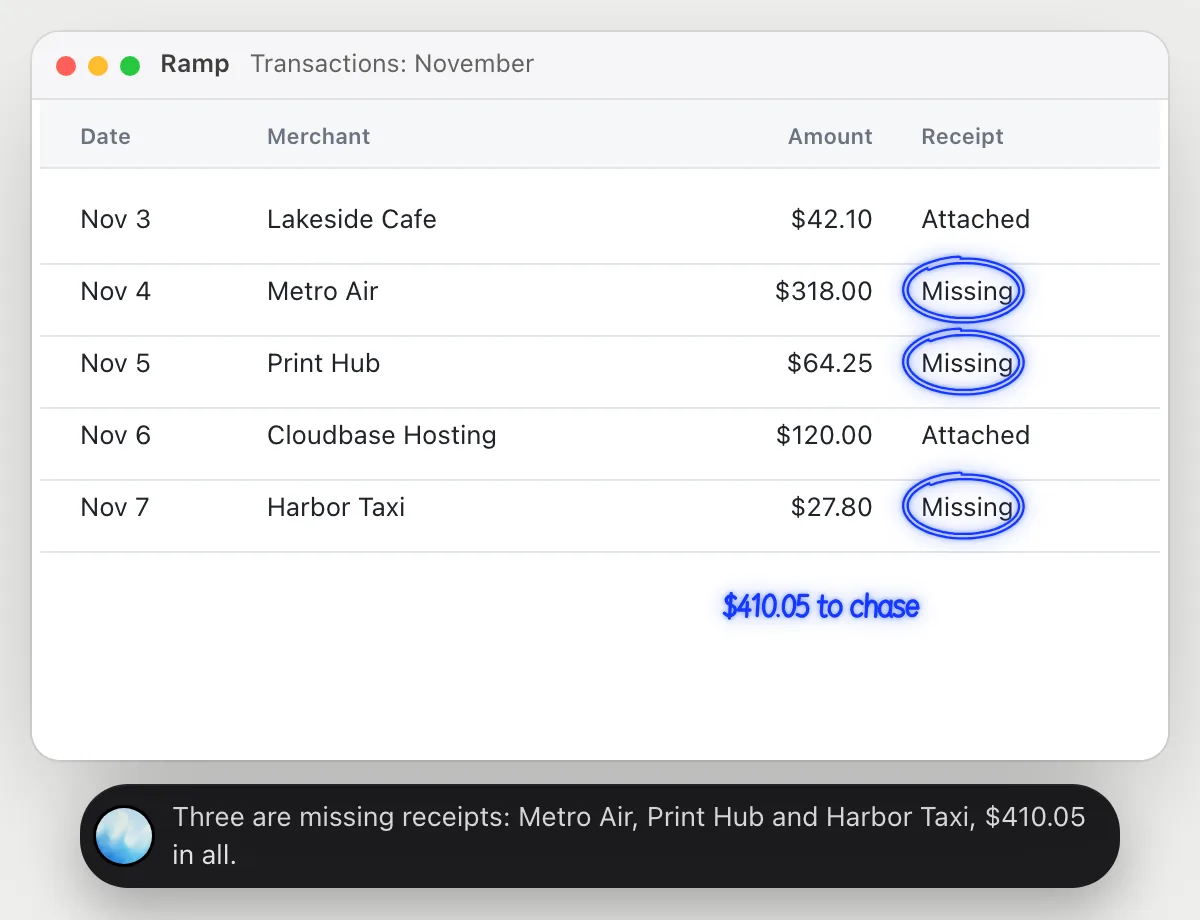
“Which of these card transactions are missing receipts?”
- 01Open the transactions list so the receipt column shows, then ask out loud.
- 02DuckyHelper reads each row's merchant, amount and receipt status.
- 03It circles the rows without a receipt and adds up what they come to.
- 04Ask who each one belongs to and it reads that from the list, if the column is on screen.
You getThree transactions to chase, and the amount at stake.
 Three are missing receipts: Metro Air, Print Hub and Harbor Taxi, $410.05 in all.
See where the team's money went
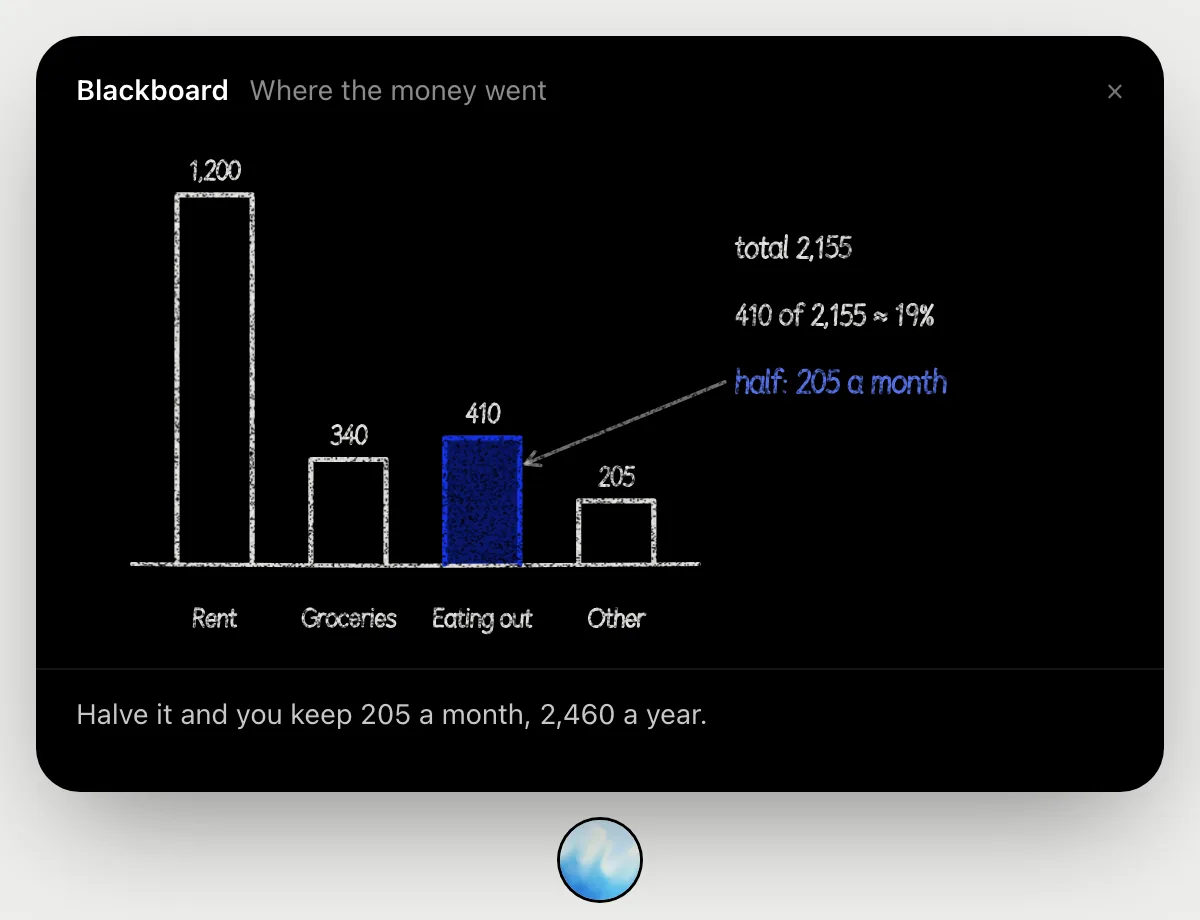
“Where did our team's money go this month?”
- 01Open the spend report so the categories and amounts show, then ask out loud.
- 02It draws one bar per category on the blackboard. In this example there are four, adding up to 2,155.
- 03It points at the second biggest bar, 410, and says that is about 19 in every 100 spent.
- 04It shows what halving that bar would save, 205 a month, so you can decide if it is worth a look.
You getOne clear sentence about the category to look at, with the sum behind it.
Match receipts from email
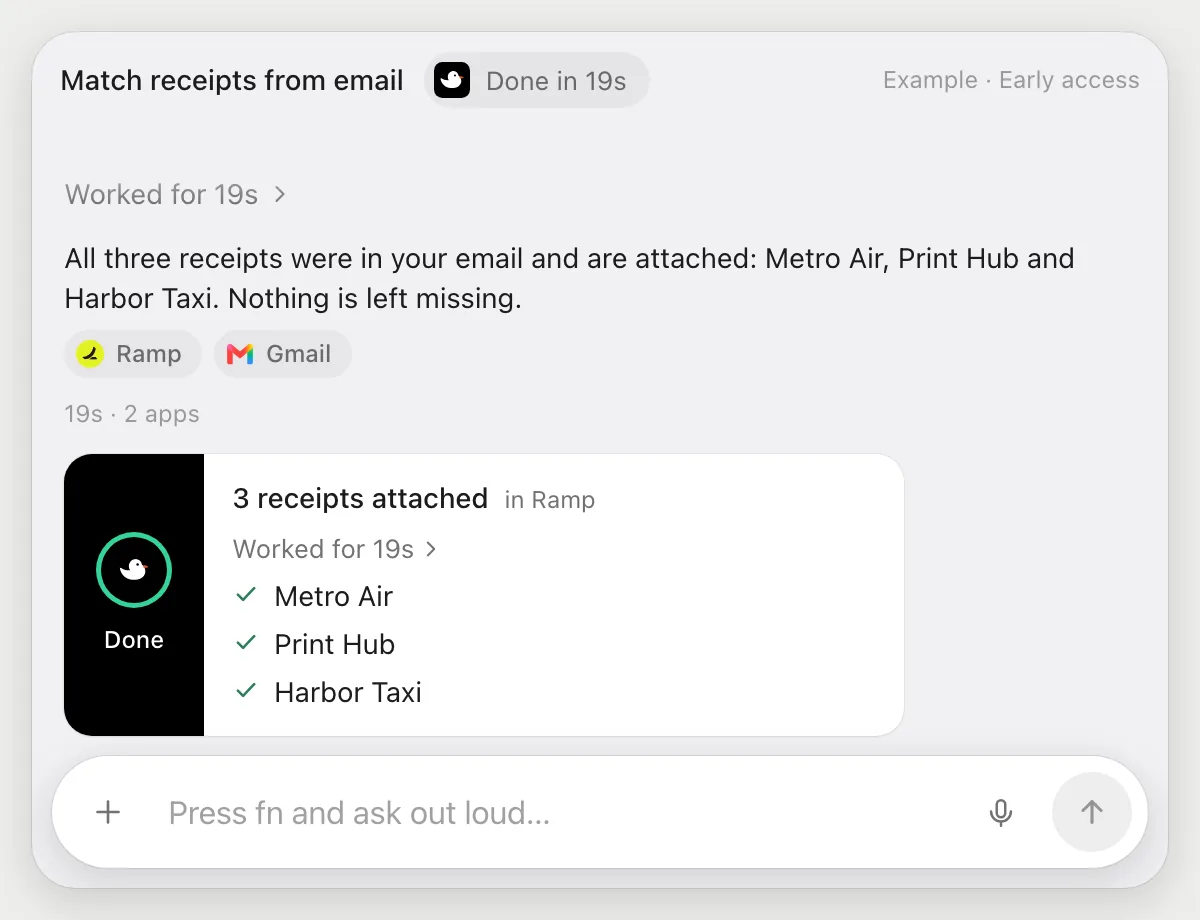
“Match the receipts in my email to these transactions”
- 01Have the transactions open in Ramp and your email in another tab.
- 02DuckyHelper reads the three transactions without receipts and searches your email for each merchant.
- 03It opens each receipt and uploads it to the right transaction with its own cursor.
- 04It tells you which three it matched, and what it could not find.
Built to ask firstUploading a receipt to your own transaction needs no OK. Approving and paying are not part of this job, and if a step would send an email, it's built to stop and ask first.
You getReceipts land on their transactions without the downloading and uploading.
Approve small bills
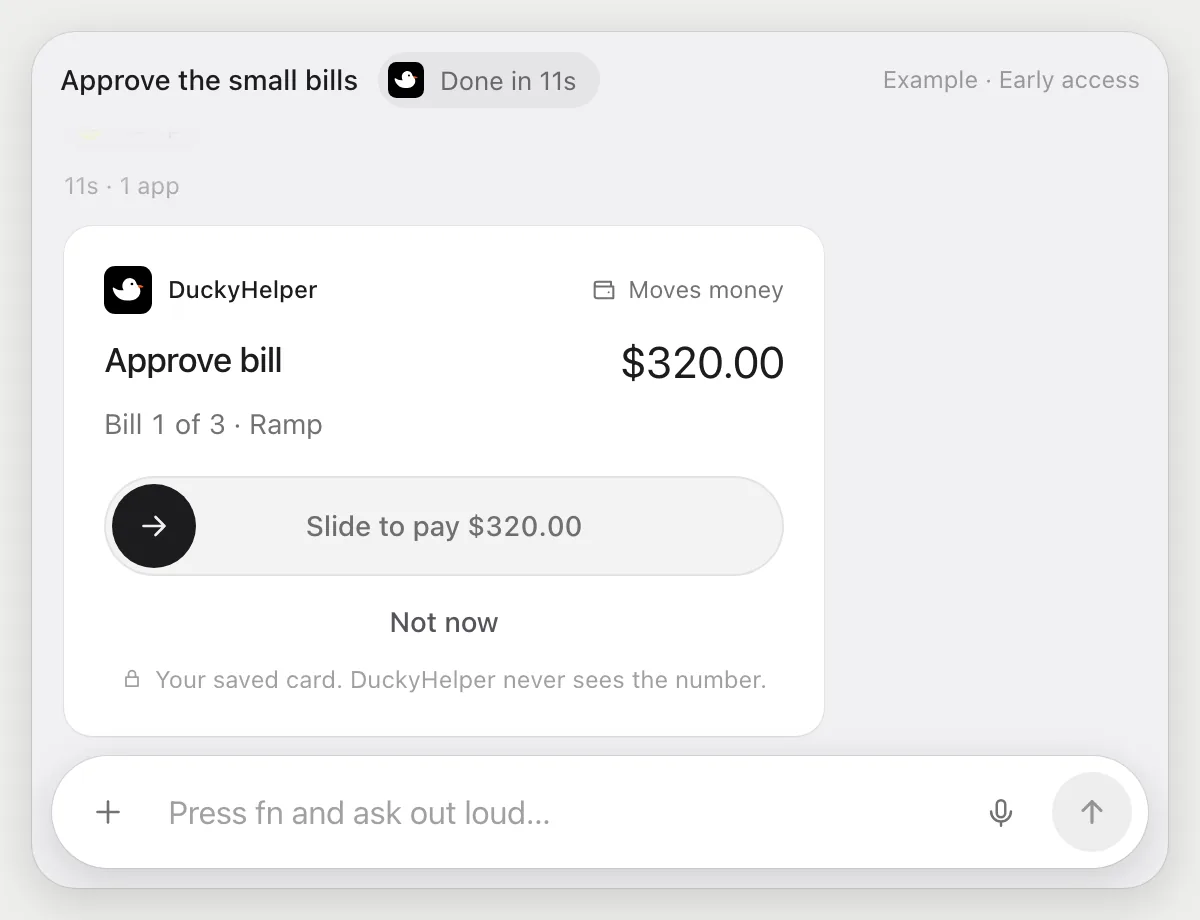
“Approve the small bills, the ones below 500, and leave the rest for me”
- 01Open the bills waiting for approval.
- 02DuckyHelper reads each bill's vendor and amount and picks the ones below 500.
- 03It goes to the first approval and stops, showing the vendor and the amount.
- 04Slide to approve it, or Deny. It asks again before each one, and leaves the larger bills alone.
Built to ask firstApproving a bill can lead to a payment, so each approval stops for your OK with the vendor and the amount. Nothing is approved until you do.
You getThe small bills are approved one by one, each after you checked it, and the large ones are still yours.
Getting more out of it in Ramp.
- 01
Show the receipt column before you ask. It reads the columns on screen.
- 02
Keep your email open in another window for matching. It reads receipts from the page you point at.
- 03
Say what counts as small out loud, like below 500. It applies that to the amounts on screen.
- 04
Each approval that pays is built to ask again, so you can hand over a batch and still check each one.
Questions about Ramp.
Do I need to connect my Ramp account?
No. There is nothing to connect. It sees what is on your screen while the pill is open, and for jobs (Early access) it uses Ramp in your browser, signed in as you. It's built not to type your passwords or card numbers.
Can it approve or pay without asking me?
It's built to ask first: each approval that could lead to a payment stops with the vendor and the amount, and waits for your OK. It may not recognize every send or payment, so keep an eye on tasks that involve messages or money.
Does it read all my transactions?
Only what is on your screen while the pill is open. A job you start (Early access) opens the pages that job needs.
Does it work on my phone?
No. DuckyHelper is an app for Mac, Windows and Linux, so it works with Ramp in your computer's browser.



Do anything
Ask it a question or hand it a job, in any app.


Doing jobs for you is in early access on Mac. Asking works on Mac, Windows and Linux.