

How to use DuckyHelper in Xero
Bookkeeping in Xero is small mismatches and typing. Ask DuckyHelper about the bank line or summary on screen and it explains the gap and circles it. Hand it a draft invoice or a rule for emailed bills and it fills them in, and it's built to ask for your OK before it sends or pays (Early access).
Find why a bank line won't reconcile
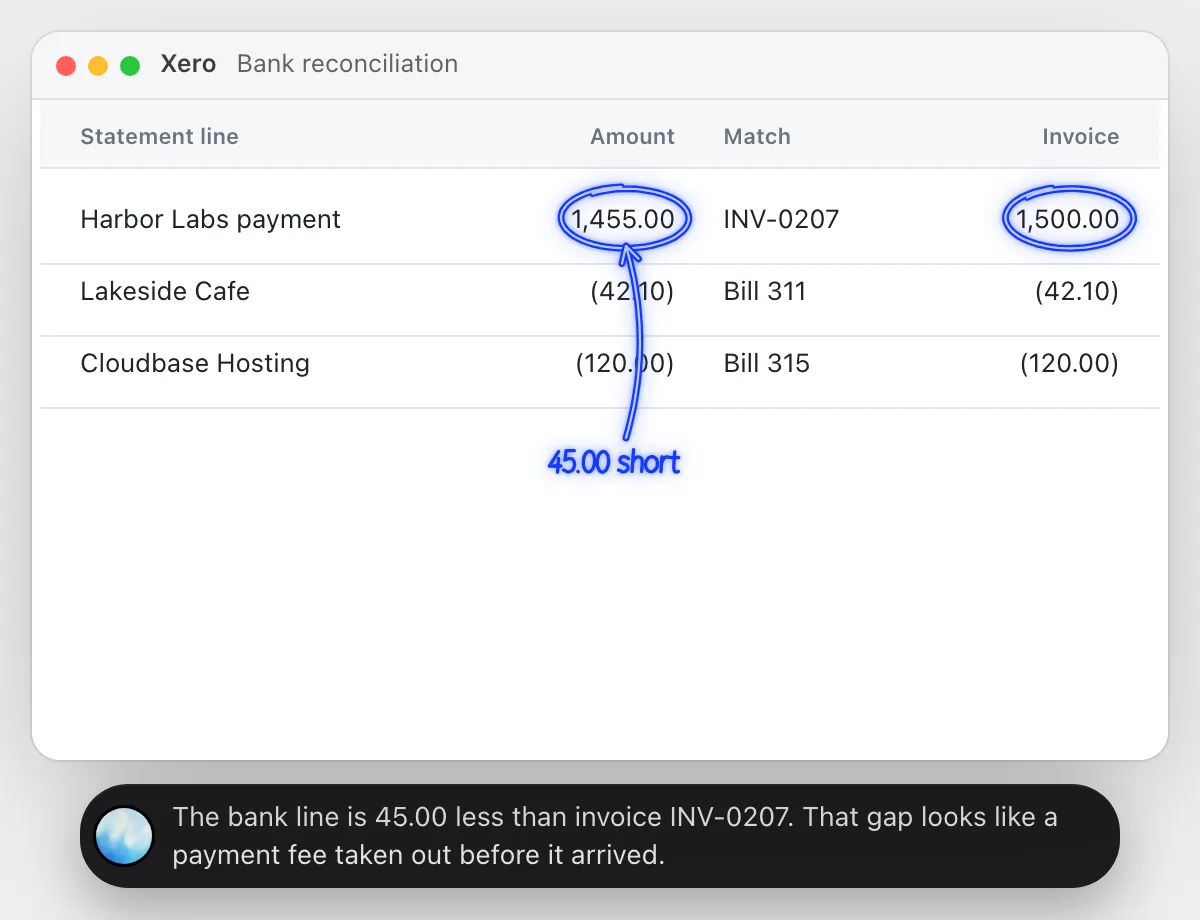
“Why won't this bank line match anything?”
- 01Open the reconcile screen so the bank lines and the invoices show, then ask out loud.
- 02DuckyHelper reads the statement line and the closest invoice.
- 03It circles the two amounts that differ and says by how much.
- 04Ask what usually causes a gap like that and it lists the ordinary reasons, like a fee taken from the payment.
You getYou see that the payment is short by a small amount, and which invoice it belongs to.
 The bank line is 45.00 less than invoice INV-0207. That gap looks like a payment fee taken out before it arrived.
Explain the cash summary
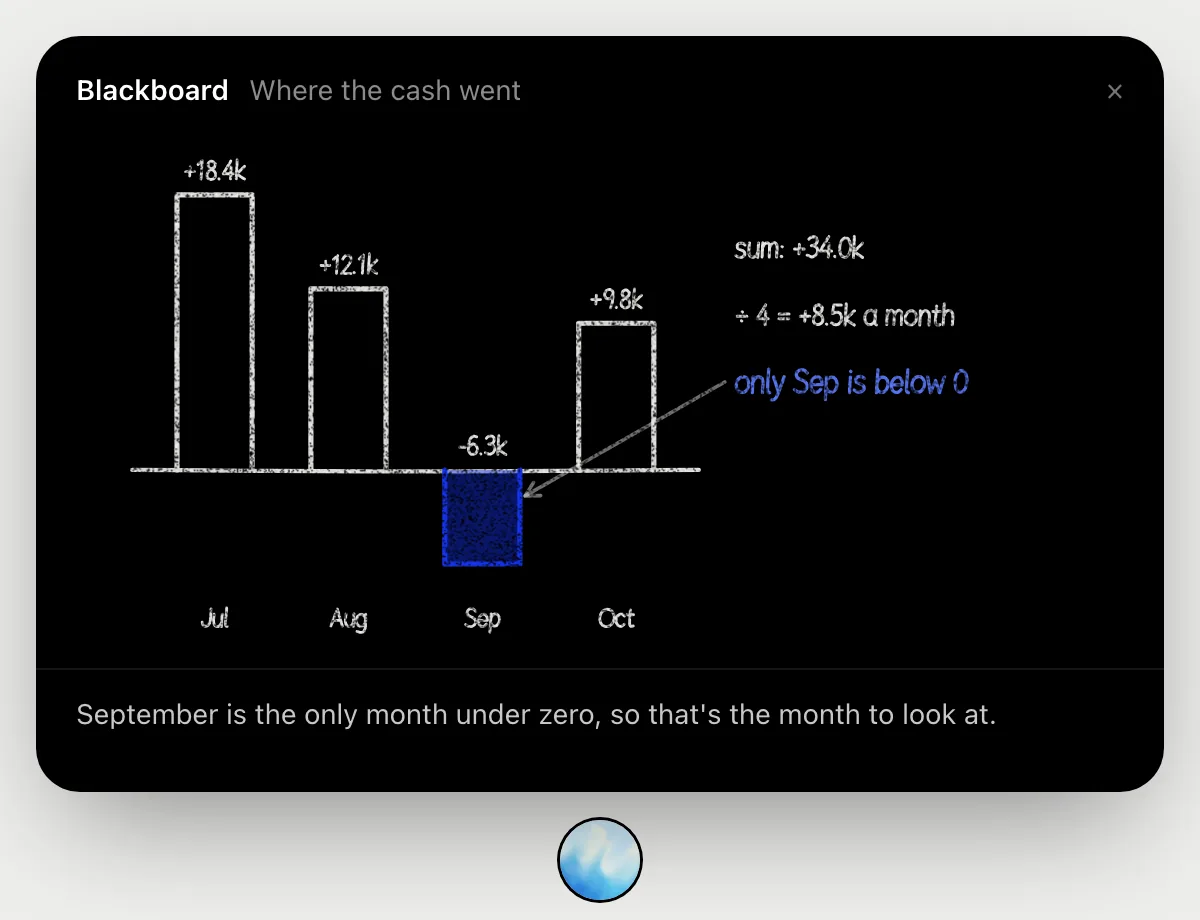
“Explain this cash summary so I can tell the owner”
- 01Open the cash summary so the months show, then ask out loud.
- 02It draws the four months as bars on the blackboard: 18.4k, 12.1k, then minus 6.3k, then 9.8k.
- 03It adds them to 34.0k, about 8.5k a month, and marks September as the one below zero.
- 04It gives you a sentence for the owner: cash was up overall, with September the month to explain.
You getA cash summary you can say to the owner in three sentences.
Draft an invoice
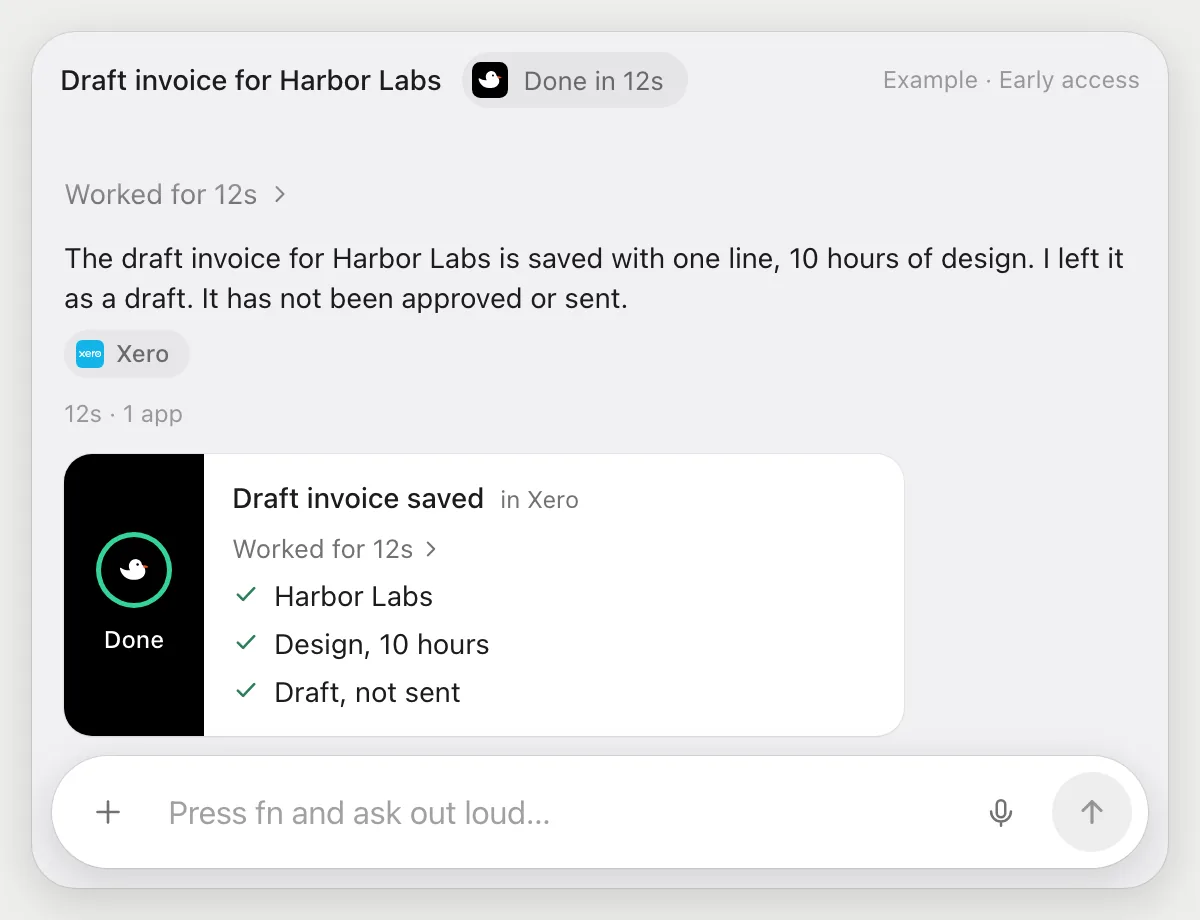
“Make a draft invoice for Harbor Labs for 10 hours of design”
- 01Open Xero, or say the customer's name.
- 02DuckyHelper starts a new invoice and picks Harbor Labs as the contact.
- 03It adds a line for 10 hours of design and uses the rate you give it, or leaves the price empty if you gave none.
- 04It saves the invoice as a draft and shows you what it made. Sending is a separate step.
Built to ask firstSaving a draft needs no OK. Approving or sending the invoice is separate, and it stops and shows the message with Send, Edit and Deny before anything goes to the customer.
You getA draft invoice for Harbor Labs, ready for you to check and send yourself.
Turn bill emails into draft bills
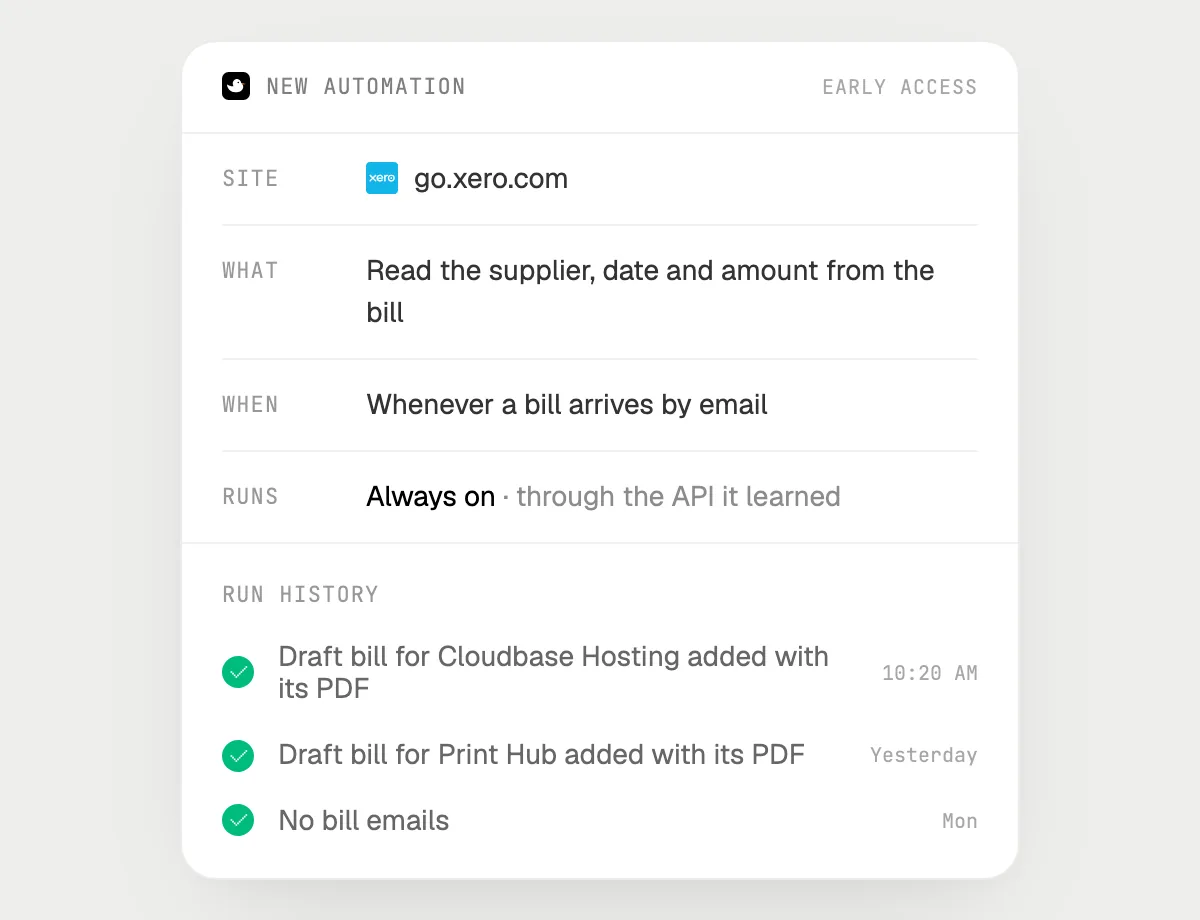
“When a bill arrives by email, add it as a draft bill with the PDF attached”
- 01Say it once with your email and Xero in reach. It does the first run on the latest bill email.
- 02It learns Xero's own actions for bills the first time, so later runs are quick.
- 03Turn it on from the card it offers. From then on it runs when a bill email arrives.
- 04Each run lands in the history. The bills stay drafts until you approve them.
Built to ask firstMaking a draft bill needs no OK. Approving, filing and paying are not part of this job, and a step that sends a message is built to stop with Send, Edit and Deny first.
You getEmailed bills wait in Xero as drafts with their PDFs, ready for your review.

Getting more out of it in Xero.
- 01
Ask about one bank line at a time. Open it so both the statement line and the suggested match are on screen.
- 02
Give the rate when you ask for an invoice. If you do not, it leaves the price empty rather than guess.
- 03
It's built to leave everything it makes as a draft until you approve it yourself.
- 04
It explains what is on screen. For tax or accounting advice, ask your accountant.
Questions about Xero.
Do I need to connect my Xero organisation?
No. There is nothing to connect. It sees what is on your screen while the pill is open, and for jobs (Early access) it uses Xero in your browser, signed in as you. It's built not to type your passwords or card numbers.
Will it send an invoice or pay a bill without asking?
It's built to ask for your OK before it files, sends or pays anything. It may not recognize every send or payment, so keep an eye on tasks that involve messages or money. Drafts need no OK, but sending and paying are yours.
Does it read my whole ledger?
Only what is on your screen while the pill is open. A job or automation you start (Early access) opens the pages it needs.
Does it work on my phone?
No. DuckyHelper is an app for Mac, Windows and Linux, so it works with Xero in your computer's browser.



Do anything
Ask it a question or hand it a job, in any app.


Doing jobs for you is in early access on Mac. Asking works on Mac, Windows and Linux.