

How to use DuckyHelper in Rocketlane
Customer onboarding means many projects, each with dates a customer is watching. Ask DuckyHelper about the project list on your screen and it circles the ones running behind and says why. Hand it a date change, the owner assignments or a weekly progress note and it works in Rocketlane for you (Early access).
See which onboardings are behind
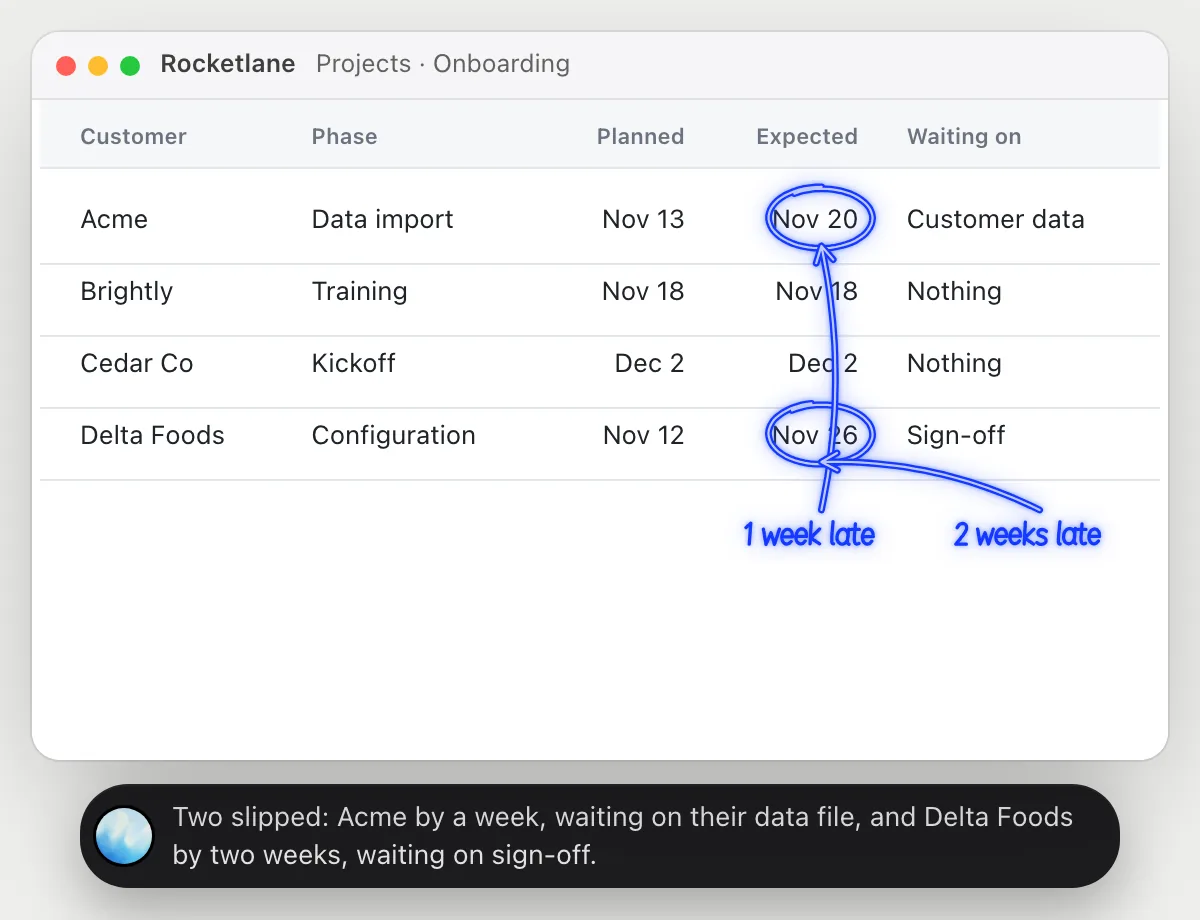
“Which onboarding projects are behind plan, and why?”
- 01Open your list of projects so the dates are on screen, then ask out loud.
- 02DuckyHelper compares each project's planned date with the date it now expects.
- 03It circles the ones that slipped and says what each is waiting on, from what the list shows.
- 04Ask about one customer and open its project: it reads the open tasks and says which one holds things up.
You getThe two projects that slipped, how far, and what is holding each, before the weekly review.
 Two slipped: Acme by a week, waiting on their data file, and Delta Foods by two weeks, waiting on sign-off.
Move a go-live date and tell the customer
“Move Acme's go-live to the 20th and tell their contact why”
- 01Open the Acme project, or say its name and DuckyHelper finds it in the list.
- 02It changes the go-live date to the 20th with its own cursor.
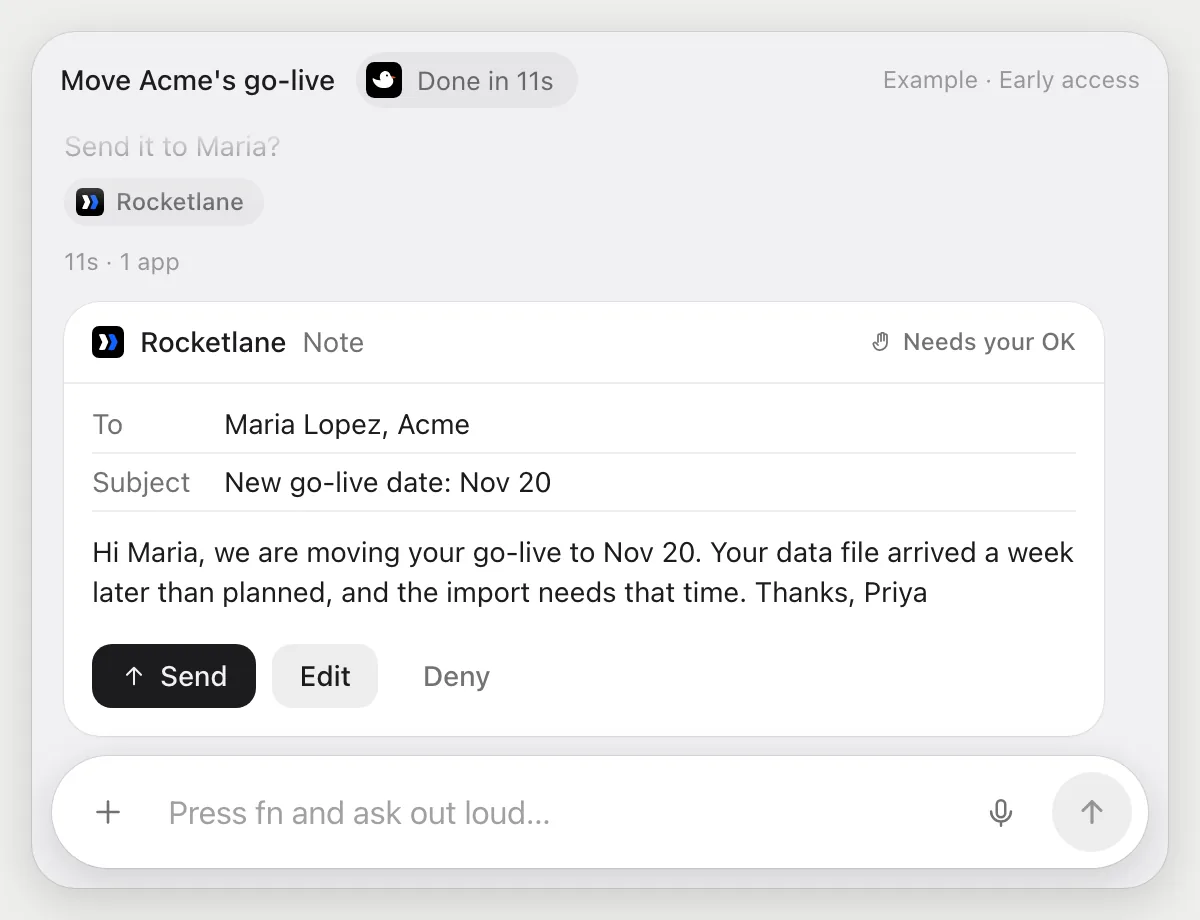
- 03It reads where the plan stands and writes a short note for Acme's contact explaining why.
- 04The note goes to a customer, so it shows it with Send, Edit and Deny and waits.
- 05Press Send, fix a line with Edit, or Deny and only the date change stays.
Built to ask firstThe date change is yours to review, and it's built to show anything that goes to the customer's contact with Send, Edit and Deny first.
You getThe new date is in the plan and Acme hears the reason in your words, only after you read it.
Assign owners to a new plan
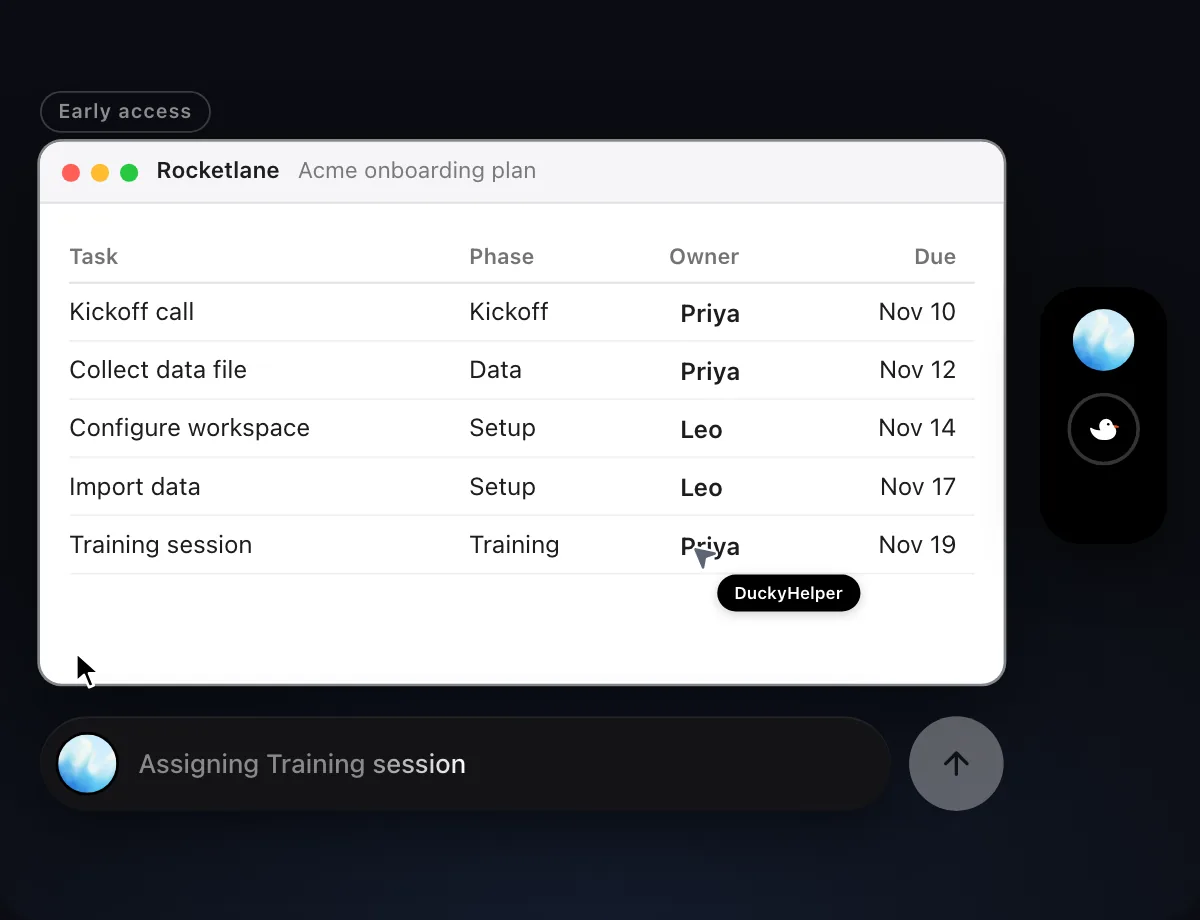
“Assign an owner to each task in the new onboarding plan, calls to Priya and setup to Leo”
- 01Open the new plan so all its tasks are on screen.
- 02Tell it the rule once, like calls to Priya and setup to Leo.
- 03DuckyHelper sets the owner on each task with its own cursor, row by row.
- 04It shows the finished plan so you can check the split.
Built to ask firstFilling in the Owner column stays inside the plan, so it needs no OK. Anything sent to a customer is still built to stop for your OK.
You getEvery task in the new plan has an owner, matching the rule you gave.

Send weekly progress updates
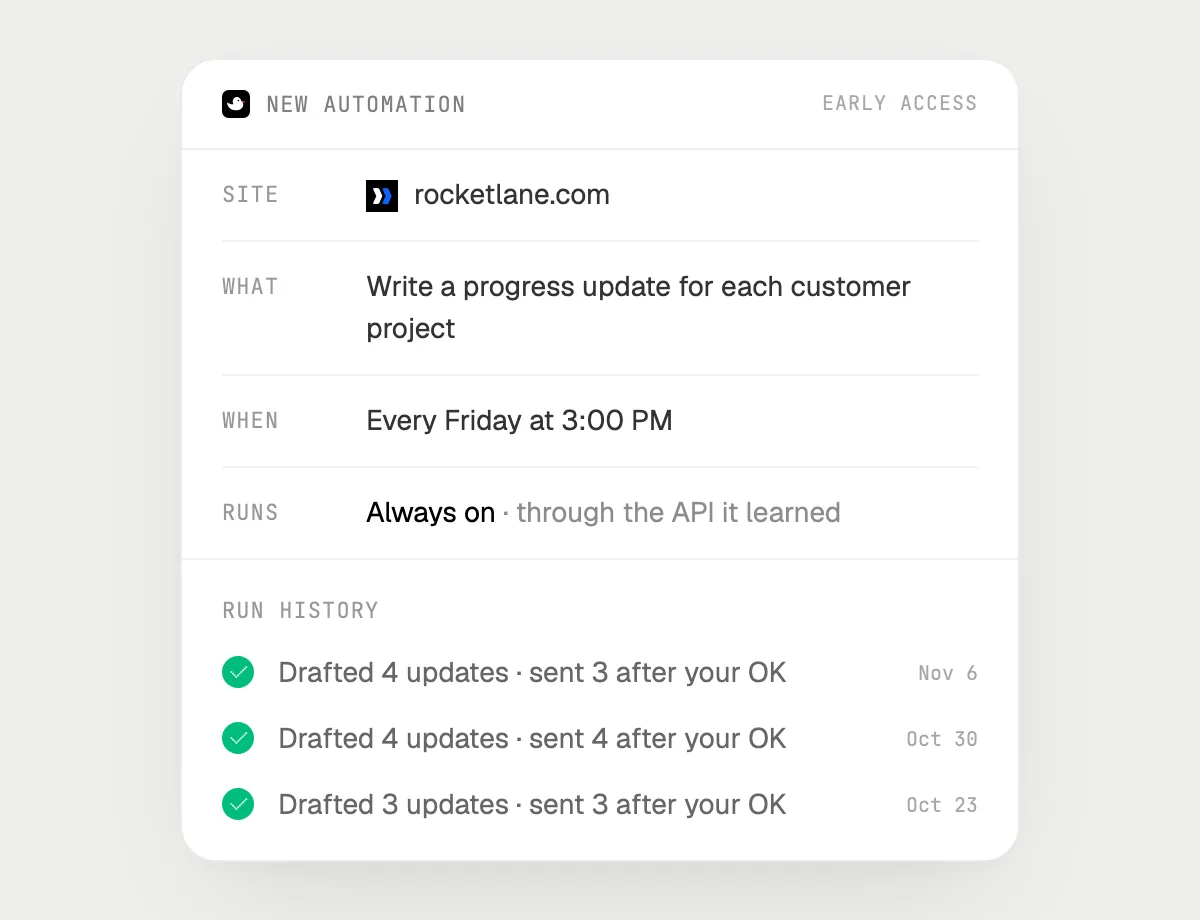
“Every Friday, write each customer a progress update and ask me before each send”
- 01Say it once with a project open. It writes this week's update for that customer as a first run.
- 02It learns Rocketlane's own actions the first time, so later weeks are quick.
- 03Turn it on from the card it offers. It runs every Friday afternoon from then on.
- 04For each customer it reads the project's progress and writes the update, then stops with Send, Edit and Deny.
- 05Every run shows in the history, with which drafts you sent.
Built to ask firstEvery update goes to a customer, so each one is shown with Send, Edit and Deny. It's built to wait for your OK before anything is sent.
You getA good first draft of every customer's update is waiting on Friday, and none goes out unread.
Getting more out of it in Rocketlane.
- 01
Keep the project list sorted the way you review it. It reads the order it sees.
- 02
Give the rule for owners in plain words. It can't guess who should own what.
- 03
For the weekly note, say the tone you use with customers and it matches it in every draft.
- 04
Chasing the same customers in your CRM? The HubSpot guide covers that side.
Questions about Rocketlane.
Do I need to connect my Rocketlane account?
No. There is nothing to connect. It sees what is on your screen while the pill is open, and for jobs (Early access) it uses Rocketlane in your browser or window with its own cursor, signed in as you. It's built not to type your passwords or card numbers.
Will it send anything without asking me?
It's built to ask first before it sends a message or pays for anything, and to wait for your yes: it stops with Send, Edit and Deny (or a pay card for anything that costs money). That covers notes and updates to customers. It may not recognize every send or payment, so keep an eye on tasks that involve messages or money. Reading, drafting and filling things in don't need your OK.
Can customers see what DuckyHelper does?
Only what you send. Changes in your plan appear however Rocketlane shows them to your customers, and every message to a customer is built to wait for your OK.
Does it work on my phone?
No. DuckyHelper is an app for Mac, Windows and Linux, so it works with Rocketlane in your computer's browser.



Do anything
Ask it a question or hand it a job, in any app.


Doing jobs for you is in early access on Mac. Asking works on Mac, Windows and Linux.