

How to use DuckyHelper in Salesforce
Salesforce reports tell you the number, not why it moved. Ask DuckyHelper about the opportunities or the report on your screen and it circles what is late and what changed. Hand it the next steps or a Monday chase of quiet deals and it works in Salesforce for you (Early access).
Find opportunities past their close date
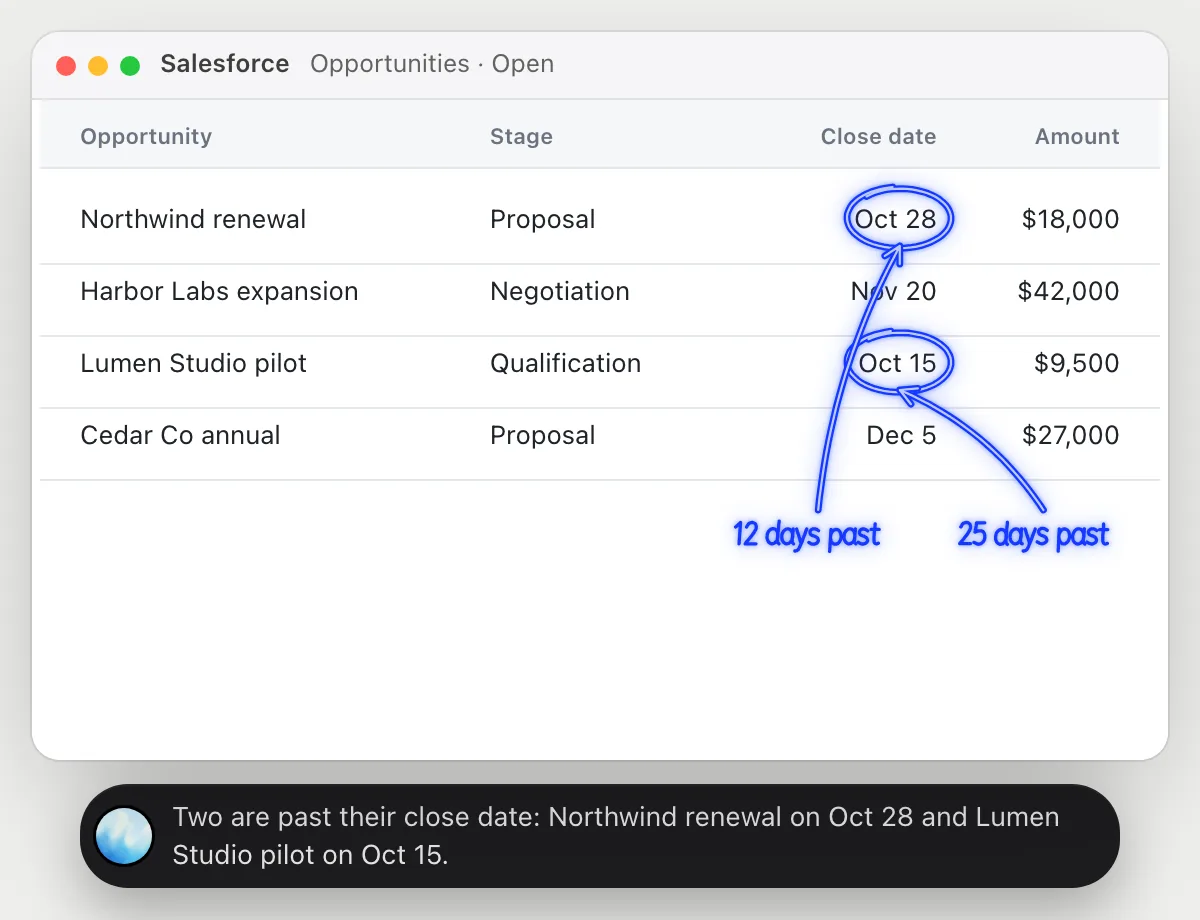
“Which of these opportunities are past their close date?”
- 01Open the opportunities list with the close date column showing, then ask out loud.
- 02DuckyHelper reads each opportunity with its stage and close date, next to today's date.
- 03It circles the ones whose close date has passed and that are still open.
- 04Ask which is worth the most and it reads the amount column.
You getThe opportunities that need a new date or a decision, found without sorting the list.
 Two are past their close date: Northwind renewal on Oct 28 and Lumen Studio pilot on Oct 15.
Understand why a report total changed
“Why is this report's total lower than last week's?”
- 01Open the report so its rows are on screen, and say last week's total or have last week's report open.
- 02DuckyHelper reads the rows and adds them up.
- 03It looks for the row that explains the gap and circles it.
- 04It says it in one sentence: which deal moved and how much the total fell.
- 05Ask what moved and it explains from the stage column, a Closed Lost deal in this example.
You getThe one deal behind the drop, instead of comparing two reports row by row.
Last week's total was $96,500. Lumen Studio pilot, $9,500, is now Closed Lost, so the open total fell to $87,000.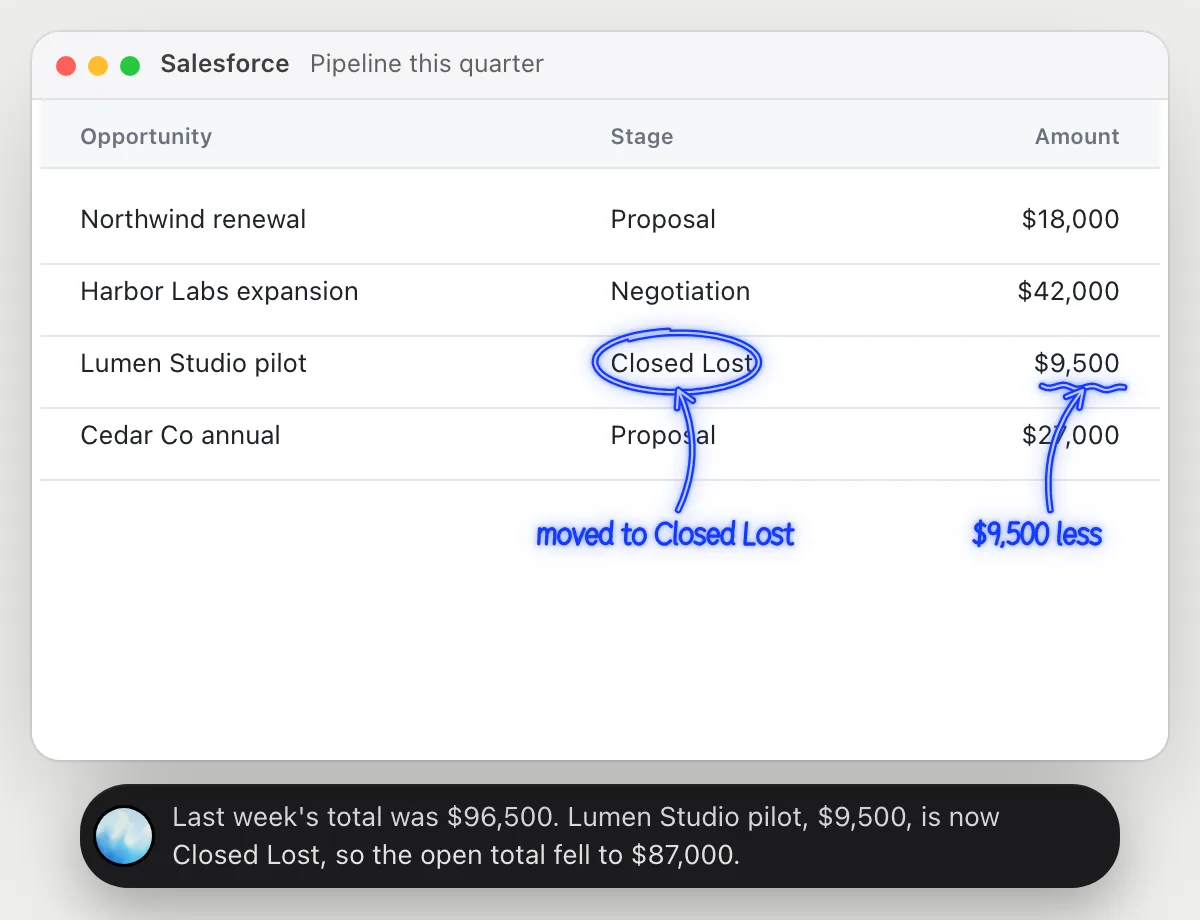
Update next steps on stale opportunities
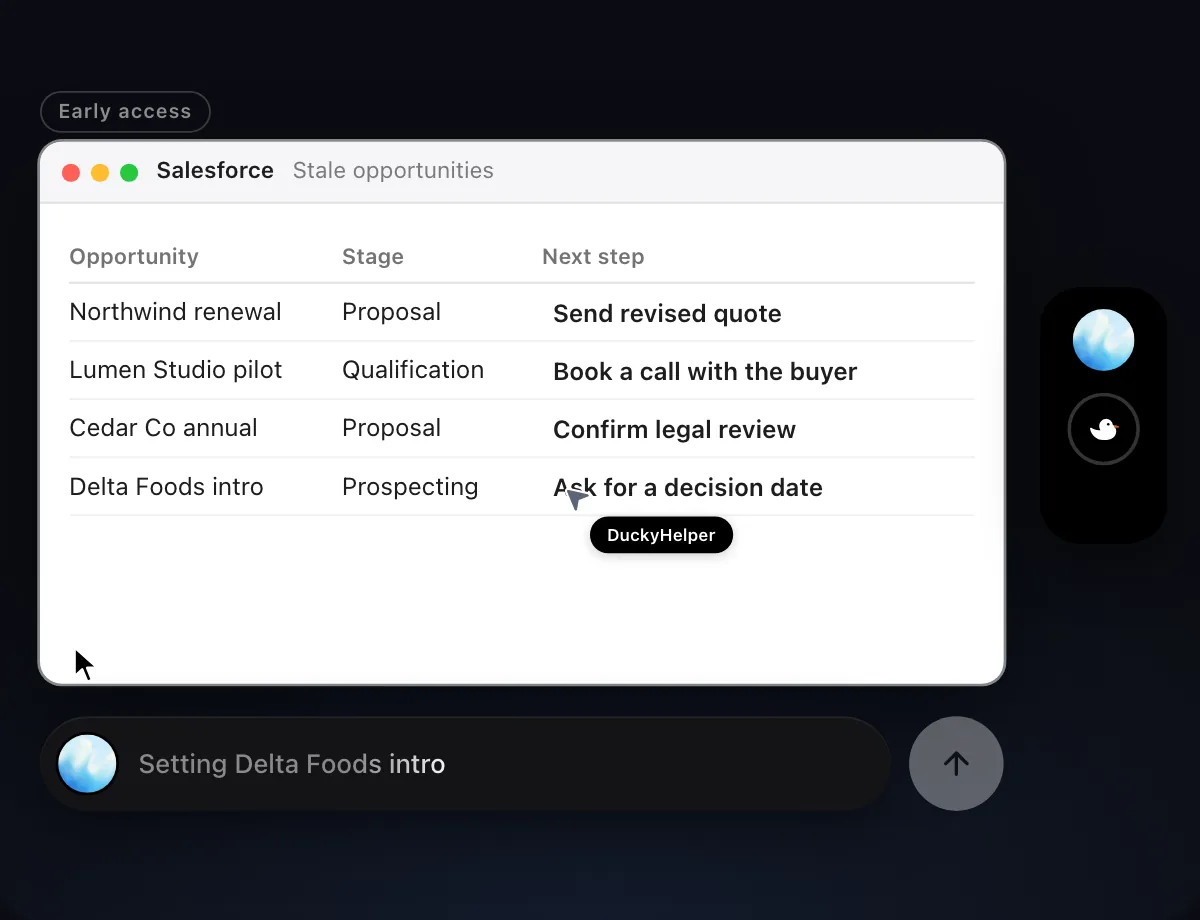
“Set the next step for each stale opportunity from my call notes”
- 01Open the stale opportunities list and have your call notes on screen.
- 02DuckyHelper reads the notes and matches each line to its opportunity.
- 03It opens each record with its own cursor and fills in the next step from what you said on the call.
- 04It shows the list so you can check each next step.
Built to ask firstFilling in a next step stays inside your Salesforce records, so it needs no OK. Anything that emails a customer or colleague is built to stop and ask first.
You getEvery stale opportunity has a next step that matches your notes.

Chase deals with no activity
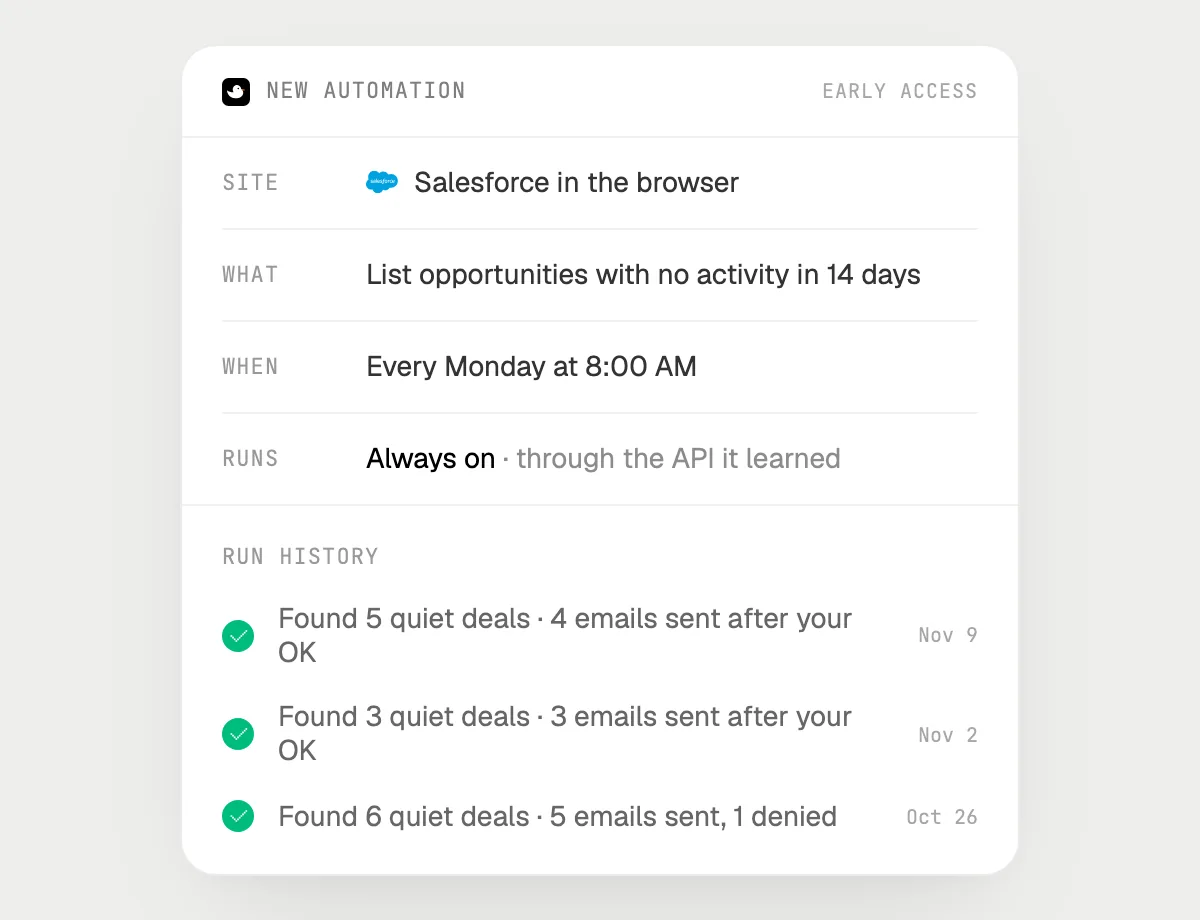
“Every Monday, list opportunities with no activity in 14 days and email their owners, asking me first”
- 01Say it once with the opportunities list open. It makes this week's list as a first run.
- 02It learns Salesforce's own actions the first time, so later Mondays are quick.
- 03Turn it on from the card it offers. It runs every Monday morning from then on.
- 04It lists the opportunities with no activity in 14 days and writes a short email to each owner.
- 05It stops with Send, Edit and Deny before each email.
Built to ask firstMaking the list needs no OK. Every email to an owner is shown with Send, Edit and Deny first, and it's built to wait for your OK before anything goes out.
You getA Monday list of quiet deals and a note to each owner, sent only after you read them.
Getting more out of it in Salesforce.
- 01
Show the columns you care about first. It reads only what is on screen.
- 02
For a report question, give both totals out loud. The gap is easier to find.
- 03
Say "stale" in your own terms: no activity in 14 days, or a close date that passed.
- 04
Sales calls feed the next steps. The Gong guide shows how to pull them from a call page.
Questions about Salesforce.
Do I need to connect my Salesforce account?
No. There is nothing to connect. It sees what is on your screen while the pill is open, and for jobs (Early access) it uses Salesforce in your browser or window with its own cursor, signed in as you. It's built not to type your passwords or card numbers.
Will it send anything without asking me?
It's built to ask first before it sends a message or pays for anything, and to wait for your yes: it stops with Send, Edit and Deny (or a pay card for anything that costs money). That covers emails to owners or customers. It may not recognize every send or payment, so keep an eye on tasks that involve messages or money. Reading, drafting and filling things in don't need your OK.
Does it change my Salesforce setup?
No. It doesn't touch settings or admin pages. It works on the records and reports you point it at.
Does it read every opportunity in the org?
No. It looks at the list or report on your screen while the pill is open. A job you start (Early access) works on the records you point it at.



Do anything
Ask it a question or hand it a job, in any app.

Doing jobs for you is in early access on Mac. Asking works on Mac, Windows and Linux.