

How to use DuckyHelper in ServiceM8
On a trade business the paperwork fits in the gaps between jobs: quotes to turn into work, jobs without a booking, invoices to send with the photos. Ask about the jobs on your screen and DuckyHelper circles what is missing. You can also hand it the booking, the invoice or an evening check (Early access).
Find unscheduled jobs
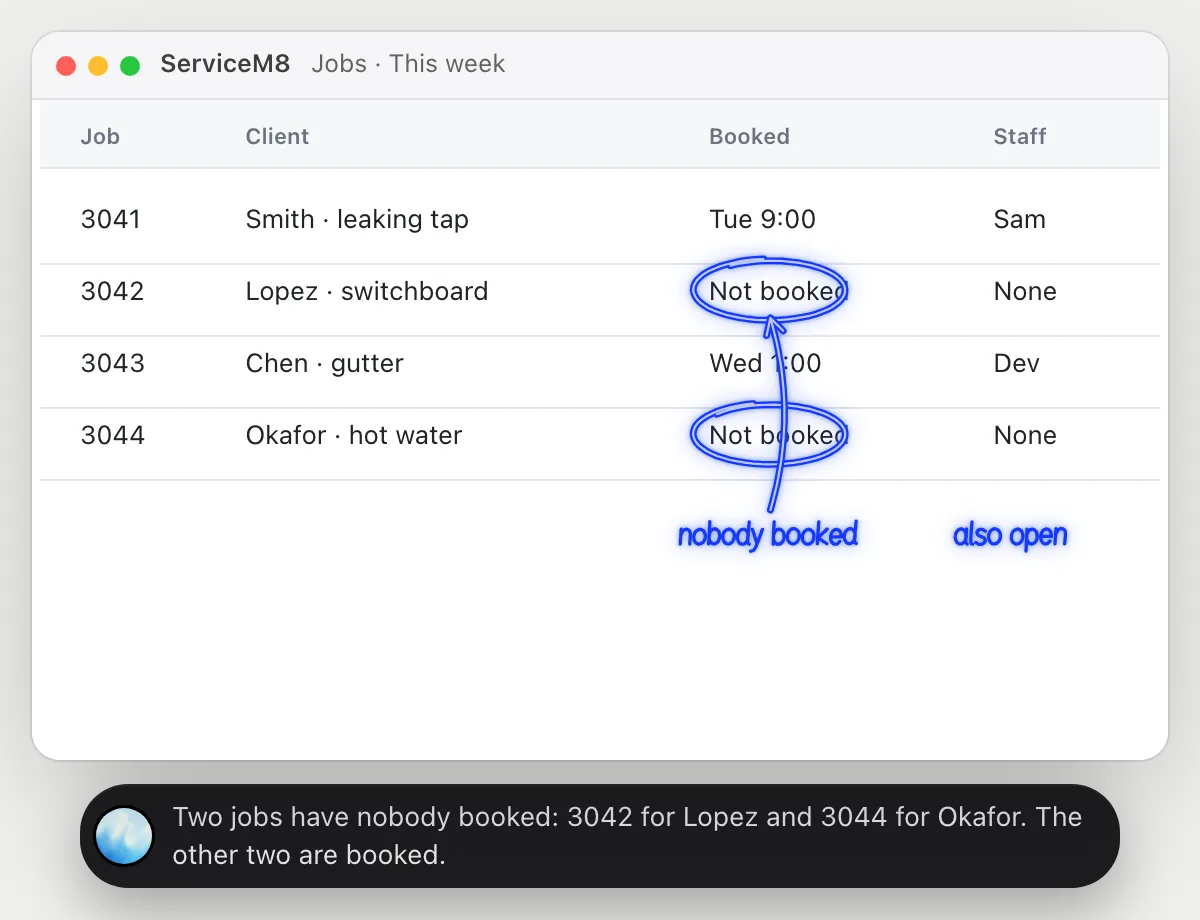
“Which jobs this week have nobody booked?”
- 01Show this week's jobs so each one's date and staff are on screen.
- 02Ask out loud. DuckyHelper reads the rows.
- 03It circles the jobs with no booking and says who the client is.
- 04Ask which is most urgent, and it goes by the dates and notes it can see.
You getThe jobs that would slip, found before the week starts.
 Two jobs have nobody booked: 3042 for Lopez and 3044 for Okafor. The other two are booked.
Turn a quote into a booked job
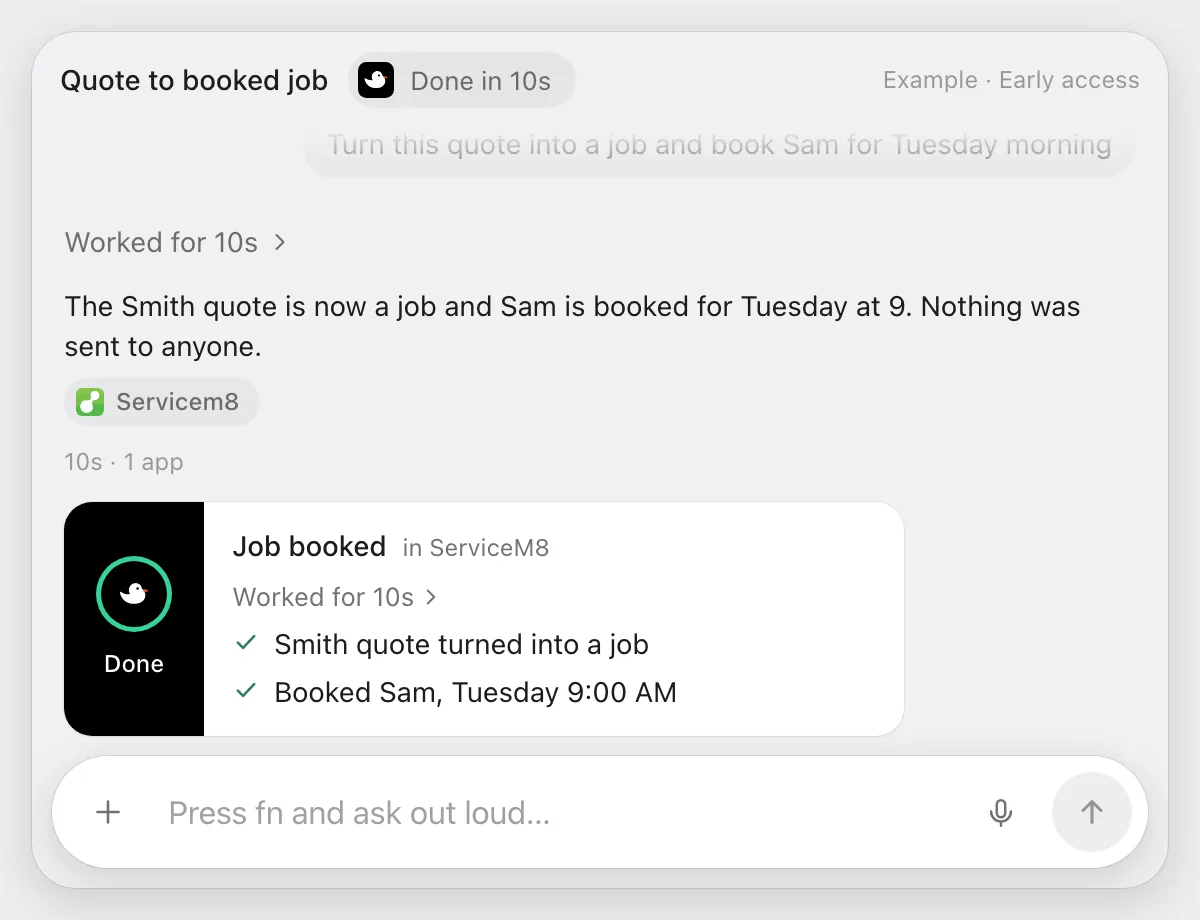
“Turn this quote into a job and book Sam for Tuesday morning”
- 01Open the quote, or say the client's name and it finds it.
- 02DuckyHelper turns the quote into a job with its own cursor while you keep working.
- 03It books Sam on Tuesday morning.
- 04It reports back with what it set up, so you can check the time.
Built to ask firstTurning the quote into a job and booking need no OK from you. If a step would send a message to the client or to Sam, it's built to stop and ask first with Send, Edit and Deny.
You getA quote that is now a booked job, without you clicking through each screen.
Send an invoice with photos
“Send the invoice for the Smith job with the photos attached”
- 01Open the Smith job and say you want its invoice sent.
- 02DuckyHelper reads the job's work and the photos taken on site.
- 03It prepares the invoice and attaches the photos.
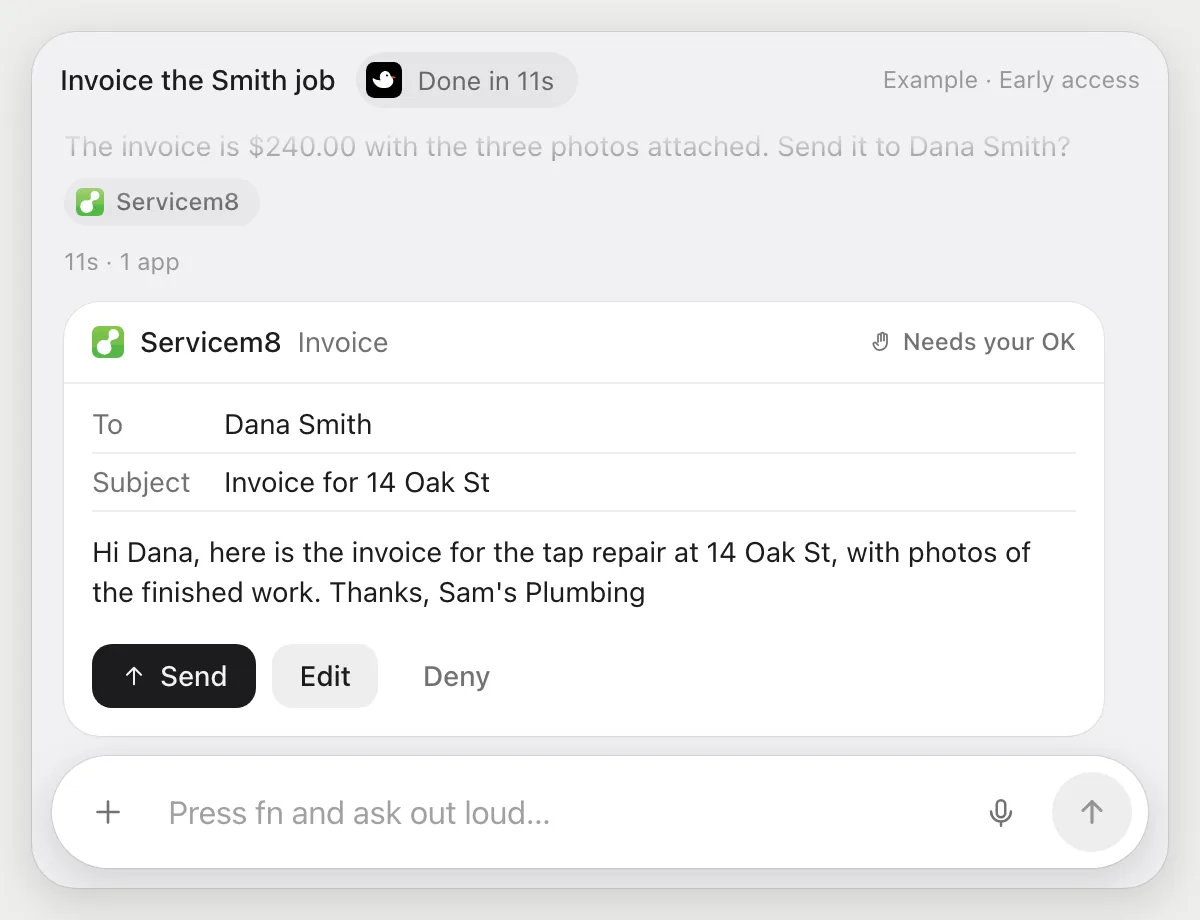
- 04It stops before sending and shows who gets it and what it says. You press Send, change a line, or Deny.
Built to ask firstAn invoice goes to your client, so it shows the recipient, the amount and the message with Send, Edit and Deny. Preparing it and attaching photos need no OK.
You getAn invoice with the proof of the work attached, sent only after you read it.
Check tomorrow's jobs for addresses
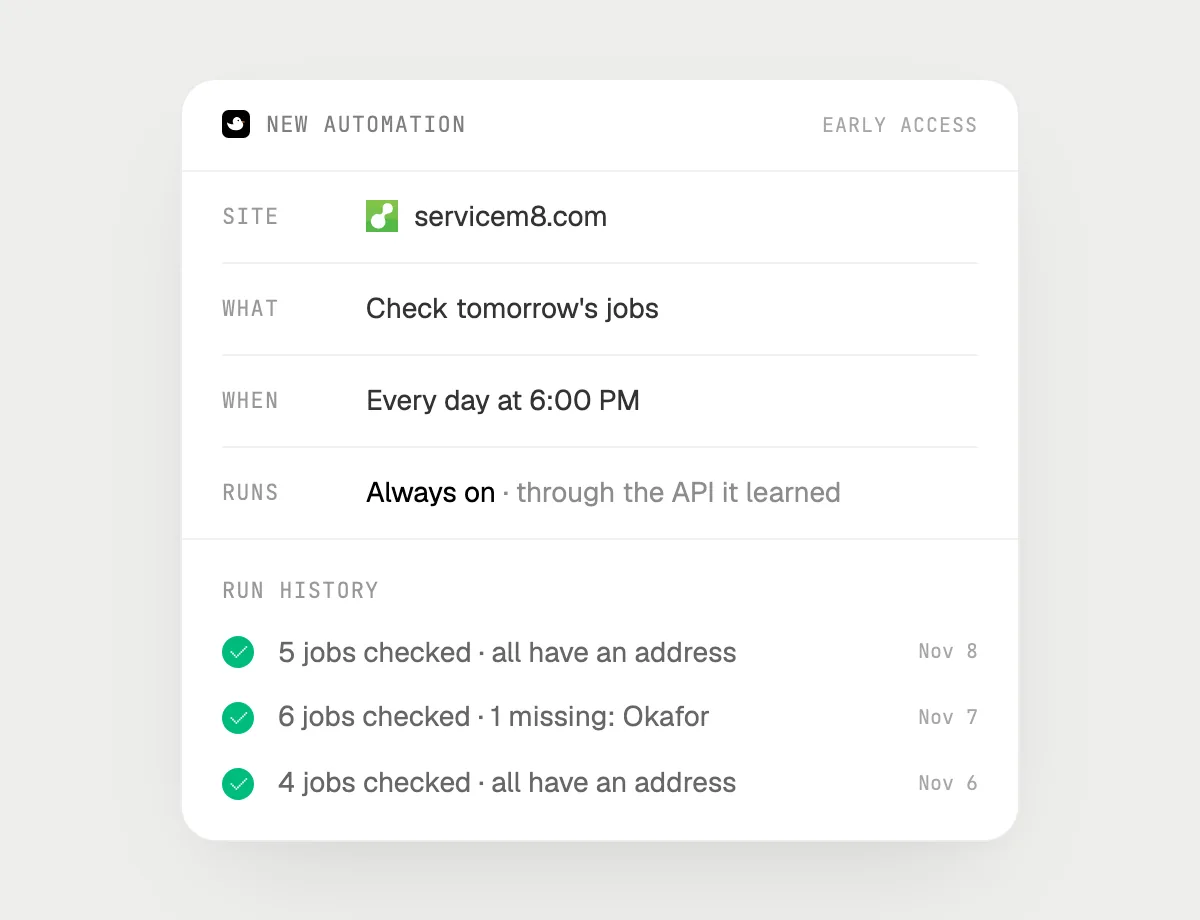
“Every evening at 6, check tomorrow's jobs and tell me any without an address”
- 01Say it once with tomorrow's jobs on screen. It checks them right away.
- 02It learns ServiceM8's own actions the first time, so each evening's run is quick.
- 03Turn it on from the card it offers. It runs every evening at 6.
- 04Each run is in the history, with the jobs it found missing an address.
Built to ask firstLooking at jobs needs no OK. If you later ask it to message a client for the address, it's built to ask before each send.
You getNo more arriving at a job with nowhere to go.

Getting more out of it in ServiceM8.
- 01
Show the dates when you ask about the week. DuckyHelper reads only what is on the screen.
- 02
Say the client's name or the job number. Either finds the row.
- 03
Before an invoice job, check the photos are on the job. It can only attach what is there.
- 04
Chasing payment afterwards? The Xero guide covers the books.
Questions about ServiceM8.
Do I need to connect my ServiceM8 account?
No. Nothing to connect. It reads what is on your screen while the pill is open. Jobs (Early access) use ServiceM8 in your browser, signed in as you, and it's built not to type your passwords or card numbers.
Can it send an invoice without asking me?
It's built to ask first: invoices go to your client, so you see them with Send, Edit and Deny first. It may not recognize every send or payment, so keep an eye on tasks that involve messages or money.
Does it work on the phone app in the van?
No. DuckyHelper is an app for Mac, Windows and Linux, so it works with ServiceM8 in a computer's browser.
Does it look at every job I have?
Only what is on your screen when you ask, and only while the pill is open. A job or automation you start (Early access) works through the jobs it needs.



Do anything
Ask it a question or hand it a job, in any app.



Doing jobs for you is in early access on Mac. Asking works on Mac, Windows and Linux.