

How to use DuckyHelper in SharePoint
SharePoint holds your team's lists, policy pages and document libraries, and finding the one answer takes scrolling. Ask DuckyHelper about the list or page on your screen and it circles or underlines it. Hand it the column to fill in or the files to upload and tag and it does them in SharePoint (Early access).
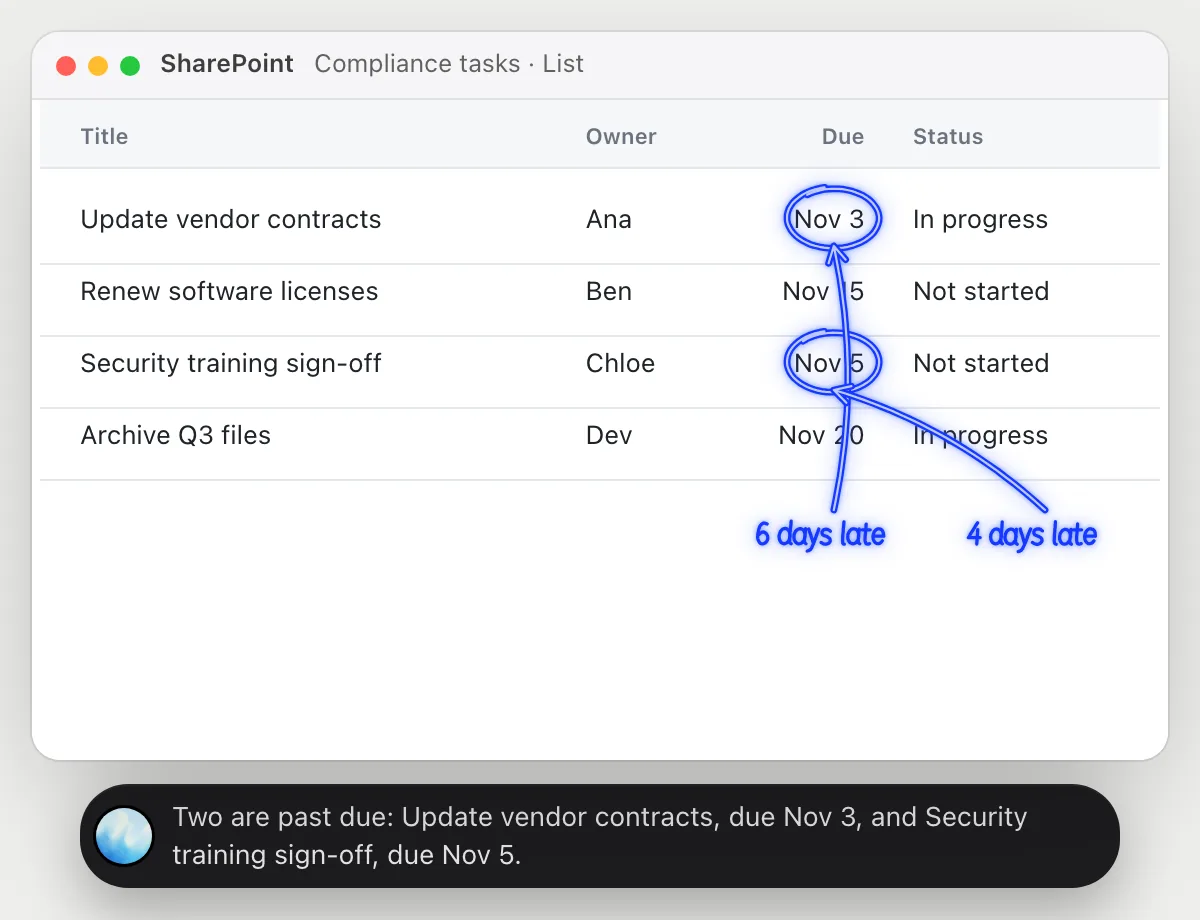
Find past-due items on a list
“Which items on this list are past due?”
- 01Open the list so the due dates and status columns are on screen, then ask out loud.
- 02DuckyHelper reads each item, who has it and the due date next to today's date.
- 03It circles the ones past due that aren't marked done.
- 04Ask who has the most and it counts from the rows showing.
You getThe items that are late, found in a second instead of sorting the list.
 Two are past due: Update vendor contracts, due Nov 3, and Security training sign-off, due Nov 5.
Find the rule on a policy page
“What does this policy say about booking travel?”
- 01Open the policy page and scroll to the part about travel, then ask out loud.
- 02DuckyHelper reads the lines on the screen.
- 03It underlines the rules that answer the question and says them in plain words.
- 04Ask about a case, like a hotel above the limit, and it points to the line that covers it.
You getThe two rules that apply to your trip, quoted from the page, without reading the whole policy.
Book through the travel desk, and at least 14 days before you leave when you can.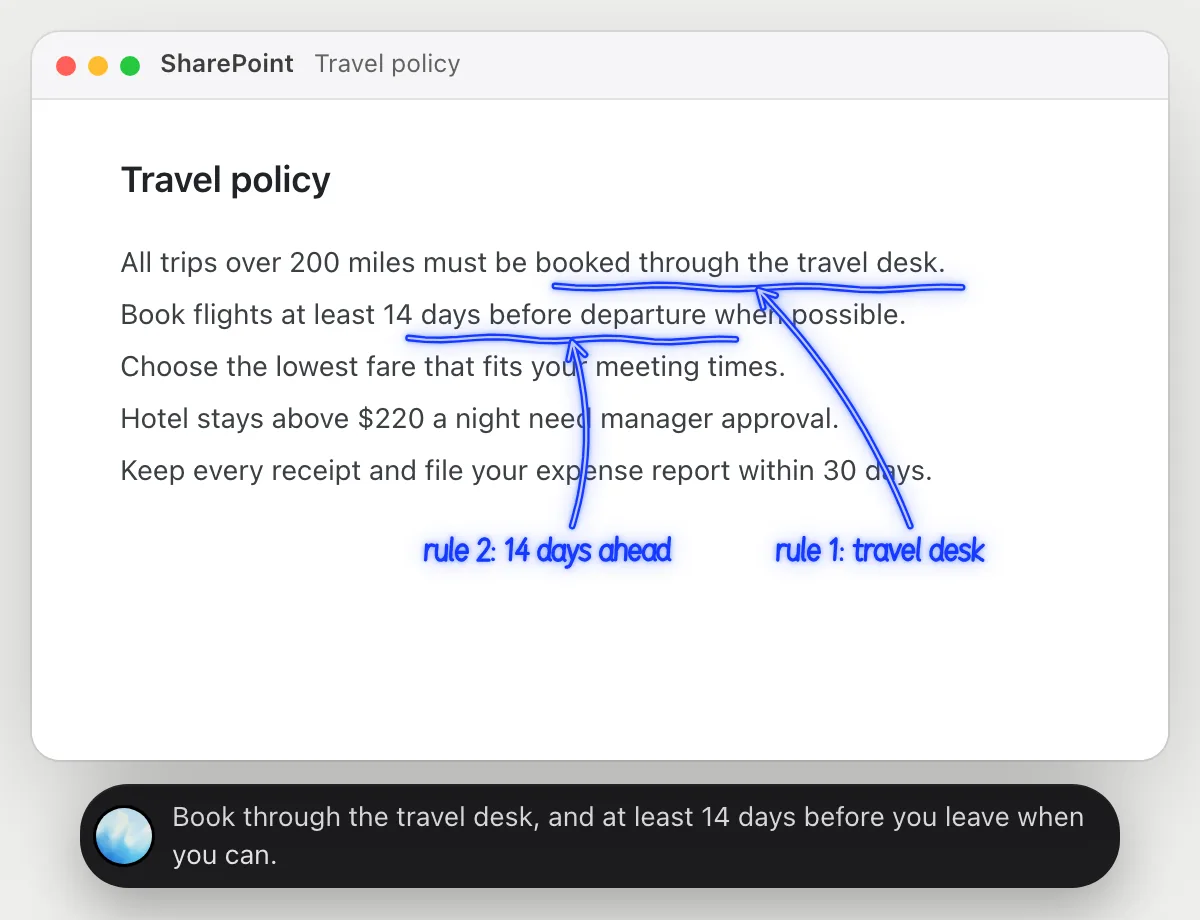
Fill in a column on a list
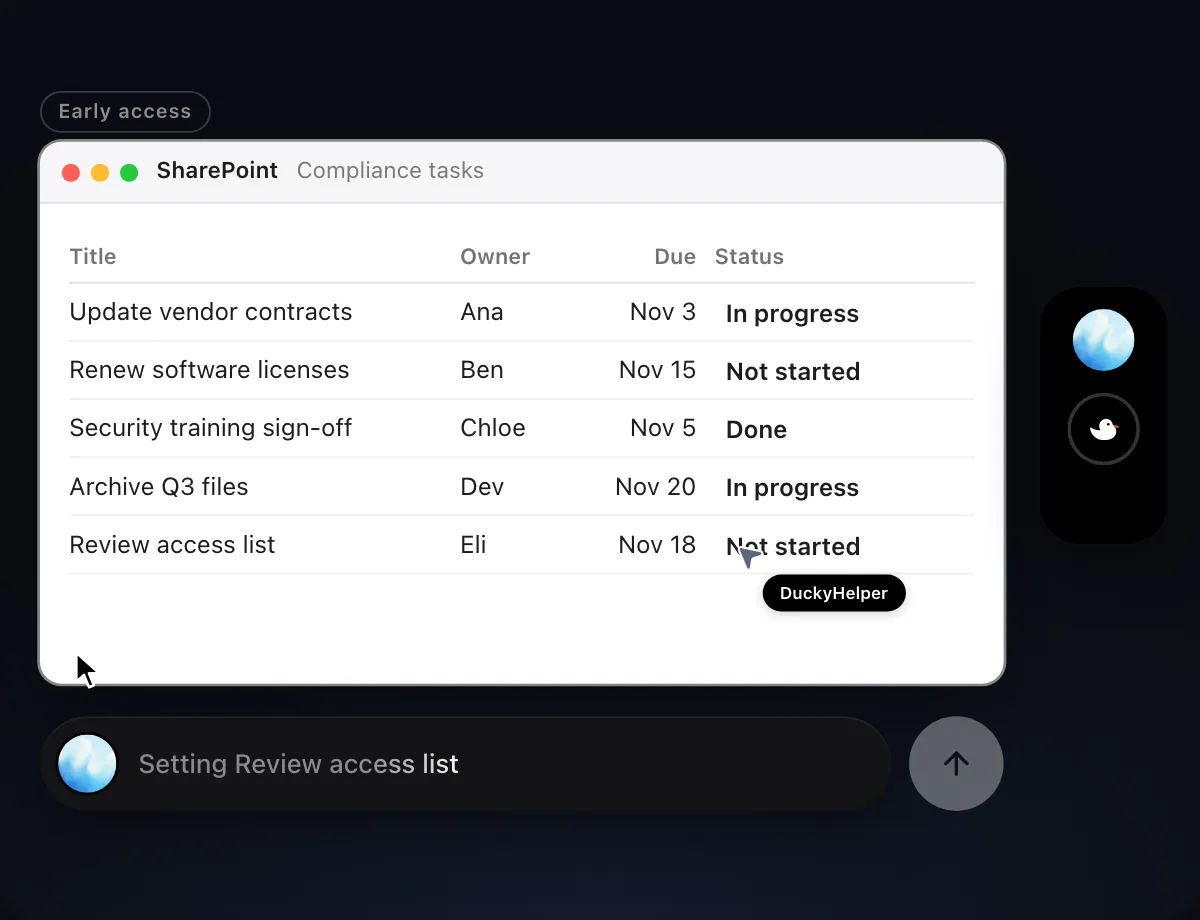
“Fill in the Status column on this list from the project tracker”
- 01Open the list and have the project tracker on screen or in the next window.
- 02DuckyHelper reads the tracker and matches each list item to its entry.
- 03It sets the Status on each row with its own cursor, row by row.
- 04It shows the finished list so you can check each row.
Built to ask firstFilling in a column stays inside the list, so it needs no OK. Anything that would email or notify other people is built to stop and ask first.
You getThe Status column matches the tracker for every item, without retyping.

Upload and tag files
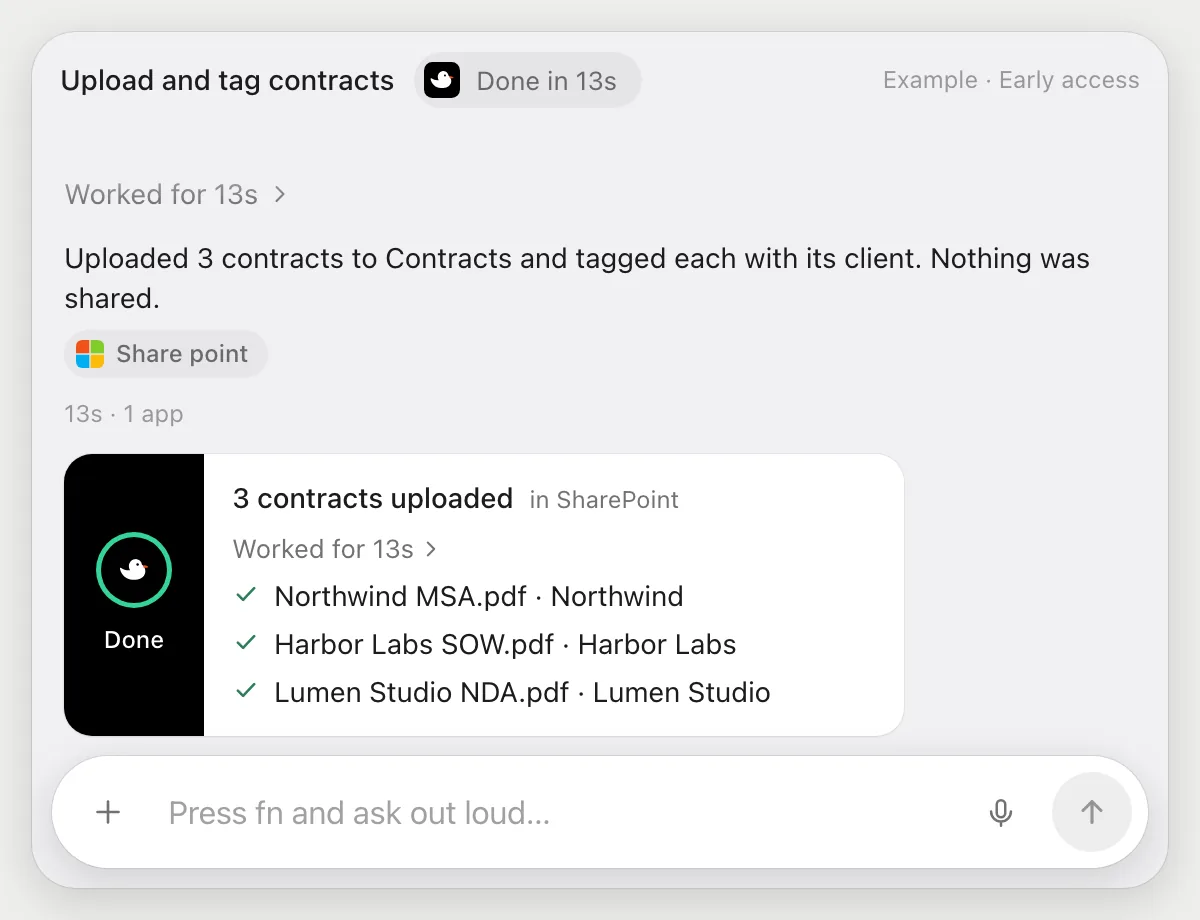
“Upload these three contracts to the Contracts library and tag them with the client”
- 01Have the three files ready in a window, and open the Contracts library.
- 02DuckyHelper uploads each file with its own cursor.
- 03It fills in the client on each file, using the Client column your library has.
- 04It shows the library with the three new files and their client tags.
Built to ask firstUploading to a library and filling in a column need no OK. Sharing a file by link or email is built to stop and ask.
You getThree contracts are in the library, each tagged with its client, in about the time it takes to read them.
Getting more out of it in SharePoint.
- 01
Show the due date and status columns before you ask about late items. It reads the columns on screen.
- 02
For a policy page, ask a specific question. "What do I need before booking?" beats "summarize this".
- 03
Tell it the name of the column to fill in, as it appears at the top of the list.
- 04
Documents live next to your drive files. The OneDrive guide covers versions and sharing.
Questions about SharePoint.
Do I need to connect my SharePoint account?
No. There is nothing to connect. It sees what is on your screen while the pill is open, and for jobs (Early access) it uses SharePoint in your browser or window with its own cursor, signed in as you. It's built not to type your passwords or card numbers.
Will it send anything without asking me?
It's built to ask first before it sends a message or pays for anything, and to wait for your yes: it stops with Send, Edit and Deny (or a pay card for anything that costs money). That covers emailing or sharing a file. It may not recognize every send or payment, so keep an eye on tasks that involve messages or money. Reading, drafting and filling things in don't need your OK.
Does it change who can see our site?
No. It doesn't manage permissions or settings. It reads the list or page you are on and, in Early access, fills in what you ask.
Does it read every page on the site?
No. It looks only at what is on your screen while the pill is open. A job you start (Early access) works on the list or library you point it at.



Do anything
Ask it a question or hand it a job, in any app.


Doing jobs for you is in early access on Mac. Asking works on Mac, Windows and Linux.