

How to use DuckyHelper in Snowflake
A long SQL worksheet is hard to read, and a dashboard chart needs a sentence for the people who will see it. Ask DuckyHelper about the query or chart on screen and it explains it and circles the part that matters. Hand it a read query and a sheet to fill and it does it (Early access).
Read a query step by step
“What does this query do, step by step?”
- 01Open the query in the worksheet so the whole statement shows, then ask out loud.
- 02DuckyHelper reads the columns, the table and the clauses in order.
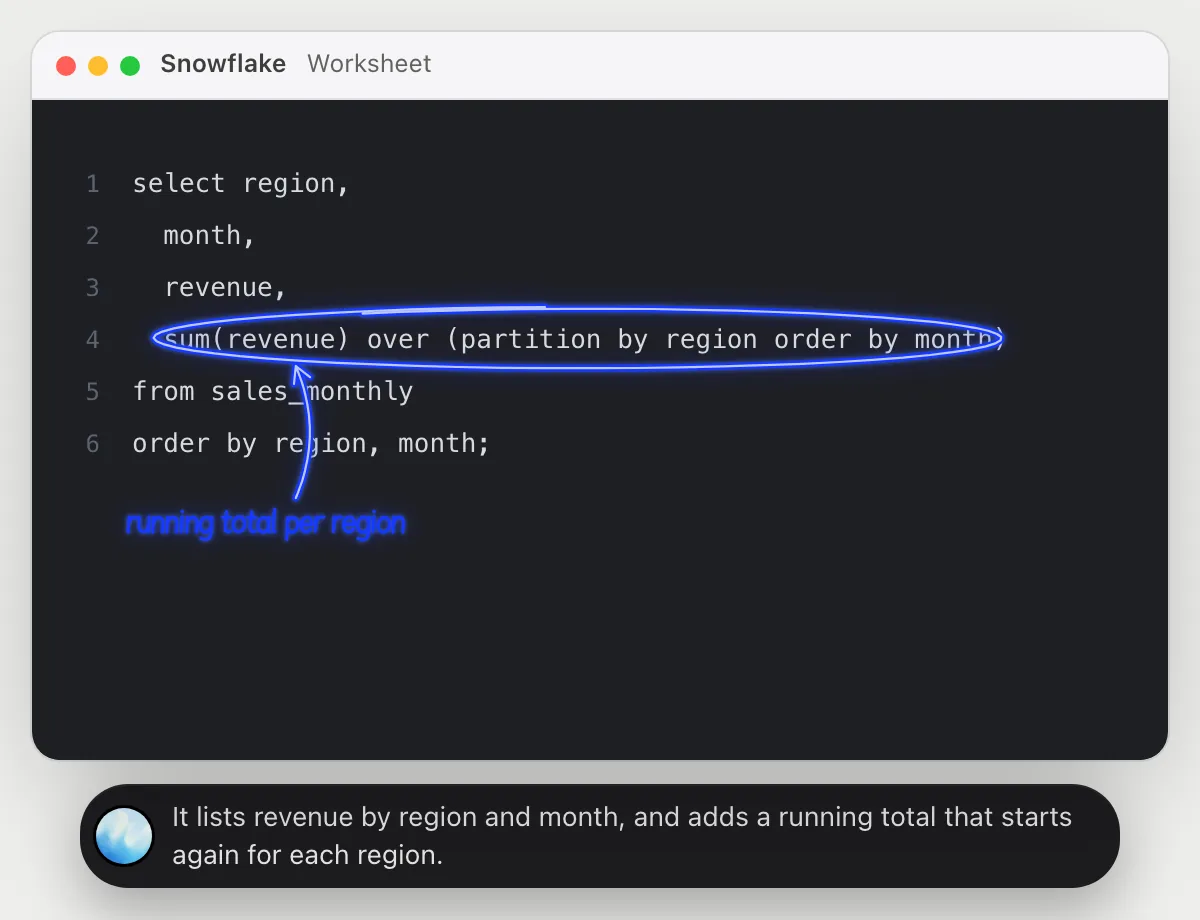
- 03It walks through it out loud, step by step, and circles the window function.
- 04Ask what the running column will look like for one region and it explains it with a few example rows.
You getA query you did not write, explained in plain words, with the tricky part pointed out.
 It lists revenue by region and month, and adds a running total that starts again for each region.
Explain a monthly chart
“Explain this month-by-month cash chart from the dashboard”
- 01Open the dashboard tile so the four months and their bars show, then ask out loud.
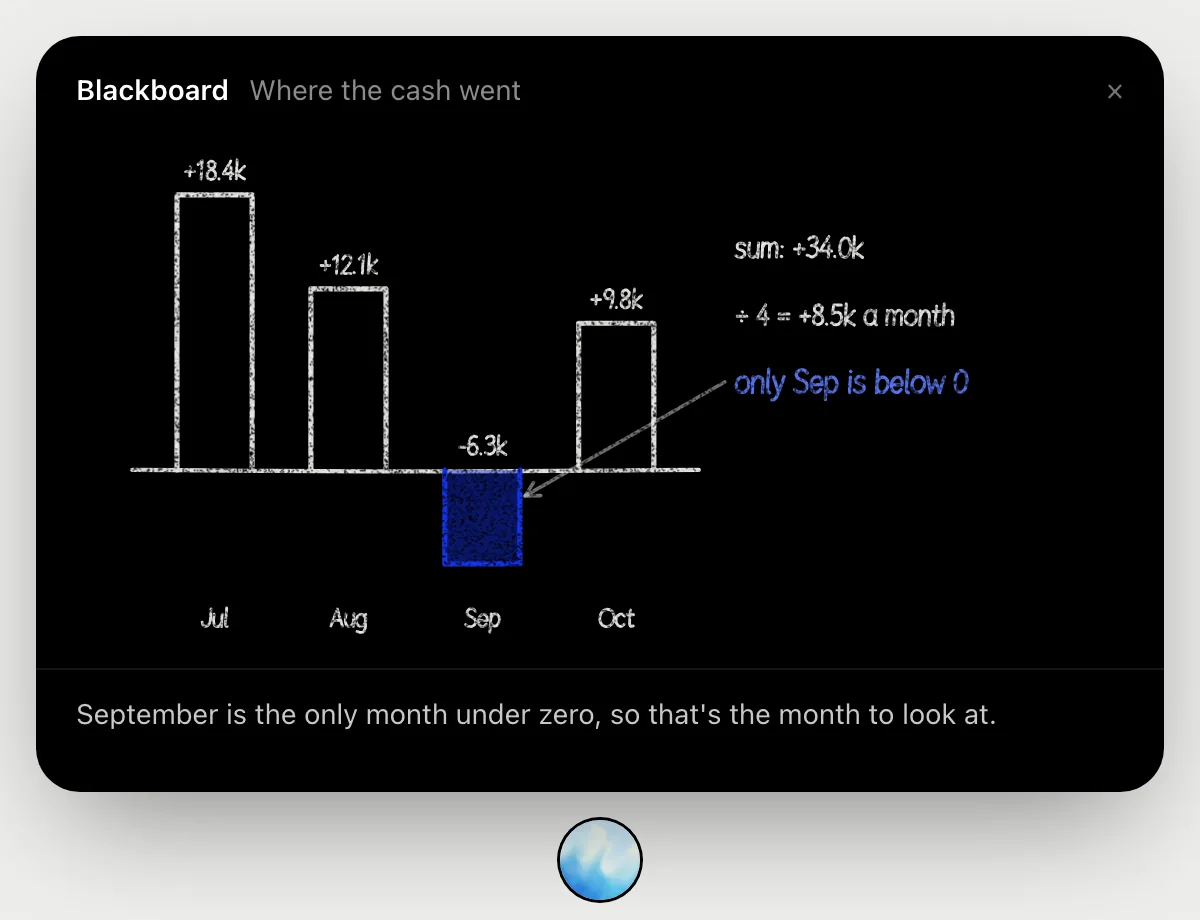
- 02It draws the bars on the blackboard: July 18.4k, August 12.1k, September below zero at minus 6.3k, October 9.8k.
- 03It adds them up, 34.0k over four months, which is about 8.5k a month.
- 04It points at September as the only month below zero, and says it is the one to look at.
You getA chart you can explain to others in three sentences.
Run a query and copy results into a sheet
“Run this query for last month and copy the results into the report sheet”
- 01Have the query in the worksheet and the report sheet open, or name them.
- 02DuckyHelper sets the date filter to last month and runs the query.
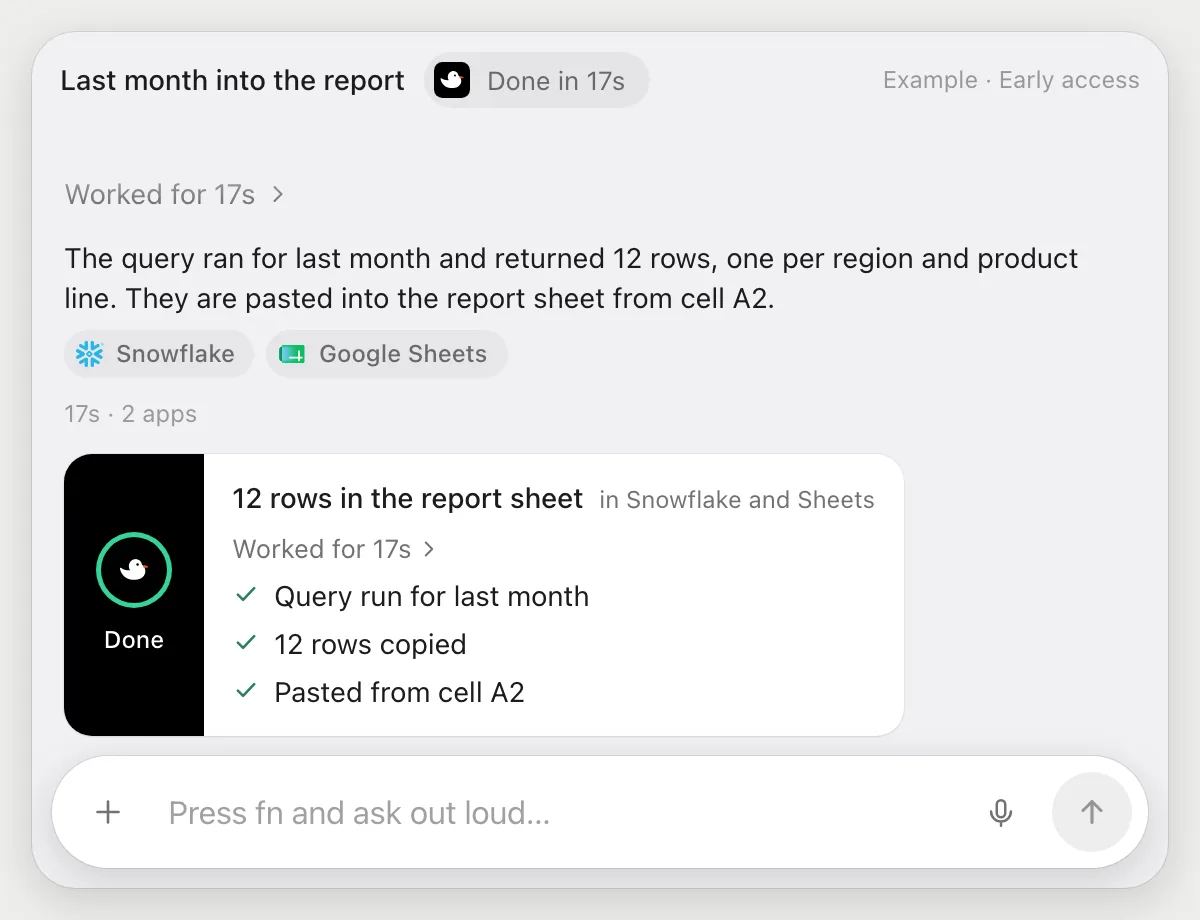
- 03It reads the 12 result rows and switches to the sheet.
- 04It pastes the rows into the sheet with its own cursor and tells you where they landed.
Built to ask firstRunning a read query and pasting into your own sheet need no OK. If a run would send or share the sheet, it's built to stop and ask first.
You getLast month's numbers sit in the report sheet, without the copying.
Find why a query scans so much
“Why does this query scan the whole table?”
- 01Open the query so the filter is on screen, then ask out loud.
- 02DuckyHelper reads the where clause and which column it filters.
- 03It circles the function wrapped around the date column and says why that can stop the filter from skipping data.
- 04Ask for the fix and it writes a version that compares the column to a date range.
You getYou see the one line that makes the query read more than it needs to.
The year() call wraps created_at, which can stop the filter skipping data. Compare created_at to a date range instead.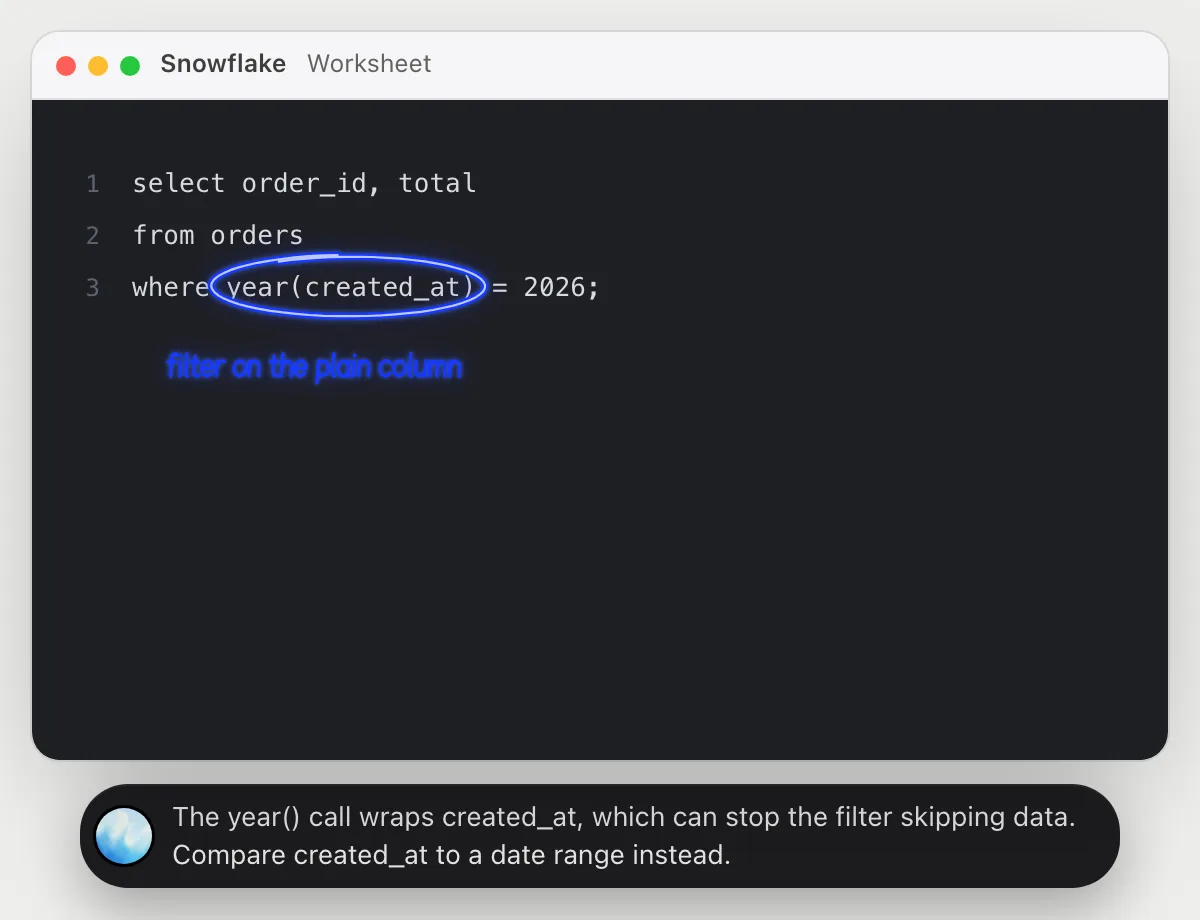
Getting more out of it in Snowflake.
- 01
Select the whole statement before you ask, so nothing is cut off at the bottom of the worksheet.
- 02
Ask it to explain a query as if for someone new to SQL. The answer is plain and short.
- 03
For a chart, say what the owner needs to hear. It answers in a sentence you can repeat.
- 04
The jobs here run reads only. Queries that change data are yours to run.
Questions about Snowflake.
Do I need to connect my Snowflake account?
No. There is nothing to connect. It sees what is on your screen while the pill is open, and for jobs (Early access) it uses Snowflake in your browser, signed in as you. It's built not to type your passwords or card numbers.
Can it change my data?
The jobs in this guide only run queries that read data. Anything that sends or shares is built to stop with Send, Edit and Deny first.
Does it see my whole warehouse?
No. Only what is on your screen while the pill is open, like the query and the chart. A job (Early access) reads what the job needs.
Does it work on my phone?
No. DuckyHelper is an app for Mac, Windows and Linux, so it works with Snowflake in your computer's browser.



Do anything
Ask it a question or hand it a job, in any app.



Doing jobs for you is in early access on Mac. Asking works on Mac, Windows and Linux.